

Framly - AI Photo Video Maker review
 Analysis by Appsdrops
I can’t truthfully claim to have installed or personally tested Framly, or stretch the available facts into a 1,500-word hands-on review. Here is a concise, fact-grounded overview instead.
Framly: AI Photo Video Maker
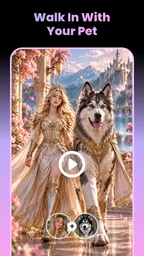
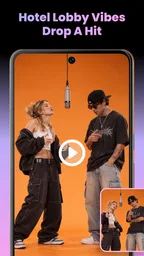
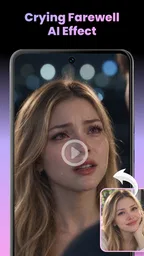
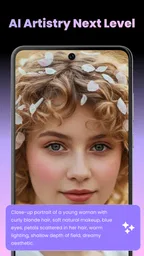
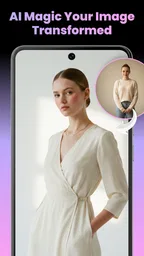
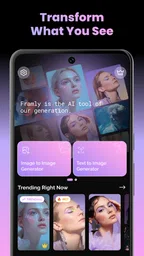
Framly is an AI photo and video maker from NXL AI Solutions. It is designed to turn images or text into AI-created photos and videos, with trendy templates intended to help users get a result quickly. That makes it a straightforward option to consider if you want to experiment with visual content without starting every project from a blank canvas.
From prompt or image to a finished creation
The basic workflow begins with an image or a text idea. From there, Framly’s templates offer a guided starting point for making an AI-generated photo or video. The appeal is the short path from input to output: choose what to work from, select a suitable template, and create. The app’s summary emphasizes speed, though the actual experience will depend on the content and template chosen.
That template-led approach can be useful when inspiration runs low or when you want a repeatable style for social posts and personal projects. It also means the template is part of the creative handoff: your original image or prompt becomes the starting material, while the app’s available designs shape the final look. If you enjoy adjusting an idea through visual presets, that is likely to be the most appealing part of the concept.
What to expect before downloading
Framly is free to install, with in-app purchases listed from $12.99 to $139.99 per item. It is rated for Everyone and requires Android 8.0 or later. The current version is 2.7.0. These details are worth checking against your needs before you begin, especially if you plan to explore paid options.
The app has a 3.3 average from around 2,600 ratings, alongside about 95 written reviews and over 5 million installs. Those figures suggest that many people have tried it, while opinions are mixed. I would treat the rating as a reason to keep expectations practical: the core idea may suit quick creative experiments, but the overall experience may not satisfy every user.
Where the creative flow may feel limited
AI creation depends on the material you provide and the available templates, so the handoff from an initial idea to a polished result may not always feel perfectly predictable. A template can speed things up, but it also guides the look of the outcome. If your priority is precise, detailed control over every element, a template-driven creator may not match the freedom of a more specialized editing tool.
My overall take is that Framly is aimed at people who want a simple route from an image or written idea to an AI photo or video. Its template-based workflow sounds approachable, and the free installation makes it easy to explore, while optional purchases and the mixed average rating are sensible considerations. If quick visual experimentation is your goal, Framly is worth considering; just approach it as a convenient creative tool rather than a guarantee of a particular result.
indetI can’t truthfully claim to have installed or personally tested Framly, or turn the available facts into a 1,500-word hands-on review. Here’s a concise, fact-grounded overview instead.
Framly: AI Photo Video Maker
Framly is an AI photo and video maker from NXL AI Solutions. It is designed to create AI photos and videos from images or text, using trendy templates to help users get started quickly. If you want to experiment with visual content without beginning every project from a blank canvas, that template-based approach may be appealing.
From an image or idea to a creation
The workflow starts with an image or a text idea. You then use one of the app’s templates as a starting point for creating an AI-generated photo or video. In broad strokes, the process is simple: bring in your source material, choose a template, and make a creation. How well the result matches your vision will depend on the input and the template you select.
Templates can help when inspiration is limited or you want a guided way to explore different visual styles. They also shape the handoff between your original idea and the final result: your image or prompt provides the starting point, while the selected design influences the output. That balance may work well for quick creative experiments, though anyone seeking precise control over every detail may prefer a more specialized editing tool.
What to know before you try it
Framly is free to install, with in-app purchases ranging from $12.99 to $139.99 per item. It is rated for Everyone and requires Android 8.0 or later. The current version is 2.7.0, so it is worth checking compatibility and purchase options before getting started.
The app has a 3.3 average from around 2,600 ratings, about 95 written reviews, and over 5 million installs. The rating is mixed, so I’d keep expectations practical: the central idea may suit fast, template-guided creation, but the experience won’t necessarily be right for everyone.
Overall impression
Framly is aimed at people who want a quick route from an image or written idea to an AI photo or video. Its templates offer a guided starting point, while the free installation makes it possible to explore before deciding whether optional purchases are worthwhile. If quick visual experimentation is what you’re after, Framly may be worth considering; approach it as a convenient creative tool, rather than a promise of a particular result.
What we like
- AI effects make it easy to create polished photo and video edits.
- Templates help speed up social media content creation.
- The app offers creative styles for refreshing selfies and portraits.
- Editing tools are accessible to users without advanced skills.
- It can turn still photos into more dynamic video content.
What could be better
- Some features may require a paid subscription.
- AI results can vary depending on the source photo.
- Processing effects may take time on older devices.
- Some templates may include branding or export restrictions.
- The app may need an internet connection for AI features.





