
EVgo Fast EV Charging Stations review
 Analysis by Appsdrops
I think of EVgo as a route-planning companion for electric-car charging, not a way to make every trip effortless. Its purpose is practical: help drivers find fast charging at EVgo stations and decide whether a stop fits the journey. If you often rely on public charging, that can save time and uncertainty. If you mostly charge at home, it may be something you open only when a longer drive or an unexpected low battery makes a public charger relevant.
What “fast” means in everyday use
The word “fast” describes the charging stations the app helps you find; it is not a promise that every charging stop will be short. Your vehicle, its battery level, the charger you use, and the circumstances at the station all affect how long you stay. I would treat the app as a way to locate a suitable stop, then plan with enough margin that a delay does not derail the day.
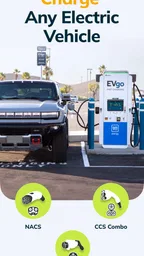
EVgo Fast EV Charging Stations is an Auto & Vehicles app from EVgo, and its focus is narrower than a general-purpose map: it is about finding EVgo fast-charging locations. That focus is useful when you already expect to use this network. It is less compelling if your first priority is comparing every charging provider in an area or building a route around whichever charger happens to be most convenient.
A sensible workflow is to check for a station before you are nearly out of charge, rather than waiting until the next stop is urgent. I would look at the location in relation to the route, leave room for a backup choice, and avoid treating a map result as a guarantee that the trip will go exactly to plan. That little bit of preparation matters more than chasing the shortest theoretical stop.
For an ordinary errand, I might use the app to see whether an EVgo stop is close enough to combine with a meal or another planned break. On a longer drive, I would check options before setting off and revisit them as the journey unfolds. This makes the app most useful as part of a broader travel routine, rather than as a last-second rescue tool.
When a busy day puts the app to the test
The demanding moments for a charging app are not just long road trips. A station search becomes more consequential when I am travelling with a tight schedule, nearing a low battery, or trying to coordinate a stop with passengers. In those situations, a list of possible locations is only the beginning: I still need to make a realistic choice, allow time for charging, and keep another option in mind if the first plan becomes inconvenient.
One practical tip is to identify a fallback before committing to a detour. If an EVgo location is not close to the route, I would compare the extra driving with the benefit of charging there instead of assuming the nearest result is automatically the best. Another useful habit is to check again before leaving a rest stop or destination, so the next leg is planned with current battery needs in mind rather than a guess made much earlier.
For a busy weekday, imagine finishing work with enough charge for the usual commute but needing to make an additional trip across town. I would use EVgo to see whether a fast-charging stop can fit near the destination or along the route home. If it can, the stop may be easier to manage than a separate charging errand. If it would require a substantial detour, a different network or a slower charger already near where I am going could be the more sensible choice.
This is where the app’s network focus is both a strength and a trade-off. It can keep the search relevant when I specifically want EVgo, but it should not be my only source of options when time or location makes other providers more convenient. Drivers who regularly cross areas with varied charging networks may prefer to pair it with a broader charging map or their vehicle’s navigation system.
Reliability is more than finding a pin on a map
I judge a charging app by whether it helps me make a dependable plan, not just by whether it can show locations. A station appearing in a search is useful, but drivers should still be prepared for real-world friction: a location can be less convenient than it looked on the screen, and a charging plan can take longer than expected. I would avoid planning a trip with no spare time or no alternative if reaching a particular station is essential.
For that reason, my preferred approach is to use the app early enough to make a decision, then keep a backup in mind. If I am driving somewhere unfamiliar, I would also consider whether the station’s location works for the people in the car: a short detour can be worthwhile when it lines up with a break, while the same detour may feel like wasted time if everyone is in a hurry.
The app’s scale makes it relevant to a broad group of drivers: it has over a million installs, an average rating of 4.6 from around thirteen thousand ratings, and roughly three thousand three hundred written reviews. Those figures suggest that many people use and assess it, but they do not guarantee a particular station will suit a particular trip. I would still make choices based on my route and charging needs, not on popularity alone.
When a plan needs changing, the most useful recovery move is to reassess the route rather than repeatedly trying to force the original stop to work. I would look for another practical charging option, consider whether I can reach a more convenient stop, and leave a reasonable buffer for the next leg. That is not a special trick of the app; it is a good way to use any charging locator without turning a minor disruption into a stressful drive.
Device fit and who should use it
The app is free, has an Everyone content rating, and its current version is 26.16.0. It runs on Android 8.0 or later, which gives it a fairly broad range of Android compatibility. Those basics make it approachable for many drivers, but the more important question is whether EVgo locations are useful where you drive. A charging app can only help when its network fits your routes and habits.
I would recommend it most to EV drivers who already use EVgo or regularly pass places where its fast chargers are a practical option. It also makes sense for someone who wants a dedicated way to look for this network rather than searching through a general map each time. Because the app is focused, it can be a straightforward part of a repeatable routine: check a stop, decide whether it fits, and keep the rest of the trip in view.
It is not the best single choice for a driver who needs a complete picture of every public charger nearby. In that case, a multi-network charging app or the car’s own navigation may be a better starting point, with EVgo used when its locations are candidates. I would also skip relying on it as the whole solution if most of my charging happens at home and I rarely make trips that call for public fast charging.
As with any navigation-related tool, using it while driving is a poor trade-off. I would plan before setting off or ask a passenger to handle a change of plans. The practical benefit of locating a charger is lost if checking the screen distracts from the road, especially when traffic or an unfamiliar turn already demands attention.
How it compares with other ways to find a charger
A general map is convenient for seeing businesses and roads together, while a vehicle’s navigation can keep directions close to the driving task. A broader charging directory may be better for comparing networks. EVgo’s advantage is its clear network-specific purpose: when I want to find an EVgo fast-charging location, I can keep that search focused instead of sorting through unrelated map results.
The trade-off is that a focused search does not replace route judgement. If the best option is another provider, a charger at a destination, or a stop that avoids a detour, the broader tool may serve me better. I would use EVgo as one part of my charging toolkit, not assume that one network’s app can answer every question about a long trip.
There is also a difference between finding a location and deciding that it is the right stop. I would consider where I am headed after charging, how much time I can spare, and whether another nearby option would make the trip simpler. This small check can prevent a common planning mistake: choosing a charger because it appears first, rather than because it actually fits the day.
My verdict on speed, stability, and recovery
EVgo is most convincing as a practical locator for drivers who want to find this network’s fast chargers and make public charging part of a planned journey. I like the focused purpose, especially for repeat users who know that EVgo stations are relevant to their routes. The app’s value is not that it removes every uncertainty from charging; it helps turn “where might I stop?” into a more concrete plan.
My main reservation is the same one that applies to any network-specific tool: it can narrow the search when I need a wider view. For an unfamiliar route, a tight schedule, or an area where another provider is better placed, I would compare alternatives rather than treating EVgo as the only answer. The best result comes from using it early, allowing flexibility, and keeping a fallback in mind.
EVgo Fast EV Charging Stations is worth trying if you drive an EV and expect to use EVgo locations. EVgo, the developer, offers it as a free app, and its straightforward focus makes it easy to understand who it is for. I would recommend it as a useful companion for charging plans, with one clear caveat: use a broader map or another network’s tool when your route calls for more choice.
What we like
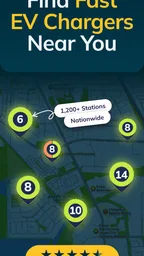
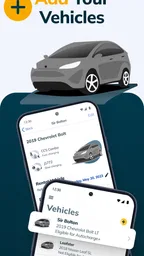
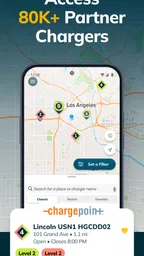
- The app helps locate EVgo chargers across the United States.
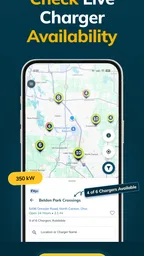
- Live station details can help drivers check availability before arriving.
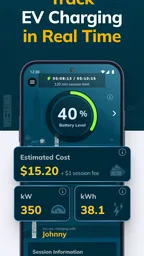
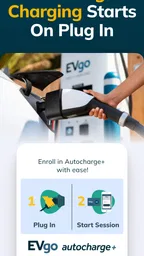
- Users can start and pay for charging sessions through the app.
- Charging history makes it easier to review past sessions.
- Account features can simplify repeat visits to EVgo stations.
What could be better
- Station availability may change before you reach the charger.
- Coverage is limited to EVgo locations and partner stations.
- Some app features require creating an account.
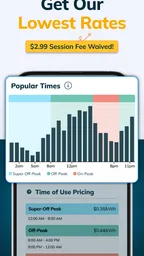
- Charging costs can vary by station and payment method.
- A weak network connection may disrupt station lookup or session controls.





