
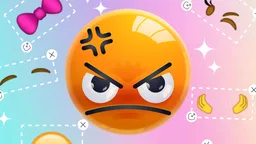
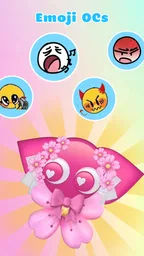
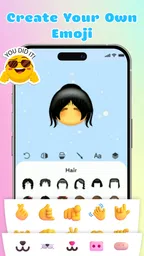
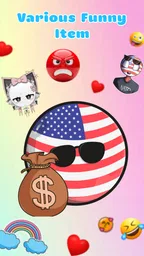
Emoji Maker: DIY Emoji Merge review
 Analysis by Appsdrops
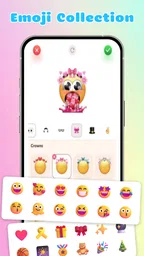
Emoji Maker: DIY Emoji Merge is best understood as a small creative workshop for people who want an emoji that feels more personal than the standard options on a keyboard. I like the idea because it turns emoji choice into a hands-on activity: rather than settling for a familiar face, you can make a custom design and experiment with mixing characters. That creative focus is also the app’s main trade-off. It is useful when you want to play with visual expression, but it is not a replacement for a full drawing app or a messaging keyboard.
Making a personal emoji, not just picking one
The app sits in the personalization category, and that description fits better than treating it as a general-purpose art tool. Its appeal is the short distance between an idea and a finished emoji: start with a visual concept, adjust it into something that feels like yours, then explore what happens when you blend designs. The process is more about playful combinations than building a polished illustration from scratch.
That difference matters. A drawing app usually asks you to manage a canvas, tools, layers, and fine detail. Emoji Maker is aimed at a tighter task: creating compact symbols that can communicate a mood or an inside joke at a glance. If your goal is a tiny character that says “I’m exhausted but amused,” the format encourages you to think in clear, readable shapes rather than adding detail that would disappear at emoji size.
The most interesting part is the Mixer concept. Combining two familiar visual ideas can produce something more memorable than either one alone, especially when the contrast is the joke. I find that more useful than making a near-copy of an emoji that already exists. Think of pairing a cheerful expression with a feature that makes it look comically unimpressed: the result can become a personal reaction for a group chat rather than just another generic smile.
Where the creative workflow earns its place
A good way to approach the app is to begin with the situation, not the design. Ask what you want the emoji to do: soften a blunt reply, react to a recurring joke, or show a feeling that ordinary emoji do not quite capture. Then keep the design focused on one readable idea. This small change in workflow helps avoid spending time on a combination that looks amusing in the editor but is hard to understand when viewed quickly.
Another useful habit is to test variations before settling on a favorite. When two designs are being blended, changing which expression or visual element leads can shift the whole tone. A combination intended to look silly may come across as annoyed if the strongest feature dominates. I would treat the first result as a draft, then make a second version with a different emphasis. That is a practical way to get more value from the Mixer without turning the process into a long art project.
The compact nature of emoji also creates a useful constraint. Small details can compete with the expression, so a simpler design is often the stronger one. If you are making something for a particular friend or chat, recognizable features and a clear mood are likely to matter more than decorative complexity. This is one reason the app suits casual experimentation: the desired result does not need to look like a professional illustration to be useful.
For an everyday example, imagine a friend repeatedly sending messages about being busy while clearly avoiding a chore. You could make a reaction that combines a familiar expression with a visual cue tied to that running joke. It would be more specific than a standard laughing face and more personal than searching through a large emoji collection. The app is at its best in those small social moments, where a custom reaction has meaning because the people using it share the context.
What to expect beyond the novelty
Emoji Maker is a free personalization app from MayZing Tech, and it is rated for Everyone. It has a 4.0 average from around 15 thousand ratings, with more than 10 million installs. Those figures suggest that the idea has found a broad audience, though popularity alone does not tell me whether every person will enjoy the making process. The app’s value depends on whether you like designing and tweaking small visual jokes, not simply on how many options a catalog contains.
The current version is 1.5.5, and the app runs on Android 7.0 or later. That makes it accessible to people using a range of Android devices, including older ones that still meet the minimum requirement. If you are deciding whether to try it, the practical question is less about technical ambition and more about your habits: do you enjoy spending a few minutes shaping a reaction, or would you rather choose a ready-made symbol and get back to the conversation?
There is also a useful distinction between creating an emoji and using it everywhere. A custom design may be satisfying to make, but its convenience depends on how you plan to share or reuse the result. If your main need is a keyboard that offers instant access to custom reactions inside every conversation, a dedicated keyboard or messaging tool may fit better. If the goal is the creative act itself—making a distinctive design and having something personal to share—the app’s focused approach makes more sense.
The limitations I would keep in mind
The first limitation is that a focused emoji maker is not a complete design studio. Anyone who wants detailed control over every line, a broad set of illustration tools, or a workflow for producing elaborate artwork should look at a full drawing app instead. Emoji Maker is built around small, expressive results. Expecting it to handle open-ended graphic design would be like expecting a sticker editor to replace an art program: the narrower task is the point.
The second limitation is that mixing can be more entertaining than consistently useful. Some combinations will communicate a clear mood; others may simply look odd. That is not necessarily a flaw—experimentation is part of the appeal—but it means the app is better for people who enjoy trying ideas than for someone who wants a guaranteed polished result on the first attempt. If you only need a quick reaction for a one-off message, the standard emoji picker is faster.
There is a social trade-off, too. A custom emoji can feel wonderfully specific to a friend group, but that same specificity may make it less clear to people outside it. Before relying on one as a serious way to communicate, consider whether the meaning will be obvious without an explanation. For a playful chat, an ambiguous result can become part of the joke; for practical communication, a familiar emoji or plain words are safer.
Finally, creation and convenience are different promises. People who want an instantly accessible, system-wide set of personalized reactions should compare this kind of app with alternatives designed around keyboard use. People who want to make and refine a few personal designs are more likely to appreciate the creative emphasis here. That distinction helps set a fair expectation before downloading and prevents the app from being judged as something it is not trying to be.
Who is likely to enjoy it
I would recommend it to anyone who regularly uses emoji but wishes they had a few that felt more like their own. It should also appeal to people who enjoy visual wordplay, make reactions for a close group of friends, or like having a lightweight creative activity to dip into between messages. Since the app is free and open to an Everyone audience, it is easy to try as a casual experiment rather than a serious commitment.
It is less suited to someone who rarely uses emoji, needs a professional design workflow, or wants a custom keyboard experience above all else. Those users may find that a standard emoji library, sticker maker, or drawing tool addresses their actual need with less friction. I would also skip it if the pleasure for you lies only in sending a reaction, not in creating one; the making is central to the appeal.
My advice is to start with one real use case rather than trying to design a whole collection. Pick a recurring mood or joke, make a simple version, and see whether you actually reach for it in conversation. If you do, refine the idea or try a contrasting blend. If you never use it after the novelty wears off, that tells you the app’s creative side was more appealing than the practical result—and that is a reasonable way to judge a free personalization tool.
A playful tool with a clear niche
Emoji Maker: DIY Emoji Merge works best when I treat it as a place to invent compact, personal reactions—not as a shortcut to professional artwork or a replacement for my usual keyboard. Its strongest quality is the way blending encourages unexpected combinations, while its main weakness is that not every experiment will be clear or worth keeping. The result depends on the idea you bring and your willingness to try a few versions.
For people who enjoy turning an inside joke or a particular mood into a visual shorthand, I think it is worth trying. The free price makes experimentation approachable, and MayZing Tech has shaped the app around a specific, easy-to-understand creative task. If you need polished illustration controls or instant keyboard access instead, another type of app will serve you better. But if making a small emoji that feels unmistakably yours sounds fun, this is a focused and enjoyable place to start.
What we like
- Simple controls make emoji creation easy for beginners.
- Combining designs offers a playful way to create custom emojis.
- The DIY format encourages experimentation with different looks.
- Made emojis can add a personal touch to chats.
- Short creation sessions suit casual use.
What could be better
- Creative options may feel limited compared with full design apps.
- Some features may require watching ads or making purchases.
- Results may not work as custom emoji on every messaging app.
- The merging process can become repetitive over time.
- An internet connection may be needed for some features.





