
ecobee review
 Analysis by Appsdrops
I like a home-control app best when it makes a small, everyday adjustment feel straightforward rather than turning it into another task. ecobee is built around that practical idea: it gives people using ecobee equipment a phone-based way to manage household comfort and monitoring. Its usefulness, though, depends on what devices are installed at home and on whether the app’s controls fit the way each person sees, hears, and interacts with a phone.
Finding the controls without a learning curve
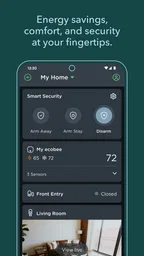
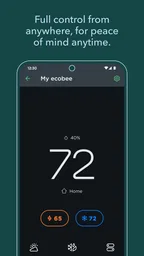
Ecobee is a free House & Home app from ecobee inc. The company’s focus is reflected in the app’s central purpose: controlling a thermostat and checking on home monitoring from a mobile device. I would think of it as a companion to an ecobee setup, not a general-purpose smart-home dashboard that can replace every manufacturer’s controls.
That distinction matters for navigation. If your main reason for opening the app is to make the home warmer or cooler, the thermostat is the natural starting point. Keeping the task tied to a familiar device can make the app easier to understand than a sprawling collection of unrelated smart-home tools. On the other hand, someone who has not installed compatible ecobee equipment should not expect the app alone to provide useful home control.
The app has an average rating of 4.3 from around 42,000 ratings, and it has more than 1 million installs. Those figures suggest that it has reached a substantial group of users, but they cannot tell me whether its layout works well for a particular person. I would judge that by trying the key task—finding the thermostat and changing the setting—on the phone and with the display settings the user normally relies on.
For a household with several people, it helps to decide in advance what each person needs to do. One person may only want to adjust comfort; another may check on home monitoring. A short walk-through on the actual phone can reveal whether those separate tasks are easy to find, whether the text is comfortable to read, and whether anyone feels unsure before changing a setting. That is more useful than assuming one person’s fluency with the app means it will feel clear to everyone.
Readable controls are only part of accessibility
For people with low vision, a phone’s display enlargement and contrast settings may make everyday app use more comfortable, but they can also change how much information fits on screen. I would test the screens used most often rather than judging from the opening view alone. If enlarging text makes a control harder to locate or causes extra scrolling, a different display setting—or help from someone who can check the layout alongside the user—may be a better compromise.
I also would not treat a thermostat app as automatically easy for someone who has difficulty with small touch targets, precise movements, or remembering a sequence of steps. The best test is a real, low-pressure task: open the app, locate the home’s thermostat, and make one small adjustment. If a user has to tap repeatedly, hold the phone in an uncomfortable position, or ask someone else to interpret labels, those are meaningful barriers even if the app appears simple to another household member.
There is a useful household workflow here: agree on a comfortable baseline and let each person know which control changes are routine. That can reduce uncertainty for someone who is anxious about accidentally making the home too warm or too cool. It also helps caregivers or family members support a resident without taking over every interaction. I would keep the conversation practical—what the person wants to adjust and what they are comfortable changing—rather than assuming everyone should use the app in the same way.
Touch, sound, and attention in daily use
People with motor differences may find phone-based thermostat control convenient because it avoids walking to a wall-mounted control for every adjustment. That can be valuable when someone is resting, has limited mobility, or wants to make a change from another room. Still, it is not a universal substitute for a physical control: the phone must be available, usable, and within reach, and the person needs to be comfortable navigating its screen.
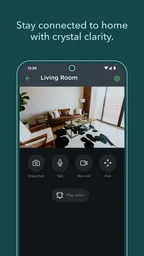
For people with sensory sensitivities or who prefer fewer interruptions, the app’s monitoring role deserves a deliberate setup routine. I would decide which household member is responsible for checking it and when, rather than asking everyone to watch a phone constantly. That simple agreement can keep home monitoring from becoming a source of repeated checking or distraction. I would also test any phone-level sound and notification preferences with the app in ordinary use, since the right balance depends on the user and household.
Someone who is deaf or hard of hearing may value being able to consult information visually on a phone, but I would not assume that every alert or monitoring event is communicated in a way that suits them. If a household relies on alerts for an important response, test the actual notification path on the person’s device and make sure another dependable household routine exists. For a person who is blind, a screen reader may be central to using the app; testing the exact thermostat and monitoring tasks with that tool is more responsible than assuming the interface is fully accessible.
When phone access helps—and when it gets in the way
A realistic example is a person who feels cold while resting in a bedroom, while the thermostat is elsewhere in the home. If they already use ecobee equipment and can comfortably operate their phone, opening the app to adjust the home can spare a trip and let them remain where they are. For someone with pain, fatigue, or mobility limits, that difference can matter more than a long list of smart-home features.
There is another useful situation when a household is away from its usual routine: a resident or family member can use the phone as the place to check thermostat control and home monitoring. I would still treat remote convenience as a supplement, not a reason to assume that every person can manage the system independently. If the phone is discharged, misplaced, or difficult to operate, a household plan should account for another way to handle essential comfort needs.
The app is most compelling when the person using it already has an ecobee thermostat or other relevant ecobee equipment, wants phone access, and finds touch-based controls comfortable. Compared with using a thermostat’s physical interface, the phone can make control available from more places in the home. Compared with a broad smart-home app, its appeal is more focused on ecobee’s own comfort and monitoring environment. If a household has devices from several brands and wants one place to manage all of them, a platform designed around that mixed setup may be a better fit.
Setup expectations and remaining friction
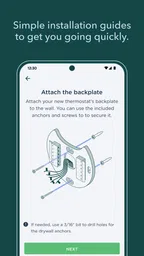
Before relying on the app, I would confirm that the household’s equipment is compatible and that the person who needs access can use the relevant account and phone. Those are easy details to overlook when a family member performs the setup for someone else. It is worth letting the intended user try the app themselves early, because an interface that works for the installer may not work equally well for the person who will use it day to day.
There is also a practical difference between controlling comfort and solving every accessibility need in a home. Phone control can reduce a physical trip, but it does not by itself ensure that a room feels comfortable, that a user can interpret every screen, or that monitoring information is accessible to them. I would pair the app with sensible household habits: agree on who can change settings, show the user the task they care about, and check that the phone’s text, touch, and alert settings suit them.
Ecobee is rated for Everyone, and it has been available since September 29, 2014. That broad age classification is not an accessibility guarantee; it simply makes the app relevant to households with different ages. A child, an older adult, or a person receiving care may all have different reasons to use it, and each may need a different level of support. I would avoid handing over access without first explaining what the controls do and agreeing on how changes should be handled.
As with other manufacturer-specific apps, the trade-off is focus. A direct connection to ecobee equipment can be preferable to juggling several control methods, but it also ties the experience to that product family. If the household does not use ecobee gear, or if its main need is a highly adaptable interface for a person who cannot comfortably use a phone, a physical control or another system better suited to that need may be the wiser choice.
My inclusive verdict
My view is that ecobee can make thermostat and home-monitoring tasks more reachable for people who benefit from controlling things on a phone, especially when walking to a wall control is inconvenient. Its strongest inclusive use is practical rather than universal: it can put familiar home tasks within reach for a person who can navigate the app and has the right ecobee setup.
I would recommend trying it with the person who will actually use it, not only with the person setting up the home. Check one comfort adjustment and one monitoring task using their normal display and phone-access settings. If both are clear and comfortable, the app may be a helpful part of an accessible household routine. If labels, touch interaction, alerts, or device access create friction, keep another reliable way to manage the home and consider a different control approach.
For households already invested in ecobee, the app is worth considering as a convenient companion; for people who need broad device compatibility or a proven fit for a particular sensory or motor requirement, I would test carefully before depending on it. The most useful outcome is not simply having home controls on a phone, but making sure the person who needs them can use them with confidence.
What we like
- Remote thermostat control is convenient when plans change.
- Smart scheduling can help reduce unnecessary heating and cooling.
- Room sensors can improve comfort in frequently used spaces.
- Energy reports make household heating patterns easier to understand.
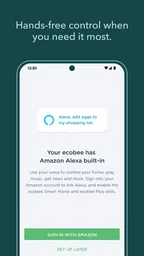
- Compatible smart home platforms allow hands-free control.
What could be better
- Some advanced features require a paid subscription.
- Room sensors may need to be purchased separately.
- Setup can be challenging without a compatible HVAC system.
- Smart features depend on a stable internet connection.
- The app offers fewer benefits if you do not own ecobee devices.





