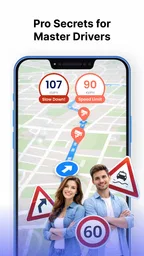
Driving Instructor: Road Test review
 Analysis by Appsdrops
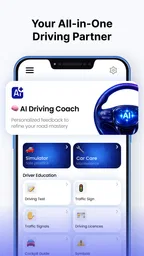
I would treat Driving Instructor: Road Test as a practical companion for drivers who want study and trip-planning tools in one place, rather than as a replacement for a driving instructor or a dedicated navigation service. Its mix of traffic-sign learning, exam practice, speed-camera alerts, and offline maps is appealing because it addresses several different moments in a driver’s routine: preparing at home, checking a route, and keeping useful guidance available when connectivity is poor. Whether that combination is worth using depends on which of those needs you actually have.
What you get without paying, and where the value sits
Driving Instructor: Road Test is a free Auto & Vehicles app from Dijital Elma. It has a 3.6 average from around 1,400 ratings and more than 1 million installs, so it has reached a substantial audience, although its rating suggests the experience may not suit everyone equally well. In-app purchases range from $4.99 to $29.99 per item. I would separate those facts when judging value: installing it costs nothing, but some optional purchases may cost considerably more than a small add-on.
The useful question is not simply whether the app is free, but whether its no-cost experience covers your reason for downloading it. If you mainly want to explore traffic signs or try practice exams, you can begin without committing money. If your interest is more about ongoing route support, the camera-alert and offline-map tools may matter more. Before buying anything, I would spend time with the free access and identify exactly which part of the app you expect to use repeatedly. The purchase range alone does not tell you which item is right for you or how much value it will add to your particular routine.
That makes this a better fit for cautious testing than an app that demands payment before you can see whether its approach works for you. At the same time, I would not assume that every feature is included free just because the app itself is free to install. Treat the in-app purchases as optional spending to evaluate deliberately, not as an automatic upgrade. If a paid item is tempting, compare its practical benefit with the specific task you need help with; paying for a feature you rarely open is unlikely to improve your driving.
Study tools that work best as short practice sessions
The learning side is most useful when you have a clear goal. Traffic signs are easier to remember when you connect each one to the decision it asks you to make on the road, rather than tapping through questions as a memory game. I would use a practice session to notice which signs keep causing hesitation, then revisit those before a lesson or a drive. That approach turns an exam tool into a way to spot gaps in your understanding.
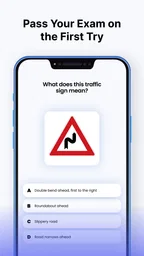
Practice exams can also help you get comfortable with the rhythm of answering questions, but a good result in an app is not the same thing as being ready to handle a busy junction. I would treat them as a checkpoint: if a topic feels easy in a quiz but confusing in real traffic, make it a subject to discuss with an instructor. Conversely, repeated mistakes on the same sign are a useful cue to slow down and review the underlying rule rather than simply retaking the test until the answers stick.
A practical routine is to do a brief round of sign study while waiting for an appointment, then take an exam-style session later when you have enough attention to review your errors. Avoid cramming immediately before driving if it leaves you distracted. The app can support preparation, but the value comes from turning its prompts into better observation and safer decisions outside the screen.
Maps and alerts have a different job from exam prep
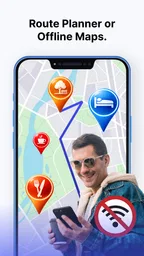
Offline maps and speed-camera alerts shift the app from study aid toward travel companion. That pairing could be handy when you expect a route with unreliable mobile coverage, or when you want route context without depending entirely on a live connection. I would prepare an offline map before leaving, rather than waiting until the signal has already dropped. That is a small workflow change, but it avoids discovering at the roadside that you did not make the map available in advance.
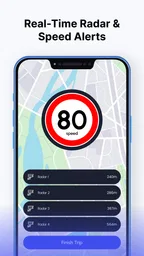
Camera alerts should be treated as reminders to pay attention to speed limits, not as permission to drive right up to a warning or as a guarantee that every camera will be identified. Conditions, road signs, and local rules still take priority. If an alert arrives at a busy moment, keep your eyes on the road and let a passenger handle the phone if an adjustment is needed. The safest value of an alert is prompting a steady, lawful pace, not encouraging last-second braking.
I would also decide before a trip whether I want this app handling navigation-related tasks or whether I prefer a familiar maps app. Switching between tools while driving creates distraction, and using one app for learning and another for directions may be simpler. Driving Instructor: Road Test is more compelling when you can use its study resources before setting off and its travel tools only when they fit your journey.
Everyday situations where the combination makes sense
Imagine a learner preparing for a lesson after work. They can review the signs that have been difficult, try a practice exam at home, and then discuss uncertain rules with their instructor the next day. That is a sensible use because the app supports preparation without pretending to replace supervised driving. A new driver planning a longer trip could instead prepare an offline map beforehand and use the camera alerts as a prompt to check speed, while still following posted signs and concentrating on the road.
There is also a useful distinction between studying for a test and driving after passing it. A learner may get more immediate benefit from sign practice and exam questions; an experienced driver may care more about maps and alerts. If you only need one of those jobs, the app’s breadth is not automatically an advantage. You might prefer a focused theory-learning tool for exam preparation or a dedicated navigation app for regular trips, especially if you already have a setup you trust.
Tradeoffs to weigh before making it part of your routine
The main tradeoff is that several different functions do not necessarily make one seamless experience. Studying signs, taking exams, planning offline routes, and receiving camera alerts involve different habits. I would not download it expecting that every part will be equally useful or equally polished for my needs. Spend a little time testing the sections you care about, and keep only the ones that make a real task easier.
The 3.6 average is a reason to approach it with measured expectations rather than a reason to dismiss it outright. Ratings can reflect different devices, expectations, and use cases, so they cannot tell you exactly how it will behave for you. Still, they do make a trial-first approach sensible: see whether the study material suits your learning style and whether the travel tools fit your routes before considering a purchase.
Another limitation is the risk of treating an app as an authority when driving rules and road conditions demand judgment. A quiz cannot teach the full context of a developing situation, and an alert cannot replace reading signs. I would use the educational features to reinforce what I learn from official instruction and use the travel features as support, not as the final word. If you need formal instruction, individualized feedback, or a guaranteed navigation service, choose the appropriate professional or dedicated product instead.
The app is rated for Everyone, and it runs on Android 7.0 or later. Its current version is 1.0.7, and it was released on April 13, 2026. Those details make it straightforward for compatible Android users to consider, but they do not change the central decision: the app’s value depends on whether its mix of learning and driving utilities matches your needs. I would check compatibility before installing, then judge the actual experience rather than expecting the version number or broad feature set to guarantee a particular result.
Who is most likely to get their money’s worth?
I would recommend trying it first if you are learning road signs, preparing for a driving exam, or want study and basic trip-support tools together. It may also suit drivers who occasionally travel where connectivity is unreliable and are willing to prepare offline maps before leaving. For these users, starting with free access gives a low-risk way to see whether the combination earns a place in their routine.
I would be more cautious if you already have a reliable navigation app and only want a polished route planner, or if you need a structured course with direct instructor feedback. Likewise, if you are looking only for camera warnings, a focused alternative may be easier to use than an app that also includes learning tools. The best choice is the one that reduces distraction and serves your actual driving task, not the one with the longest feature list.
For paid items, I would decide based on repeated use, not curiosity. First establish that the free experience is helpful, then consider whether a specific purchase addresses a need you have encountered more than once. Because the in-app purchase range spans $4.99 to $29.99 per item, the difference between a modest add-on and a more substantial spend is meaningful. If you cannot name the task a purchase will improve, I would wait.
My verdict: try the free experience, then be selective
Driving Instructor: Road Test is worth a look if you want a flexible companion for road-sign revision, practice exams, and occasional driving support. I like the idea of bringing preparation and travel tools together, particularly for a learner who wants to review before lessons and a driver who values offline access on planned routes. The app is free to install, while optional purchases mean the full value depends on what you choose to use and pay for.
My recommendation is to begin with the study tools or travel feature that solves your immediate problem, rather than trying to rely on everything at once. Use sign practice to expose weak spots, prepare maps before a low-coverage trip, and treat alerts as reminders rather than guarantees. If those habits make driving preparation easier, the app has earned its place. If you need a dedicated navigation experience, hands-on teaching, or a tool focused on just one task, I would choose a more specialized alternative instead.
What we like
- Offers practice for common road test situations.
- Lets users learn at their own pace.
- Provides a low-pressure way to review driving decisions.
- Can help learners feel more prepared before a test.
- Suitable for short practice sessions.
What could be better
- Does not replace lessons with a qualified instructor.
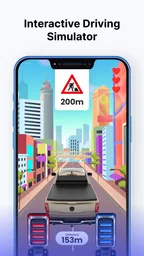
- Simulated driving may not reflect real road conditions.
- Some scenarios may differ from local test rules.
- Screen controls may take time to get used to.
- It may not cover every skill assessed during a road test.





