

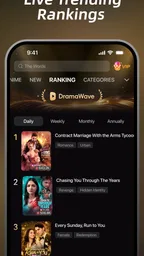

DramaWave - Dramas & Reels review
 Analysis by Appsdrops
I judge short-form drama apps by a simple test: can I settle in for a quick story without spending more time managing the app than watching? DramaWave is built around compact dramatic viewing, so it suits breaks and brief stretches of downtime better than someone looking for a traditional, full-length television setup. My main takeaway is that its appeal depends on how much you enjoy serialized, snackable entertainment—and whether you are comfortable keeping an eye on how much you watch.
Quick episodes, with a different rhythm from ordinary streaming
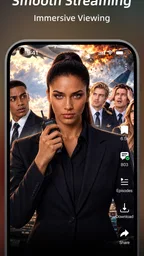
DramaWave is an entertainment app from SKYWORK AI PTE.LTD. Its focus on drama shorts gives it a more immediate rhythm than a conventional streaming service: instead of choosing a long film for the evening, I can open it with a short window of free time and follow a story in smaller pieces. That format is handy on a commute, while waiting for an appointment, or during a lunch break when I do not want to commit to a full episode of a longer series.
The trade-off is that “short” does not necessarily mean “easy to stop.” A dramatic setup can make the next installment feel like the natural choice, and a few brief viewing sessions can add up. I would approach it as a source of bite-sized entertainment rather than assume every visit will remain brief. If I had only a few minutes, I would decide that before opening the app instead of relying on a cliffhanger to let me go.
That distinction also helps when comparing it with the usual alternatives. A broad video platform is better when I want to browse many unrelated creators or topics. A standard television streamer is a stronger fit for films, longer episodes, and a familiar watchlist routine. DramaWave occupies a narrower lane: compact dramatic stories designed for viewing in short bursts. I would choose it when that specific format sounds appealing, not as a replacement for every kind of video app.
What quick viewing feels like
The app’s store summary points to reels, short dramas, and TV series, giving it a mix of bite-sized and longer-form viewing. In practice, I would treat those formats as different moods: reels for a fast dip, a short drama for a story with continuity, and a series when I have more time. The useful question is not simply whether a video is short, but whether I want a self-contained distraction or a narrative that may pull me into another installment.
For a realistic everyday example, imagine waiting for a delayed pickup. A short viewing session can make the wait feel less empty without requiring headphones and an hour of uninterrupted attention. But if I am about to board a train or join a meeting, I would avoid starting a story at a tense turning point. The format can fit around daily life; its serialized pull can also make timing less predictable.
Speed expectations and heavier sessions
I would expect the experience to feel most straightforward when I am moving between brief clips and short viewing sessions. Longer stretches can place more demands on the phone simply because video playback keeps the screen and media activity going. That is a general consideration for video apps, not a claim that DramaWave has a particular battery drain or loading speed. I would pay attention to my own device and connection rather than assume performance will be identical across phones.
For heavier use, I would keep the practical workflow simple: begin on a stable connection, avoid running unnecessary apps if the phone is already struggling, and pause playback when I am done rather than leaving a session open. These are ordinary precautions, but they matter more when a quick check turns into a longer watch. If the app feels sluggish, closing and reopening it is a sensible first step; I would not treat that as evidence of a widespread fault.
Video quality and responsiveness can depend on conditions outside the app itself, including network strength and the capabilities of the device. If a clip takes longer to start in a weak-signal spot, I would first test whether other video services behave similarly before blaming DramaWave. Conversely, if other apps are smooth and this one repeatedly stalls, that is a useful reason to pause and reassess rather than keep tapping through the same problem.
Stability, interruptions, and picking up again
Reliability matters particularly for a serial format: a disrupted session is annoying when I have just reached a story beat that makes me want to continue. I would judge the app over repeated ordinary sessions, not one isolated interruption. If playback stops, I would check the connection, return to the app, and see whether I can resume the story in the expected place. That gives me a practical way to distinguish a temporary network hiccup from a recurring problem on my device.
I would also avoid assuming that every short session is a perfect fit for a tiny gap in the day. A call, a change of network, or a low battery can interrupt any video viewing. For that reason, I would use DramaWave when I have enough breathing room to enjoy a short story, and choose something easier to abandon when I know I may be interrupted repeatedly. The app’s format is convenient, but convenience is not the same as guaranteed uninterrupted playback.
One useful habit is to notice where interruptions happen. If problems appear only on mobile data or only in one particular spot, the connection is a more likely first suspect than the app as a whole. If issues continue under different conditions, updating the app or restarting the phone may be worth trying. DramaWave’s current version is 2.0.81, and the minimum operating-system requirement is Android 8.0, so an older or constrained device deserves extra consideration before a long session.
Device fit, age guidance, and spending boundaries
The Android minimum is an important compatibility check, but meeting it does not guarantee an equally smooth experience on every phone. Older hardware may have less room for multiple active apps, and a nearly full device can feel less responsive in general. I would close demanding background tasks if playback is choppy and keep the operating system within the supported range. If the phone is already struggling with other video apps, I would not expect a short-drama service to solve that underlying limitation.
The content rating is Teen, so I would keep that in mind when deciding whether the app is suitable for a younger viewer. The rating is a useful starting point, not a substitute for a parent’s judgment about the specific content a child encounters. If I were helping a family member choose an entertainment app, I would discuss viewing habits and spending before handing over a device, rather than assume the rating answers every household question.
DramaWave is free to install, but it includes in-app purchases ranging from $0.09 to $299.99 per item. That is a wide span, so I would check the purchase prompt carefully and avoid treating any paid option as necessary just because it appears during browsing. If I were sharing the device with a child or trying to keep entertainment costs predictable, I would review purchase controls before regular use. The sensible approach is to decide on a spending boundary first and only buy something when its value is clear to me.
Who will get the most from it
I can see DramaWave working well for people who like dramatic storytelling but do not always have time for a full episode. It is also a reasonable option for someone who wants a dedicated place for short dramas rather than searching a large, mixed-content platform. The app has a 4.6 average from around 888,000 ratings, and it has passed 100 million installs, suggesting that this short-form entertainment format has found a substantial audience. Those figures offer context, but they cannot tell me whether its particular stories match my taste.
I would be less enthusiastic if I mainly wanted long films, a broad range of unrelated video subjects, or a viewing experience that is easy to stop at a predetermined point. People who dislike cliffhanger-driven stories may find the format more tempting than relaxing. And if I am trying to reduce screen time, an app centered on frequent, compact viewing may take more self-management than a book, podcast, or a single long program with a clear endpoint.
The app is free, which lowers the barrier to trying it, but the purchase range means I would still be deliberate about optional spending. Its release date was September 12, 2024, and the Teen content rating is another detail I would weigh before recommending it to a household. Together, those facts help frame the choice: it is an accessible entertainment option, but its suitability depends on age, taste, device condition, and how easily I can set limits on viewing.
My performance verdict
For me, DramaWave makes the most sense as a purpose-built option for short dramatic viewing, not as an all-purpose streaming replacement. Its compact format fits spare moments, while its serial storytelling can make those moments stretch longer than planned. I would use it when I want a quick narrative break, keep an eye on the connection and battery during longer sessions, and check purchase prompts instead of tapping through them automatically.
If the phone meets the Android 8.0 minimum and handles other video apps comfortably, trying the free app is a straightforward way to see whether the format suits you. If your device is older, your connection is unreliable, or you want full-length viewing without the pull of continuing short installments, a traditional streaming service or a less serialized option may be a better match. I recommend DramaWave to people who specifically enjoy brief dramatic stories and are happy to manage their viewing time; I would skip it if that format is not what you want.
My practical recommendation: treat it as a short-story viewing app, not an automatic filler for every spare minute. DramaWave is rated 4.6 on average, is free to install, and comes from SKYWORK AI PTE.LTD.; those points make it easy to consider, but the real deciding factor is whether its particular style of bite-sized drama fits your routine.
What we like
- Episodes are short and easy to fit into a quick break.
- The vertical video format feels natural on a phone.
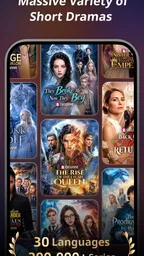
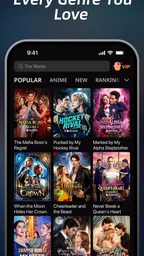
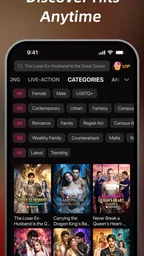
- A wide range of dramatic storylines keeps browsing varied.
- New episodes can make ongoing stories easy to follow.
- Personalized recommendations help surface appealing dramas.
What could be better
- Some episodes may require watching ads or using coins.
- Frequent cliffhangers can make stories feel drawn out.
- The free viewing allowance may be limited.
- Subtitles may not be available for every drama.
- An internet connection is needed for streaming.





