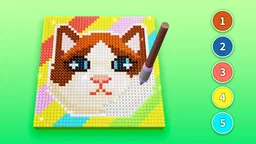
Diamond Painting by Number review
 Analysis by Appsdrops
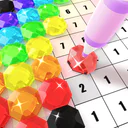
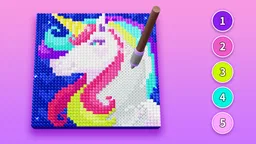
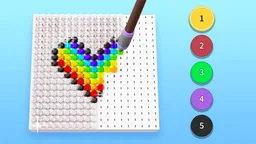
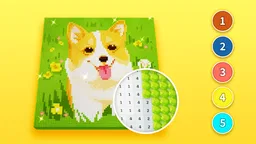
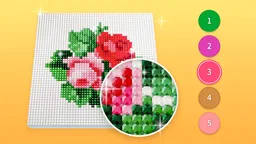
I like Diamond Painting by Number most for one simple reason: it makes a craft that can look intimidating feel approachable. The idea is to fill a picture by matching numbered areas with the corresponding colors, turning a detailed image into a sequence of small, manageable choices. That straightforward structure is the app’s defining strength. If you enjoy the look of diamond painting but are unsure where to begin, it gives you a gentle way to try the process without first gathering physical tools.
It is an art and design app from Creative APPS, and its audience is wider than experienced crafters. The store’s promise that beginners can complete diamond-painting designs fits my impression of its appeal: the task is broken down enough to make a first attempt feel possible, while the finished image still gives you a reason to keep going. It is free to install, rated for Everyone, and its average rating is 4.6 from around 17,000 ratings. Those figures suggest broad interest, but the practical question is whether this style of guided coloring suits the way you like to spend your time.
Why numbered painting changes the experience
In a conventional drawing app, you decide what to make and how to make it. That freedom is rewarding, but it can also leave a beginner staring at a blank canvas. Here, the numbered design supplies the structure. You work within an existing picture and focus on matching the marked sections, so there is less pressure to invent a composition or choose every color yourself.
That difference matters most when you want a calm activity rather than a full creative project. I would describe the pleasure as steady progress: each correctly filled area contributes to a larger image, and you can concentrate on the next small task instead of worrying about the entire picture. The familiar paint-by-number logic is easy to understand, while the diamond-painting theme gives the process its own identity.
The main benefit is lowered decision fatigue, not unrestricted artistic control. You do not have to plan a palette or draw outlines before you start. In exchange, you are following the design rather than shaping it from scratch. That makes the app a better fit for someone who wants guided, low-pressure creativity than for someone seeking a digital sketchbook or a tool for original illustration.
Following the numbers without losing your place
The central workflow is easy to grasp: choose a design, identify the number or color you are working on, and fill the corresponding areas. That simple loop is the reason a newcomer can begin without studying a complicated interface. It also makes the activity easy to pick up again after a pause; you can return to the picture and resume matching rather than reconstructing a complex drawing process in your head.
A useful habit is to work in short passes. Instead of trying to finish a whole picture in one sitting, focus on a small stretch of the design and stop when you feel ready. Numbered coloring naturally supports this approach because progress is visible in increments. It is also a practical way to avoid turning a relaxing pastime into a chore, especially if a picture contains many small areas.
Another tip is to pay attention to the image as a whole now and then, not just the next marked space. Close-up, repetitive work can make every section feel alike; looking at the emerging picture helps you notice how the colors and shapes are coming together. That small shift in attention can make a long session feel more satisfying without changing the basic method.
A good fit for a spare moment at home
Imagine settling down after dinner with a few minutes free, but not enough energy to start a demanding game or a complicated craft project. This is the sort of moment when the app makes sense. You can spend a little time filling part of an image, pause when family life or another task calls, and return later. It gives an idle stretch a modest creative focus without requiring you to prepare a workspace or commit to a long session.
It can also suit someone who likes crafts but does not want to buy materials just to find out whether the activity is enjoyable. The digital format lets you test the basic rhythm first: follow the guide, place color in the intended area, and watch the image develop. If you later discover that you love the tactile side of crafting, a physical diamond-painting kit may offer a more satisfying experience. The app is best understood as an accessible digital pastime, not a replacement for every part of making art by hand.
For a beginner, the guided format removes a common obstacle: not knowing what to do next. For a more experienced artist, that same guidance may feel restrictive. If your idea of relaxing creativity is experimenting with brushes, layering your own colors, or changing a composition as you go, a freeform drawing app will likely be a better match. The choice depends less on artistic skill than on whether you want structure or control.
Where the guided format helps—and where it limits you
Numbered areas make the task approachable, but they also mean your choices are bounded by the design. You are completing a picture, not building one from a blank canvas. That can be a relief on a tiring day, yet it may become repetitive if you prefer every creative session to feel different. The app’s core appeal is consistency, so it is worth being honest with yourself about whether repeating a color-matching routine feels soothing or monotonous.
The phone screen is another tradeoff to consider. Small sections call for attention, and extended close-up work may not be comfortable for everyone. I would take breaks rather than trying to push through a long session, particularly if you already find detailed screen tasks tiring. If you prefer the scale and texture of physical materials, a real kit has an obvious advantage: the craft happens in your hands, not just on a display.
There is also a difference between relaxing repetition and effortless entertainment. This activity asks you to stay attentive enough to match the right number and fill the intended area. It is not the strongest choice when you want a fast, action-led game or an app that does the creative work for you. Its quieter pace is a feature for the right person, but a reason to skip it for someone who wants constant novelty or a more open-ended challenge.
The app is free, with in-app purchases ranging from $0.99 to $49.99 per item. I would treat that as a reason to pay attention to any purchase prompt and decide for yourself whether an optional expense is worthwhile, rather than assuming that every part of the experience requires payment. Its free starting point makes it approachable, while the broad purchase range means it is sensible to check the amount shown in the app before confirming anything.
What kind of creative app it is—and what it is not
Compared with a drawing app, this one asks for much less invention but gives you much less freedom. Compared with a physical diamond-painting kit, it avoids the need to handle materials, but it cannot offer the same tactile satisfaction. And compared with a typical casual game, it is less about reflexes or competition and more about carefully completing a visual task. Those distinctions help set expectations better than calling it simply a coloring app.
That middle ground is useful. Someone who feels nervous about drawing can still enjoy seeing an image take shape, while someone curious about diamond painting can explore its basic numbered workflow before deciding whether to try the craft offline. But if you already know that you want original art-making, look toward a sketching tool; if you want beads, texture, and a hands-on project, choose a physical kit instead.
There is no need to approach the app with a plan to finish every picture or make a polished portfolio. I think it works best when the goal is modest: spend a little time concentrating on a small visual task and enjoy the gradual result. That expectation keeps the experience pleasant and avoids judging it by standards meant for professional illustration software.
Who will get the most from it
I would recommend it first to beginners who want a guided introduction to digital craft, and to people who enjoy repetitive activities with visible progress. It may also appeal to anyone looking for a quiet, screen-based pastime that does not demand artistic confidence. The app has reached over five million installs, and its Everyone age rating makes its general audience clear, though personal comfort with detailed screen work still matters.
The current version is 6.8.0, and Android support starts at version 5.1. If you are deciding whether to try it, the important question is not whether you consider yourself artistic. It is whether matching numbers and filling a prepared picture sounds satisfying. If it does, the approachable structure is a real advantage; if you want to invent images, change the design freely, or work with physical materials, another option will serve you better.
Overall, Diamond Painting by Number is most convincing as a low-pressure way to try numbered diamond-painting-style art on a phone. I appreciate that its central activity is easy to understand and does not ask a beginner to start with a blank page. Its limits are equally clear: the guided process leaves less room for personal expression, and screen-based detail is not the same as hands-on craft. If that tradeoff sounds right for your spare moments, I think it is worth trying; if creative freedom or tactile materials matter more, skip it in favor of a drawing app or a physical kit.
What we like
- Simple tap-to-fill controls make the coloring process easy to learn.
- Completed designs can be saved and shared with others.
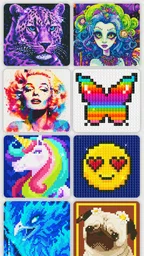
- A wide selection of images offers plenty of choices.
- The relaxing pace suits short breaks and quiet downtime.
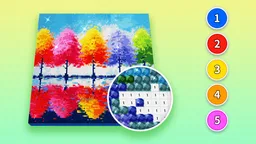
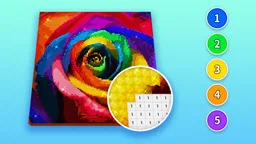
- Color numbers help guide each design to completion.
What could be better
- Small sections can be difficult to tap accurately on a phone.
- Some designs may require patience to finish.
- Frequent prompts or ads may interrupt the relaxing flow.
- The activity offers limited creative freedom beyond filling numbered areas.
- A larger screen can make detailed designs easier to complete.





