
Crown Heart Emoji Camera review
 Analysis by Appsdrops
When I’m choosing a beauty camera, I first ask what I actually want from the finished picture. If the goal is a quick, playful selfie with decorative heart and crown effects, Crown Heart Emoji Camera has a clear purpose. If I want careful skin retouching, detailed editing controls, or a natural-looking portrait, I’d look elsewhere. That distinction matters: this is best approached as a themed photo editor, not an all-purpose camera or a substitute for a full editing suite.
Best for playful, themed portraits
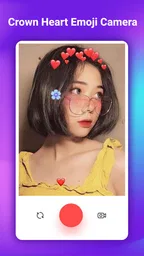
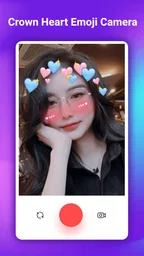
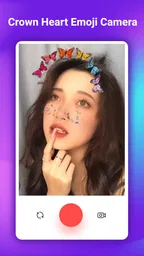
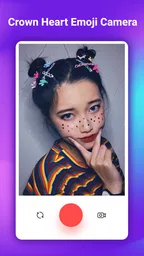
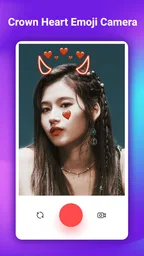
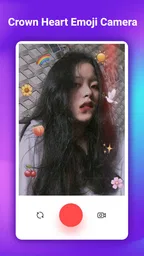
The app sits in the beauty category, and its appeal is easy to understand: it gives a selfie a cute, embellished look rather than concentrating on subtle corrections. The crown-and-heart theme makes it suited to profile pictures, casual social posts, and images made just for friends. I’d reach for it when I wanted a deliberately sweet or decorative result, not when I needed a neutral portrait for work or a polished headshot.
GeniusTools Labs is the developer, and the app is free to install. Its audience is broad: it is rated for Everyone, and its current version is 3.1.2. The app has a 4.4 average from around 11,000 ratings, with over 1 million installs. Those figures suggest that the concept has found an audience, but they don’t tell me whether its particular style will suit your taste. The visual theme is the deciding factor.
The key question is whether you enjoy visible, playful decoration. A crown or heart effect can make an ordinary selfie feel more expressive, but it can also make the picture look busy if the rest of the frame already has a lot going on. I’d start with a simple background and even lighting. That gives the embellishments room to read clearly and makes it easier to judge whether the final image feels charming or overdone.
Where the themed approach works
In my view, the strongest use case is a quick portrait that is meant to feel fun rather than realistic. Think of a casual picture before meeting a friend, a themed image for a group chat, or a playful profile photo you can change whenever the mood strikes. A specialized camera like this can be more convenient than opening a general editor and building the same look from separate decorative elements.
There is also a useful trade-off in choosing a focused style. You spend less time deciding among broad editing possibilities, but you have less reason to open the app when you want a different aesthetic. If crown-and-heart decoration is what you’re after, that focus is an advantage. If you expect one app to handle every kind of portrait, the same narrow identity may feel limiting.
For a more convincing result, I would take a few shots with slightly different framing instead of trying to rescue one awkward photo afterward. Keep the face unobstructed and leave some breathing room around the head, especially if the decorative elements sit near the edges of the portrait. This is a practical way to avoid visual crowding, not a special setting: the composition of the original selfie still does much of the work.
A simple workflow for everyday photos
My preferred workflow would be to begin with a clean, well-lit selfie, choose the decorative look that matches the mood, then pause before saving or sharing to check the whole frame. Zooming in on the face can make an effect seem appealing while hiding how cluttered it looks beside the hair, clothing, or background. Looking at the image at normal size is a better test of whether it will work as a small profile picture.
If I were making a picture for a particular occasion, I’d also take one plain version first. That gives me a fallback if the themed treatment feels too strong, and it makes the choice less frustrating when I’m short on time. This small habit is useful with any highly stylized editor: it separates the value of the original photo from the decoration and avoids feeling committed to an effect just because I have already applied it.
Another good use is making a small set of images with a consistent mood. Rather than applying a different look to every selfie, I’d keep the framing and lighting similar across a few pictures. The result is more coherent when shared together. The app’s recognizable theme can help with that, although it will not suit a set of photos intended to look understated or editorial.
How it differs from broader beauty editors
Compared with a general beauty camera, this app is easier to evaluate by its theme than by the breadth of its editing toolkit. Broad alternatives are usually the better category when you want to adjust several aspects of a portrait or move between natural, glam, and playful styles. A themed emoji camera makes more sense when you know you want decorative accents and would rather not assemble that look from scratch.
Compared with a standard phone camera, the difference is the creative treatment, not a reason to expect a better photograph in every respect. A regular camera is the safer choice for everyday pictures you may want to edit later in different ways. I’d use this app for the finished, playful selfie and keep the standard camera for important memories where flexibility matters more than an immediately themed appearance.
A full photo editor is another category worth considering. It is generally a better fit for someone who wants precise control over cropping, color, blemishes, or several layers of design. The cost of that flexibility is often a more involved process. With Crown Heart Emoji Camera, the attraction is the more direct idea: make a selfie feel cute and decorated without turning the task into a long editing session.
Limits to keep in mind before switching
The main limitation is stylistic. If you tire of crown-and-heart imagery quickly, or prefer portraits that look close to the original, you may find few reasons to return. Decorative effects can also compete with accessories, patterned clothes, or a busy setting. In those cases, a simpler editor—or no effect at all—can produce a more balanced picture.
There is also a difference between a fun social image and a photo you need to reuse in several contexts. A strongly themed result may work well in a private message but feel out of place on a professional profile. I would keep the original photo available and treat the decorated version as an extra, rather than making it the only copy of an image I might want to use elsewhere.
Cost is another consideration. Although the app is free to download, it offers in-app purchases ranging from $0.99 to $99.99 per item. That broad range makes it sensible to decide what you need before paying for anything. I’d try the free experience first and only consider a purchase if a specific option clearly improves the way I use the app; the themed concept alone is not a reason to spend.
The app was released on September 16, 2020, and it requires Android 8.0 or later. That makes compatibility worth checking before installing, especially if you use an older device. Its current version is 3.1.2, but the version number by itself does not tell me how it will behave on every phone. I’d judge it on your own device with a low-stakes selfie before relying on it for an image you need right away.
Is changing from another editor worth it?
If you already use a broad portrait editor, switching everything over probably makes little sense. Keep that editor for flexible retouching and use this one when you specifically want its cute decorative direction. The apps can serve different jobs rather than competing for the same place in your routine. That division is especially useful if you value natural portraits most of the time but occasionally want something more playful.
If you currently rely on the standard camera, trying this app is a smaller change: take a normal photo when versatility matters, and use the themed camera for a selfie meant to be shared as-is. The important habit is not to assume that every picture benefits from decoration. A plain image often works better for family archives, practical identification, or situations where the subject should remain the focus.
For someone who has never used a beauty camera, I’d set expectations around style rather than technical improvement. This is not the category I would choose to fix poor lighting or make a difficult portrait look professional. Good light and a clear composition still matter. The app’s value is in giving an ordinary selfie a particular mood, and that is most satisfying when the original picture is already usable.
My recommendation
I’d recommend Crown Heart Emoji Camera to someone who enjoys cute, expressive selfies and wants a quick route to a heart-and-crown aesthetic. Its focused identity is the reason to try it, and also the main reason to skip it if that look is not your style. The free install makes it easy to explore, while the optional purchases are a reason to be deliberate rather than browse impulsively.
Choose a general beauty editor if you need varied portrait controls, a full editing app if precision matters, and your standard camera if you want an image that stays neutral and adaptable. Choose this one when the point is to make a selfie feel playful. That is a narrower job, but for the right person and the right photo, it is a useful one.
What we like
- Adds crown and heart effects to selfies.
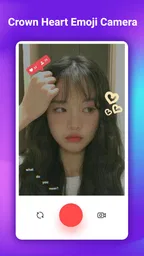
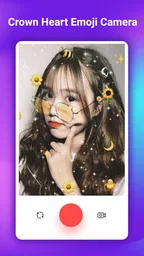
- Offers playful overlays for themed photos.
- Makes quick edits easy for casual users.
- Can add a personal touch to profile pictures.
- Provides a simple way to experiment with selfie styles.
What could be better
- Effects may not suit every photo or occasion.
- Some overlays can obscure facial details.
- Edited images may look less natural.
- The app's appeal may wear off after repeated use.
- Photo quality can depend on lighting and camera hardware.





