
Clap to Find My Phone: Whistle review
 Analysis by Appsdrops
Losing a phone around the house is one of those small annoyances that can derail an otherwise ordinary day. Clap to Find My Phone: Whistle aims to make that search less of a chore: instead of retracing every step, you clap or whistle and use the app to help locate your device. It’s a straightforward idea, and one that makes particular sense when your phone is nearby but hidden under a cushion, tucked into a bag, or left in another room.
A simple idea for everyday phone searches
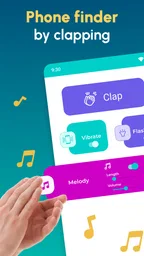
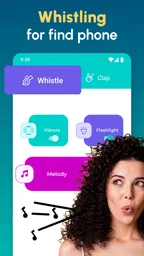
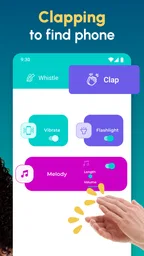
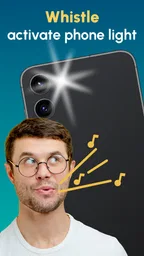
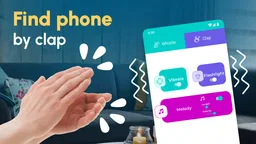
This is a phone-finder and personalization app from Firehawk. Its central appeal is easy to grasp: use a sound cue to help find a misplaced phone. You don’t need to remember where you last saw it or ask someone else to call your number. When the phone is within earshot, clapping or whistling offers a quick, hands-free way to start looking.
I like the practicality of that approach. Plenty of phone-finding tools are most useful when you have another device available, but a sound-based search is aimed at a familiar, everyday situation: the phone is somewhere nearby and you simply can’t spot it. The app’s short description gets right to the point, which suits a utility that people are likely to open when they’re already a little impatient.
The name, Clap to Find My Phone: Whistle, spells out the basic task without much guesswork. That clarity is a plus for anyone browsing for a way to find a lost phone at home or in another nearby space. It isn’t presented as a broad device-management suite; its identity is built around the simple promise of using a clap or whistle to help locate a phone.
What the app is meant to do
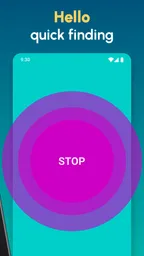
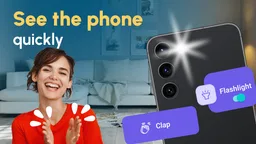
At its core, this app is about turning a sound into a cue for finding your phone. That makes it easy to understand even if you aren’t especially interested in technology. You make a noise, listen for the device, and follow the sound to narrow down where it is. The concept feels most useful when the phone is close enough to hear and the surrounding environment is reasonably quiet.
That focus also helps set sensible expectations. This is a convenience tool for a nearby misplaced phone, not a substitute for every possible way of locating a device. If the phone is far away or cannot be heard, clapping and whistling won’t magically solve the problem. But for the classic “I know it’s here somewhere” moment, the idea is appealingly direct.
Where it fits in a daily routine
Most people don’t lose their phone in a dramatic way. It slips between sofa cushions, gets buried beneath a jacket, or ends up on a counter in a room they’ve just left. In these moments, the time spent searching can feel disproportionate to the problem. A sound-based phone finder is designed for precisely that kind of minor frustration, where a quick prompt could save a slow room-by-room hunt.
I can see the appeal for busy households, shared workspaces, and anyone who tends to put their phone down without thinking. The benefit is not that it changes how you use your device every day; it is that it may be handy at the point when you need help. That makes the app’s value very situational, but also easy to understand.
How the product has developed
The app was released on July 15, 2022, and its current version is 3.3.0. Those details give users a basic sense of its timeline: it has been available for a while and has continued to reach a later version. A version number by itself does not explain what changed in each update, so I wouldn’t treat it as proof of a particular new feature. It does, however, place the current release in the context of an app that has evolved since its launch.
That distinction matters with a focused utility. A product can move through multiple versions while keeping the same central purpose, and the name and description still present this one as a clap-or-whistle phone finder. For someone considering an install today, the most useful confirmed picture is that the app remains centered on that simple task, with version 3.3.0 as its current release.
What that means for existing users
If you already use the app, the version information is a helpful marker for identifying the release you have. It does not, on its own, tell you whether the latest version changes the way the sound-based search works. I’d approach updates in the usual practical way: check the app store’s update notes and decide whether the current release is appropriate for your device and needs.
For people who installed it earlier, the underlying appeal remains easy to recognize. You want a quick way to locate a phone that is close by, and the app’s stated purpose continues to revolve around clapping or whistling. If that is the problem you’re trying to solve, the concept should still make sense without requiring you to learn a complicated system or rethink your routine.
The app is free to download, which makes it relatively easy to try if you’re curious about sound-based phone finding. In-app purchases are listed in a range from $0.99 to $99.99 per item. That is worth keeping in mind before making any purchases: the free entry point and optional in-app spending are separate parts of the overall offer.
Compatibility and availability
The current version requires Android 9 or later. That gives Android users a concrete compatibility point to check before installing. If your device meets that requirement, the next step is simply to see whether the app suits the way you want to find a nearby phone. Compatibility is practical information, but it doesn’t tell you how well a sound cue will work in every room or environment.
It is rated for Everyone, so its content classification is broadly accessible. The app has an average rating of 4.6 from around 65,000 ratings, and it has passed 10 million installs. Those figures suggest that many people have tried it, but popularity is not a guarantee that it will fit every household or every phone-finding situation. I’d treat them as useful context, then focus on whether the core idea matches your needs.
What works well about the concept
The strongest point is how little explanation the main idea needs. If you’ve ever searched for a phone you were sure was nearby, you can immediately understand why clapping or whistling might help. The interaction is also memorable: rather than digging through menus to start a long search, you use a sound you can make without picking up another device.
I also appreciate that the app has a narrow, recognizable purpose. A simple utility is easier to evaluate than one that promises to do everything. Here, the central question is straightforward: do you want a sound-based way to help find a misplaced phone? If the answer is yes, the app’s premise is relevant; if you need broader device tracking, the premise may not cover what you’re looking for.
Practical limits to keep in mind
Sound-based searching naturally depends on the circumstances. A phone that is nearby and audible is a better match for this approach than one that is distant, muffled, or in a noisy setting. That isn’t a criticism of this particular app so much as a sensible boundary of the general idea. A clap or whistle can help guide a search, but the surroundings still matter.
It is also worth remembering that a phone finder is most valuable when you have a repeat need for it. If you rarely misplace your device, the app may sit unused for long stretches. For someone who often leaves a phone in an unexpected spot, though, having a dedicated tool ready could feel reassuring. Your own habits will determine whether this kind of utility earns a place on your device.
What I’d want users to watch
The clearest thing to watch is how the app’s current release behaves on your particular phone and in the places where you usually misplace it. Version 3.3.0 is the current version, but the number alone doesn’t describe the update history in detail. Before relying on the app as part of your routine, it makes sense to try its basic idea in an ordinary setting and see whether it fits your expectations.
I’d also keep an eye on the app store’s release notes when updates appear. That’s the best place to learn about specific changes as they are announced, rather than guessing from a version number. For existing users, this approach separates what is clear now—the app’s clap-or-whistle phone-finding purpose—from what might change in a later release.
Who may find it useful
This app is likely to make the most sense for people who regularly misplace a phone nearby and want a simple way to search by sound. It may suit someone who puts their device down while cooking, working, or moving between rooms, then forgets exactly where it went. The appeal is practical rather than flashy: the goal is to spend less time looking under every nearby object.
On the other hand, if you’re looking for a comprehensive location service or a tool for finding a phone that is not within hearing range, this narrow premise may not be enough. Thinking about the situation you want to solve before installing is a good way to decide. The app is built around nearby discovery, and that is where its concept is easiest to appreciate.
My closing take
Clap to Find My Phone: Whistle is an easy-to-understand utility with a focused everyday use. Its sound-based approach addresses a familiar nuisance, and its name tells you what kind of help to expect. I find that directness refreshing: the app doesn’t need a complicated pitch to explain why clapping or whistling might be useful when your phone has vanished somewhere close by.
Its current release is version 3.3.0, it is free to download, and it has attracted a substantial audience. At the same time, the app’s usefulness depends on the phone being nearby and on the sound-based approach fitting your surroundings. If that matches the way you lose your device, it is a reasonable option to consider. If you need a different kind of tracking, its focused purpose may not be the right fit.
Overall, I’d describe it as a practical little helper for the “where did I put my phone?” moment. The idea is simple, the intended use is clear, and the best way to judge its value is to try it in the kinds of places where you usually misplace your device. For people who want a quick audio cue rather than another drawn-out search, that focused approach is the main reason to give it a look.
What we like
- A clap or whistle can help locate a misplaced phone nearby.
- The hands-free trigger is useful when your phone is out of reach.
- Customizable alert sounds make it easier to recognize your device.
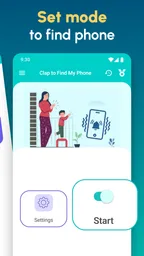
- A simple setup makes the app accessible to first-time users.
- It can save time when searching for a phone at home.
What could be better
- Background listening may increase battery consumption.
- The app may react to claps or whistles from other people.
- Noise can make detection unreliable in busy environments.
- Alerts may be hard to hear in loud surroundings.
- Microphone access is required for sound detection.





