
Carvana: Buy/Sell Used Cars review
 Analysis by Appsdrops
I’d treat Carvana as a way to explore buying or selling a used car through a phone, not as a substitute for inspecting a vehicle or thinking through the whole deal. The app’s appeal is convenience: it gives you a place to start comparing options and handling parts of the process without making a dealership visit your first step. But a smooth screen can’t answer every important question about a car, so I’d use it to organize decisions rather than make them on autopilot.
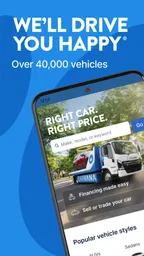
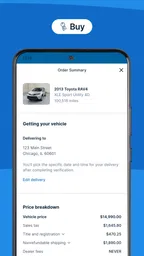
Carvana: Buy/Sell Used Cars is a free Auto & Vehicles app from Carvana, and its central promise is that cars can be returned within seven days. That return window may help a cautious buyer feel more comfortable, but I would still read the relevant terms carefully and plan a proper inspection as soon as practical. A return policy is useful only when you understand how it applies to your purchase and act within its limits.
Where the process can feel confusing
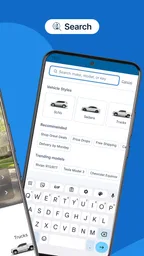
Buying a used car is a chain of decisions, and the app can’t make the trade-offs disappear. A vehicle that looks like a good match on a phone may still be the wrong choice once you weigh its condition, price, features, and suitability for your everyday driving. I’d narrow the search around needs that matter—such as passenger space or the kind of trips you make—before getting attached to a particular listing.
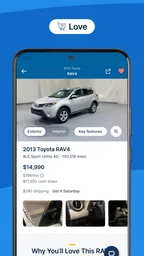
The point where I’d slow down is the move from browsing to committing. It’s easy to spend time comparing cars and then feel pressure to finish once one seems promising. Instead, I’d pause to review the information shown for that specific vehicle, check that the details fit my priorities, and make sure I understand the next steps before proceeding. If an important detail is unclear, resolving that uncertainty is more useful than assuming the app will make it obvious later.
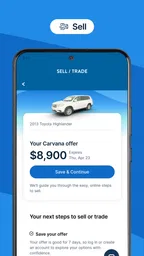
Selling can bring its own friction. People often begin with a rough idea of what their car is worth, then discover that the practical decision depends on the offer, their plans for replacing the vehicle, and how much effort they are willing to take on. I’d treat the app as a starting point for evaluating a sale, not as a reason to accept the first convenient option without considering what happens next.
That distinction matters when comparing Carvana with the usual alternatives. A local dealership may be more convenient for someone who wants an in-person conversation or to see a vehicle before deciding. Private-sale marketplaces can suit sellers who are willing to handle more of the process themselves. Carvana’s app makes most sense if you value managing a car transaction digitally and are comfortable checking details carefully rather than relying on face-to-face reassurance.
Set expectations before you browse
Before using the app, I’d decide what I need the car to do and which compromises I can live with. For example, someone commuting alone may care more about everyday running comfort than maximum seating, while a household that regularly carries passengers may need to put space first. Writing down those priorities keeps a polished listing from distracting you from the practical question: will this vehicle work for my routine?
I’d also set aside time for the decision rather than trying to finish between errands. A car purchase involves more than scrolling through choices, and a rushed session makes it easier to overlook a question or misunderstand a step. If you are selling, think about what you will do after the sale before starting; that can clarify whether convenience matters more than exploring other ways to sell.
The app is rated for Everyone, but that does not mean every transaction is equally simple for every user. A first-time buyer may need more time to understand the buying process, while an experienced shopper may arrive with a clear shortlist. I’d encourage a new buyer to involve someone they trust when reviewing an important decision, especially if they feel unsure about a vehicle or the terms involved.
Simple checks that prevent avoidable trouble
When the app seems stuck or a step does not behave as expected, I’d start with basic checks instead of repeatedly tapping through. Confirm that the phone has a stable connection, close and reopen the app, and see whether the same issue persists. If the problem appears only on one screen, return to the previous step and review what you entered before trying again. These are ordinary troubleshooting steps, not a guarantee that every issue is caused by the phone.
Keeping the app current is another sensible first check. The current version is 7.29.0, and the minimum operating-system requirement is 11. If your device is older than that requirement, compatibility may be a factor; if it meets the requirement but the app still behaves oddly, updating the operating system where possible and restarting the device are reasonable next moves.
I would avoid entering the same information repeatedly just because a screen seems slow. First check whether the previous action completed, since duplicating a submission can create confusion about which attempt is current. If you are unsure whether a step went through, make a note of what you saw and use the app’s available support route rather than guessing or starting over blindly.
Recovering your place without losing track
A useful habit is to keep a small note outside the app of the cars you are seriously considering and the questions you still need answered. This is particularly helpful if you are comparing options over several sessions: instead of relying on memory, you can return to your shortlist with a clear reason for each choice. I would record only decision-making notes, not sensitive personal or payment information.
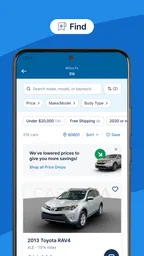
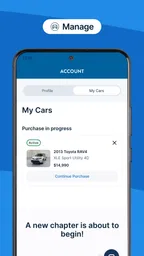
For a buyer, I’d separate “interesting” from “ready to buy.” A vehicle can stay on the interesting list while you check whether its details match your needs. Only move it to the serious shortlist once you have reviewed the information available and know what you still need to confirm. This avoids treating a quick browse as a complete evaluation.
For a seller, I’d plan the next step before beginning any process in the app. If the sale goes ahead, will you need another car immediately, or can you wait? Thinking that through first can help you judge whether a convenient route is genuinely convenient for your circumstances. It also prevents an attractive-looking offer from being considered in isolation from your transport needs.
Here is a realistic example: if I needed a car for a new commute, I would use a quiet evening to identify a few suitable choices, then revisit them the next day with a fresh eye. I’d check each listing against my needs, note remaining questions, and avoid making a decision while distracted. If the app interrupted me, I could return to those notes instead of trying to remember where I left off. That small routine is more reliable than treating a single browsing session as the whole buying process.
When the problem may be outside the app
Not every frustrating moment is a technical fault. A car may not match what you expected, an answer may require clarification, or you may need time to decide. Reinstalling an app or restarting a phone will not resolve a question about a vehicle or a transaction. I’d first identify whether the issue is with the screen itself or with the decision and information behind it.
If the app opens normally but you are uncertain about a particular car, focus on that car’s details and the questions you need answered. If you are unsure about the terms of a purchase or sale, read them carefully and seek clarification through the appropriate Carvana channel before committing. I would not infer a policy from a short summary or assume that a return window automatically covers every circumstance.
Likewise, a phone’s connection, storage, or operating-system condition can affect how apps behave. If other apps are also slow or losing their connection, the broader device or network may be the cause. Try again on a dependable connection and, if needed, restart the phone. If the issue is isolated to Carvana and continues, contacting the developer is more useful than repeatedly changing unrelated settings.
The seven-day return promise is a reason to understand the process, not to skip due diligence. I’d make a plan to examine a car promptly after it arrives and to raise concerns while there is time to address them. A buyer who cannot make room for that follow-up should be especially careful about whether this buying route fits their schedule.
Who will get the most from it
I think the app suits people who want to research used cars and handle parts of buying or selling from a phone. It can be particularly helpful if you prefer to compare options before speaking with anyone, or if a digital-first process feels less stressful than beginning at a dealership. The seven-day return feature may also be reassuring for buyers who want a defined period to reassess a vehicle, provided they understand the applicable terms.
It is less suitable if you will only buy after seeing and discussing every detail in person, or if you want a private seller-to-buyer arrangement with more direct negotiation. It may also be a poor fit for someone who is uncomfortable using an app for a significant purchase or who does not have time to review a vehicle carefully after delivery. In those situations, a local option with face-to-face help may be the better choice.
Carvana has an average rating of 4.8 from around 97 thousand ratings, and it has been installed over a million times. Those figures suggest that many people use it, but they cannot tell you whether its process suits your particular purchase. I’d weigh the app’s convenience against your need for personal inspection, the support you want, and how much time you can devote to checking a car.
My practical verdict
My view is that Carvana is worth considering when you want a phone-based route into buying or selling a used car and are prepared to stay engaged with the details. I like the idea of being able to explore options without making a dealership visit the first move, and the return period gives buyers a clear reason to examine their choice promptly. Still, convenience is not the same as certainty: the quality of the decision depends on your questions, your review of the vehicle, and your understanding of the transaction.
The app has been available since January 10, 2018, and Carvana develops it specifically around used-car transactions. I would use it as a practical tool for discovering and managing options, then slow down at the points where judgment matters: comparing a vehicle with your real needs, understanding the terms, and planning what to do after buying or selling. With an average rating of 4.8, it has broad appeal, but that does not make it the right route for someone who strongly prefers in-person guidance.
In short, I’d recommend giving it a look if digital convenience is high on your list and you are willing to verify what matters before committing. I would skip it as my main option if I needed hands-on negotiation or wanted to make a purchase without setting aside time for follow-up checks. Used-car decisions deserve more care than a quick tap, and this app works best when it helps you organize that care rather than replace it.
What we like
- Browse a large selection of used cars from home
- Vehicle listings include photos and key details
- Financing options can be explored in the app
- Trade-in estimates help with comparing purchase costs
- Saved searches make it easier to revisit cars
What could be better
- Vehicle availability can vary by location
- Listed prices may exclude taxes and delivery fees
- App estimates may differ from final trade-in offers
- Used-car condition is harder to assess remotely
- Some features may require an account or personal details





