

CARFAX Car Care App review
 Analysis by Appsdrops
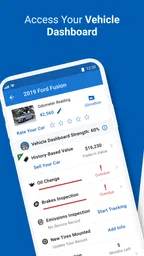
When I want to know whether a car needs attention, I’d rather check a clear record than rely on a fading memory or a glove-box pile of receipts. CARFAX Car Care is built for that practical job: it brings service history and upcoming maintenance into a phone app. I see its value less as a substitute for a mechanic and more as a convenient place to keep ownership details within reach when a warning light appears, a service appointment is due, or I’m considering a used car I already own.
Quick checks, not a full workshop system
The app sits in the auto and vehicle category, and its focus is refreshingly specific. CARFAX, Inc developed it as a free app, and its core appeal is being able to review a car’s service records and keep an eye on maintenance timing. That makes it a different sort of tool from a navigation app, a fuel tracker, or a repair forum: it is about the ongoing paper trail of a vehicle.
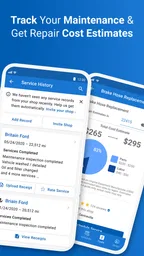
In ordinary use, I’d expect the quickest benefit to be answering small questions without digging through old paperwork: What work has already been recorded? Is it time to plan routine maintenance? What should I mention when I call the shop? Those checks are more useful when the information is already organized than when I’m trying to reconstruct a timeline from memory.
Speed matters here in a modest but real way. This is not an app that needs to calculate a route or render a complicated dashboard before it becomes useful. The intended interaction is a quick reference, so I’d judge it by whether I can get to the relevant car information without unnecessary hunting. I would not treat that expectation as a promise about loading time on every phone or connection; the experience can depend on the device and the information available for a vehicle.
The app has a 4.7 average from around 43,000 ratings, with roughly 7,600 written reviews and over a million installs. Those figures suggest it has found a substantial audience, but they do not tell me whether every owner will have a complete service history. The practical test is whether the records and reminders are useful for the particular car I’m managing.
Where it fits into an owner’s routine
A useful approach is to check the app before arranging service, rather than waiting until I’m already at the counter. I can use the record as a prompt to ask a better question: whether a task has been done before, whether an item is coming due, or whether I should bring a receipt that may not be reflected in the history. That small habit can make a service conversation more focused without pretending the app diagnoses a fault.
For a household with more than one vehicle, the appeal is having a central place to consult instead of remembering which folder or email contains each car’s paperwork. It can also help someone who shares driving or maintenance decisions with a partner: both people can refer to the same record rather than passing along half-remembered details. I’d still keep original invoices and inspection documents, especially for expensive work or warranty discussions. A digital summary is convenient, but it should not become the only evidence I retain.
There is a useful distinction between a maintenance schedule and a repair decision. The app can help me notice that routine service is approaching, but a noise, warning indicator, leak, or change in how the car drives calls for a proper assessment. I would use CARFAX Car Care to prepare for that conversation, not to decide that a serious symptom is safe to ignore.
Busy moments reveal both the benefit and the limits
The app is most valuable when I’m juggling a real task. Imagine I’m booking a service appointment during a lunch break and can’t remember whether the car has had a particular routine job. A quick look at the history may give me context before I speak with the shop. If the record is incomplete, that is still a useful cue: I can say what I know, check my own receipts, and avoid presenting uncertainty as fact.
A second scenario is buying or taking over a car from a family member. I’d use the app’s record as one piece of the handover, then compare it with available invoices and the seller’s explanation. A history can help frame questions, but it is not a substitute for an independent inspection or a direct conversation about work performed. This is especially important when a record has gaps; absence of an entry should not be treated as proof that maintenance never happened.
For someone who drives several cars or manages maintenance for other people, heavier use is less about tapping repeatedly and more about keeping each vehicle’s details straight. The trade-off is that more records only help if they are accurate and associated with the right car. I’d take a moment to verify the vehicle information and review any entry that looks out of place rather than assuming an organized screen guarantees a flawless history.
One practical tip is to add the app to a regular ownership routine: check it before a planned service, then save the shop’s paperwork separately after the visit. That creates a simple cross-check between the digital view and the documents I control. Another is to look at the history when a used car changes hands, while the previous owner can still clarify what an entry means. These habits make the app more useful without relying on it as an all-knowing maintenance authority.
Reliability means useful records, not just a stable screen
For this kind of tool, reliability has two sides. The app needs to be available when I want to consult it, but the information also needs to be relevant to the car in front of me. A smooth interface cannot make an incomplete history complete, and a missing record does not automatically mean the work was skipped. I’d treat the app as a practical reference whose value improves when I compare it with service documents and my own notes.
If the app does not show something I expect, my first step would be to check the vehicle details and any paperwork I have, then use those records when speaking with the service provider. I would not keep refreshing or assume that a record will appear simply because I need it. For urgent mechanical concerns, I’d contact a qualified shop directly; waiting for an app entry to clarify a symptom is the wrong workflow.
Likewise, when a service has just been completed, I would keep the invoice even if I expect the record to be reflected later. That is not a knock on the app; it is sensible ownership practice. Receipts can contain the exact work, date, and parts details that matter when asking follow-up questions, while a concise app view is better suited to quick recall.
Device expectations and who should choose another tool
The current version is 5.4.0, and the stated minimum operating system is 8.0. That gives prospective users a concrete compatibility check before installing. The app is rated for Everyone, so its intended audience is broad, though the useful content is naturally aimed at people who own or manage a car. It has been available since September 14, 2012, which gives it a long-running place in the category, but I would still check that a particular device meets the OS requirement.
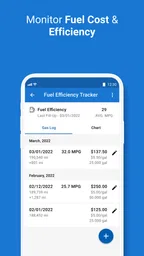
I would not choose it if my main need were live vehicle diagnostics, repair instructions, fuel-cost analysis, trip planning, or a way to book every service task from one screen. Those are different jobs, and a dedicated diagnostic reader, mechanic, navigation app, or personal expense tracker may suit them better. Similarly, someone who already maintains a dependable spreadsheet and does not want another place to check may see little reason to change their routine.
Resource demands are hard to judge from the app’s purpose alone, so I would avoid assuming it is exceptionally light or heavy. Its role is primarily record-keeping and maintenance reference rather than continuous in-car operation. If a phone is older or short on storage, checking compatibility and trying the app with one vehicle first is a sensible way to decide whether it fits. I would also avoid relying on it as a hands-free driving tool; review vehicle information while parked, where it is easier to think clearly and safer to use a phone.
My performance verdict
CARFAX Car Care makes sense when I want a straightforward companion for service history and maintenance planning, especially if my current system is scattered receipts and guesswork. Its strongest everyday use is helping me prepare: I can arrive at a shop with a clearer sense of what may have been done and what I need to ask. The app’s focused purpose is an advantage for that job, though it also means it should not be mistaken for a complete garage-management or diagnostic suite.
My recommendation is conditional in a useful way: try it if you want a convenient reference for a car’s service record, but keep invoices and use professional judgment when the vehicle has a problem. Owners who need diagnostics or detailed expense tracking should pair it with a more suitable tool rather than expecting one app to cover everything. At no cost to download, it is an approachable option to test; its value ultimately depends on whether its records make your own maintenance decisions clearer.
CARFAX Car Care is best for drivers who want to stay organized without turning car ownership into a complicated project. I’d recommend it to a friend who forgets service dates or has trouble keeping paperwork together, while being clear that a maintenance reference is only as useful as the information behind it. For quick checks and better-prepared service conversations, that is a worthwhile role.
What we like
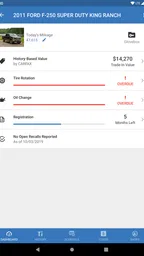
- Tracks maintenance history and upcoming service needs in one place.
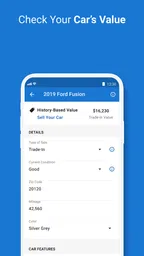
- Stores vehicle details for quick reference.
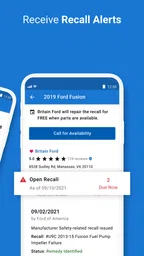
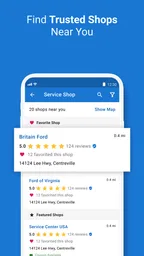
- Can help you find nearby repair shops.
- Supports reminders for routine maintenance.
- Works with multiple vehicles in one account.
What could be better
- Some vehicle history details may be missing.
- Service records can require manual entry.
- Repair shop availability varies by location.
- Features may differ depending on vehicle data.
- The app may ask for personal information.





