
Car Play Sync for Android Autu review
 Analysis by Appsdrops
I look at Car Play Sync as a phone-side option for drivers who want a dashboard-style connection without treating a new app as a guaranteed replacement for their car’s built-in system. Its purpose is easy to grasp: bring a phone and a vehicle display together for a more convenient drive. Whether that feels smooth in everyday use depends heavily on the phone, the car, and the connection method, so I would approach it as a practical tool to test rather than a promise of universal compatibility.
What Car Play Sync is trying to do
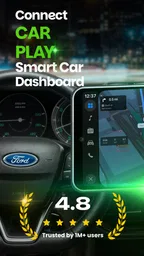
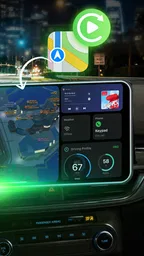
Car Play Sync is a free Auto & Vehicles app from GenieePlus. The app is aimed at people looking for a connected driving dashboard and phone-to-car mirroring, with safe use while driving as its central pitch. That makes it most relevant to drivers who want a more integrated way to access phone-based driving functions through their vehicle setup.
The app has a 4.7 average from around 24,000 ratings, and it has passed 100,000 installs. Those figures suggest that many people have tried it, but they do not guarantee that it will work equally well with every car or Android device. I would treat compatibility and connection behavior as the deciding factors, not the popularity figures alone.
It is rated for Everyone, and its current version is 1.2.0. The app is free to install, with optional in-app purchases ranging from $5.99 to $59.99 per item. I would check what a paid option actually unlocks before spending: a driving connection app is only worthwhile if it works reliably in the setup you intend to use.
Speed depends on the whole connection
When people ask whether a car connection app is fast, they often mean several different things: how quickly it opens, how soon the phone connects to the vehicle, and whether the display responds without frustrating delays. Those are not the same. A quick launch cannot compensate for a slow pairing process, and a stable connection matters more than a brief burst of speed once the drive is underway.
Car Play Sync’s purpose makes the phone-to-car handoff the key experience to assess. I would test it while parked, starting from the same conditions you use on a normal trip. Notice whether the app is ready when you need it, whether the vehicle recognizes the connection, and whether you have to repeat steps after a short stop. This gives a more useful impression than judging the app from one successful opening.
For a smoother routine, prepare the phone before setting off: close anything you do not need, make sure the car is ready to connect, and avoid trying to sort out display or pairing issues while moving. This is a safety habit as much as a performance tip. If the setup takes several attempts, it is better to troubleshoot at home or in a parked car than to depend on it during a time-sensitive drive.
Where heavier use can expose friction
The app’s driving-dashboard role is most valuable when it reduces the need to handle the phone. That benefit can disappear if the connection drops, if the interface takes too much attention to get going, or if you find yourself switching repeatedly between the car display and the handset. I would judge it by whether it simplifies a routine journey, not by how many things it appears to put on screen.
A realistic example is a weekday commute with a quick stop along the way. Before leaving, I would connect the phone while parked and check that the dashboard remains available after the stop. If the connection needs to be rebuilt each time, the app may still be acceptable for an occasional drive, but it becomes less appealing as a daily tool. That small test can reveal more than a longer first-time setup.
Longer drives also make consistency more important. A connection that works at the start but becomes unreliable later can be more distracting than no connection at all. I would avoid experimenting with settings during a trip and instead make one change at a time while stationary. That approach helps identify whether a problem comes from the app, the vehicle’s connection behavior, or the phone’s own setup without turning the journey into a troubleshooting session.
Stability and getting back on track
For an app intended to accompany driving, reliability means more than simply launching. The useful question is whether it behaves predictably across ordinary interruptions: stopping for fuel, stepping out briefly, or restarting the car. I would not assume every vehicle handles those moments the same way, so I would test the exact routine I expect to use rather than relying on a single successful connection.
If the app does not reconnect as expected, the safest recovery is simple: pull over or remain parked, then check the phone and car connection calmly. Avoid repeatedly tapping through screens while driving. If restarting the app or re-establishing the connection becomes a regular part of every trip, that is a meaningful drawback, not a minor inconvenience. In that situation, the car’s native interface or another connection method may be the more dependable choice.
There is also a practical distinction between occasional failure and a pattern. One failed attempt can be caused by a temporary connection hiccup; repeated failures in the same circumstances suggest the setup is not a good fit. Keep track of whether problems happen after a particular action, such as restarting the vehicle or briefly disconnecting the phone. That makes it easier to decide whether to keep testing or move on.
Phone and vehicle constraints matter
Car Play Sync is listed for Android devices running version 10 or later. That is a useful baseline, but meeting the minimum does not by itself tell you how well the app will perform on a particular handset. Older or heavily loaded phones may feel less responsive in general, while a newer device can still run into vehicle-specific connection quirks. The car’s own system is part of the equation, so I would verify the pairing process with the actual vehicle before relying on it.
Resource demands are another sensible thing to observe rather than guess. During a parked test, check whether the phone becomes noticeably warm, whether other apps remain usable, and whether the connection feels less responsive after a longer session. I would not draw conclusions from a brief launch alone. If the handset is already busy with navigation, audio, or other tasks, adding a dashboard connection may make the overall experience feel heavier even when the app itself opens normally.
For the cleanest comparison, test the app with the same phone and car configuration you plan to use, and avoid changing several settings at once. If you are comparing it with a vehicle’s built-in interface, try the same short route and the same basic routine. That helps answer the question that matters: does this app make your normal drive easier, or does it add another layer that needs attention?
How it compares with familiar alternatives
The usual alternative is to rely on the vehicle’s own interface or the connection method already supported by the car. That option can be preferable when it starts consistently and offers the functions you need, because fewer moving parts usually means less to troubleshoot. Car Play Sync is worth considering when you specifically want to try a phone-based dashboard or mirroring approach, but it should not displace a native setup that already works well.
Compared with using a phone screen on its own, a car connection can make the experience feel more integrated, but only if the display and controls remain easy to use. A phone mounted within reach may be more straightforward for drivers whose vehicles do not cooperate with a connection app. On the other hand, anyone who is trying to reduce phone handling may prefer a successful dashboard setup. The best choice depends on the car, not just on the app’s feature description.
I would skip this app if you need a guaranteed, hands-off setup for an unfamiliar vehicle, or if your current in-car system is already reliable and meets your needs. I would also be cautious if your phone is below Android 10 or if you are unwilling to spend time testing the connection while parked. The convenience is only worthwhile when the setup becomes routine rather than another task before every drive.
Who is most likely to benefit
This app makes the most sense for Android drivers who are curious about connecting their phone to a car display and are comfortable checking compatibility in their own vehicle. It may suit someone who makes regular local trips, has a stable phone, and can test the setup without pressure. The strongest reason to try it is not a promise of extra speed; it is the possibility of making a familiar phone-and-car routine feel more joined up.
GenieePlus has positioned the app for a broad audience, and its Everyone rating makes the intended audience accessible. Still, an easy rating does not remove the need for responsible use. Set up the connection before driving, keep attention on the road, and do not assume that mirroring automatically makes every phone function safe or suitable to operate in motion.
My performance verdict
My view is that Car Play Sync is a reasonable app to test if you want a phone-to-car dashboard and your vehicle’s existing options leave you wanting something different. Its strengths will come down to how quickly your own setup connects and whether it stays predictable through everyday stops. I would judge it on repeatability, not on a single smooth launch.
The main trade-off is that an extra connection layer can also mean extra points of friction. A native car system is the better choice when it already does the job reliably; a phone mount may be simpler when vehicle compatibility is uncertain. If you do try this app, test it on a short parked-and-drive routine first, observe whether the phone remains responsive, and make the decision based on your actual commute.
At its current version, the app is a free starting point, though paid items are available. I would hold off on purchases until the basic connection has proved useful in your car. If it saves effort every time you drive, it may earn a place in your setup; if it needs frequent recovery or adds distraction, uninstalling it is the sensible call. For me, dependable connection matters more than a flashy dashboard, and that is the standard this app needs to meet.
What we like
- Offers a simple way to check phone compatibility before setup.
- A straightforward interface makes its main options easy to find.
- Useful for drivers who want to learn about car connectivity features.
- Can help users understand the difference between supported connection methods.
- Its focused purpose keeps the app easy to navigate.
What could be better
- It is not a replacement for Android Auto or Apple CarPlay.
- Compatibility information may not cover every car or phone model.
- Some features may require a separate app or supported vehicle.
- The app cannot add connectivity features that a car does not support.
- Its usefulness is limited if your vehicle already connects reliably.





