Broken Screen: Magic Wallpaper review
 Analysis by Appsdrops
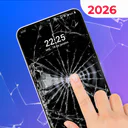
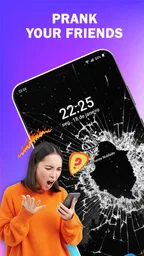
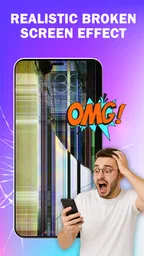
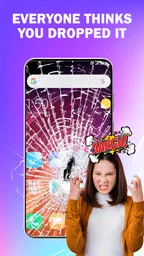
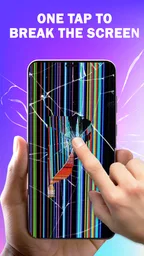
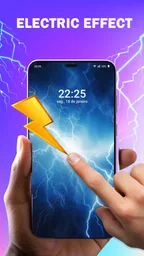
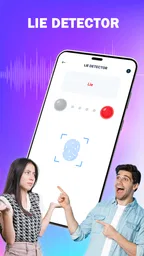
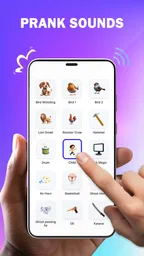
I can see the appeal of Broken Screen: Magic Wallpaper in a shared-device moment: someone picks up a phone, sees what looks like a cracked display, and reacts before realizing it is a visual prank. The app is built around that quick surprise, with broken-screen imagery, live wallpaper, and sound effects. I’d treat it as a small novelty rather than a general customization tool. Its best use is a joke both people can enjoy; its weakest is trying to make a phone look polished or calm.
Using the prank on a shared phone
In a household, the most natural use is a planned bit of mischief between people who already know one another well. For example, you could set up the effect before handing your phone to a sibling or friend and let them discover it while choosing music or looking at a photo. The humor depends on timing and trust, not on keeping the screen altered all day.
That distinction matters. A convincing fake crack can briefly make someone worry that a real device has been damaged. I’d use the effect only with someone who is likely to laugh once the trick is revealed, and I’d avoid springing it on anyone already anxious about breakage or costs. If the phone is shared among several people, tell the others what is happening before they mistake the display for a genuine problem.
The prank also works better when the phone’s owner controls the reveal. I’d keep the device in hand, start the joke in a low-stakes moment, and explain it promptly rather than leaving another person to puzzle over a damaged-looking screen. That makes the effect feel playful instead of deceptive. It is a small but useful boundary for any app whose entertainment comes from making something look wrong.
As a personalization app, it is unusual because the visual treatment is not mainly about expressing a favorite color or making a home screen easier to read. It turns the screen into a prop. That gives it a clear purpose, but also narrows its everyday value: once the joke has landed, many people will want their ordinary wallpaper back.
Keep setup separate from everyday use
I’d think of the wallpaper as a temporary setting, not a permanent household look. Before trying it, make sure you know how to return to the phone’s usual display settings. On a shared phone, that simple preparation prevents the next person from having to guess whether the broken appearance is real or figure out how to undo an effect they did not choose.
Because the app includes sound effects as well as visuals, the setting matters. A loud or unexpected effect may be funny in a quiet room with a willing audience and irritating in a classroom, on public transport, or during a call. I’d test the experience when nobody is relying on the device, then choose a suitable moment and volume before involving someone else. A silent visual gag is often the safer choice when the phone is being passed around.
That is also why I would not set it up on a device used for urgent communication or important tasks without first checking that the owner can comfortably restore the normal appearance. The joke should never make someone hesitate to use their phone. If the device belongs to another household member, ask first; a prank app is not a reason to change someone else’s personalization settings without permission.
One practical approach is to treat the setup as a short sequence: decide who will see it, check that the phone is in a suitable place, use the effect, then restore the ordinary look once the reaction is over. This avoids the common shared-device problem where one person’s joke becomes another person’s unexplained inconvenience. It also keeps the app’s role clear: entertainment for a moment, not a setting everyone has to live with.
Coordinate the joke, not the whole household
There is no need to turn a simple prank into a complicated group activity. Still, a little coordination helps if more than one person uses the same phone. Agree on who is setting the effect and who is returning the phone to its regular appearance. If the device changes hands frequently, telling the next person that a visual gag is active can prevent confusion without spoiling the joke for its intended audience.
I would avoid leaving the phone unattended with the effect showing in a place where a visitor, delivery worker, or younger child might see it without context. The same visual can read as a harmless trick to one person and a real accident to another. A quick reveal is part of making this particular kind of humor work well.
It is also worth distinguishing a prank from a wallpaper choice made for everyone. One person may enjoy the startling image; another may find it unpleasant or distracting. On a shared device, ask the regular users before leaving the effect active. If people disagree, the fairest option is to use it briefly on the owner’s own phone rather than making the whole household accommodate it.
For a group photo or casual gathering, the effect can be a conversation starter, but it is not a reliable substitute for a planned game or activity. Its appeal is immediate and visual, not deep or replayable. I’d use it for a quick laugh and move on, rather than expecting it to keep a group entertained for long.
Age, trust, and the right audience
The app is rated for Everyone, which makes its basic presentation broadly accessible, but that does not mean every prank is suitable for every person. A child might enjoy the cartoonish idea of a broken-looking screen, while another might genuinely believe an expensive phone has been damaged. I’d judge the audience by temperament and explain the trick quickly, especially with younger children.
For adults, the key question is trust. A friend who enjoys harmless surprises may find the effect funny; someone worried about the phone or responsible for paying for repairs may not. The prank is most successful when the person can laugh without feeling that their device, money, or belongings were put at risk. If you are unsure how someone will react, choose a different joke.
It is equally important not to use the app to impersonate a real device fault when someone needs the phone. A cracked-screen illusion should not be used to delay a call, confuse someone who needs directions, or persuade a person that their property has been damaged. Keeping the joke brief and transparent after the reveal is a simple way to respect that boundary.
The app is free to install, though it offers in-app purchases ranging from $7.99 to $39.99 per item. I’d decide whether the basic prank is enough before spending anything. If you only want a one-off laugh, paying for extras may not make sense; if you enjoy experimenting with the available personalization, consider the purchase options carefully and make sure the person responsible for the account agrees.
What it offers, and what it does not replace
Broken Screen: Magic Wallpaper is a focused choice in the personalization category. The developer is TAKA TECHNOLOGY VN CO., LTD, and the app has a 4.1 average from around 4,500 ratings, with more than 5 million installs. Those figures suggest a sizeable audience for the idea, but they do not change the basic trade-off: this is a novelty effect, not a full home-screen makeover or a utility for protecting a display.
Compared with ordinary wallpaper apps, its appeal is the combination of a simulated breakage effect and sound, rather than a large collection of scenic backgrounds or coordinated icons. Compared with a practical joke app that relies on a longer sequence, this concept is easier to understand at a glance. The flip side is that its central gag can wear thin quickly. If your aim is a calmer lock screen, a personal photo, or a cohesive set of themes, a conventional wallpaper or launcher option is a better fit.
It also should not be confused with a screen test or repair guide. A realistic-looking crack is only an effect; it does not tell you whether the glass is damaged, fix a real fault, or protect the phone. If you see an actual crack, stop the prank and assess the device normally. Keeping that distinction clear is especially important when several people share the phone.
The app was released on March 6, 2025, and version 1.6.9 requires Android 7.0 or later. It is free to download and carries an Everyone age rating. Those details make it straightforward to assess whether the app suits an Android device in the household, but the choice to use it should still depend on whether the phone’s owner and likely audience are comfortable with a startling visual joke.
My household verdict
I’d recommend it to someone who wants a quick, controlled prank for friends or relatives who enjoy this sort of humor. Its strength is its instantly understandable premise: a phone appears broken, the sound adds to the moment, and the owner can reveal the trick. Used thoughtfully, it can create a brief laugh without requiring much explanation or preparation.
I would skip it for a shared family phone where users have very different expectations, for anyone who takes damage scares seriously, or for someone seeking a lasting personalization upgrade. It is also not a good choice if you want a quiet, subtle wallpaper or need a tool to diagnose a real screen issue. The effect’s success depends heavily on choosing the right person and moment.
My practical recommendation is to try it on your own device first, check how the visual and sound come across, and decide in advance how you will restore the normal display. Then use it only with someone who will appreciate the joke, and reveal it promptly. Under those conditions, Broken Screen: Magic Wallpaper is a straightforward bit of novelty entertainment; without that care, the same surprise can feel more alarming than funny.
What we like
- The playful effects can make a phone prank more convincing.
- The app offers a lighthearted way to surprise friends.
- Broken-screen effects can be used for fun photos and videos.
- A wallpaper effect can personalize the phone's appearance.
- The concept is simple to understand and use.
What could be better
- The prank may worry someone who does not know the screen is intact.
- Effects can look artificial on some displays.
- Frequent animations may distract during everyday phone use.
- Some features may require watching ads or making in-app purchases.
- The app's usefulness is mostly limited to entertainment.





