
Booksy Biz: For Businesses review
 Analysis by Appsdrops
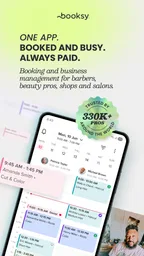
Running a beauty business means more than doing good work: appointments have to fit together, the day’s schedule has to stay usable, and changes need attention while you’re away from a desk. Booksy Biz is aimed at the business side of that routine. I’d consider it when I wanted a mobile way to manage my schedule, rather than an app for browsing beauty services as a customer.
A business tool where trust starts with clear expectations
Booksy Biz is a free beauty app from Booksy International sp. z o.o., built for businesses. It has a 4.7 average across around 32,000 ratings, and more than a million installs. Those figures suggest that it has found a substantial audience, but they don’t tell me whether it suits a particular salon or independent professional. The more useful question is whether a business wants its scheduling work centered on a dedicated mobile app.
The distinction matters because a booking app for clients and a management app for service providers solve different problems. If I’m trying to find a stylist, this isn’t the obvious starting point; if I’m the person responsible for keeping a beauty schedule organized while moving between tasks, its focus is more relevant. That narrow purpose is a strength, though it also means I wouldn’t install it expecting a broad suite of unrelated business tools.
I find the trust question especially important for a business app. A schedule can reveal when a professional is busy, when there may be room for another appointment, and how a working day is arranged. That makes it sensible to approach any scheduling tool with care: check what the app asks permission to access, review the choices presented during setup, and use account controls deliberately. I wouldn’t assume that an app’s popularity alone answers questions about privacy or security.
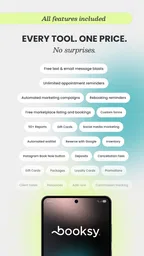
The app is rated for Teen users, and its current version is 26.11.1200, with Android support beginning at version 8.0. It is free to install, with in-app purchases listed from $24.99 to $309.99 per item. That range is worth keeping in mind if I’m evaluating it for a business: I’d check the purchase details shown in the app before committing to any paid option, rather than treating “free” as a promise that every business need will be covered at no cost.
Make the schedule useful without making it harder to manage
For an independent stylist, the most practical use is being able to tend to scheduling while away from the reception area. Picture a day when I’m finishing a service, then need to check the shape of the rest of the day before responding to a request. A phone-centered management tool can make that kind of quick check more convenient than returning to a desktop or relying on a paper diary that stays behind the counter.
There is a trade-off, though. A phone is convenient for brief checks, but a small screen is not always ideal for carefully reviewing a packed day or making several changes in succession. My advice would be to use mobile access for the decisions that genuinely benefit from being handled on the go, while taking extra care when altering a schedule under pressure. A moment spent checking the surrounding appointments can prevent an avoidable clash.
Another useful way to think about the app is as part of a consistent scheduling habit, not a substitute for one. Before opening up availability, I’d decide which hours are truly workable, account for the time needed between services, and keep the schedule aligned with how the business actually operates. The app can help manage a calendar, but good decisions about capacity still belong to the person running the business.
That point becomes more important for teams. When more than one person has a hand in appointments, even a clear digital schedule can become confusing if people follow different habits or make changes without a shared routine. I’d establish who is responsible for keeping availability current and how the team should handle last-minute changes. That simple agreement can matter as much as the software itself.
Be deliberate around information and account access
Scheduling is a data-sensitive part of running a beauty business because it connects people with times and services. I would treat a business account as operationally important: choose a strong, private sign-in method where available, avoid leaving an unlocked phone in a shared area, and check account settings rather than assuming the defaults match the business’s preferences. These are practical precautions, not claims about particular permissions or security features.
Before granting a requested device permission, I’d ask whether it is needed for the task I’m trying to perform. If a permission request appears, reading its explanation and deciding at that moment is better than tapping through setup automatically. The same goes for notifications: I’d consider whether alerts help me respond promptly or interrupt services, and adjust the choices offered by the app and device to fit the workday.
I’d also pay attention to who can use the device and account. A salon phone that passes between staff deserves a different level of caution from a personal phone kept with its owner. If a team shares access, I’d make sure everyone understands the business’s handling rules and avoid leaving sensitive screens visible to clients. These small routines help preserve control without needing to assume anything about the app’s underlying data practices.
When an app offers account or privacy choices, I prefer to review them at setup and revisit them when the way I work changes. That is particularly useful if a solo professional later adds staff, changes devices, or hands scheduling duties to someone else. I would not rely on memory alone for who has access; I’d use whatever account controls are actually presented and keep the business’s own access arrangements clear.
Where it fits beside familiar alternatives
The usual alternatives are a paper appointment book, a general calendar app, or a broader salon-management service. Paper is easy to understand and doesn’t depend on a phone, but it can be awkward when I’m away from the book or need to coordinate a busy day. A standard calendar is flexible and familiar, yet it may require more manual setup to reflect the way a beauty business schedules services.
A dedicated business app is appealing when I want the scheduling workflow to be the central task. Still, I wouldn’t assume that a focused appointment tool automatically replaces every system a business uses for administration, payments, client records, or team planning. Before moving over from another method, I’d identify which tasks matter most, then check whether the app’s actual functions cover them. If the business needs a highly customized workflow or relies on a different system for essential operations, a general calendar or a more comprehensive platform may be a better fit.
Switching tools also creates a transition cost that is easy to overlook. I’d avoid trying to change everything during the busiest week of the month. A quieter period gives me room to learn the app, make sure the schedule is represented correctly, and decide whether the mobile workflow feels dependable in daily use. Keeping the old calendar available during that transition can reduce the risk of missing an appointment while habits are changing.
Who should try it, and who may prefer another approach
I’d recommend considering Booksy Biz if I ran a beauty business and wanted a dedicated mobile option for managing a schedule. It is especially relevant to someone who needs to check or handle appointments away from a desk and is willing to build a careful routine around the app. The developer’s focus on business scheduling gives the product a clear role, rather than leaving me to guess whether it is meant for providers or clients.
I’d be more cautious if I only needed a basic personal calendar, had no need to manage a business schedule on a phone, or preferred to keep appointment records entirely on paper. It may also be the wrong choice for a business that needs several operational tools in one place and has already settled on a system that handles those needs. In those cases, the cost of switching and maintaining another account may outweigh the convenience of a mobile schedule.
My practical test would be straightforward: install it, review the choices and permissions shown during setup, and try a normal scheduling task before making it central to the business. I’d also inspect any paid options carefully, since the app has in-app purchases as well as a free starting point. That gives me a better sense of whether the everyday workflow is worth adopting than relying on ratings alone.
A measured recommendation for working professionals
My overall view is positive but deliberately specific: Booksy Biz makes sense as a mobile scheduling companion for beauty businesses, not as an automatic answer to every administrative need. Its strongest case is convenience for people who manage appointments while moving through a working day. Its main caution is the same one I’d apply to any business account: understand the available choices, protect access, and confirm that its real workflow matches the way the business operates.
Released on May 22, 2014, the app has had time to build a sizeable user base, but longevity and popularity should be supporting context, not the deciding factor. I’d choose it if on-the-go schedule management would genuinely save effort and the app’s current options suit my business. If I need a simple diary or a broader platform with functions beyond scheduling, I’d compare alternatives first. That is a more useful standard than choosing an app simply because it is well known.
What we like
- Manage appointments and client records from one app.
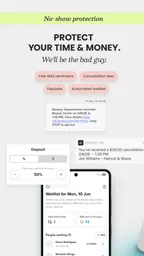
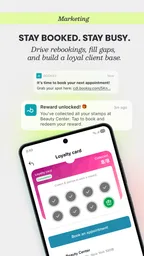
- Send automated reminders to help reduce missed bookings.
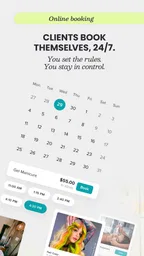
- Let clients book appointments online at any time.
- Track business performance with built-in reports.
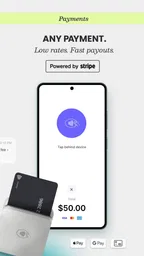
- Process payments through supported booking tools.
What could be better
- Some features may require a paid subscription.
- Payment options can vary by country.
- The app depends on a reliable internet connection.
- Setting up services and staff can take time.
- New users may need time to learn the dashboard.





