
Beauty Camera - Selfie Camera review
 Analysis by Appsdrops
I judge a selfie editor not only by how many effects it offers, but by how easy it is to get a result without fighting the controls or feeling pushed into a particular look. Beauty Camera - Selfie Camera is a free beauty app from Mobile Minds Dev, built around selfie effects, filters, stickers, and editing. Its straightforward purpose makes it approachable for casual photo touch-ups, though the experience is less compelling if you need precise, predictable adjustments or rely on highly accessible controls.
Finding your way through a selfie edit
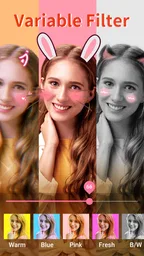
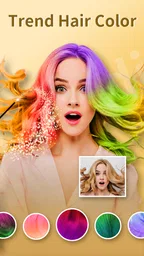
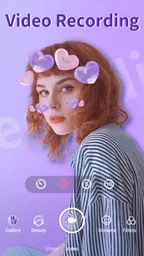
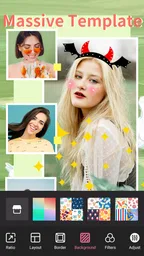
The app’s appeal is that it brings taking a selfie and changing its appearance into one beauty-focused tool. Rather than opening a general photo editor and searching through a broad set of functions, you can start with a portrait-oriented task and explore effects, filters, stickers, and editing options. That focus should feel comfortable if your usual goal is a quick profile picture or a playful image to share.
In my view, this kind of focused layout is useful for people who are new to photo editing: there are fewer different creative goals to think about than in a full-featured image editor. Still, a collection of visual effects can become hard to judge when options look similar at a glance. I’d work in small steps—try one filter, assess it, then consider a sticker or another adjustment—instead of stacking changes immediately. That makes it easier to notice which choice is improving the image and which is simply adding more decoration.
The app has a 4.6 average from around 26,000 ratings and more than five million installs. Those figures suggest that many people have tried it, but they do not tell me whether its controls suit a particular person’s eyesight, dexterity, or editing habits. I would treat popularity as context, not as a substitute for trying the interface yourself.
A useful workflow is to decide what the picture needs before opening the effects: a softer overall tone, a more expressive look, or a small decorative touch. Then make one change at a time and pause at the natural size of the photo. A filter that looks appealing while filling the screen may feel too strong once the image is viewed as a small avatar. This simple check helps prevent an edit from becoming more intense than intended.
Keeping the controls manageable
For readability and navigation, the key question is whether you can identify the option you want without having to scan a crowded collection for too long. Beauty Camera’s narrow focus is a practical advantage over general editors that mix portrait tools with cropping, drawing, layouts, and many unrelated functions. If you only want to experiment with a selfie, that reduced scope can make the first decision easier.
On the other hand, visual editing tools naturally depend on seeing previews and distinguishing subtle changes. Someone who has difficulty reading small labels or telling similar shades apart may find browsing less comfortable, even if the available choices are appealing. I would take time to test the interface on the device and display settings I actually use, rather than assuming that a beauty-focused app will automatically be easier to navigate.
One concrete tip is to avoid choosing an effect solely from a tiny preview. Open the image, compare the result against the original, and check whether facial details still look natural at the size you intend to share. If the app’s editing flow makes that comparison awkward, a broader photo editor with clearer before-and-after controls may be a better fit for careful work.
Motor and sensory comfort
Editing a selfie can involve repeated taps and fine choices between nearby effects. For someone with limited hand control, a workflow that rewards rapid browsing or precise selection may be tiring. I’d keep sessions short and settle on one clear change rather than cycling through a long series of options. That is a general way to reduce unnecessary interaction, not a claim that the app provides special motor-accessibility tools.
People sensitive to bright, busy, or visually intense screens may also want to be selective. Stickers and strong filters can make an image more visually crowded, while a restrained edit may be easier to review. A useful approach is to begin with the least distracting option and add decoration only if it serves a purpose. If the effects themselves feel overwhelming, this app’s beauty-oriented emphasis may not suit you; a simpler editor with basic adjustments could be more comfortable.
For users who prefer fewer decisions, it helps to set a personal stopping point. For example, choose one filter and, only if needed, one sticker. This avoids turning a quick portrait into a long session of comparing near-identical looks. It also makes edits easier to repeat when you want a consistent appearance across a few photos.
When and where it fits
Beauty Camera makes the most sense when you have a moment to take or polish a portrait and want a casual, expressive result. Imagine getting ready to update a messaging profile before heading out: you could take a selfie, try a filter, add a small sticker if it suits the mood, and stop once the photo feels like you. That is a more realistic use than expecting a dedicated beauty app to replace every editing tool in your photo workflow.
It may also work for someone who enjoys changing the feel of a picture for a particular occasion. A playful sticker can suit a personal post, while a lighter treatment may be preferable for a profile image that needs to look familiar. I recommend keeping an unedited original separately whenever the image matters. That gives you room to revisit the picture later without being locked into a look you chose in a hurry.
For group photos, product shots, or images where accurate colors matter, I would be more cautious. Beauty effects are designed around visual styling, and a flattering portrait treatment is not necessarily the right choice when the goal is faithful representation. A general-purpose editor may offer a more suitable path when you need careful cropping, color correction, or broader control over the whole scene.
The app is rated Everyone, which is a broad content classification rather than a promise that every editing choice will suit every age or family context. If a child is using it, I’d still guide them toward sensible photo-sharing habits and help them think about whether a heavily altered image feels right to post. That advice matters with any selfie editor, especially one centered on changing portraits and adding decorative elements.
Where it differs from other photo apps
Compared with a standard camera app, Beauty Camera is aimed at doing more than capturing a picture: its beauty and decoration focus gives you a reason to edit the portrait as part of the same general task. Compared with a broad photo editor, it is more specialized. That specialization is a benefit if you want selfie effects without learning a larger toolbox, but a drawback if you expect advanced control over lighting, composition, or detailed retouching.
It is also worth separating a quick beauty edit from a reliable professional workflow. I would not choose it as my only tool for a carefully managed set of images, nor assume that a filter will behave identically across different lighting and skin tones. For a casual portrait, experimentation is part of the fun. For a sensitive or important photo, compare the result closely and choose the least intrusive treatment that achieves your goal.
The current version is 5.3.1, and the app supports Android 6.0 and later. It is free to install, with in-app purchases ranging from $1.99 to $19.99 per item. I would check the purchase choices in the app before committing to anything, particularly if I only need occasional edits. The free starting point makes it easier to test whether the controls and visual style work for you before deciding whether any paid option is worthwhile.
Practical limits and an inclusive verdict
The main limitation is not a lack of possible decoration; it is that a beauty-first editor may not be the right tool for every kind of photo or every way of interacting. Users who need large, highly legible controls, dependable keyboard or assistive-technology workflows, or detailed control over each adjustment should test it carefully and be prepared to choose another editor. I would not infer specific accessibility support from the app’s category or popularity.
There is also a personal trade-off in beauty effects: they can make a selfie feel polished, but a strong treatment may shift the image away from how you want to present yourself. My advice is to judge the finished picture at normal viewing size and ask whether it still feels recognizably yours. If you find yourself adding effects just because they are available, step back to the original and compare.
My inclusive verdict: I’d recommend this app to someone who wants a casual, selfie-centered editor and enjoys trying filters or stickers without opening a large, general-purpose suite. Its focused purpose, free entry point, and broad reach make it a reasonable app to test, while its paid items are something to weigh against how often you edit. I’d skip it in favor of a more precise or deliberately simple alternative if visual browsing is tiring, fine taps are difficult, or your photos need accurate, restrained adjustments. The best result here is not the most decorated one; it is the edit that feels comfortable to make and still looks like you.
What we like
- Real-time filters make it easy to preview different selfie looks.
- Beauty effects can be adjusted for a more natural result.
- The interface is straightforward for quick photo edits.
- Portrait tools help selfies stand out from the background.
- Edited photos can be saved for sharing later.
What could be better
- Some advanced effects may require in-app purchases.
- Beauty filters can make photos look overly processed.
- Results may vary with lighting and camera quality.
- Ads can interrupt the editing experience.
- Some features may need access to your photos and camera.





