


Artmate: Drawing Together review
 Analysis by Appsdrops
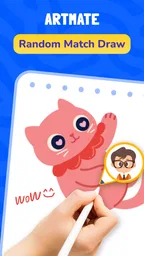
Artmate: Drawing Together is an art app I’d choose for a relaxed shared activity, not as a replacement for a serious digital sketchbook. Its appeal is the combination of drawing with other people and lessons that make it easier to get started. That gives it a different feel from a typical solo coloring app or a blank-canvas tool: the point is not only to make a polished picture, but to enjoy the process with company.
That distinction matters when deciding whether to install it. If you want a low-pressure way to draw with friends, or a gentle nudge to practise basic art skills, Artmate has a clear purpose. If you need detailed controls, professional illustration tools, or a reliable offline workspace, I’d look elsewhere. My overall impression is that it is best approached as a social, beginner-friendly creative app whose usefulness depends on whether its shared drawing sessions fit your routine.
Drawing together, without making it a serious project
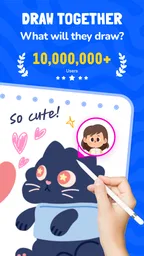
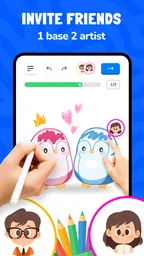
The multiplayer angle changes the role drawing plays. A solo art app often asks you to bring an idea and the confidence to start; a shared session can make the first mark feel less important. I can see this working well for friends who want something to do while chatting, or for a family activity where the goal is participation rather than producing impressive art.
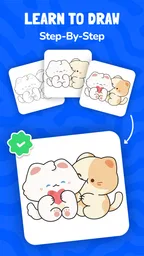
The lessons add a practical entry point for people who feel unsure about drawing. Instead of treating a blank canvas as a test of talent, a guided exercise can give beginners a manageable next step. I would expect the lessons to be most useful as a way to build momentum and explore simple ideas, rather than as a complete course for someone pursuing structured art training.
One useful way to approach a shared drawing session is to agree on a small prompt before starting: a favorite snack, a pet, or an imaginary postcard. That gives everyone a starting point without turning the activity into a contest. It also suits a multiplayer drawing app better than arriving with a detailed personal project that depends on precise tools or uninterrupted concentration.
The app is in the Art & Design space, but its social purpose is more specific than that broad label suggests. Braly JSC is the developer, and the app’s free entry point makes it easy to try the basic experience before deciding whether it belongs in your regular rotation. In-app purchases range from $0.49 to $14.99 per item, so I’d treat optional spending as something to consider only after seeing how often you actually use it.
What to expect from speed and session flow
I wouldn’t judge Artmate by how quickly it can produce a finished illustration. Its likely strength is making it easy to move into a casual drawing activity, where a rough sketch can be enough. That is a different kind of speed from a professional art tool, where brush response, layer handling, and precision controls determine whether a workflow feels efficient.
For a friend session, the more important question is whether people can get from opening the app to drawing together without the activity feeling like setup work. I’d recommend trying it in a short, low-stakes session first. If you are planning to use it for a particular occasion, such as a remote catch-up, open the app beforehand rather than making everyone wait while you explore its screens.
A practical tip is to keep the first drawing deliberately simple. Choose one subject and a few colors instead of trying to create a detailed scene. That helps beginners feel included and makes it easier to tell whether the app’s shared format is enjoyable for your group. If your friends prefer careful, individual work, a conventional drawing app may suit them better.
When a session gets busy
Any shared creative activity can become demanding in ways that a quick solo sketch does not. People may be drawing at different paces, switching attention between conversation and the canvas, or trying to keep a group activity moving. I would avoid assuming that a multiplayer format automatically suits a large or highly organized art project; the more coordination a session needs, the more useful it is to keep the brief simple.
For everyday use, I can imagine opening Artmate during a video call or a quiet evening with friends and using it as a shared pastime rather than the main event. A short prompt can keep the activity lively without requiring anyone to prepare materials. It may also work as a light warm-up before drawing alone: try a lesson, make a quick sketch with someone, then move to a more capable art app if you want to refine the result.
The trade-off is that social drawing depends on other people being available and willing to participate. If you mostly want to practise privately or draw whenever inspiration strikes, the shared element may add little. In that case, an app centered on solo sketching, with tools suited to your preferred style, is likely a more dependable fit.
Reliability and sensible expectations
I’d evaluate reliability by whether the experience fits the way you intend to use it, rather than by assuming every session will feel identical. A casual drawing app is forgiving when a sketch is imperfect, but a planned group activity is less forgiving if participants are trying to coordinate at a particular moment. For that reason, I’d test the basic flow with one friend before organizing a larger session.
It is also sensible to separate the app’s two jobs in your mind: helping you draw and helping you share the activity. If a lesson is your main reason for installing it, you can try that on your own first. If the multiplayer element is the draw, make sure your friends are comfortable with the same kind of relaxed, experimental activity. That simple check avoids expecting a social sketch session to behave like a formal class or a polished collaborative design workflow.
I would not use it as the only home for an important artwork. The app’s core appeal is casual participation, so anyone working on a piece they need to revise carefully should keep a copy or continue in a dedicated illustration tool where their usual project workflow is available. That is not a criticism of the social concept; it is a practical distinction between making something together for fun and relying on an app for a finished commission or portfolio piece.
Artmate has an average rating of 4.6 from around 23,000 ratings, and it has been installed over 10 million times. Those figures suggest that the concept has found a broad audience, but they cannot tell you whether its particular drawing style or social format will suit your group. I’d use the free version as a low-commitment way to decide, rather than treating popularity as proof that it matches your needs.
Device fit, age, and spending
The listed minimum operating system is Android 7.0, which gives the app a wide potential device range. That does not guarantee identical performance on every phone or tablet: older devices can feel different from newer ones, especially when several tasks are running. If your device is already sluggish, close other demanding apps before a drawing session and keep your first test short. That is a sensible general precaution, not a promise that it will fix every slowdown.
The app is rated for Everyone, which makes it a possible option for a shared family activity. I’d still make the first session a supervised one with younger children, especially if they will be using a device that can make purchases. The free starting point is helpful, while the listed in-app purchases mean it is worth checking purchase settings before handing over a phone or tablet.
Version 1.1.42 is the current version, and the app was released on September 15, 2026. I’d keep it updated through the app store and check that it opens normally before relying on it for a planned get-together. If you are installing it on a device close to the minimum operating-system requirement, a brief test is particularly worthwhile; compatibility on paper is not the same as a comfortable experience on every older device.
Who will enjoy it, and who should choose another tool
I’d recommend Artmate to beginners who want a gentle reason to draw, friends looking for a small shared activity, and families who value participation more than perfect results. The lessons can reduce the intimidation of starting, while the multiplayer emphasis gives people a reason to come back together. Its strongest use case is a relaxed session where conversation and experimentation matter as much as the picture.
I’d skip it if you need a feature-rich illustration workspace, precise control for professional work, or a private tool designed around long solo sessions. Someone who already knows what they want to draw and needs a specific set of advanced controls will probably get more from a dedicated sketching app. Likewise, if your friends rarely want to draw, the multiplayer idea may not be enough to make it a regular habit.
Compared with the usual alternatives, Artmate sits between guided beginner activities and traditional drawing software. A tutorial-focused app may give more individual instruction, while a general-purpose art app may offer a deeper solo workflow. Artmate’s reason to choose it is the social layer: it makes drawing feel like an activity you can share, rather than a skill you have to practise alone before showing anyone.
There are 262 written reviews, alongside the much larger pool of ratings, so I would not expect a single score to answer every practical question. My own advice is to judge it through a real use case: install it, try one lesson or a short drawing session, and see whether the people you want to draw with enjoy the format. That test is more useful than deciding from a category label alone.
My verdict after weighing the fit
Artmate: Drawing Together makes the most sense when you want drawing to be social, approachable, and low-pressure. I like the idea of pairing lessons with shared sessions because it gives beginners both a starting point and a reason to keep going. It is not the tool I’d pick for carefully managed artwork or advanced illustration, and the app’s value will naturally fall if you prefer to draw alone.
For a casual evening with a friend, a family sketch break, or a quick creative activity during a call, I’d give it a try. Keep the first session simple, check the experience on your device before planning around it, and avoid spending on extras until you know you will use them. If what you want is a polished personal studio, choose a more specialized art app; if you want an easy excuse to make imperfect drawings together, Artmate is a much more fitting choice.
What we like
- Offers a relaxed way to draw alongside other people.
- Shared canvases make group creativity easy to explore.
- A playful format can help beginners feel less intimidated.
- Works well for casual creative sessions with friends.
- Encourages experimentation without focusing on polished results.
What could be better
- A stable internet connection is needed for shared drawing.
- The experience depends on having others available to join.
- Small screens can make detailed drawing difficult.
- Touch controls may feel less precise than a stylus.
- Creative tools may be limited compared with professional art apps.





