
ArtFonts: Stylish Text review
 Analysis by Appsdrops
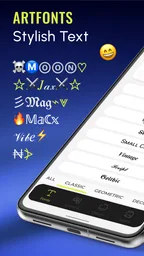
I like changing the tone of a message with a small visual touch, but I don’t want every text to look like a novelty sign. ArtFonts: Stylish Text is aimed at that middle ground: it gives everyday messages and social updates a more distinctive look through decorative lettering. It is a free personalization app from Galaxy studio apps, and its appeal is straightforward—make short bits of text stand out without turning the task into a full graphic-design project.
How ArtFonts fits into everyday typing
The best way to think about ArtFonts is as a style tool for words, not a replacement for a keyboard, photo editor, or page-layout app. I’d reach for it when a profile line, a quick status, or a message needs a little character. That narrow purpose is also a strength: you can focus on how the text looks rather than learning a large set of design controls.
It belongs to the personalization category, where the aim is to tailor the way a device or its content feels. In this case, the emphasis is on lettering you can use in messages and social statuses. The app has a 4.6 average from around 114,000 ratings, and it has passed 10 million installs. Those figures suggest broad interest, though they don’t tell you whether a particular style will suit your taste or display reliably in every app.
In practice, decorative text is most effective when used sparingly. A short profile label or a one-line announcement can benefit from a distinct style; a long explanation usually becomes harder to scan when every word is dressed up. I’d keep ordinary text for the main message and use a more expressive treatment for the part I want people to notice.
A useful workflow for short messages
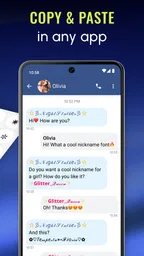
For an everyday use case, imagine updating a social status before heading out. I’d draft the wording first, choose a style that remains readable at a glance, then place the result into the destination app and check how it appears there. That last check matters: text that looks attractive in one context can feel cramped or overly ornate in another, especially when a line wraps or sits beside other interface elements.
That workflow also helps avoid a common mistake with decorative lettering: choosing a style before deciding what the message needs to say. If the sentence is long, the visual treatment can compete with its meaning. I’d use ArtFonts for a concise greeting, a name, or a brief status, and leave detailed instructions or work messages in ordinary text.
One practical tip is to keep a plain-text version of anything important. Decorative characters can be less convenient to search, edit, or read than standard lettering, depending on where they are used. Keeping the original wording makes it easier to correct a typo or reuse the message without having to reconstruct it from a styled version.
Who is likely to enjoy it
ArtFonts makes the most sense for people who regularly customize social text and enjoy trying different visual moods. If you like changing a profile line for an event, making a short greeting feel more personal, or giving a casual status a recognizable look, it offers a focused option to explore. Its Everyone content rating also makes the intended audience broad, rather than positioning it as a tool for a niche professional workflow.
I would be more cautious if you need dependable typography for a business identity, a poster, or a carefully composed graphic. A dedicated design app gives you control over layout and the final image, while ArtFonts is about styled text for everyday use. Likewise, if you value maximum readability and consistency over decoration, your phone’s standard text tools may be the better fit.
What the current release tells existing users
The current version is 2.1.1, and the app was released on February 14, 2023. Those are useful reference points when deciding whether to install it or revisit it, but they don’t by themselves reveal a feature history. I wouldn’t infer a particular redesign, newly added font set, or compatibility change from a version number alone.
For someone already using ArtFonts, the sensible approach is to judge the current experience by the task at hand: can you find a look you enjoy, use it in the place you want, and still keep the message easy to read? If so, a newer version number is less important than whether the app continues to fit your routine. If you’re considering an update, check the app store’s current notes and compatibility details before relying on a specific change.
The minimum operating-system requirement is 7.0, which gives the app a relatively broad baseline for Android devices. Still, a compatible operating system does not guarantee that every destination app will render styled text in the same way. I recommend testing a sample in the exact messaging or social app you use most, rather than assuming a result will carry over perfectly everywhere.
Where the trade-offs show up
The main limitation of stylized text is not a flaw unique to one app: visual flair can reduce legibility. Some decorative treatments are better suited to a name or heading than a full sentence. They can also look out of place in a serious conversation. Before sending something important, I’d read it once as the recipient might, rather than judging it only by how it looks on my own screen.
There is also a difference between changing the lettering and designing a complete visual. If you want precise spacing, color control, a background, or a finished image ready for a campaign, a graphics editor is more appropriate. ArtFonts is more convenient when the text itself is the small detail you want to personalize; it is not the tool I’d choose to build an entire branded post.
Cost deserves a quick check, too. The app is free to install, while in-app purchases range from $0.99 to $99.99 per item. That is a wide span, so I’d look at the purchase screen carefully before paying and decide whether the specific option is worth it for how often I’ll use it. Casual users can start with the free app and see whether the basic experience already meets their needs.
How it compares with ordinary alternatives
Compared with simply typing a message in a standard keyboard, ArtFonts offers a more deliberate way to give words a decorative identity. A regular keyboard is faster for plain conversation and generally the safer choice when clarity matters. The app’s value is in the extra visual choice, not in replacing the keyboard for every sentence.
Compared with a design app, it trades depth for a more focused purpose. A design editor is better when text must sit precisely within an image or follow a larger visual plan. ArtFonts is the lighter kind of choice when I want to style a few words without designing a whole composition. Neither approach is universally better; the right one depends on whether the text is the main event or only one element in a larger design.
It is developed by Galaxy studio apps, and its popularity may make it appealing to people looking for a familiar, widely used personalization option. I would still treat style and compatibility as personal tests. A large audience does not guarantee that a particular treatment matches your taste, nor that it will look identical across every destination.
What to keep in mind before installing
Before downloading, decide where you plan to use the styled text. If the answer is mostly short social updates, names, or casual messages, ArtFonts is a reasonable app to try. If you need long-form formatting, accessibility-first text, or a consistent visual identity across finished images, another tool will probably serve you better.
I’d also start with one low-stakes message rather than changing an important profile or sending a work note immediately. That gives you a chance to see whether the lettering remains clear in your chosen app and whether the overall look feels like you. If it does, you can use it selectively; if it feels distracting, plain text is always a perfectly good alternative.
Overall, ArtFonts is a focused, approachable option for adding personality to short text. I like the idea of treating decorative lettering as an accent rather than a default, and that is where the app is most likely to feel useful. Its free entry point makes trying it easy, while the paid items and the usual readability trade-off are worth considering. I’d recommend it to people who enjoy customizing messages and statuses, but not to anyone expecting a full design suite or a guaranteed style that works equally well in every app.
What we like
- Offers a quick way to add decorative text to messages and social posts.
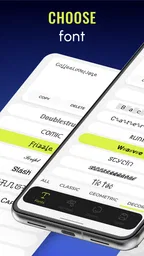
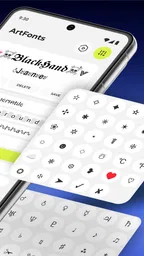
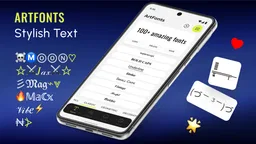
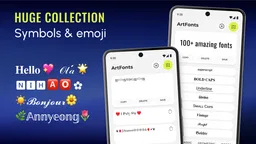
- Includes a range of font styles for different occasions.
- Text can be copied and pasted into compatible apps.
- Useful for creating attention-grabbing profile bios.
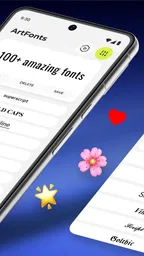
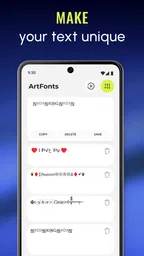
- The interface makes browsing text styles straightforward.
What could be better
- Some styles may not display correctly on every device.
- Decorative characters can reduce readability in longer messages.
- Certain fonts may be unavailable in apps that use plain text.
- Copied text may look different across social platforms.
- Ads or in-app purchases may affect the experience.





