







Apple TV: Shows, Movies & More review
 Analysis by Appsdrops
I judge a streaming app not just by what it offers, but by how clearly it lets me decide what to watch, when to pay, and which account I’m using. Apple TV is Apple’s entertainment app for watching films and series, with Apple Originals and Formula 1® among its draws. My overall impression is that it makes most sense if you want a focused place to browse Apple’s own programming and are comfortable checking the details of a title before committing to a subscription or purchase.
What the app is best suited to
Apple TV is free to download, but that does not mean every film or series inside is free to watch. In-app purchases are listed at prices ranging from $9.49 to $239.99 per item, so I would treat the app as a viewing hub rather than assume that installing it gives me unrestricted access to its catalogue. Before watching, I look at the title’s page and the options shown there; that simple habit helps separate included viewing from content that may involve an extra cost.
The distinction matters because streaming apps can combine different ways of accessing content in one place. If you mostly want to browse and follow Apple’s own entertainment offering, this arrangement can be convenient. If your priority is to find the cheapest way to watch a particular film, or to keep all your viewing inside one subscription you already pay for, compare the specific title and its terms with your usual services first.
Apple is the developer, and the app sits in the entertainment category. It has a 4.1 average from around 214,000 ratings, alongside roughly 8,100 written reviews. Those figures suggest plenty of people use it, but they do not tell me whether it will suit my device, budget or taste. I would use the app itself to judge the catalogue and the viewing experience rather than treating popularity as a guarantee.
Browsing without turning every session into a search
When I open a streaming service, I want to find something suitable without spending the whole evening scrolling. Apple TV is most appealing when I arrive with a loose plan: catch up on an Apple Original, look for a film, or check what is available around Formula 1®. A focused destination can feel less cluttered than juggling multiple entertainment apps, but it is not automatically the best place to search across every service I use.
A practical approach is to start with a viewing need, not just the home screen. If I have a short break, I look for something I can comfortably pause; if I’m choosing a film for a shared evening, I check the title details before everyone settles in. That may sound obvious, but it avoids a familiar streaming frustration: discovering too late that the item I selected is not available in the way I expected.
The app’s scale is notable: it has passed 100 million installs. That reach makes it easy to find discussion and help from other users, but it should not be mistaken for a promise that every feature or title behaves identically on every platform. I would check the app store listing for my own device and keep expectations tied to what I can see in the app, rather than assuming an experience described by someone on another setup will match mine.
Trust starts with visible choices
For an entertainment app, trust is partly about knowing what action I am taking. Browsing a programme, starting playback, and choosing a paid item are not the same decision. I recommend pausing at the point where the app presents a price or access option and reading it before continuing. That small check is more useful than assuming that a title appearing in a streaming interface is included in whatever access I already have.
I also prefer to keep account decisions deliberate. When an app is used by more than one person in a household, it is worth confirming which account is active before making a purchase or changing a setting. This is a general, practical precaution—not a claim about a particular account feature. The useful principle is to review the screen in front of you and make sure the account and the choice match your intention.
Apple TV is rated for teens. That is helpful context for families, but I would still judge an individual show or film on its own suitability for the person watching. A broad age rating for an app cannot answer whether a specific title fits a younger viewer, so I would check the content information presented for that programme and make the decision with the household’s standards in mind.
What I check before a viewing session
My most useful habit is to confirm access before building plans around a title. If I’m arranging a film night, I check that the film can be watched through the option I intend to use, then consider whether any displayed charge is acceptable. If I’m watching alone, I’m more willing to explore; when other people are waiting, I avoid experimenting with unfamiliar purchase or account screens.
A second helpful habit is to separate discovery from commitment. I can browse first, note a few possibilities, and only then choose what to play. This gives me room to compare the mood and format of different titles without making an impulsive decision simply because something is prominently displayed. It is especially useful if I’m trying to stay within a monthly entertainment budget.
For a data-sensitive moment, I would pay attention to the choices the app visibly presents during setup and use, and make only the selections I understand. I would not infer a privacy policy, permission list, or data practice from the fact that Apple makes the app. If privacy is a deciding concern, the sensible next step is to review the current disclosures and controls available through the app and device settings before signing in or using optional functions.
Where it fits beside other streaming options
Compared with a general-purpose service that brings together a broad mix of studios and networks, Apple TV is a better fit when its own programming or its specific entertainment offering is what you want to explore. A larger aggregator may be more convenient if your household wants one search destination for many providers. On the other hand, switching among services can be tiresome, and a dedicated app can feel easier when you already know what you came to watch.
It is also not the obvious choice for someone who wants a free, ad-supported library and has no interest in paid access. The app itself costs nothing to install, but its in-app purchase range is a reminder to distinguish download cost from viewing cost. If I were trying to minimise spending, I would compare the exact content and access terms with alternatives rather than subscribe or buy on impulse.
Sports viewers should make the same careful comparison. Formula 1® is part of the app’s entertainment proposition, but I would check what is available to me and under what terms before relying on it for a particular race. A sport’s presence in an app does not, by itself, establish that every event or viewing option is included for every user.
Useful for a planned evening, less so for every household
One realistic use case is a quiet evening when I want to choose an Apple Original, confirm how it can be watched, and settle in without searching across several apps. Another is checking the entertainment options before a race weekend, while leaving enough time to verify access rather than finding out at the last minute. In both cases, the app is most useful when I know what I want and take a moment to inspect the title’s details.
I would skip it as my main streaming choice if I expect every popular film to be included at no extra charge, if I need a single catalogue spanning many providers, or if I want to avoid paid viewing options altogether. It may also be a poor fit for a household that prefers not to manage another entertainment account. Those are not faults unique to this app; they are reasons to choose a service whose catalogue and payment model align more closely with your habits.
The app is free to install and has a Teen content rating. Its in-app purchases range from $9.49 to $239.99 per item, a wide span that makes checking the displayed terms especially important. I would not treat the presence of a free download as evidence that a particular programme or event will be free to watch.
A cautious recommendation
With a release date of February 16, 2021, Apple TV has had time to establish itself as a substantial entertainment app, and its install count is now over 100 million. Those milestones provide context, not a reason to overlook the practical questions: Is the content I want available in the way I expect? Am I using the right account? Do I understand the cost before I confirm anything?
My recommendation is measured: Apple TV is worth trying if you want a convenient route into Apple’s entertainment catalogue and are willing to check access and payment details title by title. I would not choose it blindly as a replacement for every other streaming service, nor would I assume that a prominent listing means a show is included. Its strongest case is for viewers who value the programming it brings together and are comfortable making deliberate choices as they browse.
For anyone uneasy about accounts or spending, the best first session is a low-stakes one: explore without rushing, notice the choices presented, and stop before confirming anything you do not understand. That keeps control with you. If the catalogue fits your taste and the access options suit your budget, the app can earn a place in your viewing routine; if not, a service with a broader bundle or a clearer fit for your household is the better choice.
What we like
- Watch Apple Originals alongside movies and shows from other services.
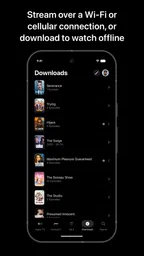
- Download eligible titles for offline viewing.
- Family Sharing can include access for multiple household members.
- Personalized recommendations help surface new titles.
- The app is available across Apple devices and select smart TVs.
What could be better
- Many movies and shows require separate rental or purchase.
- Some streaming services require their own subscriptions.
- Availability of titles varies by country and region.
- Offline downloads are limited to supported content and devices.
- The experience can feel less useful outside the Apple ecosystem.





