
Anime Avatar: Cute OC review
 Analysis by Appsdrops
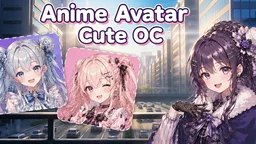
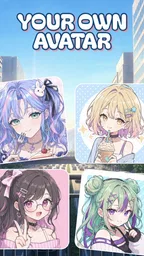
I like avatar makers most when they help me turn a loose character idea into something I can actually use: a profile picture, a reference for a story, or simply a fun design to share with a friend. Anime Avatar: Cute OC is aimed at that creative, low-pressure use. It is a beauty-category app from AthenaHotC, built around customizing anime-style characters rather than editing photos or creating a detailed illustration from scratch.
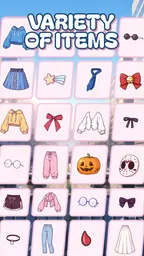
That focus makes it easy to understand who might enjoy it. If you want to sketch an original character but would rather assemble a look from ready-made choices, this app offers a straightforward starting point. I would approach it as a casual design tool, not as a full digital art studio: its appeal is the process of shaping a cute avatar with accessible customization, rather than drawing every feature myself.
What you get without paying
The app is free to download, so trying it does not require an upfront purchase. That is the clearest cost point for someone deciding whether to experiment with anime avatar creation. The app is rated for Everyone, which also makes its intended audience broad, though younger users should still follow the usual family guidance for installing apps and using a device.
I would not treat “free” as a promise about every possible item or future purchase. The sensible way to approach it is to install the app and see whether its available customization suits your needs before investing time in a design. If you are comparing it with paid drawing software, the difference is not simply price: a drawing program offers a more open canvas, while this app is designed around making a character through simpler choices.
The current version is 1.1.5, and the app was released on November 9, 2024. It has an average rating of 3.5 from 899 ratings, with 21 written reviews, and has passed 500K installs. I read those figures as signs that people have tried it in meaningful numbers, while the middle-of-the-road average is a reminder to keep expectations measured rather than assume every user will find it a perfect fit.
A focused tool, not a drawing desk
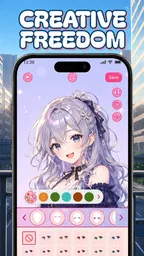
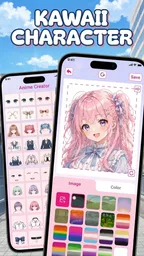
When I think about the value here, I put convenience ahead of artistic control. A character creator can help when I know the general mood I want but do not yet have the skill, patience, or time to draw it. I can begin with an idea such as “soft, cheerful, fantasy-inspired” and use the available choices to make that idea feel more concrete.
That workflow is useful for early-stage character planning. Before writing a long description of a character, I might want a visual prompt to settle details such as the overall style or personality. An avatar gives me something to react to: perhaps the design feels too serious, or a particular combination suggests a different backstory. The finished image can then serve as a personal reference, even if I later redraw the character elsewhere.
There is also a practical advantage to choosing an avatar maker over a general illustration app: it reduces the blank-canvas problem. In a drawing tool, I have to decide how to build the whole image and execute it myself. Here, the premise is that customization tools do more of that work. That is helpful for someone who wants a quick result, but it is also the main tradeoff: the design will be shaped by the choices the app provides, not by unlimited drawing freedom.
Small workflows that make the result more useful
One tip I would use is to begin with the purpose of the avatar rather than changing details at random. If I want a profile image, I would focus on whether the character reads clearly at a small size. If I am making an original character for a story, I would first settle on a broad personality and then adjust the design to support it. This keeps customization from becoming a long sequence of disconnected tweaks.
A second useful approach is to treat the first design as a draft, not a final portrait. I might make one version that captures the character’s everyday look and a second that tests a different mood or style, if the available options allow it. Comparing alternatives can reveal which visual direction feels most distinctive. It is a simple way to make a character feel more intentional without needing advanced art skills.
For a shared project, I would use the avatar as a conversation starter rather than as a definitive reference sheet. A writing partner can respond to a visual impression more easily than to a vague description, and the image may help a group agree on the character’s general feel. If exact anatomy, clothing construction, or consistent views from multiple angles matter, I would move to a drawing or design tool that supports those needs. A cute avatar can communicate a concept; it should not be mistaken for a production-ready model.
A third consideration is how much control you personally need over originality. Character creators are strongest when you are happy to combine preset elements into a look that feels like yours. If your goal is a highly unusual silhouette or a precise design detail, a constrained set of choices may become frustrating. I would use the app to explore an idea, then take that idea into a more flexible art workflow if the concept outgrows the customization format.
Where the experience may fall short
The main limitation of a focused avatar app is the same thing that makes it approachable: it simplifies creation. That can be a relief when you want a quick character, but it can also make two designs feel closer than you intended if the available options do not cover your mental picture. I would not choose it as my only creative tool if personal drawing control is the priority.
There is a difference between making a character and making a polished illustration. An avatar creator is suited to assembling a recognizable look, while a full art app is better for custom poses, detailed backgrounds, careful lighting, and a distinctive hand-drawn finish. If you already enjoy drawing, this app may feel more like a shortcut or brainstorming aid than a replacement for your usual process.
I would also keep expectations realistic about the finished image’s role. It can be useful for a social profile, a private character note, or an informal creative exchange, but anyone preparing professional artwork should check whether the result meets their particular standards and intended use. The app’s accessible format is the point; it does not automatically make every output suitable for every project.
For device compatibility, the minimum operating-system requirement is version 9. That gives prospective users a concrete point to check before installing, especially if they are using an older device. Since the app is free, a compatible user can try it without an initial purchase, but a quick test is still worthwhile: make a simple character and see whether the customization feels enjoyable before planning a larger project around it.
Who is most likely to enjoy it
I think the best fit is someone who likes anime-inspired characters and wants a low-pressure way to create an original-looking avatar. It could suit a casual fan looking for a new profile image, a writer who wants a visual cue for a character, or a beginner who finds drawing apps intimidating. The broad age rating makes the audience wide, but the strongest appeal is really about enjoying character styling.
It may also work well for people who want a quick creative break. For example, if I had a few minutes between tasks and wanted to turn a character idea into something visible, an avatar maker would feel more approachable than opening a complex illustration program. I would keep the goal modest: create a design that captures a mood, save or use it in the way the app supports, and return to the idea later if I want to develop it further.
I would recommend looking elsewhere if you need precise control over every line, a broad canvas for original compositions, or a tool built around professional illustration. Someone who mainly wants to retouch selfies should also choose a photo editor instead; this app is about anime-style avatar creation, not general beauty or portrait editing. Matching the tool to the task matters more than choosing the most popular option.
My verdict on trying it
For me, Anime Avatar: Cute OC makes the most sense as an easy entry point into character design. Its free access lowers the barrier to trying it, and its focus on customizable anime avatars gives it a clear purpose. The value is strongest when I want a quick visual concept without starting from an empty canvas, and weaker when I need extensive artistic freedom or a highly precise finished illustration.
I would try it if the idea of building a cute original character sounds fun and a guided, simplified process is a plus. I would skip it in favor of a drawing app if I already know exactly what I want to make and need control over every detail. With a 3.5 average across 899 ratings, I would go in with balanced expectations: it has reached a substantial audience, but it is best judged by whether its particular style of customization fits the way you like to create.
What we like
- Offers a simple way to create anime-inspired original characters.
- Cute visual style makes avatars appealing for profile pictures.
- Character customization encourages experimentation with different looks.
- Useful for fans who want a quick creative activity.
- Finished designs can be saved for later use.
What could be better
- Customization options may feel limited for users seeking detailed designs.
- Some items or features may require an in-app purchase.
- The app may display ads during use.
- Avatar creation can become repetitive after several designs.
- Saved images may not offer high resolution for every use.





