
AAWireless for Android Auto™ review
 Analysis by Appsdrops
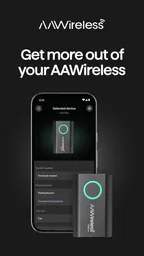
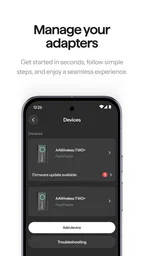
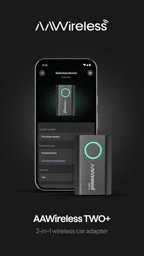
AAWireless is a companion app for people who use an AAWireless adapter with Android Auto™. The idea is straightforward: help you get more out of the adapter through an app on your phone. I find that role worth keeping in mind from the start. This isn’t a general-purpose driving app; its value is tied to how you use the matching hardware and how comfortably it fits into your everyday car setup.
A companion app with a focused role
The app sits in the Auto & Vehicles category, and its purpose is refreshingly easy to understand. It accompanies the AAWireless adapter rather than trying to be the main attraction on its own. If you already use that adapter, the app is the natural place to look for a more complete experience. If you don’t, the reason to install it may be less obvious, since the app is designed around the companion relationship.
AAWireless is most useful as a bridge between the adapter and the person using it. That focused setup can be reassuring: there’s a clear connection between the app’s intended role and the hardware it supports. I wouldn’t treat it as a substitute for Android Auto™ or expect it to serve as a standalone navigation, music, or vehicle-management app. Its appeal is in helping owners make better use of the adapter they have.
The app is free, and its content rating is Everyone. It has been available since March 10, 2021, and its current version is 8.9.2844. It requires Android 9 or later. Those details make the basic compatibility picture easy to assess before installing: check that your phone meets the operating-system requirement and that you actually use the corresponding adapter.
Trust starts with knowing what you are installing
For a connected-car companion, trust is not just about a polished screen. It also means understanding the app’s purpose, recognizing when you need it, and making deliberate choices about whether it belongs on your phone. A clear, hardware-specific role gives users a useful starting point, though it doesn’t by itself answer every question about permissions or data handling. I prefer to separate what the app is meant to do from assumptions about how it handles information.
That distinction matters because phones and cars are personal spaces. A driver may be comfortable installing an app to support a device, while still wanting to review permission prompts and privacy choices carefully. I recommend doing that as part of setup rather than tapping through automatically. Read each request on its own terms, consider whether it makes sense for the task you’re trying to complete, and choose accordingly.
The app’s reputation also offers some context, not a guarantee. It holds an average rating of 4.4 from around 21,000 ratings, with roughly 888 written reviews and more than one million installs. I take that kind of adoption as a sign that many people have found a reason to try it, but not as proof that every setup will behave identically or that every user’s expectations will match.
Controls and choices deserve a careful look
When evaluating a companion app, I look for visible choices rather than assuming that a particular toggle, account system, or permission control exists. Here, the sensible approach is to explore the app’s own settings and Android’s app-permission controls on your device. These are the places where users can inspect whatever choices are actually presented to them. I wouldn’t rely on a feature being present until I could see it directly in the installed app.
That may sound cautious, but it’s practical. The safest way to understand any app is to distinguish between a control you can see and a promise you have only inferred. If the app asks for access during setup, pause and consider whether the prompt relates to the task at hand. If Android offers a permission setting later, review it there as well. The goal is not to deny every request automatically; it’s to make an informed decision instead of granting access out of habit.
Account controls are another area where it’s better to avoid assumptions. Some users want a login tied to a service, while others prefer a direct device setup. I suggest checking the app’s own screens for the options available in your version and following the choices shown there. If an account-related decision appears, take a moment to understand what you are agreeing to before moving on. Don’t assume that an account is required, or that it is not, without seeing how your setup works.
Likewise, privacy information should be read where it is presented by the developer or through the app store. That lets you judge the relevant explanations directly rather than relying on guesses based on the app’s category or purpose. A companion tool can have a narrow job and still merit a thoughtful privacy check. For me, that’s a reasonable standard for any app that is part of a connected-car routine.
Data-sensitive moments in a car setup
Using a phone with a vehicle can bring several kinds of personal context together: the device, the car’s infotainment experience, and the services a driver chooses to use. That makes setup a natural point to slow down. I’d install the app only when I’m ready to configure or manage the adapter, and I’d complete the process while parked rather than trying to explore settings on the move. That keeps attention where it belongs and makes it easier to read prompts properly.
It is also worth being selective about what you connect and when. If you use Android Auto™ for your usual driving tasks, decide which services and phone features you want involved before beginning. The companion app’s purpose is to support the adapter, but that alone should not be taken as evidence of what information is collected, stored, or shared. Those matters should be judged from the privacy details and choices actually available to you.
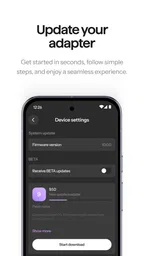
Updates are part of the same trust picture. The current version is 8.9.2844, and checking the app store for updates is a straightforward way to keep the installed app current. I also recommend reviewing what changes when an update is offered, particularly if permissions or privacy choices matter to you. A new version number is useful for identifying the release you have, but it does not tell you by itself what has changed in the experience.
For anyone sharing a vehicle or phone, routine habits matter too. Use the device’s normal security settings, avoid leaving the phone accessible to people who shouldn’t use it, and revisit permissions if your circumstances change. These are general precautions rather than claims about this particular app. They help keep the user in control of a connected setup without making assumptions about features that may or may not be present.
Who is likely to get the most from it?
The best fit is clear: someone who owns or plans to use an AAWireless adapter and wants its companion app on an Android phone. If that describes you, installing the app is a sensible step toward using the hardware as intended. If you are browsing for a standalone vehicle utility, however, this may not be the right match. Its identity is closely tied to the adapter, which is both its strength and its limitation.
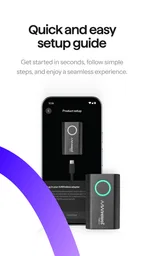
Before installing, I’d check the adapter compatibility relevant to your car and phone, confirm that your Android version meets the minimum requirement, and decide whether you’re comfortable with the setup process. Keep expectations focused on the app’s stated companion role. That avoids the common frustration of expecting a specialized utility to do the work of a broader driving platform.
The app’s reach suggests it has found an established audience, and its average rating is a useful reference point when comparing options. Still, reviews can reflect different vehicles, phones, expectations, and troubleshooting experiences. I’d read recent user feedback for patterns that match your own setup rather than treating any single comment as decisive. That’s especially helpful with hardware-related apps, where the surrounding equipment can influence how smooth the experience feels.
A measured verdict for Android Auto users
AAWireless makes the most sense when viewed as a focused companion for its adapter, not as an all-in-one driving app. Its purpose is easy to grasp, it is free to install, and it has a substantial user base. For an owner who wants to get more out of the matching hardware, that is a credible reason to give it a try. For someone without the adapter, there is less reason to expect meaningful value from the app alone.
My recommendation is a practical one: install it if you use the AAWireless adapter, check the Android requirement first, and take setup as an opportunity to review every permission and privacy choice shown on your device. I wouldn’t make broad promises about data practices or account controls without seeing those details directly. That cautious approach leaves room to enjoy the app’s intended convenience while keeping the decisions that matter in your hands.
For the right hardware owner, AAWireless is a purposeful Android Auto™ companion worth considering. Its appeal rests on a clear use case rather than a long list of unrelated extras. Go in with the adapter, a compatible Android phone, and a willingness to review the visible choices during setup, and you’ll have a sensible basis for deciding whether it fits your driving routine.
What we like
- Works with compatible cars that already support wired Android Auto.
- Keeps your phone available for use while it connects to the car.
- Can reconnect automatically after initial setup.
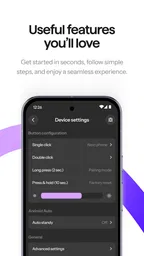
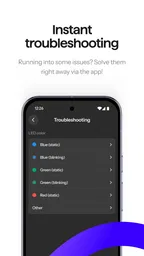
- Companion app offers connection and troubleshooting settings.
- Compact adapter is easy to move between compatible vehicles.
What could be better
- Requires a compatible Android phone and wired Android Auto system.
- Adds another device that needs power from the car's USB port.
- Wireless connections can be affected by interference.
- May require firmware updates to address compatibility issues.
- Not suitable for cars that only support wireless Android Auto.





