







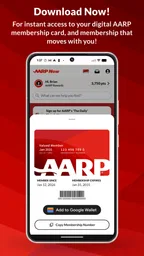
AARP Now review
 Analysis by Appsdrops
I would judge AARP Now less by how much it can show me in one sitting and more by whether it remains useful after the first few days. It brings together AARP-related news, events, and savings in a lifestyle app, so its value depends on whether those are things I actually want to check regularly. If I were already looking for this kind of information, having it gathered in one place would be a sensible convenience; if not, the app could quickly become another icon I forget about.
What feels useful in the first week
In the first few visits, the appeal is straightforward: instead of separately seeking out AARP updates, local activities, and member-oriented savings, I can start from one app. That joined-up approach is more helpful than a general news reader when I have a specific reason to look for AARP-related information. It is also less compelling if I expect a broad, customizable lifestyle hub that covers every interest.
AARP Now is developed by AARP, and its focus gives the app a clear audience rather than trying to serve everyone equally. I would see it as a practical companion for someone who already follows the organization or wants an easy way to keep an eye on its offerings. The app is free to download, which makes it easy to try without deciding upfront whether the routine will stick. Some in-app purchases are listed at $20 to $45 per item, so I would check the details of any paid option before committing rather than assume every part of the experience costs nothing.
A useful first-week habit is to give each part of the app a separate purpose. I might check news when I have a few minutes, look at events when planning a weekend, and browse savings only when I am already considering a purchase. That keeps the app from turning into an undirected scroll. It also helps me tell whether the combination is genuinely convenient or whether I would rather use separate sources for each need.
For a realistic example, imagine I am planning a Saturday with a family member and want an activity that feels relevant to us. I could use the events side as a starting point, then check news or savings at another time instead of expecting the app to plan the whole day. The distinction matters: a useful place to discover possibilities is not automatically a complete booking, scheduling, or shopping solution. I would treat it as a source to consult, then verify practical details through the appropriate channel before making plans.
Where it fits among everyday alternatives
Compared with a general news app, AARP Now has a narrower lens. That can be a strength when I want information tied to AARP, since broad news feeds often bury niche material among stories I did not seek. The trade-off is that readers who want a wide mix of national headlines, independent reporting, or extensive topic controls may prefer a dedicated news service. I would not replace my usual news sources with this app unless its particular focus matched what I wanted to follow.
It also differs from checking events and discounts through assorted newsletters, search results, or organization pages. One app can reduce the effort of remembering where to look, but it cannot guarantee that every event or offer relevant to me will be there. My practical approach would be to use it as a convenient first stop, not as the only place I check before making a decision. That small expectation-setting step helps avoid confusing convenience with completeness.
Does it earn a place month after month?
The recurring value is strongest when at least two of its areas fit naturally into my life. If I regularly read AARP-focused news and also look for events or savings, a single app can justify a recurring check-in. If I only care about one occasional offer, the benefit is thinner: I might be better served by visiting the relevant source only when needed rather than maintaining another daily habit.
The app has an average rating of 4.8 from around 79,000 ratings, alongside about 7,800 written reviews. It has also passed five million installs. Those figures suggest that many people have tried it and that user sentiment is broadly positive, but they do not tell me whether its particular mix suits an individual reader. I would put more weight on whether I find something useful during my own ordinary week than on popularity alone.
To test its staying power, I would avoid opening it just because it is installed. Instead, I would connect it to a real prompt: check for an event when planning the week, or look for relevant news when I want an update. After a few weeks, I could ask whether it has saved me a step or surfaced something I would otherwise have missed. If the answer is no, there is little reason to keep forcing the habit. If it repeatedly helps with a specific task, its modest role may be exactly right.
One non-obvious trade-off is that a combined app can make discovery easier while also encouraging me to browse sections I did not originally need. I would keep the routine task-led: open the app with a question in mind, use the relevant area, and leave once that question is answered. This is especially useful for savings content, where browsing without a planned need can make offers feel more important than the purchase itself. A discount only saves me money if I already wanted the item or service.
Keeping the app useful without making it a chore
Maintenance here is less about technical upkeep than deciding how much attention the app deserves. I would install the current version, 4.10.0, and then assess whether its content fits my routine instead of repeatedly checking it out of obligation. The app first appeared on April 29, 2011, and supports operating systems from version 9 onward. Its content rating is Everyone 10+, a useful point for households deciding whether it is suitable for a younger family member’s device.
For a low-friction routine, I would choose a regular moment that already exists, such as a weekly planning session, rather than adding several daily checks. I would also separate “interesting” from “actionable.” A news item may be worth reading without requiring follow-up; an event may deserve a note or a separate confirmation; a savings offer may merit attention only if it matches a planned expense. That simple filter keeps the app from turning into a collection of unfinished intentions.
I would also be realistic about what an app like this can replace. It can bring AARP-related material closer at hand, but I would still use a calendar for commitments and a dedicated map or booking service when logistics matter. That is not a failure of the app; it is a sensible division of labor. The more clearly I define its role—as a place to discover relevant information—the less likely I am to be frustrated when I need a specialized tool for the next step.
What may cause fatigue
The main risk is repetition in my own routine. If I open the app without a particular reason, the same broad categories can start to feel like a checklist rather than a benefit. Someone who does not regularly seek AARP-related news, events, or savings may find little reason to return after the initial curiosity. In that case, a general news reader, local event source, or occasional direct search is likely a better fit.
There is also a difference between an offer being available and an offer being useful. Savings can be appealing, but I would not let them drive unnecessary spending or treat every promotion as a personal recommendation. Paid in-app items add another reason to read each purchase description carefully. Free installation lowers the barrier to trying the app, but it does not mean every optional purchase is included.
Another source of fatigue is expecting the app to anticipate my interests perfectly. Its focused audience is part of its identity, yet that focus may not align with every user’s location, schedule, or priorities. I would browse with a specific question and judge the result by whether it helps me act—not by how much content I can scroll through. For people who prefer tightly personalized feeds or comprehensive local listings, a specialist service may be more satisfying.
My long-term verdict
I would keep AARP Now if I found myself returning for more than one reason: perhaps checking relevant news and occasionally exploring an event or saving opportunity. In that situation, its focused mix can make the app a convenient part of a weekly routine without demanding much effort. Its free download makes that trial approachable, while its in-app purchases are worth reviewing individually.
I would skip it if I rarely use AARP-related material, want a broad all-purpose news experience, or expect a single app to handle planning and follow-through from discovery to booking. It is better understood as a focused starting point than as a replacement for every service involved in daily decisions. For me, that is a fair and useful role, provided I keep expectations grounded.
Overall, AARP Now has a plausible claim to lasting space when its news, events, and savings solve recurring needs rather than merely creating a burst of first-week curiosity. I would give it a short, purposeful trial and keep it only if it earns a regular place in my routine. Its lasting value comes from making relevant AARP information easier to revisit, not from needing to check it constantly.
What we like
- Quick access to AARP news and member updates.
- The interface is easy to navigate on a phone.
- Useful for checking local events and activities.
- Offers convenient access to AARP membership information.
- Free to download and use.
What could be better
- Some features may require an AARP membership.
- Content can feel geared toward older adults.
- The app may request location access for nearby information.
- Some links open pages outside the app.
- Availability of local events varies by area.





