






3D Live Wallpapers - HD & 4K review
 Analysis by Appsdrops
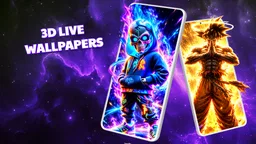
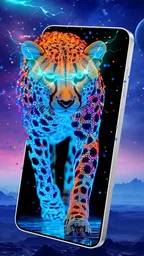
I see 3D Live Wallpapers - HD & 4K as a focused personalization app for people who want their phone’s background to feel more alive without turning the whole home screen into a complicated project. Its appeal is visual: animated, dimensional scenes can give a familiar device a more personal look. That also sets a clear limit. If you prefer a still image, a clean battery-conscious setup, or precise control over every part of a theme, a standard wallpaper app may suit you better.
In everyday use, I would treat it as a way to change the mood of a phone rather than as a full customization suite. A moving background can make a device feel fresh after months with the same static picture, and the 3D presentation has more presence than a flat image. But animation is not automatically an improvement: the wallpaper shares attention with app icons and widgets, so a visually busy scene can make the screen harder to read.
What the animated look does well
The app sits in the personalization category, and its central idea is straightforward: choose an animated background and use it to give your phone a different visual character. I like that this makes the app easy to understand. You do not need to approach it as a system-wide redesign; the wallpaper itself is the main decision, which is useful if you want a noticeable change without committing to a new launcher or icon pack.
The strongest case for a 3D live background is that it can add movement while keeping the rest of the phone familiar. For example, I might choose a calmer scene for a workday phone, where icons and notifications need to remain easy to spot, and save a more dramatic look for a personal device. The practical trick is to judge a wallpaper with the actual home screen in view, not just by how striking it looks on its own. A design that is impressive in a preview may compete with widgets once everything is layered together.
The HD and 4K positioning points toward detailed imagery, but high resolution is only part of what makes a background pleasant to use. Composition matters just as much. A good live wallpaper leaves enough visual breathing room behind the icons, while a packed scene can turn ordinary navigation into a cluttered experience. I would prioritize a clear focal point and calmer areas where labels sit over sheer visual complexity.
There is also a useful distinction between a wallpaper that looks good in a quick preview and one that stays comfortable over time. Movement that feels dramatic for a moment can become distracting when you unlock the phone repeatedly throughout the day. I would try a scene during normal use before settling on it: check how it looks behind the first row of icons, whether the motion pulls your eye away from notifications, and whether its overall tone still feels right after the novelty fades.
A more deliberate way to choose a background
Rather than selecting the most elaborate image first, I would start with how I use the home screen. If I rely on a calendar widget, music controls, or a dense set of app shortcuts, I would look for a background whose brightest details do not sit behind those areas. If the screen is mostly empty, a more intricate scene has room to show off. This simple test helps avoid the common mistake of choosing for the preview instead of for the phone you actually use.
Another worthwhile approach is to match motion to context. A lively background can make a personal phone feel expressive, while a quieter visual style may be more comfortable on a device used for work or reading. That is not a technical setting I can assume the app offers; it is a choice about which kind of scene to use and where. Thinking about the screen’s purpose first makes the visual change feel intentional rather than random.
For a realistic everyday example, imagine checking your phone while waiting for a train. You unlock it to read a message, glance at a calendar reminder, and open a map. A restrained live scene can add personality without getting in the way. A bright, busy one may compete with the text and make the screen feel less calm. That is why I would judge this app not only on how attractive its backgrounds are, but on whether they remain easy to live with during quick, repeated checks.
Where the trade-offs matter
Animated wallpapers have an inherent compromise: movement adds character, but a still image is usually the simpler choice for anyone who wants a completely quiet screen. I would not choose this app expecting a comprehensive home-screen makeover. Its stated purpose is live wallpapers, so people looking for coordinated icons, widgets, lock-screen tools, or broad layout controls should compare it with apps built around those needs instead of assuming a wallpaper app will cover everything.
There is a practical consideration, too. Live backgrounds involve more than displaying one fixed picture, so people who are especially cautious about battery use or want the most minimal setup may prefer a static wallpaper. I would test a chosen scene as part of normal phone use and decide whether the visual payoff is worth keeping. I would not assume a particular battery impact for every device or scene; the sensible point is that anyone prioritizing maximum simplicity has a clear alternative.
Another possible friction is that an attractive image does not guarantee a useful home screen. A bright focal element can sit directly behind an important icon, and motion can pull attention away from text. This is not a reason to avoid the app, but it does mean that selection takes a little judgment. If you want the quickest possible setup, a single static photo from your own gallery may be more convenient. If you enjoy adjusting the look until it feels right, the extra choice is part of the appeal.
Cost is worth keeping in mind before treating every option as part of a free experience. The app is free to download, with in-app purchases ranging from $0.99 to $19.99 per item. I would first decide whether the available experience matches what I want, then consider any purchase on its own merits rather than assuming a paid item is necessary. That matters most if you only want one subtle background and do not plan to explore a wider selection.
There is also a difference between wanting a wallpaper and wanting a visual system. Someone who carefully coordinates icons, widgets, and colors may find a dedicated theming or launcher tool more suitable, even if it takes more setup. Someone who wants a simpler change can get more value from a wallpaper-focused app. In my view, choosing the right category of tool is as important as choosing the right image: the app is most satisfying when a moving background is the actual goal, not merely one part of a larger redesign.
Who is likely to enjoy it
I would recommend 3D Live Wallpapers - HD & 4K to people who enjoy visual customization, notice their background often, and are happy to trade a little simplicity for movement. It is also a reasonable fit for someone who wants a fresh look without rebuilding a familiar home-screen layout. If you like trying different visual moods, a live wallpaper can make that change feel more expressive than swapping one still image for another.
I would steer away from it if you prefer a completely static screen, need every background to stay visually unobtrusive, or are trying to keep your phone as minimal as possible. It may also be the wrong starting point for users whose real goal is a coordinated theme with matching icons and widgets. In those situations, a basic wallpaper picker or a more complete customization tool is likely to fit better.
The app is developed by SmoothX Studio. It has a 4.6 average from around 176,000 ratings and has passed 10 million installs, which suggests that the animated-wallpaper idea has reached a broad audience. Those figures are useful context, but they do not tell me whether a particular design will suit your taste or whether motion will feel comfortable on your device. I would use them as a sign of established interest, not as a substitute for trying a scene yourself.
It is rated Everyone, was released on July 29, 2025, and its current version is 2.0.0, with Android 8.0 as the minimum operating-system requirement. Those details make it easier to judge basic compatibility, while the content rating indicates that the app is intended for a general audience. The price is free to install, though purchases are available, so I would keep that distinction in mind when deciding whether to explore paid options.
My verdict after weighing the fit
My overall view is positive but specific: this is a good choice when you want the background itself to bring movement and depth to your phone, and a less compelling one when you expect a complete personalization toolkit. Its strongest quality is the clear visual purpose. Its main weakness is the same trade-off that comes with live wallpapers generally: motion can add personality, but it can also distract, complicate a clean layout, or be less appealing than a still image for everyday use.
If I were recommending it to a friend, I would say to start with the kind of home screen you actually use, pick a scene that leaves icons readable, and live with it through ordinary checks before deciding it is a keeper. I would not pay for extras until I knew that animated backgrounds were something I wanted to use regularly. For anyone who enjoys changing the mood of a phone and does not mind choosing carefully, this app is worth considering. For someone who wants a quiet, efficient screen or deeper control over the entire interface, a static wallpaper or broader theming option is the more sensible choice.
What we like
- Offers a broad range of animated wallpaper styles.
- Previewing wallpapers helps you check them before applying.
- High-resolution options suit many modern phone screens.
- Live wallpapers can add motion to a static home screen.
- New designs may provide fresh choices over time.
What could be better
- Live backgrounds can use more battery than static images.
- Some wallpapers may be unavailable without an internet connection.
- The app may include ads while browsing its collection.,4K wallpapers can take up considerable storage space.
- Live effects may affect performance on older phones.





