


UNO Wonder review
 Analysis by Appsdrops
I like a card game best when I can get to the interesting decisions quickly, and UNO Wonder has an immediate advantage: its familiar UNO foundation is easy to understand, while its adventure framing promises a change of pace from simply playing one hand after another. It is an official card game from Mattel Game Studios HK Limited, aimed at everyone and free to download. My overall impression is that it is worth a look if you want a recognizable game for short breaks, but it is not automatically the best choice for every UNO fan: mobile setup, purchases, and the kind of play you expect all matter.
Where a quick game can get stuck
The biggest practical snag with any phone version of a familiar card game is the gap between knowing the rules and knowing what the screen expects. In UNO, a turn may look obvious at a table, but on a touchscreen it is worth pausing before tapping: check which card is selected, confirm that it is the one you intend to play, and read any prompt before moving on. That small habit can prevent a rushed tap from deciding a hand for you.
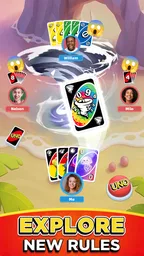
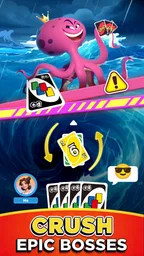
UNO Wonder presents itself as an adventure rather than merely a digital copy of a card table. That framing can make it appealing when I want a little more context around a session, but it also means it may not feel as direct as a plain, no-frills UNO match. If what you want is the fastest possible way to play a familiar hand with friends sitting beside you, a physical deck may still be simpler: no device setup, no screen to share, and no uncertainty about who has the cards.
For a solo phone break, the trade-off is different. Having the game ready to pick up can make a few spare minutes feel more entertaining than waiting around, and the recognizable card format lowers the learning curve. I would approach it as a casual option rather than assume every session will be equally brief. A game that includes an adventure layer may invite more attention than a quick round at a kitchen table, so it is sensible to start when you have enough time to finish what you begin.
The game is free to download, with in-app purchases listed from $0.99 to $99.99 per item. That is a broad enough range that I would check any purchase prompt carefully instead of treating “free” as a promise that every part of play has no cost. If you are setting it up for a younger player, agree in advance whether purchases are off limits and keep the device’s purchase controls in mind. The age rating is Everyone, but that does not remove the need for a family to decide how spending on a shared device should work.
Make the first session low-pressure
My practical suggestion is to treat the first launch as a setup session, not a test of how quickly you can get into a match. Give the game a moment to finish whatever initial loading it needs, read each on-screen prompt, and avoid tapping through screens simply because you recognize UNO. That is especially helpful if you are handing the phone to someone else: let them see the current screen and understand what a button does before they take over.
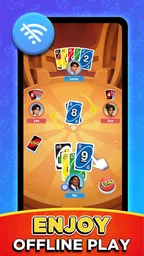
If you are using it during a commute or while waiting for an appointment, check that you have a stable connection before relying on the game for entertainment. I cannot assume every part of a mobile game works offline, so I would not start a session in a place where a connection is uncertain unless I had already checked how it behaves there. That is a modest precaution, but it can spare you the frustration of discovering a loading issue when you have only a short break.
Setup checks that save time
UNO Wonder was released on September 12, 2025, and its current version is 1.6.1573. It requires Android 6.0 or later. Before installing, I would check the Android version on the device and make sure there is enough free storage for the download and any additional setup the game requests. Those checks are more useful than repeatedly retrying an installation on a device that does not meet the minimum requirement or has no room left.
On an iPhone or iPad, I would check the app store’s compatibility details for the specific device rather than assume the Android requirement applies to Apple hardware. The Android minimum is not a universal device requirement. In either case, keeping the operating system and the game reasonably current is a sensible first step if installation or launch behaves unexpectedly, while recognizing that an update cannot fix every device-specific problem.
It also helps to think about who will use the device. If several people share it, decide whose account will handle any purchase prompt before the first session. If the phone belongs to a child, an adult can check the store and device controls beforehand, then explain that a purchase screen is not the same thing as a required step in playing. This is a small bit of preparation, but it avoids awkward surprises when everyone is eager to start.
Storage and network checks are worth doing before reinstalling. If the game will not download, first confirm the device has room and that the connection is working for other apps. If it downloads but stalls on launch, close it, reopen it, and check whether an update is available. I would only move to reinstalling after simpler checks, since removing an app can mean repeating setup and may affect locally stored progress in ways that vary by game and device.
Recover a session without making the problem worse
When a screen appears stuck, I use a simple sequence: wait briefly, check the connection, close and reopen the game, then restart the device if the problem persists. If the issue happens only once, it may be a temporary interruption rather than a lasting fault. If it happens repeatedly at the same point, note what you were doing immediately beforehand; that description is far more useful when seeking help than saying only that the game “doesn’t work.”
For a misplayed card or an unexpected turn, first check whether the card was already selected or whether the game is waiting for another confirmation. On touchscreens, a tap can register differently than intended, especially if you are playing one-handed or moving. Slowing down for a moment before committing a play is a practical workaround, not a claim that the interface is faulty. If the same control consistently fails to respond, restarting the app and checking for an update are reasonable next steps.
If progress seems different after closing the game, avoid repeatedly uninstalling it or clearing device data as a first reaction. Those actions can remove information stored on the phone, and I would not assume that every session is backed up in the same way. Start with a normal restart and check the game’s own screens for any relevant account or recovery prompts. If a problem remains, provide support with your device model, operating system, game version, and the step where the issue occurs.
There is also a useful distinction between a game problem and a purchase concern. If a purchase prompt appears, read it before confirming and use the device’s purchase controls if you do not want accidental spending. If a charge or transaction looks wrong, check the account and order history through the store used for the purchase, rather than repeatedly tapping the game screen. That keeps troubleshooting focused and reduces the chance of creating a second transaction while trying to resolve the first.
When the phone or connection is the real obstacle
A game can appear to fail when the cause is outside the game itself. A weak connection may interrupt loading; limited storage can stop an installation or update; and an older operating system may fall below the Android minimum. Before blaming a particular match or screen, try another app that uses the same connection, check available space, and confirm the operating system. These checks help separate a general device issue from one specific to UNO Wonder.
Battery-saving settings and a crowded device can also make mobile play feel less smooth, though the exact effect depends on the phone. If the game slows down, close apps you are not using and try again when the device is not under heavy load. I would avoid promising that this will solve every performance problem; it is simply an easy way to rule out common pressure on a phone before spending time on more involved troubleshooting.
There are times when the best choice is to stop troubleshooting and switch to another way of playing. If you are with friends and the connection is unreliable, a physical UNO deck avoids dependence on the phone. If you want a calmer, uninterrupted activity for a short window, a game that does not need a network may suit you better, provided you know its offline behavior. UNO Wonder is most appealing when you are comfortable with a mobile game experience and can give it a little attention.
What it offers compared with other card-game choices
UNO Wonder sits in the card-game space, but its adventure identity gives it a different pitch from the simplest digital card-table alternatives. I would choose it when I want UNO’s recognizable play wrapped in a more game-like presentation. I would choose a plain digital version when speed and minimal menus matter most, and a physical deck when conversation, shared attention, and freedom from screens are the point. Those are not flaws in this game; they are different needs that call for different formats.
The audience response is encouraging but not a guarantee of a perfect fit: it has a 4.4 average rating from around 20,000 ratings, and it has been installed over 10 million times. That scale suggests plenty of people are willing to try it, while the rating still leaves room for mixed experiences. I would use those figures as context, not as a substitute for deciding whether you want an adventure-style mobile take on UNO or simply the quickest possible card match.
One non-obvious way to judge it is by the setting in which you plan to play. For a parent and child sharing a phone, the familiar rules can make the first few decisions accessible, but purchase boundaries and turn-taking should be agreed on before handing over the device. For a solo player, the adventure angle may be the reason to choose this over a basic card app. For a group at a table, the phone may become a distraction rather than an improvement, so the traditional deck can be the better social tool.
My practical verdict
I would recommend UNO Wonder to someone who already enjoys UNO, wants a mobile version with an adventure-oriented feel, and is comfortable checking prompts and purchase screens carefully. The game is free to start, rated for Everyone, and made by Mattel Game Studios HK Limited. Those are useful basics, but the best reason to try it is simpler: you want a familiar card game to occupy a relaxed break without needing to organize a deck.
I would skip it if your priority is an entirely frictionless, offline, no-purchase experience, or if you dislike mobile games that ask for setup and occasional troubleshooting. I would also avoid starting it when you have only a few seconds to spare or when a poor connection could interrupt your plans. The app’s 1.6.1573 version and Android 6.0 minimum are practical compatibility details, not a promise that it will run identically on every device.
For me, the sensible approach is to install it when you have time to explore the opening screens, check how it behaves on your device, and decide whether the adventure presentation adds enough to your usual UNO routine. Keep spending controls in mind, take a moment before tapping a card, and use a physical deck when the occasion calls for face-to-face play. It is a worthwhile casual option when the phone format suits the moment, rather than a replacement for every way of playing UNO.
What we like
- Familiar UNO rules make it easy for new players to get started.
- Wonder Cards add variety to the traditional card game.
- Short rounds suit quick play sessions.
- Bright visuals give the game a playful look.
- Online matches let you challenge other players.
What could be better
- Random card draws can make outcomes feel luck-driven.
- Online play depends on a stable internet connection.
- Some players may find repeated rounds predictable.
- Competitive matches can be frustrating for beginners.
- In-app purchases may limit access to extra content.







