

Spider Solitaire - Retro Card review
 Analysis by Appsdrops
I find Spider Solitaire most appealing as a small, familiar card game that can fit into the gaps of a shared household day. One person might play while waiting for dinner, then hand the device back without needing to explain a complicated game or leave a long session in progress. Spider Solitaire - Retro Card is a free card game from Worthy Journey, and its basic promise is simple: a quiet round of solitaire rather than a busy social or competitive experience.
A familiar game that fits between household tasks
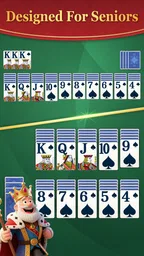
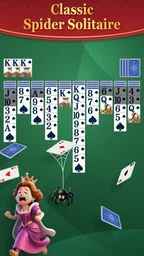
The appeal of Spider Solitaire is its mix of recognizable rules and decisions that take a little thought. You arrange cards into descending sequences, manage the columns, and try to clear completed runs. That makes a round engaging without demanding the quick reactions or uninterrupted attention of an action game. In my view, it suits short breaks especially well: you can consider a move, pause to answer someone, and return to the same puzzle when the device is available again.
That stop-and-start quality makes it practical on a phone or tablet used by more than one person. A parent could play while waiting for an appointment, while another household member uses the device later for something else. I would still treat a game in progress as belonging to the person who started it; sharing a screen does not necessarily mean sharing a particular round or its state. If uninterrupted play matters, it is worth finishing a deal before handing the device over.
The game’s relaxed card-game format is also a good fit for someone who wants a familiar pastime without committing to a multiplayer match. There is no need to coordinate schedules with opponents or learn a large collection of systems before starting. If what you want is a calm puzzle that feels more deliberate than tapping through a very simple matching game, Spider Solitaire offers a useful middle ground.
What the card puzzle asks of you
Spider Solitaire rewards planning, but it does not make every decision feel equally important. A move that exposes a hidden card can open up future options; a move that merely shifts a card may make the layout look neater while leaving you no closer to a completed sequence. My practical advice is to look for moves that reveal information or create an empty column, rather than moving cards simply because they can be moved. An empty column can give you room to reorganize a run, so preserving that flexibility is often more valuable than making an attractive short-term arrangement.
Another useful habit is to keep track of which columns are becoming blocked. If several piles have face-down cards beneath long sequences, you may have limited ways to uncover them. When faced with a choice between extending a tidy run and opening a column that contains unseen cards, I would usually prioritize the latter. That does not guarantee a win, but it helps make the game feel like a sequence of considered choices instead of random rearranging.
Because this is a card game rather than a story-led adventure, its interest comes from the layout and the choices it creates. That is a strength for quick play, but it also means the experience may feel repetitive if you expect a changing campaign, a narrative, or a stream of new objectives. I would choose it for the familiar puzzle itself, not for a broader progression system.
Sharing a device without confusing the game
On a household device, the simplest arrangement is to agree who is using it before starting a round. Spider Solitaire is easy to understand at a glance, but the person who takes over may not know which cards the previous player was saving or why a column was left open. A quick handover—“I’m trying to uncover that pile”—can be enough to avoid accidental moves, though I personally prefer to finish the current deal when possible.
It also helps to distinguish shared access to the device from shared ownership of a game session. If several people take turns, they may want to treat each new round as a fresh start rather than assuming the previous layout is a communal puzzle. That keeps play casual and avoids the mild friction of someone changing a position another player had planned around. This is a sensible household habit for any turn-based card game, not a special feature of this one.
For a family that wants to coordinate play, a simple routine works better than expecting the game to manage the arrangement: decide who gets the device, and let that person complete a round or stop at a natural break. If the device is needed for homework, calls, or other shared tasks, the game’s short-session nature makes it comparatively easy to put aside. I would not choose it as a tool for organizing family play; its value is that it needs little coordination in the first place.
Setup, boundaries, and expectations
The game is listed as free, which makes it easy to try without committing to a purchase. It is rated for Everyone, a useful starting point for households deciding whether a card game is age-appropriate. Still, an age rating is not a substitute for a parent’s own judgment about a child’s screen time or about how a shared device is used. I would explain that it is a quiet card puzzle and set the same device boundaries used for other games.
Spider Solitaire does not require a family plan to make sense as a household pastime. The useful boundary is ordinary and practical: know whose turn it is, avoid taking over a live round without asking, and keep the device available for its other uses. If several people want to play independently, they can simply take separate turns. I would not assume that a shared installation automatically provides separate personal spaces or separate records; households should make their own expectations clear rather than relying on an account feature.
That distinction matters most for younger players. A child who is learning card sequences may enjoy working through the columns, while an adult may prefer to use the game for a few minutes of quiet concentration. The same screen can serve both, but the experience is still a solo puzzle. If a family is looking for direct cooperation, shared challenges, or a way to compare progress together, a multiplayer card game would be a better match.
Who is likely to enjoy it—and who may not
I would recommend this to people who already like solitaire and want a straightforward way to play on a mobile device. It also makes sense for someone who wants a low-pressure game to dip into between chores, during a commute break, or while waiting for an appointment. The game’s broad age rating and familiar card format make it approachable for a range of players, although younger children may need help understanding why a move that looks possible is not always strategically useful.
On the other hand, I would skip it if you want competitive matchmaking, a shared puzzle that multiple players solve together, or substantial variety beyond the core card challenge. People who find repeated layouts or careful planning dull may be happier with a word game, a more dynamic puzzle, or a card game built around interaction with other players. Spider Solitaire’s calm pace is part of its identity, but that same pace will not suit someone looking for constant novelty.
Compared with physical cards, the digital version is easier to carry and avoids the need to lay out a deck on a table. A real deck may be better when several people want to play face-to-face or when you want a break from screens. Compared with other mobile solitaire titles, the main decision is often about presentation and extra features; I would focus on whether you enjoy this particular game’s straightforward approach rather than assuming every solitaire app offers the same experience. The store’s short description is simply “Spider Solitaire,” and the game’s appeal is similarly direct.
Trust, audience, and the practical details
Worthy Journey is the developer behind the game, and its audience is broad: the content rating is Everyone. That makes it a plausible choice for a household device where adults and children both want an uncomplicated card game, provided the family’s normal device rules are in place. I would describe it as suitable in subject matter for general audiences, not as a guarantee that every child will find the strategy easy or that every household will want to allow unrestricted play.
Its average rating is 4.9, based on around 13,000 ratings, and it has passed over one million installs. Those figures suggest that many players have tried it and rated it positively, but I would treat them as context rather than proof that it fits every taste. A person who dislikes solitaire can reasonably find the game repetitive despite the strong average, while an experienced card-game fan may value exactly that familiar rhythm.
The game was released on December 11, 2025, and its current version is 2.1.8. It requires Android 7.0 or later. Those details are useful when checking whether an older household phone or tablet can run it. Since several people may share one device, I would check compatibility on that device before making it part of a regular routine, rather than assuming an older spare phone will support it.
How to get more out of a short session
For a more thoughtful round, I recommend choosing a move with a clear purpose before tapping: uncover a card, make space, or build a sequence that improves access to another column. If a move does none of those things, pause and compare the alternatives. This small habit helps new players understand why Spider Solitaire is more than moving cards into order, and it gives experienced players a way to avoid making the layout harder to solve.
In a shared household, a natural stopping point is the end of a deal. If someone needs the device sooner, it is considerate to say whether the current round is being left unfinished, instead of leaving the next user to guess. A player can also use a session as a brief reset between tasks: one deal, then the phone goes back to the common charging spot. That routine keeps a relaxing game from quietly turning into an argument over who has the device.
For new players, I would start with patience rather than trying to clear every column quickly. The puzzle can become constrained when too many cards are stacked without exposing what lies underneath. Taking a moment to inspect the board before dealing with the visible cards is a more useful approach than making the first available move. That advice applies especially when someone is learning, because it teaches the logic of the game instead of encouraging hurried taps.
My household verdict
Spider Solitaire - Retro Card works best as a personal, low-pressure card puzzle that happens to be easy to fit into a shared-device routine. I like its clear purpose and the way a round can provide a small mental challenge without demanding a long commitment. The free price and Everyone rating make it easy for a household to consider, while the Android requirement gives owners of older devices a practical compatibility check to make first.
Its limits are just as important: it is not a social game, a family organizer, or a source of dramatic variety. If your household wants several people to compete or collaborate directly, choose something designed for that. If you want a familiar solo card puzzle that can be played in short stretches, this is a sensible option. My recommendation is to treat it as a quiet turn-taking game, agree on device boundaries, and judge it by whether the careful card planning feels relaxing rather than repetitive.
What we like
- Classic Spider Solitaire rules are easy to pick up.
- Several difficulty levels suit different skill levels.
- Undo helps recover from an accidental move.
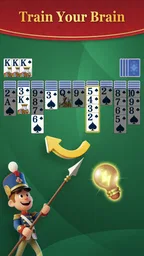
- Hints can help when a deal becomes difficult.
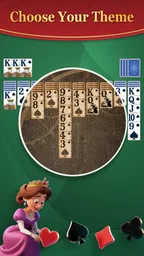
- Retro visuals create a nostalgic card-game feel.
What could be better
- The retro design may feel dated to some players.
- Hints can make some puzzles feel less challenging.
- Long games may require patience to complete.
- Small cards can be harder to read on compact screens.
- Random deals can vary in difficulty.







