





Spades Pop - Classic Card Game review
 Analysis by Appsdrops
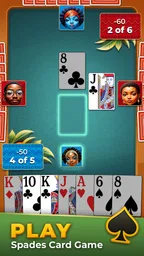
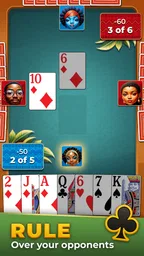
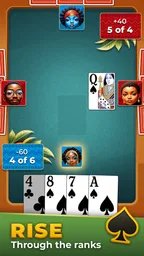
Some card games are easiest to enjoy in the small gaps of a day: while dinner is in the oven, during a quiet break, or when everyone in the room is doing their own thing. Spades Pop is a digital take on the familiar trick-taking card game, and I’d consider it for someone who wants a quick way to play Spades without arranging a table and a full group. Its appeal is straightforward: the decisions are in the cards, so a short session can still feel engaging.
How it fits into a shared household
As a card game from WildCard Games, Spades Pop has a clear use case in a home where people enjoy traditional card play but aren’t always free at the same time. One person can pick it up for a short session, then put the phone down when something else needs attention. That makes it easier to fit around household routines than a physical game that depends on everyone being present.
There is a trade-off, though. A phone or tablet is a shared object in many homes, but a digital card game is still best treated as one person’s session at a time unless the people using it agree on how to take turns. I wouldn’t assume that different household members automatically get separate progress or personal spaces. If those boundaries matter, decide in advance who is playing and avoid passing a device around while a round is active.
A realistic moment for it might be a rainy afternoon when one person wants a quiet game while others watch a film or read. Spades is a better fit for that than a game that demands constant conversation or rapid reactions. The player can focus on the hand, while the rest of the household carries on. If the point is to bring everyone together around one screen, a physical deck is likely the better choice: it makes the social part visible and gives players a natural reason to talk through the game.
Making a shared device less awkward
Before handing over a device, I’d finish the current hand and make clear whose turn it is to use the game. That small habit avoids a common frustration with shared apps: one person’s unfinished activity becoming the next person’s problem. It also gives children a chance to ask for help without someone else’s session being interrupted. These are practical household routines, not special controls built into the game.
Spades is a partnership game in its familiar form, so the card decisions invite players to think about what a partner may be holding, not just what is strongest in their own hand. That makes it a useful conversation starter if a more experienced player is explaining the basics to a beginner. I’d keep any coaching light, however. Let the new player choose a card first, then discuss what the choice might mean; constant advice can turn a relaxed round into a lesson the other person didn’t ask for.
What to expect from the card play
The central pleasure of Spades is reading the hand rather than simply playing the highest card available. You’re weighing what has already appeared, what may still be in play, and how your choices could affect a partnership. That gives the game more thought than a purely luck-driven card app, while keeping the basic activity familiar to anyone who has played trick-taking games.
One useful habit is to pay attention to cards that have already been played instead of treating each trick as a fresh puzzle. Even without making elaborate notes, remembering which high cards have appeared can help you judge whether a suit is still dangerous. Another is to think about the likely cost of winning a trick before committing a strong card. A powerful play can help your side, but spending it without a reason may leave you with fewer options later.
Those decisions are why I’d choose this over a very simple matching or shedding game when I want something that rewards attention. On the other hand, someone who wants a no-thought pastime may find Spades less relaxing than a game where each move has little consequence. The enjoyment depends partly on liking the process of estimating a hand and adapting as cards are revealed.
The store summary describes a trick-taking experience, and that is the right way to set expectations: this is for people interested in the rhythm of a Spades round, not for players seeking a broad collection of unrelated card modes. I wouldn’t install it expecting a general-purpose card room. If you mainly want solitaire, poker, or a game built around direct social conversation, a specialist alternative in that category will suit you better.
Playing at your own pace and coordinating with others
For household use, the main coordination question is not complicated strategy but timing. A player who starts a round when they have only a few seconds to spare may have to stop at an inconvenient moment. I’d open it when there is enough breathing room to concentrate, especially if I’m playing while other people are nearby and may need to share the device shortly afterward.
It can also work as a low-pressure way for two people to compare how they approach the same game, even if they are not playing together on one screen. One person might focus on protecting a partner’s likely position; another might be more cautious about using high cards early. Talking about those choices afterward makes the game more social without requiring either person to turn every hand into a contest. Since play arrangements can vary, I would check what the current app offers before planning a specific way to play with someone else.
That is a meaningful distinction from a physical deck. Cards on a table make it easy to read the room, tease a friend, or pause while someone asks a question. A phone game is more convenient for solo moments, but it naturally puts the screen between players. If togetherness is the main goal, the tabletop version still has an advantage; if convenience and a compact session matter more, the digital version earns its place.
Age, trust, and practical expectations
The game is rated for Everyone, which makes it a reasonable candidate for a household where adults and younger players both enjoy card games. I would still treat the age label as a starting point rather than a substitute for supervision. A child may understand the card play while needing help with ordinary device habits, such as knowing when to stop or whose turn it is to use a shared phone.
For a parent, the most useful boundary may be simple: agree on a play window and keep the device available for its other jobs. That is especially sensible when the phone is used for calls, messages, or school tasks. I’d also have a younger player ask before making any account or purchase decisions in an app, rather than assuming every screen is part of the card game. This is general good practice for shared devices, not a claim about a particular setting in Spades Pop.
The game is free, so it is easy to try without paying to download it. Still, “free” should not be treated as a promise about every possible in-app choice or future use. I’d let a child play with an adult nearby the first time, check the screens together, and set household expectations before making the phone available on their own.
Who is likely to enjoy it—and who may not
I’d recommend it to someone who already likes Spades, wants a familiar card challenge on a mobile device, or needs a quiet activity that can fit into a spare moment. It may also suit a beginner who is curious about trick-taking and prefers to learn by playing rather than starting with a long explanation. The best experience is likely to come from players who enjoy thinking a few moves ahead and don’t mind that luck still influences the cards they receive.
I’d skip it if you want a strongly social group game, a large menu of card formats, or a very simple pastime with little strategic weight. It is also not my first choice for a household whose main need is a shared, clearly separated experience for several people on one device. In that situation, a physical deck—or an app that explicitly supports individual profiles and the particular group setup you want—would be a more suitable option.
Its reception gives a useful, though not definitive, signal: the game has a 4.7 average from around 13,000 ratings, with more than 100,000 installs. Those figures suggest that many players have found an audience for it, but they cannot tell you whether its style suits your household. I’d use them as reassurance that it is an established choice, then judge it by whether you enjoy this specific kind of card play.
My household verdict
Spades Pop is a focused option for bringing a classic trick-taking game into the small pauses of everyday life. WildCard Games released it on November 21, 2024, and its current version is 1.30.2; it runs on Android 8.0 or later. Those details make it straightforward to assess for an older compatible Android device, while the core question remains whether you want Spades rather than a broader card collection.
My practical recommendation is to treat it as a personal, turn-based pastime that can be shared by agreement, not as a substitute for a family card table. It is most rewarding when the player has time to follow the cards and enjoy the partnership logic. For a household that wants convenience, a familiar game, and an age rating suitable for a general audience, it is worth trying. For a household that prioritizes separate player identities, face-to-face conversation, or a wider choice of games, I’d look elsewhere or reach for a physical deck.
That balance is what makes Spades Pop easy to place: it offers a convenient way to spend a few focused minutes with Spades, but the people around the screen still need to coordinate how the device is used. If that arrangement suits your home, the game can be a pleasant addition to a shared routine without pretending to replace the social warmth of playing cards together.
What we like
- Quick rounds make it easy to play in short breaks.
- The familiar rules are accessible to classic Spades fans.
- Solo play offers a way to practice without waiting for opponents.
- Simple card controls keep turns easy to follow.
- A lightweight format suits casual play on mobile.
What could be better
- Computer opponents may feel predictable after repeated games.
- Online play depends on a stable internet connection.
- Ads may interrupt the flow between matches.
- The game may offer limited variety for players who want new modes.
- Spades newcomers may need time to learn bidding and trump rules.







