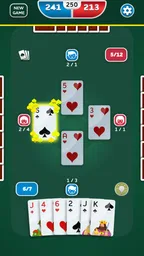
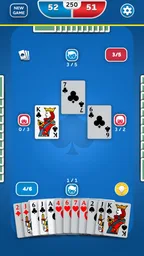

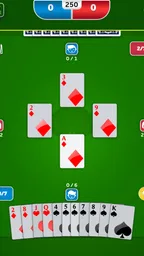
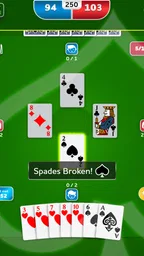
Spades - Card Game review
 Analysis by Appsdrops
When I want a quick card game that still gives me something to think about, Spades is one of the first choices I reach for. Blackout Lab’s Spades - Card Game takes a familiar partnership game and makes it easy to play on a phone, whether I have a few spare minutes or enough time to settle into a longer session. Its main appeal is not a new twist on the rules; it is the chance to play Spades without needing a table, a deck, or three other people nearby.
A familiar game that fits a phone
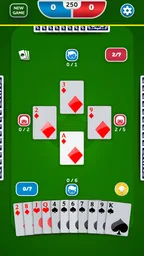
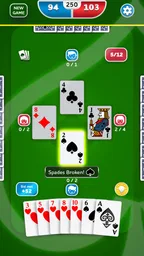
The basic attraction is the rhythm of Spades: estimate how many tricks your side can take, communicate through your bids, then try to make those predictions work. I like that this naturally creates small decisions throughout a hand. A high card can be a reliable winner, but playing it at the wrong moment may waste an opportunity; a cautious bid can protect a team from overreaching, but can also leave points on the table.
This is a card game for people who already enjoy trick-taking games, as well as players who want to learn one without organizing a group in person. The mobile format is especially handy for short breaks. I can play a hand when I am waiting for an appointment, then stop without having to gather cards or coordinate a table. That convenience is the game’s strongest everyday use case.
The store description identifies both offline and online play, along with AI opponents. That combination makes the game useful in two different moods: a connected match when I feel like playing with other people, and a solo session when I just want a quick round. Offline availability is particularly practical for travel or places where a connection is unreliable, while online play gives the familiar partnership format a social outlet.
What the current version tells me
The current release is version 2.7.0, and the game’s overall profile suggests a well-established pick rather than a brand-new experiment. It has a 4.8 average from around 331,000 ratings, with over 10 million installs. Those figures do not tell me whether every match will suit my preferences, but they do show that Spades has found a substantial audience among mobile card-game players.
Blackout Lab is the developer, and the game is free to install. It is rated for Everyone, which makes it broadly approachable for households, though the actual enjoyment still depends on whether someone likes bidding and partnership strategy. The game includes optional in-app purchases, ranging from $0.99 to $99.99 per item, so I would treat the free experience and any paid extras as separate decisions rather than assuming a purchase is needed to enjoy a hand.
The game was released on April 16, 2021. That release date and the present version number establish that it has had time to develop beyond its initial launch, but they do not, by themselves, reveal exactly what changed between versions. I would not mistake a version number for a promise of a particular feature or update history. What matters to a returning player is whether the current build still offers the kind of quick, accessible Spades session they came for.
Why the AI and offline option matter
For a newcomer, an AI match can be a lower-pressure way to get comfortable with bidding and trick play. There is no need to find a partner who can explain every decision in real time, and I can take a moment to think through what a bid means for the hand. The store highlights smart AI, but I would still approach computer opponents as practice partners, not as a perfect substitute for experienced human players. A machine’s play can help me build familiarity, while a regular human group may make the table feel more varied and socially expressive.
One useful habit is to use solo rounds to focus on a single decision instead of trying to master everything at once. For example, I can pay attention to whether my bids tend to be too ambitious, or watch how the cards already played affect what may still be held. That makes an offline session more purposeful than simply tapping through hands. It is a small workflow, but it helps turn a casual phone game into practice that carries over to games with friends.
Offline play also changes how I think about the game’s convenience. Many digital card games are most appealing when a matchmaking pool is active or a connection is steady. Here, the offline option gives me something to do even when those conditions are not ideal. If what I really want is lively conversation, unpredictable human partnerships, or a regular club atmosphere, though, a phone game cannot replace playing around a table.
How it feels beside other card-game options
Compared with solitaire, Spades asks me to think about a partner and make a forecast before I know exactly how the hand will unfold. That makes it more interactive and strategic, but also less suitable when I want a completely solitary puzzle with no concern for team outcomes. Against other trick-taking games, its appeal lies in the recognizable bidding-and-tricks structure: the challenge is not only to win cards, but to judge how many your side can reasonably take.
Compared with a physical deck, the phone version removes setup and the need to find enough players, which is a major advantage for a quick session. It also removes some of the table talk and body-language reading that can make in-person Spades memorable. Online play can bridge part of that gap by putting the game in a shared setting, but it is still a digital match rather than a living-room gathering. I would choose the app for convenience and the physical game for company.
There is also a meaningful difference between this and a fast, luck-led card game. Spades rewards attention to bids and to the flow of tricks, so it may not be the best choice if I only have the patience for a few seconds of tapping. The rules are familiar to experienced players, but a beginner may need a little time before the choices feel intuitive. If I wanted a game with no learning curve at all, I would pick something simpler; if I wanted a compact strategy session, this is a better fit.
Practical trade-offs before you settle in
The biggest limitation is inherent in the format: a partnership card game depends on how well the team’s decisions line up. Playing against AI can make practice easy to access, but it may not reproduce the full personality and unpredictability of a human partner. Online play is the better route when I want that human element, while offline matches are more dependable when I want to play without arranging anything.
Another trade-off is the purchase model. The game is free, but optional purchases are available, with listed item prices spanning $0.99 to $99.99. That is a wide range, so I would check the in-app purchase choices before spending and decide whether any extra is worth it to me. Someone who wants a completely purchase-free app may prefer a different option, even though the game itself can be installed without paying.
Because the game is rated Everyone, it is easy to consider for a broad audience, but that does not mean every child or casual player will find the strategy engaging. Bidding and following the hand require attention, and a player who dislikes planning may lose interest. Conversely, adults who know Spades from family gatherings may appreciate having a portable way to play when their usual group is unavailable.
Who I would recommend it to
I would recommend Spades to anyone who already knows the game and wants a convenient way to play alone or online. It is also a reasonable starting point for someone curious about trick-taking games who is willing to learn through repeated hands. The combination of offline play, online play, and AI opponents gives it more flexibility than a version that only works in one setting.
I would be more cautious about recommending it to someone who wants a deep, constantly changing campaign, a broad collection of unrelated card games, or the social feel of a live table. This is specifically a Spades game, so its value depends on enjoying that one style of play. If I want an assortment of card formats, a multi-game collection is likely a better match. If I want the familiar decisions of bidding and taking tricks, keeping a dedicated Spades game on my phone makes more sense.
For a realistic everyday example, I might open it during a train ride, play an offline hand while the connection comes and goes, and switch to an online match later when I have time for a more social game. I would use the solo session to think about how accurately I bid, rather than treating every result as a test of skill: card distribution and the choices of teammates also matter. That distinction keeps the game enjoyable instead of making a short break feel like a tournament.
What I would keep an eye on
For existing players, the move to version 2.7.0 is a useful marker of the game’s current state, but I would judge future changes by what they actually improve: the clarity of a match, the usefulness of offline play, or the ease of finding an enjoyable online game. I would not assume that a higher version number guarantees a specific new mode or adjustment. When updating, I would check the app’s current details and any in-app notes so I know what has changed before building new expectations.
My overall view is that this is a straightforward, practical way to keep Spades close at hand. Its best qualities are the ability to play without organizing a group, the choice between offline and online sessions, and a familiar game that rewards thought without demanding a long setup. The main reasons to skip it are equally clear: you may not enjoy Spades itself, prefer human company in person, or want to avoid optional purchases altogether.
If you already like the game, I think it is an easy recommendation for spare moments and casual practice. If you are new, try it with modest expectations and give yourself time to understand bidding before judging your skill. For me, the strongest reason to keep it installed is simple: it turns an otherwise idle few minutes into a proper hand of Spades, wherever I happen to be.
What we like
- Supports solo play against computer opponents.
- Offers online matches against other players.
- Includes customizable rules for different play styles.
- Quick rounds make it easy to play in short sessions.
- Familiar trick-taking rules are accessible to card game fans.
What could be better
- Online play depends on a stable internet connection.
- Computer opponents may feel predictable over time.
- Matchmaking can take longer during quiet periods.
- Rule variations may confuse players new to Spades.
- Ads may interrupt the experience in the free version.







