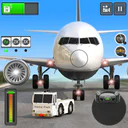
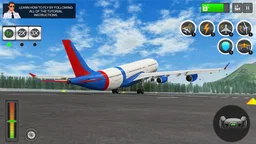
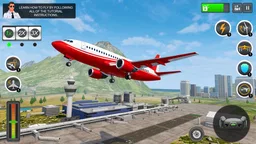
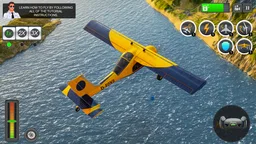
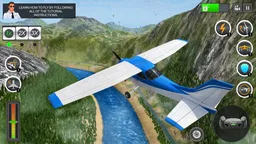
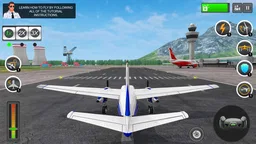
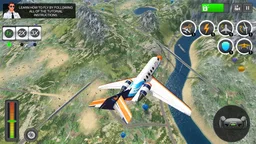
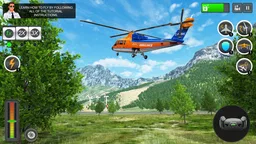
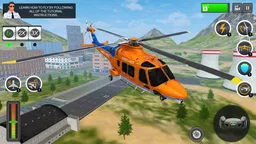
Pilot Simulator: Airplane Game review
 Analysis by Appsdrops
The appeal of a pilot game is easy to describe but harder to get right: you want the small thrill of taking control without needing a manual before you can enjoy a flight. Pilot Simulator: Airplane Game aims at that accessible end of the airplane simulation genre. I find its strongest selling point is the simple promise of stepping into a pilot’s role and seeing how each attempt feels, rather than treating it as a technical training tool. That makes it worth considering for casual play, with one important caveat: anyone expecting detailed real-world procedures should look for a more serious simulator.
Taking the controls without a long warm-up
The first useful question is whether this is the kind of game you can pick up in a spare moment. Its premise is straightforward: pilot an airplane in a simulation game, with the controls and the flight itself as the focus. That clarity suits people who enjoy aircraft but do not necessarily want to study aviation terminology or learn a complicated cockpit layout just to begin playing.
I’d approach the opening session as a hands-on introduction, not a test of real piloting skill. Pay attention to how the plane responds to your inputs and how much room you need to make corrections. A light touch is a sensible starting habit in any flight game: abrupt movements can make it harder to judge whether a change helped or simply created another problem. Taking a moment to observe before reacting can make early attempts feel less like guesswork.
The game is listed as free, which lowers the commitment for someone who is curious but unsure whether mobile aircraft games will hold their attention. It is developed by GamePark and sits in the simulation category. On Android, it is marked for Teen audiences and lists Android 7.1 as its minimum operating-system requirement. Those details help set expectations about compatibility and audience, though they do not turn the experience into a substitute for flight instruction.
It has an average rating of 4.7 from around 168,000 ratings, and more than 10 million installs. Those figures suggest that the premise has found a broad audience, but they are not a guarantee that every player will enjoy the same aspects. I would treat them as a reason to give it a look, then decide based on whether the actual control feel and pacing suit you.
Make the first attempt a learning run
Rather than trying to perfect a flight immediately, use the first attempt to notice cause and effect. Change one thing at a time, then watch what the aircraft does before making another correction. This is a practical way to avoid turning a small wobble into a chain of frantic inputs. It also gives you a clearer sense of whether the challenge comes from your timing, the controls, or the game’s particular handling style.
A helpful routine is to choose one goal for a run: stay composed through the flight, make smoother adjustments, or simply understand how the controls respond. A narrow goal makes failure more informative. If the attempt goes poorly, you still have something concrete to adjust next time instead of restarting with no idea what changed.
That approach is especially useful on a phone, where touch controls can feel less precise than a physical stick or controller. If your first minutes feel awkward, I would not immediately conclude that the game is impossible to control. Give yourself a few deliberate attempts, keep movements measured, and see whether the response becomes more predictable. If it remains frustrating, that is a fair sign that this particular style of mobile simulation may not be for you.
How each attempt gives you feedback
The satisfying part of a pilot game is often not simply getting airborne; it is noticing that a better decision produces a steadier result. The basic play rhythm here invites that sort of comparison: act, observe the flight, and decide what to change on another try. That loop can be engaging even when a session is short, because the next attempt has a clear purpose.
For a casual player, the most useful feedback is practical rather than technical. Did you overcorrect? Did you wait too long to respond? Did you keep changing direction before seeing the effect of the last input? Asking those questions turns a run into a small experiment. I recommend resisting the urge to make several adjustments at once; otherwise, it becomes difficult to learn which one actually improved the flight.
There is a trade-off in this accessible style. It can make the game easier to approach than a cockpit-heavy simulator, but players who want realistic aircraft systems, procedural checklists, or a detailed lesson in aviation should not assume those are part of the experience. The store description positions it for fans of airplane simulators and plane games, but that broad audience includes both casual enthusiasts and realism seekers. The latter should be careful to match expectations to what they want from a mobile game.
Compared with a conventional arcade flying game, the simulation framing makes the act of controlling an aircraft the main attraction, rather than a reason to race or fight. Compared with a dedicated flight-training product, it is better understood as entertainment. That middle ground is useful: it can satisfy a quick curiosity about piloting without asking for the time and concentration of a more demanding simulator. It is less suitable if the main pleasure you seek is strict realism.
Turn mistakes into useful feedback
One non-obvious tip is to treat a failed attempt as a control test, not just a lost run. If you made a sharp correction and the aircraft became harder to manage, try a smaller input next time and give it time to register. If you kept switching your response, repeat the same basic plan for longer before judging it. These changes make your attempts easier to compare and help you identify whether the difficulty is your timing or simply a control style you dislike.
Another useful habit is to stop a session after you have learned something, rather than continuing until frustration takes over. A short break can preserve the sense of progress: you return with one clear adjustment in mind instead of carrying a string of hurried mistakes into the next run. That is a particularly good fit for mobile play, where the game can be a brief distraction between other tasks rather than a long evening commitment.
There is also a practical reason to keep your expectations modest during early play. A plane game can look familiar because most people recognize the idea of steering an aircraft, but translating that intuition to a screen takes practice. The game’s appeal depends on whether that learning curve feels rewarding to you. If you enjoy observing a result and refining your next attempt, the loop has a natural hook; if you only want immediate, effortless action, the adjustment process may feel like friction.
What makes the next session worthwhile
A good retry loop needs a reason to begin again. Here, that reason is the possibility of doing the same basic task with better judgment: smoother control, fewer impulsive corrections, and a clearer sense of what your inputs are doing. I find that kind of small personal improvement more compelling than chasing an abstract idea of a perfect run. It gives each return session a simple question to answer: can I handle the flight more calmly this time?
For an everyday example, imagine opening the game during a short break when you have a few minutes to spare. Instead of committing to a long session, you can use one attempt to focus on a single handling habit. If the result is better, you leave with a small sense of progress. If it is not, you have a specific thing to try later. That makes the game easier to fit into a casual routine than a simulator that demands sustained attention or careful study.
The reset can also be a weakness. Repeating a flight is only motivating when each run feels like a chance to learn; if you are looking for a broader progression structure or a constant stream of new goals, the basic pilot-and-repeat premise may not provide enough variety on its own. I would choose another game if I wanted a campaign built around a sequence of missions, a deep aircraft-management layer, or competitive play. Those are different expectations from a straightforward mobile pilot simulation.
Version 1.5.4 is the current version, so a prospective player can check that their installed copy is up to date before judging how it feels. I would still recommend testing the control style for yourself rather than assuming that a version number or a strong average score tells you whether the handling will click. Some players care most about an easy entry point; others want precise input and realistic procedure. The same game can work well for the first group and disappoint the second.
Who is likely to enjoy it
I would recommend giving it a try if you like aircraft, want a casual pilot simulation, and enjoy improving through repeated attempts. It is also a reasonable choice for someone who wants to sample the airplane-game format without paying up front. Teen-rated content makes the intended audience clear, while the broad premise is easy to understand even if you are not already an aviation enthusiast.
I would skip it if your goal is to learn real-world flying, practise authentic procedures, or experience the depth of a specialist simulator. I would also look elsewhere if you quickly tire of repeating a core task or strongly prefer games with a clearly varied sequence of objectives. The best alternative depends on what you are missing: choose a more realistic simulator for technical depth, or an arcade-focused flying game if you want faster action with less emphasis on controlled handling.
The game has around 1,000 written reviews, and its popularity gives newcomers plenty of reason to consider it, but the deciding factor remains personal fit. A high average cannot tell you whether you prefer measured control or instant spectacle. I suggest treating your first few attempts as a trial: notice whether the handling makes you curious to improve, or whether you find yourself wishing the game would move on to something else.
My verdict on the repeat-and-improve loop
Pilot Simulator: Airplane Game makes the most sense as an accessible, free mobile simulation for people who want to try piloting in a game and refine their control through repeat attempts. Its central loop is easy to understand: take action, see how the flight responds, learn from the result, and return with a small adjustment in mind. That simplicity is both its strength and its boundary.
I like the idea of a game that lets a short session feel purposeful without requiring a technical background. The best way to enjoy it is to play patiently, change one habit at a time, and judge the experience by whether the handling keeps you interested. If that feedback rhythm is satisfying, another attempt comes naturally. If you need deep realism, a substantial progression path, or more varied objectives, you will probably be happier with a different kind of flight game.
What we like
- Offers a relaxed way to practice basic flying controls.
- Multiple aircraft provide variety across missions.
- Flight environments add visual interest to each trip.
- Missions give new players clear goals to follow.
- Works well for short sessions on mobile.
What could be better
- Touch controls may feel imprecise during tight maneuvers.
- Some missions can become repetitive over time.
- Ads may interrupt the experience.
- Aircraft upgrades may require considerable playtime.
- Realism is limited compared with dedicated flight simulators.







