Geometry Dash SubZero review
 Analysis by Appsdrops
I think Geometry Dash SubZero is best understood as a short, demanding arcade game built around precision rather than a long adventure. Its bright geometric world can look inviting, but the moment-to-moment play asks for quick reactions and repeated attempts. I’d recommend it to someone who enjoys learning a tricky sequence through practice; I’d be less likely to suggest it to a player who wants a relaxed game that can be enjoyed without much concentration.
Fast action, with a learning curve
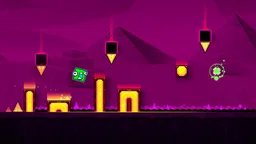
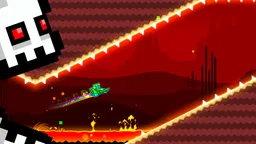
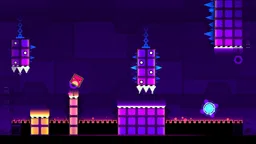
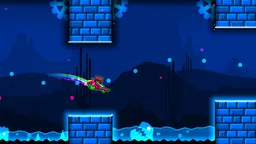
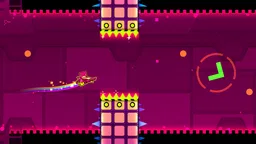
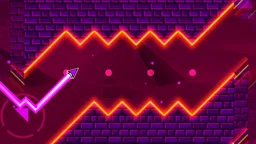
RobTop Games makes this rhythm-based platform game feel brisk from the outset. You guide a small geometric character through hazards, timing jumps and other movements to match the changing level. The action is easy to understand, but that simplicity should not be confused with ease: a small timing mistake can end a run, so progress often comes from remembering what is coming and refining the next attempt.
That makes its speed feel different from the constant urgency of a conventional reflex game. The screen moves quickly, yet the real test is whether you can read the next obstacle in time and respond consistently. When I’m focused, the rhythm helps me anticipate a sequence rather than react blindly. When I’m tired or distracted, the same pace can make a familiar section feel unforgiving.
The game suits brief sessions particularly well. I can play a few attempts while waiting for something, put the phone down, and return later without needing to remember a complicated story or plan. The trade-off is that a short session may not produce much visible progress: repeating a difficult passage can take several tries, and a run that ends near the finish can be more frustrating than satisfying.
For someone comparing it with other arcade games, the key distinction is its emphasis on memorized timing. Many arcade titles reward improvisation, collecting, or surviving for as long as possible. Here, learning the rhythm and obstacle pattern is central. If you enjoy turning an initially confusing sequence into something you can perform reliably, that focus is rewarding. If you prefer variety on every run, it may feel repetitive.
What the quick pace feels like in practice
The apparent speed is not simply a matter of tapping rapidly. I get more out of treating a section as a small pattern: watch the spacing, notice where the rhythm changes, and use the next attempt to correct one mistake at a time. Trying to rush through a difficult stretch often makes me repeat the same error. A calmer attempt can be faster in the long run because it helps build a usable sense of timing.
That approach is especially useful when a sequence feels almost manageable but keeps catching you at the same point. Instead of treating every failed run as a total loss, I’d focus on the obstacle immediately before the mistake. The useful question is whether I jumped too early, hesitated, or lost track of the beat. That kind of focused retry makes the challenge feel more like practice than luck.
Geometry Dash SubZero is free, which makes it easy to try without committing to a purchase. Its age rating is Everyone, but that does not mean its difficulty is equally comfortable for every player. Younger players may understand the controls quickly while still finding the precision demanding; adults who like timing challenges may enjoy the same demanding rhythm for entirely different reasons.
When repeated attempts become the main event
The most intense moments come when I reach a section that demands several accurate actions close together. At that point, the game shifts from casual interruption-filler to a focused test. A realistic use case is a short break at home: I might start a run, notice a particular obstacle is where I keep slipping, then spend the next few minutes trying to improve that one response. That works well if I’m in the mood to concentrate, but it is not ideal when I only have a moment and want a guaranteed sense of completion.
One practical habit is to stop after frustration starts changing how you play. When I get annoyed, I tend to tap earlier and pay less attention to the rhythm, which usually makes the next attempt worse. A brief pause can be more useful than immediately restarting over and over. This is a small but important trade-off: the game’s quick restart-and-try-again feel encourages persistence, while the precision can make persistence counterproductive if you are no longer focused.
The experience also makes the phone’s touch response matter. A player who is comfortable making deliberate taps on a touchscreen will likely adapt more easily than someone who dislikes touch controls for precise platforming. I would try it in a quiet moment before deciding whether the challenge is enjoyable; distractions, rushed taps, or a screen that is awkward to hold can make it harder to tell whether the game itself suits you.
Reliability and the rhythm of recovery
For this kind of game, reliability matters because a missed input or interruption can break concentration at exactly the wrong time. I would judge a good session less by how long I play and more by whether the controls feel consistent enough for me to learn from each attempt. If a run ends, the mental recovery is straightforward: take the lesson from the failure, reset your attention, and try again. The emotional recovery can take longer when a mistake happens late in a sequence.
I would avoid making a demanding attempt while juggling messages or other tasks. Even if the game is available whenever I have a spare minute, its precise timing means that a notification or a conversation can spoil a run. A better routine is to use it when I can give it a few uninterrupted minutes. That does not make it a poor casual game; it means its casual convenience is about easy access, not about being playable with half my attention.
As a game from RobTop Games, it belongs to a recognizable style of geometric, rhythm-led challenge. It has attracted over 100 million installs, and its average rating is 4.5 from around 969,000 ratings. Those figures suggest broad interest, but they do not guarantee that its strict timing will suit an individual player. I’d treat them as a reason to give it a fair try, not as proof that the difficulty will feel comfortable.
Device fit and sensible expectations
The game runs on Android 7.0 and later, so an older Android device may still meet its stated operating-system requirement. That requirement alone cannot tell me how smoothly every phone will handle play, though. I would avoid assuming that age of the operating system guarantees an identical experience across devices, and I would judge performance during actual play rather than by a spec sheet alone.
In a timing-focused platform game, perceived stability is closely tied to control confidence. If the action feels uneven on your device, it becomes difficult to know whether a failed jump came from your timing or from the experience itself. I’d test a few attempts when the phone is not busy with other demanding tasks, keep the screen clean, and hold the device in a way that makes taps repeatable. These are practical ways to reduce avoidable friction, not promises that every device will behave the same.
Heavy use here is less about leaving the game open for hours and more about repeated, concentrated attempts. If you plan to play for a while, take a pause when your hands or attention get tired; fatigue can affect precision even when the game remains responsive. The game’s current version is 2.2.148, and I would keep it updated through the app store so I’m playing the version offered for my device.
Compared with an endless runner, this is a better fit for someone who wants to master a known sequence than someone who wants each run to feel unpredictable. Compared with a slower puzzle game, it asks for immediate physical timing rather than extended deliberation. Neither alternative is automatically better: if you want a soothing game to unwind with, a puzzle may be kinder; if you want a small, repeatable test of reflexes and memory, this arcade approach is more satisfying.
Who will enjoy it—and who may not
I’d recommend Geometry Dash SubZero to players who like a clear challenge, can accept failure as part of learning, and enjoy seeing their own timing improve. It is also a good option for short, focused breaks when I want something more engaging than passive scrolling. Because the core appeal is precise repetition, it can suit someone who prefers a compact skill test over a sprawling game with upgrades, dialogue, or a long-term campaign.
I would steer away from it if you mainly want to relax, dislike restarting after mistakes, or expect a quick win whenever you open a game. It may also be a poor match for someone who finds touchscreen timing frustrating. In those cases, a less exacting arcade game or a turn-based puzzle would probably make better use of your spare time. The important distinction is not whether the game is good in general, but whether you find repeated practice satisfying rather than irritating.
The store describes it simply as Geometry Dash SubZero, and the game’s appeal is just as direct: a focused arcade challenge where timing and persistence matter. My verdict is positive with a clear caveat. The fast rhythm gives short sessions energy, while the strict precision can turn those sessions into a string of retries. If you approach it patiently and give it your attention, that tension is the point; if you need a forgiving game that fits around constant interruptions, I’d choose something else.
My practical recommendation: try it when you have a few quiet minutes, focus on learning one troublesome stretch at a time, and stop when frustration starts interfering with your timing. That gives the game its best chance to feel rewarding rather than merely difficult.
What we like
- The free standalone game is easy to try without buying the full Geometry Dash.
- Short stages make it convenient for quick play sessions.
- Practice mode helps players learn difficult sections.
- Distinct music gives each level a strong sense of rhythm.
- Simple touch controls are easy to understand.
What could be better
- The game includes only a small set of levels.
- Precise timing can make progress frustrating for beginners.
- A single mistake can send players back to the start.
- The demanding pace may feel repetitive after many retries.
- Some players may find the visual effects distracting.







