Craft World Block Building 3D review
 Analysis by Appsdrops
I like the idea of a building game that lets me start with a simple block-based space and gradually turn it into somewhere I want to explore. Craft World Block Building 3D is a free simulation game from Patane Global, aimed at players who enjoy making their own places more than following a tightly scripted adventure. Its appeal is easy to understand: set a creative goal, place blocks, and see a personal vision take shape. That freedom is also the main test of whether the game will hold your attention. If you enjoy inventing your own next step, it has room to breathe; if you need a clear chain of missions and rewards, the open-ended approach may feel thin.
Building a first goal from a blank space
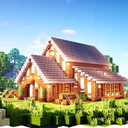
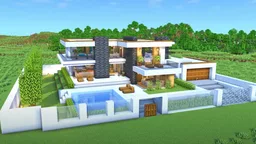
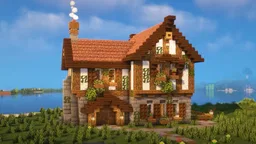
The most useful way I found to approach a block-building game like this is to decide on a small first project rather than trying to make a whole dream city at once. A compact house, a simple street corner, or a small landmark gives you a visible target and helps you learn how the pieces fit together. The store presents the game as a place to build and explore, so the satisfying starting point is less about mastering a long tutorial and more about making a space you can recognize as your own.
That self-directed start can be a strength for younger players and casual builders. There is no need to arrive with a detailed plan: a rough outline can become a room, a path, or the beginning of a larger neighborhood. I would suggest thinking in stages—outline first, main structure second, details last—because block-based projects can become messy when decoration comes before the basic shape is settled. This is a practical way to give yourself momentum even when the game is not telling you what to do next.
For an everyday session, imagine opening it during a short break and deciding to finish only the entrance to a house. That is a more realistic goal than expecting to complete a whole city in one sitting. If the build catches your interest, you can continue by adding a nearby feature; if not, you still leave with a clear result. The game is best suited to that kind of flexible play, where a small creative task is rewarding on its own.
Progress you can see, not just count
In a builder, progress is often most convincing when the space itself changes. A foundation becomes a structure, an empty area gets a purpose, and separate pieces begin to feel like a coherent place. That visual transformation is the natural reward here. I find it more meaningful than chasing a number for its own sake, especially when the player’s goal is to create something personal rather than reach a fixed ending.
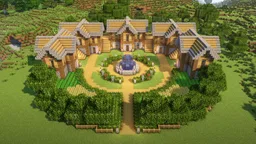
There is a useful planning trick for larger builds: decide what each area is meant to do before filling it. A home, a public-looking space, and a connecting path each need a different shape and scale. Even if you change your mind, a loose plan reduces the chance of building an impressive-looking section that has no relationship to the rest of your world. It also gives you smaller milestones to notice: one area is complete, the route between two places works, or the overall layout finally makes sense.
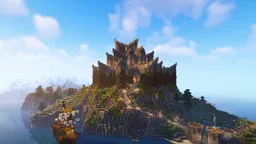
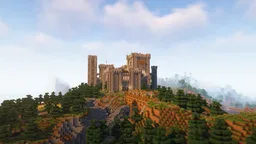
Exploration matters alongside construction because it gives the world a reason to be more than a static collection of buildings. I would treat a walk around your creation as a design check: does the route feel understandable, are the main structures easy to find, and do you want to keep moving through the space? Looking at a build from the point of view of someone arriving there can reveal problems you might miss while focused on placing blocks. That shift—from maker to visitor—is a simple but surprisingly useful way to refine a project.
How challenge and pacing feel
The challenge in this kind of simulation comes chiefly from setting a project that is interesting but manageable. A small structure can be satisfying quickly; a huge city can become an exhausting collection of unfinished decisions. I recommend expanding in sections and pausing to assess the overall shape before adding more. That keeps the pace under your control and gives you a better chance of finishing something rather than leaving a sprawling plan half-built.
This approach will not suit everyone. Players who want escalating difficulty, tightly defined objectives, or a steady stream of unlocks may find a self-directed building loop less compelling. The game’s central promise is creative construction and exploration, not a clearly described campaign. I would not choose it as a substitute for a mission-led simulation if the main pleasure you want is being assigned tasks and rewarded for completing them.
It also helps to separate “more blocks” from “more progress.” Adding material can make a project larger without making it better. When I hit that point, I would stop and focus on the layout: remove an unnecessary section, make a route clearer, or give one part of the build a more distinct role. That kind of editing can be more satisfying than simply extending the footprint, and it keeps a personal project from turning into size for size’s sake.
When the open-ended loop keeps me playing
Retention in a creative game depends on whether I can find a fresh reason to return. Here, that reason can be as modest as completing a roofline or as ambitious as connecting several parts of a dream city. A useful habit is to leave yourself a clear next task when you stop. “Finish the main shape” is easier to resume than “keep building,” because the first gives your next session a starting point without requiring a new plan.
The flip side is that open-ended play can put pressure on the player to supply all the goals. If you need frequent prompts to stay engaged, the freedom may feel more like a lack of direction. I would skip it if you mainly want a competitive challenge, a story that carries you from one event to another, or a simulation with detailed management decisions. It is a better fit when the act of making and exploring is itself the reward.
There is also a trade-off between a quick creative session and a long-term project. Small builds are easier to finish and make the game feel approachable, while larger plans can give you a reason to return over time. I would start small, then scale up only after you enjoy the basic rhythm. That way, you can judge whether the building experience genuinely holds your interest instead of assuming that a bigger world will automatically be more fun.
Where it sits among building games
Compared with the usual alternatives in the simulation category, a block-building game tends to prioritize direct creation over managing a complex system. That makes this a more natural pick for someone who wants to shape a place and wander through it than for someone seeking intricate city budgets, detailed production chains, or a heavy survival loop. I would not assume it offers those mechanics; its confirmed focus is building and exploration, and that is the right basis for deciding whether it matches your taste.
The block format also encourages a different kind of design thinking from realistic construction games. You work with visible pieces and strong shapes, which can make a basic idea easy to express, but can also leave a project looking repetitive if every area uses the same approach. A practical fix is to vary the footprint and purpose of each structure rather than making every building a larger version of the last. Even without elaborate planning tools, a little contrast can make a created place feel more intentional.
It is free to play, which lowers the barrier to trying a creative session, but “free” does not by itself tell me whether every part of the experience will suit a particular player. I would approach it as a low-commitment option for testing whether block-based building feels relaxing or engaging to you. Its Everyone age rating also makes it broadly approachable for families, while adults who like casual world-building can enjoy the same freedom without needing to treat it as a child-only game.
Who should give it a try
The audience I would recommend it to is someone who likes building without needing a strict checklist: a casual player, a young creator, or anyone who enjoys turning a blank area into a place with a personal identity. It can work well for short sessions if you bring a small task, and for longer sessions if you like developing a larger layout. The key question is whether you find satisfaction in choosing your own objective and judging the result for yourself.
On the other hand, I would look elsewhere if you want detailed tutorials, a clearly structured progression path, competitive play, or a simulation centered on managing resources and systems. Players who dislike making their own plans may also run out of steam sooner. That is not necessarily a flaw in a creative sandbox; it is a matter of fit. The freedom that gives one player room to experiment can leave another wondering what the game expects them to do.
Craft World Block Building 3D has an average rating of 4.4 from around 138,000 ratings, and it has passed 10 million installs. Those figures suggest that its straightforward building premise reaches a broad audience, though popularity cannot tell you whether its open-ended pace is right for you. The current version is 2025, and it runs on Android 7.0 or later, which is useful to check before installing on an older device.
My progression verdict
I see this as a relaxed, self-guided builder whose strongest progression signal is the world you have changed. Its goals are most satisfying when you set them at a sensible scale, its challenge comes from planning and follow-through, and its pacing works best when you move between construction and exploration rather than trying to make everything at once. The game does not need a grand project to be enjoyable; a finished corner or a more coherent route can be enough to make a session feel worthwhile.
My recommendation is to try it if the freedom to invent your own builds sounds appealing, and to keep your first project deliberately small. That gives you a fair sense of the core loop before you invest in a sprawling plan. If you want a simulation that regularly tells you what to accomplish next, another option will likely be more satisfying. But if shaping a dream city at your own pace is the point, Craft World Block Building 3D offers a simple, approachable place to begin.
What we like
- Creative mode lets players build freely without survival pressure.
- The block-based controls are simple to learn.
- A 3D world gives structures a sense of depth.
- Building can encourage creativity and spatial thinking.
- The game offers a relaxed pace for casual play.
What could be better
- Large builds may take considerable time to complete.
- The block-based visuals may feel basic to some players.
- Creative play may lack goals for players who want a challenge.
- Touch controls can make precise placement difficult.
- Performance may vary across older mobile devices.







