
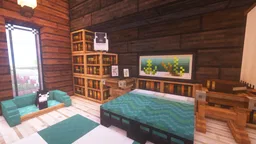
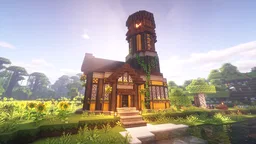
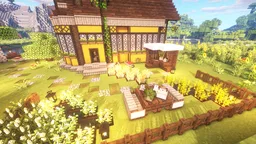

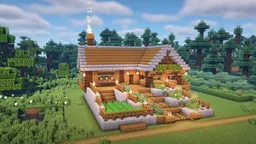
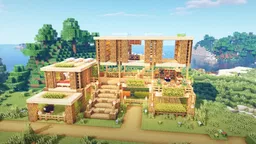
Craft Building Block World 3D review
 Analysis by Appsdrops
I would approach Craft Building Block World 3D as a relaxed building game, not as a tightly directed adventure. Its appeal is the chance to place blocks, shape a space, and see a personal idea take form. If you enjoy the simple satisfaction of making a little world your own, that is a promising starting point. If you need a clear mission, a story, or competitive goals to keep you engaged, you may find the experience too open-ended.
What to expect from the building loop
This is a simulation game from InsafBook Platform LTD, designed around building, crafting, and exploration. I find that combination most appealing when I want a low-pressure activity: decide on a small project, work through it at my own pace, then take a look around at what I have made. The central pleasure is creative control rather than a complicated challenge.
The title gives a useful clue to its block-based, three-dimensional style, but I would not assume it plays exactly like any particular sandbox classic. Compared with the usual alternatives in this genre, the broad idea is familiar, while the specific feel comes down to how comfortable you find its building and exploration rhythm. Go in expecting a straightforward creative playground, rather than a deep construction tool with elaborate design controls.
That distinction matters for first-time players. A block world can look simple and still take a little practice to use well. It helps to treat the first session as a chance to learn how the game responds to your choices, rather than judging it by whether you can immediately build an impressive home. A small, finished project is a better test of whether the game suits you.
The game is free, has an Everyone age rating, and is available for devices running Android 7.0 or later. Its current version is 6105. Those details make it easy to consider as a casual option for a broad audience, though a parent should still make their own decision about whether any game is right for a particular child and device.
Start with a project small enough to finish
My practical recommendation is to choose one simple goal before you begin: make a compact shelter, mark out a little courtyard, or build a recognizable shape. Keeping the first idea modest makes it easier to notice the basic rhythm of placing blocks and adjusting your plan. It also gives you a clear point at which to decide whether you want to keep exploring.
A useful habit in any open building game is to pause and look at the structure from more than one angle as it grows. A wall that seems fine from the front may make a space feel cramped from the side, while a small change to the outline can make the whole build easier to read. This is not a hidden feature; it is a simple workflow that helps avoid spending a long session on a design you do not enjoy.
Your first setup and first win
When you first open the game, I would resist the temptation to start with a grand plan. Give yourself a few minutes to get comfortable with the view and the basic building interaction. The most reassuring first success is not a large structure but a small one that you can recognize as yours. That makes the controls feel less abstract and gives you a concrete reason to continue.
Try building a simple room with a clear outline before adding decoration or extensions. If something does not look right, change one part at a time instead of dismantling the whole idea. This approach helps you learn what the game makes easy and where its building flow asks for patience. It also makes mistakes feel like part of designing, rather than proof that you have started badly.
For an everyday example, imagine opening the game after school or during a short break and wanting something more involved than scrolling but less demanding than a long quest. Set a small target, such as creating a corner that feels like a cozy base, then stop when that part is complete. A short, self-contained project is easier to return to than an ambitious world plan that leaves you unsure where to begin next time.
I would also take a quick look around before committing to a layout. Exploration can give you a better sense of the space you want to shape and help your build feel connected to its surroundings. The trade-off is that wandering without a purpose can become aimless. Give exploration a question to answer—where would this structure look good, or what kind of space do I want to create?—and then head back to building.
Where new players can get confused
The main source of friction in an open-ended builder is often not difficulty but uncertainty. If the game does not hand you a detailed objective, you have to supply one yourself. That can be freeing for a player who likes experimenting, but frustrating for someone who expects a clear sequence of tasks. When you feel stuck, shrink the goal: make one wall, finish one small area, or explore with a particular building idea in mind.
Another common trap is changing too many things at once. If a structure feels awkward, it can be hard to tell whether the issue is its size, shape, or placement when you make several adjustments together. I find it more useful to make one deliberate change and inspect the result. That gives each experiment a purpose and makes the learning curve feel manageable.
It is also worth separating the appeal of a block-based world from the depth of a dedicated design app. This game is for interactive building and exploration; it should not be your first choice if you need precise architectural planning or a professional modeling workflow. Likewise, if you mainly want a tightly paced survival challenge or a story-led campaign, a more structured game is likely to serve you better.
For younger players, the Everyone rating is a helpful broad guide, but it does not tell a parent whether the play style will hold a child’s attention. I would start with a short shared session and see whether the child enjoys making their own goals. If they keep asking what to do next, a game with clearer prompts may be a better fit; if they happily invent projects, the open format could be a strength.
How it compares and who it suits
Against familiar sandbox builders, Craft Building Block World 3D belongs to the approachable, make-your-own-fun side of the genre. That is a benefit when you want to experiment without needing to master a complex creative suite. The downside is the same openness: players who rely on progression markers, extensive customization, or a strong narrative may find more satisfying options elsewhere.
I would recommend it to casual builders, younger players who enjoy shaping spaces, and anyone who likes turning a vague idea into a visible result. It can also work for someone who wants a gentle game to dip into between other activities. It is less suitable for players who want every session to offer a new objective, or who prefer a precise toolset where every design choice can be controlled in detail.
The game has an average rating of 4.4 from around 64,000 ratings, and it has passed 10 million installs. Those figures suggest that many people have tried it, but they cannot tell you whether its open building style matches your taste. I would use them as context, not as a substitute for deciding whether you enjoy creating without much direction.
What to try after the first build
Once a small structure feels comfortable, build outward with a reason rather than adding pieces just to make the project bigger. You might extend a room into a courtyard or create a second area with a different purpose. Thinking in terms of how spaces relate to one another makes a block construction feel intentional, even when the design is simple.
A second useful step is to revisit an earlier build after exploring. A little distance can make it easier to see what you want to improve. Instead of starting over, choose one feature to refine: the outline, the sense of space, or how the build sits in its surroundings. That gives you a manageable next session and turns exploration into inspiration rather than an end in itself.
The developer, InsafBook Platform LTD, has a game that is easiest to enjoy when you bring your own small goals. The release date is April 21, 2025, and the game’s large install base has not changed the basic decision a new player needs to make: do you like building for its own sake? If you do, start modestly, learn by adjusting, and let the world grow one satisfying project at a time.
My honest recommendation is to give it a short, focused try rather than expecting instant depth. The first meaningful success can be as simple as completing a compact build that feels like your own. If that process makes you want to plan the next space, the game is doing its job. If you keep waiting for it to tell you what matters, choose a more guided alternative instead. Its best quality is the freedom to define a small creative goal and enjoy finishing it.
What we like
- Creative mode lets players build without resource limits.
- The 3D world encourages imaginative structure design.
- Simple controls are approachable for younger players.
- Exploration offers space to discover new building locations.
- Block-based construction makes it easy to reshape the environment.
What could be better
- The experience may feel repetitive after extended play.
- Limited objectives can leave players without clear direction.
- Small screens can make precise block placement difficult.
- Performance may vary across older mobile devices.
- Ads or in-app purchases may interrupt the experience.







