






Cooking Madness: A Chef's Game review
 Analysis by Appsdrops
I like arcade cooking games most when they ask me to make quick choices rather than simply tap through a queue, and Cooking Madness is built around that kind of pressure. Orders arrive, dishes need attention, and a short run can feel surprisingly demanding once several things compete for my focus. It suits the spare minutes between other tasks, but it also rewards a little practice: remembering what to prepare first is often more useful than tapping faster.
How a typical shift plays out
At its core, this is an arcade game about keeping a restaurant moving. I read the incoming orders, identify which parts can be handled in parallel, and try not to let one unfinished task derail the rest. The pleasure comes from turning a scramble into a rhythm: prepare what is needed, serve at the right moment, and stay alert for the next request.
The first few rounds are a useful place to learn the visual language of the game. I recommend watching the order icons and the state of each item instead of reacting to every animation. When I focus on the next bottleneck—what is taking longest or what could be forgotten—I make fewer rushed mistakes. That habit becomes especially valuable when the screen gets busy.
One realistic way to play is during a short break: complete a round or two, then stop before the game turns into a longer session than intended. The compact, fast-feedback structure makes it easy to pick up again. On the other hand, if I want a calm game to play while watching something else, this is a poor fit. The arcade pace asks for attention, and dividing it usually makes the service feel more chaotic.
ZenLife Games Ltd developed the game, which sits firmly in the arcade side of cooking games rather than aiming to simulate the slower management of a real restaurant. That distinction matters when choosing what to install. I get quick decisions and action here; someone looking for a detailed restaurant-planning experience may prefer a management-focused alternative with more time spent arranging operations than serving under pressure.
Build a repeatable routine before chasing speed
My most useful early routine is to scan all visible orders, group together anything that shares a preparation step, and then return to the requests that are closest to completion. That is more dependable than treating every new order as an emergency. It also helps me notice when I have started something that will occupy my attention while another order is about to become urgent.
A second helpful habit is to keep the screen tidy in my head. I give each active task a simple label—waiting, in progress, or ready—and avoid switching focus without a reason. This is not a special feature or a hidden shortcut; it is a way of reading the action consistently. In a game that puts several small demands in front of me, that mental sorting can make a bigger difference than frantic tapping.
I also avoid trying to serve everything at once simply because it is available. A better choice is often to finish one order cleanly, then move to the next priority, while keeping an eye on anything that needs ongoing attention. The exact balance depends on what is on screen, so a rigid sequence can backfire. The point is to use a repeatable starting plan, then adapt when the order mix changes.
Settings and small choices that help
Before settling into longer play, I check the game’s available settings and adjust only what genuinely improves readability or comfort on my device. I do not assume that every player needs the same setup: a smaller screen, different touch habits, or a preference for less visual distraction can change what feels comfortable. The practical test is simple—can I identify orders and react without straining or making accidental taps?
It is worth checking these options early rather than waiting until a difficult round makes a small inconvenience feel like a major problem. I also pay attention to how my device feels during play and choose a session length that stays comfortable. The game’s quick pace can encourage “one more round,” but a short pause is useful when my reactions start getting sloppy. That is a better reset than trying to muscle through a run while distracted.
For a repeatable session, I start when I can give the game focused attention, play a manageable stretch, and stop if I find myself tapping without checking the orders. This may sound obvious, but it is a practical way to tell whether I am improving or merely rushing. If I am repeatedly losing track of what is active, I slow down and rebuild the sequence rather than blaming the game or pushing harder.
Where experienced play gets faster—and where it stalls
Speed comes less from moving my fingers constantly and more from reducing unnecessary decisions. I look for shared preparation steps, begin work that can progress while I handle another request, and leave the easiest finish for a moment when attention is divided. I also try not to change plans mid-action unless a new order genuinely makes that worthwhile. Those habits are specific to the game’s service rhythm, not secret mechanics.
A useful trade-off is that a plan can become a trap if I follow it blindly. When the order mix shifts, the best next move shifts too. I treat my routine as a default, not a script: scan, prioritize, prepare, then reassess. That keeps me from spending time completing a task merely because I began it first, when another request has become more pressing.
The game’s pressure is also its main limitation. Players who dislike timers, crowded screens, or the feeling of being punished for a moment’s distraction may find the central loop tiring rather than exciting. And although the game is free to start, it includes in-app purchases ranging from $0.99 to $199.99 per item. I would decide in advance whether I am comfortable with optional spending and keep purchases intentional; the presence of a free download does not mean every in-game choice will feel equally frictionless.
Compared with more relaxed cooking games, this one favors quick service over leisurely experimentation. Compared with puzzle games that give me time to plan each move, it asks me to make decisions while several needs remain active. That makes it a stronger match for players who enjoy short bursts of concentration than for anyone seeking a quiet, open-ended cooking sandbox.
What to expect before installing
The game is free, rated Teen, and has a broad audience: it has passed 100 million installs, with an average rating of 4.8 from around 3.3 million ratings and roughly 78,000 written reviews. Those figures suggest that the quick-service idea has found plenty of players, but they do not mean the pace will suit everyone. I would choose it for its arcade loop, not simply because it is popular.
It was released on September 30, 2017, and the current version is 3.4.7. It requires Android 6.0 or later. If I am choosing a game for a younger player, I would take the Teen age rating into account and review the purchase options together, especially if the device is shared. For someone who wants a game that can be played in focused bursts and does not mind pressure, those are useful practical details before installing.
One question players often have is whether it works as a casual pick-up-and-play game. In my view, yes, provided “casual” means short sessions rather than low effort. I can fit a round into a break, but I still need to pay attention while playing. Another common concern is whether it can replace a slower cooking or restaurant game. It cannot, if the appeal is designing a venue or taking time over each decision; its strength is the rapid service challenge.
If I were recommending it to a friend, I would describe it as a good choice for someone who enjoys improving a routine and staying alert under light arcade pressure. I would steer a more relaxed player toward a gentler alternative, and I would tell anyone wary of optional purchases to set clear boundaries before starting. Those are not reasons to dismiss the game; they are the conditions that make the choice a better match.
My verdict on getting better
Cooking Madness works best when I treat each round as a small system to manage, not a contest to tap as quickly as possible. Scanning first, grouping compatible tasks, and reassessing when orders change are simple habits, but they make the action feel more controlled. The main compromise is that the same pace that makes a successful run satisfying can become stressful when I want to play without concentrating.
I would recommend it to arcade fans who enjoy learning a repeatable workflow and then refining it through practice. I would skip it if I wanted slow, hands-off play, deep restaurant planning, or a game that stays entirely free of purchase prompts and spending choices. For the right player, it offers a clear, energetic challenge; the best way to enjoy it is to play attentively, keep sessions intentional, and let consistency—not frantic speed—do most of the work.
What we like
- Quick rounds make it easy to play during short breaks.
- Hundreds of levels offer plenty of goals to work toward.
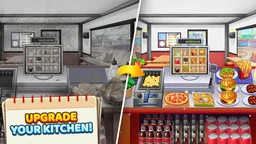
- Upgrades help improve kitchen speed and food preparation.
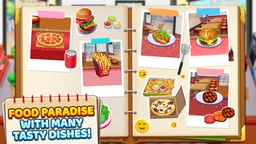
- Colorful graphics make dishes and kitchens easy to recognize.
- Daily rewards provide extra incentives to return.
What could be better
- Later levels can feel difficult without upgraded equipment.
- Some upgrades require substantial amounts of in-game currency.
- Timed orders may feel stressful for casual players.
- Energy limits can interrupt longer play sessions.
- Optional purchases may offer faster progress.







