




Classic Solitaire review
 Analysis by Appsdrops
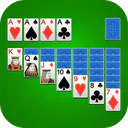
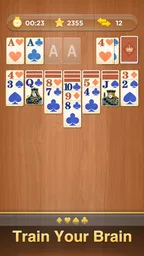
When I want a quiet card game that asks for attention without demanding a long session, Classic Solitaire is the sort of option I reach for. It is a straightforward solitaire game from Big Cake Apps, aimed at the familiar routine of sorting a deal and working toward a clear board. I find that simplicity useful: I can start a round during a short pause, stop when I need to, and return to the same uncomplicated kind of puzzle another time.
Quick rounds, without a performance promise
The appeal here is less about spectacle than pace. Solitaire gives each move a small decision, and the game’s classic format keeps the focus on the cards rather than on learning a complicated ruleset. In ordinary use, that makes it easy to get into a round quickly. I would choose it for a brief mental reset, not because I expect elaborate animations, a story, or a deep progression system.
The game is free to download, with optional in-app purchases priced from $0.99 to $9.99 per item. That makes it easy to try without committing to a purchase. I would still check the purchase prompts carefully if I were handing my phone to a child or simply wanted to keep spending disabled. The game is rated Everyone, but that age rating does not remove the need to pay attention to optional purchases.
Classic Solitaire has a 4.7 average from around 49,000 ratings, and it has been installed more than 10 million times. Those figures suggest a large audience for this familiar style of card game, but they are not a guarantee that every device or every player will have the same experience. The current version is 2.14.104; I treat that as a useful identifier when checking that I have the current release, rather than as evidence of any particular performance improvement.
A good fit for short, interrupted sessions
A realistic use case is a few minutes between errands or while waiting for someone. I can open a solitaire game, consider a handful of moves, and put the phone away without needing to coordinate with another player or remember a complicated objective. That makes this especially convenient when I want something more engaging than scrolling but less involving than a full-length game.
One practical tip is to decide what you want from the session before you start. If I am looking for a calm break, I focus on making deliberate moves rather than racing through the deal. If I am trying to sharpen my play, I pause before moving a card that could uncover a useful option elsewhere. In solitaire, a quick move can feel satisfying but may narrow the choices left on the table, so taking a moment to scan the visible cards is often more useful than tapping rapidly.
That trade-off also clarifies who should skip it. If you want head-to-head competition, rich deck customization, a campaign, or a broad collection of different card games, a larger card-game app may suit you better. Classic Solitaire is for the player who wants the familiar solitaire loop and values low setup over variety. Its narrow focus is a strength when that is exactly what you want, and a limitation when you expect more.
What happens during longer or heavier use
Solitaire is generally a light kind of activity because the main task is arranging cards, not managing a busy world or a complicated set of systems. Even so, I would not claim a particular battery impact, memory footprint, load time, or frame rate without device-specific evidence. Older phones, limited free storage, and background activity can all affect how any app behaves, so the sensible expectation is modest rather than absolute: this is a simple game, but simplicity alone cannot promise identical performance everywhere.
For a longer session, the useful question is whether the basic card decisions remain comfortable after several rounds. A classic ruleset can become repetitive if you play continuously, especially if what you really want is changing objectives or new challenges. I find it better suited to several short visits than to treating it as an all-evening game. That is not a technical defect; it is a consequence of choosing a focused solitaire experience instead of a more varied card suite.
There is also a small but worthwhile workflow choice: use a round as a deliberate break, rather than opening the game every time you have a spare second. The format can make it tempting to begin “just one” deal repeatedly. Setting a natural stopping point—such as finishing the current board before returning to a task—helps keep the game relaxing instead of turning a short pause into an unintended distraction.
Reliability and getting back to play
For a solo card game, reliability is mostly about whether I can open it and settle into a round without needing other people or complicated preparation. The core activity is easy to understand, so there is little learning overhead when I return after a break. That makes it a practical choice for casual use, including moments when I do not want to spend the first part of a session figuring out menus or rules.
I would still distinguish an easy-to-resume style of game from a guarantee that a particular round will always be preserved after an interruption. Phones can close apps to free resources, and behavior can vary with operating-system settings. If I am interrupted, I avoid assuming that an unfinished deal is safely saved until I have checked what the app actually retains on my device. For a low-stakes card game, that is a reasonable precaution, but it matters if I care about completing a particular round.
Classic Solitaire was released on June 3, 2020, and is developed by Big Cake Apps. Its minimum operating-system requirement is version 7.0. Those details make it possible to judge basic compatibility, but they do not tell me how smoothly it will run on every older handset. On a device that is already sluggish, I would first close unnecessary background apps and make sure the operating system is supported; if performance remains poor, another lightweight solitaire option may be the more comfortable choice.
Choosing it over other solitaire options
Compared with a general card-game collection, this app’s appeal is its concentration on classic solitaire rather than a menu of unrelated modes. That can mean less browsing before play and fewer distractions from the particular puzzle I came for. The other side of that choice is obvious: players who like switching between solitaire variants or exploring different card games may run out of novelty sooner here.
Compared with a physical deck, a mobile version removes setup and cleanup, which is handy in a waiting room or on a commute. The phone also makes the game available in small pockets of time. A deck, by contrast, avoids screen interruptions and does not depend on device compatibility. If screen time is already tiring your eyes, or you want a break from your phone itself, physical cards are the better alternative.
For someone new to solitaire, the familiar card layout makes this an approachable place to begin. I recommend taking each move slowly and looking for cards that uncover new choices, rather than treating every visible move as equally useful. That habit makes the puzzle more satisfying and reduces the feeling that a round is only a sequence of taps. Experienced players may already know the basic strategy, but the same careful scan can help avoid locking away a useful card.
Device expectations and the final call
I would install Classic Solitaire if I wanted a free, focused card game that can fill a short break without asking me to learn a new genre. Its large audience and strong average rating are reassuring context, while the Everyone rating makes its general audience clear. The optional purchases are worth keeping in mind, and the game’s focused scope means it is not the right pick for players who expect a broad feature set or competitive play.
My performance verdict is deliberately practical: the simple solitaire format gives me no reason to expect the demands of a visually complex game, but I would not promise instant loading, perfect stability, or low resource use on every device. Check that your phone meets the operating-system requirement, keep expectations realistic on older hardware, and treat interrupted-round recovery as something to verify in use. If those caveats are acceptable, Classic Solitaire is an easy game to try when you want a familiar solo puzzle, and I would recommend it most to people who value quick access and uncomplicated play over variety.
In the end, I see it as a dependable kind of choice rather than an ambitious one: a classic card pastime on a phone, useful for a few considered moves when you have a little time to spare. If that is the job you want it to do, Classic Solitaire makes sense. If you want fresh modes, social competition, or a more substantial long-session experience, I would look elsewhere instead.
What we like
- Familiar rules make it easy to start playing.
- Quick rounds suit short breaks.
- Undo helps recover from accidental moves.
- Hints can point out a playable card.
- Works well as a relaxing solo game.
What could be better
- Random deals can leave some games unwinnable.
- Ads may interrupt play in the free version.
- Repeated games can feel monotonous over time.
- Small cards may be difficult to tap on phones.
- Some versions require an internet connection for features.







