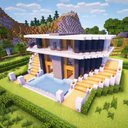
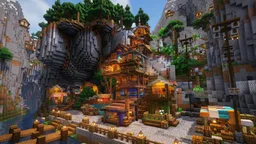
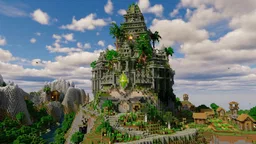



Block World - Craft City review
 Analysis by Appsdrops
When I open Block World - Craft City, the appeal is easy to understand: it is a simulation game about shaping a block-based world, with room to follow an idea rather than a fixed story. That makes it an inviting choice when I want a creative activity I can approach at my own pace. The trade-off is that a broad building premise leaves much of the enjoyment to my own imagination. If I need a tightly guided objective or a clear stream of missions, this may feel too open-ended.
Starting with an idea, not a checklist
The useful way to begin is to choose a small project before treating the world as a blank canvas. I might decide to make a compact house, a corner shop, or a recognizable street scene, then build one part at a time. Giving myself a simple goal creates direction without taking away the freedom that makes a building simulation appealing.
That small-project approach is especially helpful on a phone. Rather than planning an enormous city and losing track of what I wanted to do, I can focus on a shape or setting that is manageable in a short visit. A good first session might be about finding a basic layout and getting the main structure in place; finishing every detail can wait. The satisfaction comes from seeing an idea take form, not from racing through a checklist.
Patane Global is the developer, and the game is listed as a free simulation for everyone. That makes it approachable for a broad audience, including younger players, while the building focus also suits anyone who likes arranging spaces and experimenting with visual ideas. I would still make the first visit exploratory: learn how the available building tools behave before committing to a detailed plan.
Make each build easier to manage
One practical habit is to work from the outline inward. Establish the footprint of a building or scene first, then add the parts that make it recognizable. If I decorate too early, it is easy to spend time on details that no longer fit once the overall shape changes. This is not a special feature; it is a workflow that keeps an open-ended construction game from turning into a pile of half-finished ideas.
I would also keep a clear distinction between a test build and a project I care about. Trying an arrangement on a small scale can reveal whether the idea works before I invest a longer session in it. For a city-style scene, for example, placing a few structures with room between them can help me judge the layout before adding more. The benefit is not simply efficiency: it gives each action a purpose and makes the next step easier to choose.
How the building rhythm feels
The core loop is a simple one to picture: I choose what to make, place blocks to give it form, look at the result, and decide what needs changing. The feedback is visual. A wall, roofline, or street arrangement either starts to resemble the image in my head or shows me where the plan needs adjusting. That direct connection between a small action and a visible result is the strongest reason to return to a creative simulation like this.
There is a useful pause built into that rhythm. Instead of treating every placement as progress, I can step back and inspect the build. If a structure looks awkward, changing the outline may help more than adding extra detail. If the basic shape reads well, then decoration has a clearer job. This kind of self-review is a small but important skill: it helps turn block placement into deliberate design rather than busywork.
For an everyday scenario, I could open the game while taking a break and work on one contained part of a larger idea, such as completing a façade or adjusting a small layout. When I return later, I have a visible point to continue from. That is a better fit for casual play than setting out to finish an entire imagined city in one sitting. It also gives me a natural stopping point when I have made enough progress for the moment.
Players who enjoy freeform construction may find that pace relaxing. People who prefer frequent scripted rewards may find it quiet. The game’s premise asks me to supply some of the motivation myself: I need an idea, even a modest one, to make the next action feel worthwhile. For me, that is both the main attraction and the main limitation.
What counts as a reward here
The most dependable reward is seeing a rough concept become a recognizable place. A small build can feel complete when its shape and purpose come across, even if it is not elaborate. That makes the experience less about collecting achievements and more about judging my own work. Anyone who likes making something visible from a simple starting point may find that satisfying.
A useful way to keep that reward from fading is to define a finish line before building. I might decide that a project is done once its silhouette is clear, or once the main area has a coherent layout. Without a boundary, an open-ended project can always absorb another adjustment. With one, I can enjoy completing something and then choose whether I want to refine it or start a different idea.
That distinction matters when comparing this game with other simulation options. A management-focused sim usually gives me systems to optimize and outcomes to chase; a guided construction game may provide a sequence of tasks. Block-based creative play is a better match when I want to make a scene according to my own taste. If I want a story, resource strategy, or a steady stream of objectives, a more structured alternative in the genre will likely hold my attention better.
Returning without losing the thread
For a longer creative project, I would leave myself a simple mental note before closing the game: what is already working, and what is the next change? That could be as basic as “finish the outer shape” or “make the entrance easier to read.” It prevents the next session from starting with aimless wandering and turns the return into a continuation of the same idea.
The reset in this loop is not necessarily wiping the slate clean. It is the moment I step back, decide the current task is finished, and choose whether to improve the build or begin another one. Starting over can be appealing if I have learned that an initial plan does not work, but I would avoid rebuilding everything just because one section feels off. Changing one part at a time makes it easier to see which decisions actually improve the result.
This approach is also a practical answer to the question of how much time the game asks for. A creative session can be as small as working on one part of a project, or longer if I am enjoying the process. I would not recommend it to someone who wants every visit to deliver a dramatic new objective. Its appeal depends more on personal projects and visible incremental progress than on a guaranteed sequence of events.
Who is likely to enjoy it
I would recommend it to players who like turning a vague idea into a block-built scene, who enjoy making small design decisions, and who are comfortable setting their own goals. It can also suit a family looking for an accessible creative game: its age classification is Everyone, and the building premise is easy to explain. A parent or younger player can begin with a simple shape and gradually make the project more ambitious.
I would be more cautious about recommending it to someone who gets frustrated by open-ended play, wants a strong narrative, or needs frequent external guidance to keep going. It is also not the obvious pick for a player seeking realism or complex simulation systems. The useful question is not whether building is appealing in general, but whether making your own target sounds fun enough to carry a session.
The game has a 4.5 average from around 57,000 ratings, and it has passed 10 million installs. Those figures suggest that the basic idea has found a sizeable audience, but they do not tell me whether its open-ended style is right for a particular player. I would use them as context, then decide based on the kind of feedback I want from a game: personal creative progress or clearly assigned goals.
Practical expectations before playing
Block World - Craft City is free, which lowers the barrier to trying its building approach. Its current version is 9111, and it requires Android 7.0 or later. Those details are useful to check before installing, especially on an older device. The release date is October 3, 2025, so it is a relatively recent entry in the category rather than a long-established simulation title.
One limitation worth keeping in mind is that the broad creative premise does not automatically provide a project plan. If I open it without an idea, I may spend more time deciding what to build than actually building. A quick sketch, a photo reference, or a one-sentence goal can solve that problem without any special in-game system. On the other hand, if choosing freely is the part I enjoy, that open start is precisely the point.
I would also separate “more blocks” from “better design.” Adding more to a scene is not always an improvement; clear shapes and a readable layout can make a modest project feel more finished than a crowded one. That is a worthwhile trade-off for players who want to develop an eye for composition. It gives the game value beyond simply filling space, while keeping the challenge self-directed.
The loop verdict
The reason another session begins is straightforward: I notice one part of the build that could be clearer, or I think of a new scene I would like to make. I act by placing or revising blocks, receive immediate visual feedback, and get a personal reward when the result matches my intention. Then I pause, set a new boundary, and return when another idea takes hold.
That loop works best when I treat each visit as a small creative task rather than expecting the game to supply all the momentum. In my view, that makes this simulation a pleasant fit for relaxed, self-directed building, but a weaker choice for players who want missions, a plot, or complex management. If making your own goals sounds appealing, it is worth trying; if you would rather be told what to do next, a more structured game will be the better companion.
What we like
- Creative building lets players shape a city to their liking.
- Block-based visuals are easy to understand at a glance.
- Open-ended play supports experimentation without a fixed storyline.
- A simple premise makes it approachable for younger players.
- Crafting and construction provide goals for casual play sessions.
What could be better
- The block-building formula may feel familiar to genre fans.
- Limited direction can leave some players unsure what to do.
- Repetitive tasks may reduce long-term appeal.
- Simple visuals may not satisfy players seeking detailed graphics.
- Gameplay may feel basic compared with larger sandbox games.







