

Block Craft 3D: Realm Builder review
 Analysis by Appsdrops
I found Block Craft 3D: Realm Builder most appealing as a low-pressure building game: its main draw is the freedom to shape a world at your own pace, rather than racing through a demanding campaign. That open-ended approach can make it easier to dip in for a few minutes or settle into a longer building session. It also means the experience depends heavily on whether you enjoy inventing your own goals. If you want clear missions, a tightly guided story, or a competitive challenge, this may feel too loose.
Finding your way around a world of blocks
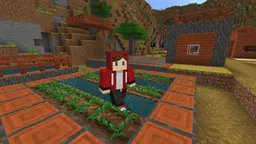
The basic idea is easy to grasp: place blocks, build structures, and gradually give your realm a character of its own. I like that the premise does not ask new players to understand a complicated simulation before they can start making something. The visual language of blocks is familiar, and the creative aim is clear even if you have never played this particular game.
That simplicity is useful for players who prefer learning by trying things. You can approach a build as a small experiment—make a path, outline a room, or test a shape—rather than treating every decision as part of a permanent master plan. A practical tip is to begin with a compact project that has a recognizable purpose, such as a little home or a courtyard. Small builds let you learn how placement feels before you commit to a sprawling design that may be tedious to revise.
For readability, block-based environments have a natural advantage: separate pieces and clear silhouettes can make a structure easier to scan than a busy, highly detailed scene. But readability is not the same for everyone. A player who has difficulty distinguishing similar colors or tracking small objects may find that visual decisions take more effort, especially when a build grows dense. I would keep early designs simple and use strong differences in shape and color wherever the available blocks allow it.
Navigation and building are closely linked in a freeform game. When there is no single required route through a world, the player has to decide where to go and what to work on next. That freedom is liberating if you enjoy self-directed play, but it can also create a mild “what now?” problem. I find it helps to give each session one modest aim—finish one wall, sketch a bridge, or tidy one corner—so the open space feels inviting instead of overwhelming.
The game is a simulation from Metagame.Ltd, and that framing is a better fit than expecting a conventional action game. Its scale is approachable for casual builders, while still leaving room for players who like to refine an idea over time. It is free to start, though optional in-app purchases range from $0.49 to $14.99 per item. I would decide what kind of experience I want before spending: the central appeal is making a world, so purchases are easiest to judge by whether they genuinely improve your own creative routine.
Comfort matters as much as creativity
Building games ask for repeated, precise actions: choosing a piece, positioning it, and checking how it looks in context. That can be relaxing, but it can also become tiring for someone with limited hand movement, tremor, or discomfort from repeated tapping. I would treat short sessions as a sensible way to test whether the controls suit you, rather than assuming that an easy premise automatically means easy interaction.
One useful workflow is to separate planning from placing. Before filling a large area, decide on the rough outline and build a small section as a test. This reduces the number of corrections you may need to make and makes it easier to notice whether the result is taking shape as intended. It is a simple habit, but in a game built around repeated block placement, avoiding unnecessary back-and-forth can make a session feel calmer.
Sensory comfort is personal, too. Some players enjoy a colorful block world because it feels cheerful and visually clear; others may find bright scenes or constant on-screen activity tiring. I would try the game in a comfortable setting and take a break if the visual focus starts to feel demanding. A familiar, uncluttered build can also be a gentler place to spend time than an ambitious project with lots of competing details.
That makes this a more promising choice for someone who enjoys steady, deliberate interaction than for a player looking for fast reactions. If you prefer games where a few inputs produce a dramatic result, a free-building loop may feel slow. Here, the satisfaction tends to come from noticing a structure take shape, not from a burst of action. That is a genuine strength for patient players and a real limitation for those who need frequent changes of pace.
Playing around everyday routines
Because the game’s core activity is creative rather than tied to a fixed narrative, it can fit into different kinds of downtime. I can imagine opening it after school or work, adding a small feature to a build, and leaving the larger project for another day. That is a more realistic way to approach a freeform simulation than expecting to complete a world in one sitting. A small, visible goal makes it easier to stop without feeling that the session ended unfinished.
It is also suitable for players who like to think through a design before committing. You might decide that a realm needs a central landmark, then work outward with paths and smaller structures. The concrete benefit is that each addition has a reason, which makes creative play easier to resume later. If you are sharing a device or playing in a noisy room, a self-directed building task can be easier to pause than a mission that depends on keeping up with a sequence of events.
Still, the game should not be mistaken for a guaranteed group activity or a tool for collaborative building. The available description emphasizes personal creation, so I would choose it for independent play unless you have confirmed that a particular shared-play option is available to you. That distinction matters for families: it can be a pleasant game to discuss or take turns with, but that is different from everyone building together in the same world.
Block Craft 3D: Realm Builder is rated for Everyone, which makes its broad, non-specialist premise easy to consider for a mixed-age household. An age rating does not tell you whether every control or visual element will suit a particular player, however. For a younger child or someone who benefits from support, I would spend a few minutes together at the start and see whether the placement and navigation feel comfortable before leaving them to explore alone.
Where it sits among building games
Compared with more structured simulation games, this one puts the emphasis on making a place rather than managing a long list of systems. That is attractive if the pleasure is in choosing what a realm should look like. By contrast, a game with explicit objectives may be a better match if you want a clear checklist, escalating challenges, or a strong sense of progression. The trade-off is straightforward: less guidance gives you more room to invent, but also asks you to supply your own motivation.
It is likewise different from block games that focus mainly on survival, combat, or resource pressure. Here, the advertised appeal is free construction, so I would not pick it expecting danger or tactical depth to drive every session. Players who want a creative sandbox can appreciate that calmer emphasis; players who need a world to constantly push back may find it repetitive. The best comparison is not “which game has more content?” but “do I want to make my own purpose, or follow one the game sets for me?”
The game has attracted over 10 million installs and holds an average rating of 3.5 from around 12,000 ratings, with 82 written reviews. Those figures suggest plenty of people have tried it, while the middling average is a useful reminder that a simple creative premise will not suit every taste. I would read that rating as a reason to be realistic: the freedom may be the point for one player and the lack of direction for another.
Limits to consider before settling in
The main barrier is not a complicated rulebook; it is the open-endedness itself. If you struggle to choose among many possibilities, an empty building space can feel less welcoming than a guided level. A good workaround is to copy a simple real-world shape from memory—a small shopfront, a garden wall, or a room layout—then adapt it. That gives you a starting point without turning the game into a strict assignment.
Another limitation is the repetitive nature of construction. Even a satisfying design may involve placing many blocks, and that can become monotonous if you are not enjoying the process. I would avoid beginning with a huge landmark just because it sounds impressive. A modest project gives you a clearer sense of whether the core loop is rewarding before you invest a long stretch of attention in it.
There is also a practical distinction between a game being free and every part of its experience being cost-free. The listed optional purchases run from $0.49 to $14.99 per item, so anyone managing a budget should keep that in mind and use the platform’s purchase controls as appropriate. The game’s base price is free, but that does not mean every optional item is included without payment.
For device compatibility, the current version is 1.9.3 and the minimum operating system is Android 9. That gives Android users a concrete check to make before installing: confirm the device meets that requirement, particularly if you are considering the game for an older phone or tablet. The game was released on April 2, 2025, and its current version reflects an actively identified product release, but I would still judge it by how comfortably it runs on your own device rather than by the version number alone.
A welcoming idea, with individual fit to check
My overall view is that Block Craft 3D: Realm Builder is worth considering if you want a gentle, self-directed place to build and can enjoy progress that comes one small decision at a time. Its clearest inclusive quality is the low-pressure creative premise: players can set their own scale and choose what feels worth making. That flexibility can suit different schedules and levels of ambition, but it does not automatically solve challenges involving fine motor control, visual comfort, or navigation.
I would recommend trying it with a small project first, especially if you are unsure whether repeated placement will feel comfortable. If the controls and visual style work for you, the open-ended format can turn a few spare minutes into a satisfying little building session. If you need explicit directions, rapid action, or a more hands-off way to create, a different kind of simulation will probably be a better fit.
Overall, this is a thoughtful choice for curious builders who like to make their own plans, including casual players who want something they can approach without a long commitment. It is less suitable for anyone who needs a strongly guided experience or finds repetitive visual interaction tiring. I would treat its freedom as both its best feature and its central trade-off: the game gives you room to shape a realm, but the most comfortable and rewarding way to use that room depends on your own preferences and abilities.
What we like
- Easy controls make building approachable for younger players.
- Creative mode lets players shape a town at their own pace.
- Block-based visuals are clear and easy to recognize.
- A variety of structures can inspire new building ideas.
- Short play sessions work well for casual gameplay.
What could be better
- Progress can feel slow without optional purchases.
- Some features may require an internet connection.
- Ads can interrupt the flow of play.
- Large builds may take patience to complete.
- The gameplay may feel repetitive after extended sessions.







