




Big Farm Homestead review
 Analysis by Appsdrops
Farming games are at their best when they make everyday tasks feel satisfying while giving you a reason to keep coming back. Big Farm Homestead sets out to do both: it’s a free farming simulator about building a homestead, harvesting crops, and solving a mystery on the farm. I approached it as a game for players who enjoy a steady routine, but also want a little story to pull them along. Its appeal is easy to understand, though getting comfortable with any new mobile game can take a bit of patience.
Getting started and finding your rhythm
The first thing I’d keep in mind is that a farming simulator is usually built around a sequence of small actions rather than one long objective. You tend to make progress by working through tasks, checking what needs attention, and returning to the farm as your plans develop. That makes Big Farm Homestead a natural fit for short play sessions, especially if you like games that reward a relaxed, repeatable routine.
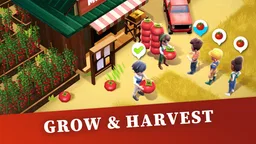
The store description puts three ideas at the center of the experience: building a homestead, harvesting, and solving a farm mystery. That combination gives the game a broader premise than a simple crop-growing loop. The farming gives you familiar, hands-on goals, while the mystery offers a narrative reason to stay curious about what comes next. I like that framing because it suggests a balance between practical progress and a story to follow.
Still, the opening of a new game can feel less obvious than its premise sounds. Players may be unsure which task to tackle first, how to interpret an instruction, or whether they have overlooked a step. When that happens, I recommend slowing down and reading the current prompt carefully before tapping around. In simulation games, the next action is often connected to a task already in progress, so switching between unrelated actions can make it harder to see what the game is asking you to do.
When progress seems to pause
If a task appears stuck, start with the simplest check: look at its wording again and compare it with what you have actually done. A goal involving harvesting, for example, is different from a goal that merely asks you to prepare for a harvest. The distinction can be easy to miss when you are playing quickly, especially if several farm activities are competing for your attention.
I’d also avoid repeating the same tap over and over when an action does not seem to register. Pause for a moment, check whether the game has moved to a new prompt, and then try the relevant action once more. This is a useful habit in mobile games generally: it helps you tell the difference between an instruction you have misunderstood and a temporary input or connection hiccup.
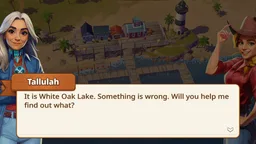
The mystery element can add another kind of uncertainty. Story-driven tasks often encourage players to look for a clue or follow a sequence, but it is best not to assume that every farm activity advances the story. Keep the current objective in view and treat it as your guide. That simple approach makes the experience less frustrating and keeps the narrative from feeling like a guessing game.
Before you settle in to play
A little preparation can prevent avoidable setup trouble. The game is free to download, and it is rated for everyone, but it does include optional in-app purchases. I’d keep that in mind if children share the device or if you prefer to avoid accidental spending. Checking the device’s purchase settings before handing over a phone or tablet is a sensible general precaution.
Compatibility is another practical first check. The listed minimum operating system is version 11, so make sure your device meets that requirement before troubleshooting the game itself. If installation fails or the game will not open, confirming the operating system and trying the app store’s standard update or restart steps is a better starting point than assuming something is wrong with the farm game.
The title is free, but optional purchases range from $0.99 to $149.99 per item. That is a wide span, so I’d treat purchases as something to review deliberately rather than as a necessary part of getting started. You can begin by seeing how the regular play experience feels and decide for yourself whether any optional item is worth considering. A free-to-play label does not mean every player will want to spend, and there is no need to rush that decision.
It also helps to begin with a reliable connection if you are installing the game or updating it. If a download stalls, check that the device has enough available storage and that the connection is behaving normally, then retry through the app store. These are general mobile troubleshooting steps rather than special requirements for this title, but they often resolve basic setup problems without turning a small delay into a bigger headache.
A calmer way to recover your workflow
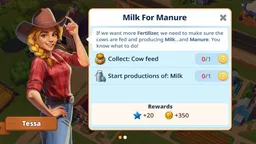
Once you are playing, a simple routine makes the farm easier to manage. I’d check the current objective first, complete the actions that clearly relate to it, and then take a moment to see whether the game has updated the task. This keeps your attention on the next useful step instead of encouraging a scattershot approach across everything you can tap.
If progress does not update immediately, give the game a moment to respond before trying again. Then revisit the objective and verify that the action you completed matches what it requested. If the screen appears frozen or unresponsive, closing and reopening the game is a reasonable general recovery step. Save destructive measures, such as removing an app, for later; reinstalling can risk losing local progress in some games, so it is wise to understand the game’s account or save options before taking that step.
For an installation or update problem, the recovery path is different from an in-game objective problem. Check the app store for a pending update, confirm the device has room to install it, and restart the device if the store or game has become unresponsive. Changing several settings at once makes it harder to know what helped, so I prefer working through one basic check at a time.
When the issue only appears during a particular session, it may help to pause and return later rather than repeatedly forcing the same action. A temporary connection interruption can affect mobile games in ways that look like a gameplay problem. Reopening the game on a stable connection is a sensible test. If the issue continues, note what you were doing and what the game displayed; a clear description is more useful if you decide to seek help through the appropriate support channel.
Separating game trouble from device trouble
Not every slowdown or failed action points to the game itself. A device with little free storage, an outdated operating system, or several demanding apps running at once may behave unpredictably. Before blaming Big Farm Homestead, close other apps, check available space, and make sure the device is running a compatible system. These checks are ordinary housekeeping, but they can quickly rule out common causes.
It is also worth distinguishing a connection problem from a gameplay issue. If other online services are having trouble at the same time, the farm may not be the source of the delay. Try a different stable connection when possible, or wait and test again. I would not keep repeating an action that depends on a response from the game while the connection is clearly unreliable, since that usually adds frustration without revealing much.
On the other hand, if everything else on the device works normally and the same in-game problem persists after a restart, the issue may be specific to the game. At that point, keep your description factual: what you were trying to do, what happened, and whether restarting changed anything. Avoid sharing private account details in public spaces. A concise report gives support staff a clearer starting point than a general message saying the game is broken.
What the ratings suggest, and what they cannot promise
The game has an average rating of 4.6 from around 69,000 ratings, with about 3,500 written reviews and over a million installs. Those figures suggest that a substantial audience has tried it and that many players have responded positively. They are useful as a broad signal of interest, but they cannot tell you exactly how the game will feel on your device or whether its pace matches your preferences.
I’d use that reception as context rather than as a guarantee. Players who enjoy farming simulations may appreciate the clear premise and the mix of homestead building, harvesting, and mystery. Someone looking for fast action or a game that explains every step immediately may need a little time to settle in. Your own enjoyment will depend more on whether you like a measured routine than on a popularity figure.
Goodgame Studios is the developer, and the current version is 1.0.9075. The game was released on June 16, 2025. Those details are useful when checking that you have found the right title and are looking at the current app store entry, especially if you encounter similarly named farming games. They are not a substitute for checking whether your particular device meets the operating-system requirement.
Is this homestead worth a try?
My practical verdict is that Big Farm Homestead looks like a promising pick for players who want a casual simulation with a clear farming premise and a mystery to keep the setting interesting. Its strongest draw is the combination of familiar farm goals with a story hook. I would approach it at an unhurried pace, follow each objective closely, and give myself time to learn the game’s flow rather than expecting every task to be instantly obvious.
The main caveat is not a flaw so much as a matter of expectations: simulation games often ask you to work through a sequence and pay attention to small prompts. If you enjoy that kind of steady progression, the routine may be exactly what you want. If you are more interested in quick, self-explanatory action, it may take longer to click. The optional purchases are another reason to make your own choices deliberately instead of treating spending as part of the starting process.
For anyone considering a download, I’d first check device compatibility, make sure there is enough storage, and review purchase settings if the device is shared. Once installed, focus on the active goal, use basic restart and connection checks if something goes wrong, and avoid assuming that every pause is a gameplay bug. With sensible expectations, this free farming simulator is an appealing way to build a homestead, work through harvest-focused tasks, and see where the farm mystery leads.
What we like
- Relaxed farming gameplay suits short play sessions.
- Crop and animal routines offer a steady sense of progress.
- Decorative options let players personalize their farm.
- The rural theme has a warm and approachable feel.
- A broad range of farm tasks keeps goals varied.
What could be better
- Progress can feel slow without frequent play.
- Some upgrades may require substantial in-game resources.
- Repeated farm chores can become routine over time.
- Limited space may make farm layout choices restrictive.
- Optional purchases may appeal to players seeking faster progress.







