


Zaxbys review
 Analysis by Appsdrops
I judge a restaurant app partly by how much effort it saves when I’m hungry, distracted, or trying to place an order on the move. Zaxbys is most useful when Zaxby’s is already where I want to eat: it brings ordering and rewards together, rather than trying to be a guide to every restaurant nearby. That focus can make a familiar meal easier to arrange, but it also means the app’s usefulness depends on whether Zaxby’s suits your location, preferences, and situation.
Finding your way through an order
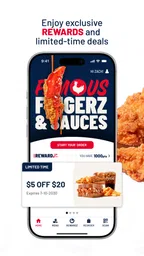
The app is a free Food & Drink app from Zaxby's Franchising, LLC, built around the practical cycle of choosing food, ordering, and earning or redeeming rewards. In my view, that is a sensible scope. If I already know I want Zaxby’s, I don’t need to compare a long list of unrelated places before getting to the task.
Its store rating is an average of 4.9 from around 10,000 ratings, with roughly 4,500 written reviews and over a million installs. Those figures suggest it has found an audience, but they don’t tell me whether it will fit an individual’s needs or how convenient a particular restaurant visit will be. I’d treat them as context, not as a substitute for checking the app yourself.
For readability and navigation, the key question is whether the steps from choosing food to completing an order feel understandable on your own device. A useful habit is to explore the menu and reward area before you’re in a hurry. That gives you a chance to see how the choices are presented and where the ordering flow takes you, without the pressure of deciding while someone is waiting.
I also recommend checking the order details carefully before submitting. This is a small but valuable workflow for any restaurant app: pause on the final review, confirm the items and options you selected, and make sure the order is intended for the restaurant and timing you need. It is especially helpful when you are ordering for more than one person or adapting a familiar meal to suit different preferences.
Rewards are part of the routine, not a reason to rush
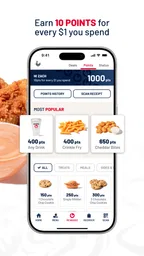
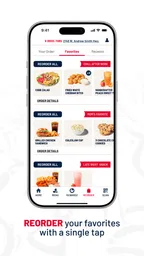
The strongest practical reason to keep the app handy is that ordering and rewards belong in the same routine. If you visit Zaxby’s regularly, it may be easier to check the rewards while deciding what to order than to remember them later. I would make a quick habit of looking at the available reward choices before checkout, then decide whether redeeming one makes sense for that meal.
That approach avoids treating rewards as an automatic bargain. A reward only helps if it fits what you actually want and the terms shown in the app at the time. I wouldn’t add food just to make a reward feel worthwhile; I’d compare the available choice with my usual order and keep the meal simple if nothing is a good match.
Compared with a general restaurant-discovery or delivery app, Zaxbys is the more focused option when the destination is already decided. A broader service can be better if you want to compare many restaurants or need a wider range of cuisines. Zaxbys makes more sense when you want to deal directly with the Zaxby’s ordering-and-rewards experience instead of browsing alternatives.
Motor and sensory needs call for a calm test
People use food apps in very different ways: one person may tap quickly with one hand, another may rely on larger text or a screen reader, and someone else may be trying to follow a conversation in a noisy place. I can’t assume the experience will be equally comfortable for every setup, so I’d test the parts that matter to you before relying on it during a rushed visit.
If you have limited dexterity, try moving through a sample order at a comfortable pace. Notice whether selecting items and reviewing choices is manageable on your phone, and whether you can correct a selection without feeling pressured. A useful practical trick is to complete the decision-making while seated and settled, rather than trying to navigate menus while walking, carrying bags, or balancing a drink.
For someone with low vision, enlarging text through the phone’s own display settings may help, but it is worth checking whether the app remains comfortable to read after doing so. If you use spoken feedback, test the menu and order review before depending on it. Restaurant menus can involve several choices in sequence, and a flow that is easy to follow visually may not be equally clear through assistive tools.
Sensory comfort matters too. If bright screens, busy visual layouts, or repeated prompts make ordering difficult, try the app in a quieter moment and see whether you can complete the task without strain. I’d avoid making a first attempt while standing in a crowded queue. The app’s best use is as a preparation tool when it helps you decide calmly, not as another source of pressure.
Access depends on where and how you order
A realistic everyday use is planning lunch before leaving work. I can look over the choices, decide what I want, and consider whether a reward is relevant while I still have time to think. When the meal is for colleagues or family, checking each person’s selections before placing the order can prevent avoidable confusion. This is a more dependable workflow than trying to assemble everyone’s choices at the last minute.
There is a trade-off: an app-based order is useful only when it matches the way you intend to get your food. Before relying on it for a tight schedule, check the available choices and the order details in the app, then leave room for the practical realities of a restaurant visit. I wouldn’t assume that installing the app alone guarantees a particular pickup arrangement or timing; use the options actually presented for your order.
For a person who prefers speaking to staff, needs help choosing, or wants to ask a detailed question before deciding, ordering in person may feel easier. The app is not a replacement for conversation. Likewise, if your main goal is to find the nearest meal from any restaurant, a multi-restaurant service is a better starting point. This one is aimed at people who have already narrowed the choice to Zaxby’s.
The app is rated Everyone, and it is free to install. It was released on December 15, 2016, and its current version is 13.3.0, with Android 7.0 listed as the minimum operating system. Those details make it straightforward to assess basic compatibility, but the way it feels on a particular phone still matters—especially if you depend on specific display or assistive settings.
Where friction can remain
The biggest limitation is its narrow purpose. If you rarely eat at Zaxby’s, the ordering and reward tools may not justify keeping another restaurant app on your phone. A broader food app is more useful for comparing places, while a direct conversation with restaurant staff can be a better fit when you need clarification or personal assistance.
There is also a difference between being able to place an order and being able to place it comfortably. Small or hard-to-understand controls, a demanding sequence of choices, or difficulty reviewing selections can create friction for people with motor, vision, or cognitive needs. I would not assume that a high rating settles those questions. The most responsible test is to try the actual tasks you need, using your usual phone settings and assistive tools.
Another sensible precaution is to avoid leaving the first test until the moment you need food. Explore the menu, check how rewards are presented, and review a possible order without submitting it if you are still learning the interface. That lets you decide whether the app fits your pace and whether ordering digitally is more comfortable than asking for help in person.
A focused choice for familiar visits
My verdict is that Zaxbys is worth considering if you already choose Zaxby’s and want ordering and rewards in one place. Its focused purpose is a strength for a regular customer, while the same focus makes it a poor substitute for restaurant discovery or broad delivery comparisons. I’d use it when I know what I want, have time to review the order, and can comfortably navigate it on my device.
For inclusive use, I’d call it a try-before-you-rely app rather than assume it will suit every ability or context. Test the menu, order review, and rewards flow with your own settings; choose a quieter moment if sensory or motor demands are a concern; and use another route when personal assistance or a wider choice matters more. If those checks go well, Zaxbys can make a familiar meal more organized without asking you to change how you like to eat.
What we like
- The menu includes familiar chicken meals and sandwiches.
- You can customize many orders to suit your preferences.
- The app makes it easy to find nearby Zaxby's locations.
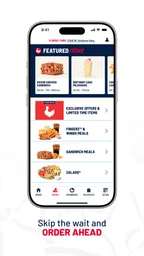
- Ordering ahead can help reduce time spent waiting in line.
- Rewards give regular customers a reason to order through the app.
What could be better
- Menu availability may vary by location.
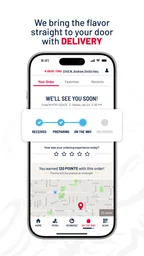
- Delivery options depend on your area.
- Promotions and rewards may have eligibility restrictions.
- Busy periods can delay pickup orders.
- Some menu items may not fit every dietary preference.





