
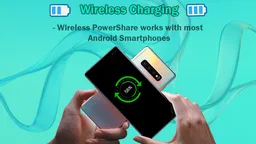
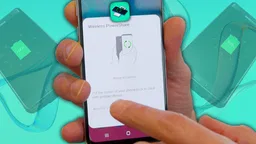
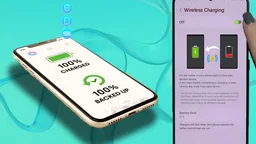
Wireless Reverse Charging review
 Analysis by Appsdrops
Wireless Reverse Charging has an instantly appealing idea behind it: use one phone to help charge another. That promise is easy to understand, especially when someone nearby needs a little extra battery. But an app built around a clever concept has to offer more than a fun first try to earn a lasting spot on your phone. My main question is whether this app stays useful once the novelty wears off—and how much of its value depends on the phones themselves.
First impressions: an appealing idea with a practical limit
Wireless Reverse Charging is a free app from Masivapp in the Libraries & Demo category. Its short description sums up the central idea as wireless reverse charging, while its store summary describes charging your phone with another phone. That makes the purpose clear from the outset, and it gives the app an easy-to-grasp appeal: rather than reaching for a charger, you might be able to turn to another device.
That kind of concept naturally invites experimentation. During the first few days, I can see why someone would want to try it, show it to a friend, or keep it in mind as a possible backup. The idea feels particularly attractive in a pinch, when a phone is running low and a convenient alternative sounds better than searching for a cable or outlet. The app’s appeal is less about entertainment and more about the possibility of solving a familiar everyday problem.
Still, the name and description should be read as a promise of an idea, not a guarantee that any two phones can charge one another. Wireless reverse charging depends on compatible hardware and how the devices are designed to share power. An app cannot, by itself, add a charging capability that a phone does not have. Keeping that distinction in mind is important, because it shapes what you can reasonably expect from the app after the initial curiosity has passed.
In practical terms, I would approach Wireless Reverse Charging as a companion to a phone capability, rather than as a universal replacement for a charger. That expectation makes the first impression more grounded. If your devices support the underlying function, the concept may be worth exploring; if they do not, installing an app alone cannot change their hardware. That is not a flaw unique to this product—it is simply the limit imposed by the technology the idea relies on.
Why the concept grabs attention
Battery anxiety is an easy problem to recognize. Most people have had a moment when a phone’s charge becomes inconveniently low, and sharing power sounds like a generous, straightforward fix. Wireless Reverse Charging packages that thought in a very concise way. There is no complicated pitch to decode: one phone helps another, without the familiar image of a separate charger being central to the idea.
The first-week appeal is therefore real, even if it is situational. It can be interesting to see whether the concept fits your devices and your routine. I also like that the intended use is immediately understandable; the app does not need a long explanation to make its purpose clear. That simplicity gives it a stronger hook than apps whose value only becomes apparent after a lengthy setup or repeated use.
But a strong hook and durable value are different things. The moment of discovery may be memorable, while the actual need to use the app could be occasional. That gap between curiosity and routine is the central question for anyone deciding whether Wireless Reverse Charging deserves permanent space on a home screen.
Does it stay useful month after month?
For a utility like this, recurring value depends on how often the situation arises and whether the phone combination at hand can support it. If you regularly spend time with someone whose device is compatible, sharing power may become a useful option. If the need appears only rarely, the app may be more of an emergency-minded tool than part of your everyday routine.
That distinction matters more than a flashy first impression. A good habit-forming utility solves a problem that comes back often enough to justify keeping it ready. Wireless Reverse Charging addresses a familiar problem, but not necessarily one that every user encounters in the same way. Its value is therefore personal: it will feel more relevant to people whose phones and circumstances make the idea practical.
The app has reached over 500,000 installs, and it has a 3.8 average from around 5,400 ratings, alongside 225 written reviews. Those figures suggest that plenty of people have been curious enough to try it, though popularity alone does not tell me whether it becomes a regular tool. I would treat the broad interest as evidence that the concept catches attention, not as proof that it will fit every charging routine.
For month-to-month usefulness, I would ask a simple question: have I actually needed this since the initial test? If the answer is yes, the app may earn its place as a niche backup. If the answer is no, it could be easy to forget about, especially if a conventional charger is already the dependable option in your bag or at home. That is not a harsh verdict; it is a realistic way to assess a tool whose usefulness depends on occasional circumstances.
Building a habit without forcing one
There is no need to turn a backup charging idea into a daily ritual. In fact, trying to use any utility more often than the situation calls for can make it feel like clutter. A sensible habit would simply be remembering that the option exists when a compatible phone and a real need coincide. That kind of occasional readiness can be valuable, even if it does not produce frequent app use.
I would also avoid relying on the app as the only answer to battery problems. The best long-term role for Wireless Reverse Charging is as one possible tool among familiar options, not as a reason to stop planning for power altogether. A charged battery, a suitable charger, and a routine that works for your day remain important. The app’s concept may add flexibility, but it should not be expected to remove every charging inconvenience.
That balanced approach makes the app easier to judge fairly. It does not need to be opened every day to be worthwhile, but it should earn its keep through a genuine situation where the option is useful. If that situation never comes, the novelty may be the main benefit you received—and that may not justify retaining it indefinitely.
Maintenance, expectations, and everyday friction
Maintenance is a quiet but important part of any app’s long-term value. For Wireless Reverse Charging, the key work is not necessarily constant attention; it is keeping expectations aligned with the devices involved. Since the idea relies on phones being able to share power, the practical question is whether your particular hardware supports the underlying function. Remembering that limitation can prevent frustration when the app does not turn an incompatible phone into a power source.
The app is listed as version 13.0 and requires Android 7.0 or later. It is free and rated for Everyone. Those details make it accessible to a broad Android audience, but compatibility with an operating system is not the same as compatibility with the charging capability itself. A phone meeting the software requirement may still need suitable hardware for the central idea to work.
That distinction is the most important maintenance point I would keep in mind. Before depending on the app in a time-sensitive situation, understand whether the devices you plan to use can actually support wireless power sharing. Treating it as something to test in advance, rather than discovering its limitations when a battery is nearly empty, is a more sensible way to incorporate it into a routine.
The app itself should not be expected to erase the ordinary trade-offs of sharing power. Helping another device means the source phone is involved in the exchange, so the decision should make sense for both people. In a low-battery situation, it is worth thinking about whether the phone providing help can spare the power. That is a practical consideration of the concept, not a reason to dismiss it.
Where fatigue can set in
The first source of fatigue is repetition without payoff. A clever idea can feel less exciting after the first demonstration, particularly if you do not encounter a useful opportunity to apply it. The second is uncertainty about compatibility. If you are unsure whether your devices support the function, it can become inconvenient to remember the app only to discover that the situation is not a fit.
Another possible source of disappointment is expecting a software download to deliver a hardware feature on its own. Wireless charging and reverse power sharing are tied to device capabilities, so it is best to view the app as part of an ecosystem rather than a magic fix. Once that expectation is clear, the concept is easier to appreciate for what it is: an attempt to make phone-to-phone charging more accessible to people whose devices can support it.
Finally, there is the ordinary problem of app clutter. A tool that is used once and forgotten can occupy attention without contributing much to daily life. I would keep Wireless Reverse Charging only if the feature is genuinely relevant to my devices or to the people I spend time with. Otherwise, the idea may remain interesting in theory while rarely being useful in practice.
Who is most likely to keep it?
The app makes the most sense for Android users who are curious about wireless power sharing and have a realistic reason to use it. That could mean spending time with people who have compatible phones or wanting another option to consider when a battery is low. It is less compelling for someone who expects every phone to participate or who already has a charging routine that handles the problem comfortably.
Its library-and-demo positioning also suits a product whose concept is the main attraction. I would approach it with curiosity, test whether the idea fits my situation, and then judge it by how often it helps—not by how clever it sounds on the first day. That is a more useful measure than install counts or an initial burst of enthusiasm.
The strongest reason to keep the app is not novelty, but a repeatable situation in which compatible devices make phone-to-phone power sharing useful. If you have that situation, Wireless Reverse Charging may serve as a handy backup. If you do not, it can still be an interesting experiment, but there is little reason to force it into your regular habits.
Long-term verdict
Wireless Reverse Charging starts with an easy-to-understand idea and a practical problem: one phone helping another when power is running low. That gives it an appealing first week, especially for anyone who enjoys trying out useful-sounding tools. Its lasting value, though, depends on circumstances rather than novelty. The relevant phones need to support the underlying capability, and the opportunity to use it needs to arise often enough to matter.
I see this as a niche utility with a clear purpose, not an essential app for every Android phone. It may earn a lasting place for people who can use the function and encounter a genuine need for it. For everyone else, its strongest moment may be the initial curiosity. The sensible approach is to test the idea without expecting software to overcome hardware limits, then keep it only if it proves useful in your own routine.
Masivapp’s Wireless Reverse Charging is free, released on November 15, 2023, and now at version 13.0. Those details make it straightforward to try, while its 3.8 average rating gives prospective users a general sense of how it has been received. My final take is that it can be worth exploring as a backup, but it earns lasting space only when compatibility and real-world need come together. Once the novelty fades, that practical usefulness—not the promise alone—is what should decide whether you keep it.
What we like
- Can charge compatible devices without a cable or power outlet.
- Useful for topping up earbuds or another phone while traveling.
- Easy to start on supported devices through the battery settings.
- Works with compatible Qi wireless charging accessories.
- Lets you share spare battery power with someone nearby.
What could be better
- Charging is usually slower than using a wired connection.
- The phone giving power loses battery charge quickly.
- Both devices must support compatible wireless charging.
- Cases or poor alignment can interrupt power transfer.
- Using it may make the phone warm during charging.





