
IGAMES PS2 review
 Analysis by Appsdrops
I approached IGAMES PS2 as a nostalgic gaming app, but the more useful question turned out to be how comfortably it fits different people and everyday situations. Its premise is appealing if you miss the feel of classic console games on a phone. Whether that appeal turns into a good experience depends not only on the games, but also on how you read the interface, handle touch controls, and cope with playing on a small screen.
Getting around and understanding what to expect
IGAMES PS2 is a free app from IGames BR in the Libraries & Demo category, aimed at bringing familiar PS2-era gaming to mobile. The app’s name makes its focus clear, which is helpful if you are browsing specifically for that kind of nostalgia rather than looking for a general game collection. It is rated for Everyone, and its audience may include younger players as well as adults revisiting games they remember.
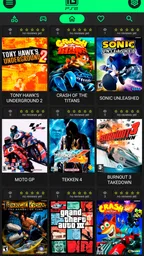
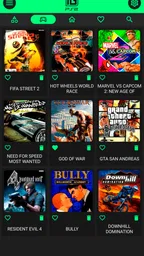
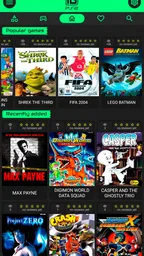
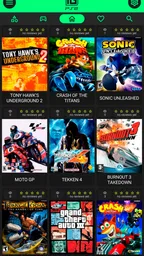
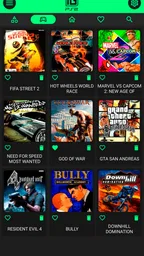
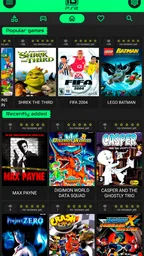
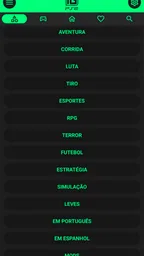
I would treat the app’s catalog and presentation as something to assess on your own device rather than assume every title will suit your tastes. A library-style app can be convenient when you want to browse instead of hunting down individual games, but the value depends on whether the available choices match what you actually want to play. Before settling in, I recommend checking how the app presents its options and whether the information is easy for you to scan.
That small first check matters for readability. On a phone, labels, artwork, and menus can feel very different depending on screen size and display settings. If text is comfortable to read but game images dominate the screen, browsing may still take patience; if the reverse is true, you may need to inspect names and details more carefully. I would try the interface in portrait and landscape if the app allows it, then keep the orientation that makes navigation easiest.
The app has a 4.5 average from around 53,000 ratings, with more than 400 written reviews. That level of audience interest suggests many people have tried it, but popularity cannot tell you whether the layout, controls, or game selection will work for your needs. I use ratings as a starting clue, not a substitute for checking whether the actual experience is comfortable.
Make browsing less tiring
A practical approach is to browse when you have time, rather than trying to choose a game in the middle of a short break. Take a moment to note which options genuinely interest you, then launch one and learn its controls before deciding whether to continue. This separates the effort of choosing from the effort of playing, a useful distinction if rapid menus or repeated switching become tiring.
If you have trouble reading small text, increasing your phone’s system text size or display zoom may help with parts of the interface, though it will not necessarily change every in-app element. Likewise, a high-contrast system theme may improve general phone navigation without guaranteeing that game screens will follow it. These are low-effort things to test, not promises about the app’s design.
Touch controls, movement, and sensory comfort
Classic console play is usually associated with physical buttons, while a phone relies on a touchscreen. That change is important: fingers can cover part of the action, and pressing a virtual control does not offer the same tactile confirmation as a button. I would begin with a low-pressure session and see whether you can locate the controls reliably before attempting a demanding section of a game.
For players with limited dexterity, tremor, pain, or difficulty holding a phone steady, the device itself can be as relevant as the game. A stand or a stable surface may reduce the need to grip the phone continuously. If you use one, make sure it leaves the screen accessible and does not make the device awkward to reach. Short sessions are also a sensible way to notice strain early rather than pushing through discomfort.
Touch play can be especially awkward when a game expects quick, repeated inputs or precise timing. I would not assume that a familiar title will feel easy just because you know its original console version. Try a calm section first, pay attention to whether your hands obscure important action, and stop if repeated tapping becomes uncomfortable. If a particular game depends heavily on fast reactions, it may simply be a poor match for your current setup.
Sensory comfort is another personal consideration. A game’s visual intensity, sound, and pace can feel enjoyable to one person and overwhelming to another. I recommend checking the phone’s volume before starting and using the device’s existing sound controls to set a comfortable level. If you play around other people, headphones may help keep sound private, but they can also make it harder to hear your surroundings, so choose based on where you are.
Where and when it fits into the day
The strongest everyday use case is a relaxed session at home: you have a stable place to hold or prop up the phone, enough time to get used to the controls, and fewer interruptions. A short nostalgic game can also make a quiet break more engaging than scrolling through unrelated apps. I would avoid starting a game when you need to stay alert to another task, since looking down at a screen can pull attention away from people or activity around you.
On a commute, the appeal is less straightforward. A phone is portable, but crowded conditions make touch play harder: you may be standing, holding a rail, or trying to avoid blocking other passengers. If your journey is bumpy, precise inputs can become frustrating. For that reason, I see IGAMES PS2 as a better fit for a seated trip or a stationary wait than for gaming while walking or balancing in a crowded space.
At home, the app can be shared informally by taking turns, but I would not assume that its games are designed for shared or cooperative play. A simple way to make the experience more inclusive is to let each person choose a comfortable pace and take breaks without pressure. If one player finds the on-screen controls difficult, another can help explain what they are seeing, while still letting that person decide whether to continue.
The app is available to users on Android 8.0 and later. It has reached over five million installs, which makes it a widely tried option, though install totals do not guarantee a consistent experience across different phones. If your device is older or has a small display, check how smoothly it behaves and how legible it feels before planning a long session. This is particularly worthwhile when the phone is also your primary way to communicate or manage daily tasks.
Trade-offs and alternatives
Compared with choosing one standalone mobile game, a library-focused app can be attractive because it gives nostalgic players a place to explore several options in one product. The trade-off is that a broad collection may be less focused than a carefully chosen game built specifically for modern touchscreens. If you want polished controls designed around your phone, an individual native mobile game may be the better choice. If what matters most is the memory and atmosphere of PS2-era gaming, this app’s focus is more relevant.
Cost is worth considering before you get attached to the experience. The app is free to install, and it also offers in-app purchases priced from $0.89 to $5.99 per item. I would check purchase prompts carefully and involve a parent or account holder when appropriate. Free entry is useful for trying the app, but it does not mean every optional item or part of the experience has no cost.
Version 2.0.6 is the current version. I would keep the app updated through the app store when updates are available, especially if you run into a problem, because updates can be relevant to stability and compatibility. Still, an update cannot make every game comfortable for every person: a device’s screen, the player’s preferred input method, and individual tolerance for fast visuals remain important.
Who may find it frustrating
IGAMES PS2 is not my first recommendation for someone who needs highly adaptable controls, extensive screen-reader support, or a clearly documented set of accessibility options. I cannot judge those needs from the app’s nostalgic premise alone. If you depend on a particular assistive technology, test the parts you rely on early and avoid purchasing anything until you know the experience works for you.
It may also be the wrong choice if you dislike virtual controls, need large and consistently readable text, or want a game designed around short, interruption-friendly rounds. In those cases, a purpose-built mobile game with controls and accessibility settings that suit you may be a more dependable fit. The same applies if you want an app whose main strength is extensive information about games rather than playing them.
Parents may appreciate the Everyone age rating, but I still recommend taking a look at the app together before a child uses it. That gives you a chance to see how the menus work, talk about optional purchases, and check whether the on-screen play is comfortable. An age rating is useful context, not a replacement for your own judgment about a child’s device use.
A nostalgic option, with comfort worth checking
I see IGAMES PS2 as a promising choice for people who want to revisit a particular era of gaming on a phone, especially if they already enjoy experimenting with touch controls. Its free entry point and clear retro focus make it easy to consider, while its 4.5 average and broad reach show that it has attracted a substantial audience. Those signals are encouraging, but they do not settle the more personal question of whether you can comfortably read, navigate, and play on your device.
My practical recommendation is to start with a brief trial: browse the interface, choose a game that interests you, test the controls in a calm moment, and notice how your eyes and hands feel. Use a stand or adjust phone settings if that helps, keep sound at a comfortable level, and take breaks before fatigue builds. The most useful test is whether the nostalgia remains enjoyable once the touchscreen becomes part of the experience.
For a player who values familiar console-era entertainment and is comfortable with mobile input, IGAMES PS2 is worth exploring. For someone who needs verified assistive features, precise physical controls, or consistently accessible text and menus, I would choose a better-documented alternative instead. That distinction makes this an easy app to recommend selectively: appealing for the right kind of nostalgic session, but not a universal answer for every player or situation.
What we like
- Offers a convenient way to play classic PS2 titles on mobile.
- Touchscreen controls make it usable without a physical controller.
- Can make older games accessible on devices without a console.
- A portable option for gaming during travel.
- Lets players revisit familiar PlayStation 2 experiences.
What could be better
- Game performance can vary across devices.
- Touch controls may feel less precise than a controller.
- Some games may require manual settings adjustments.
- Battery use can increase during extended play sessions.
- Compatibility may differ between individual games.





