


My Wafa - Assur review
 Analysis by Appsdrops
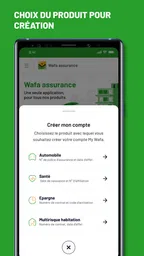
I would judge an insurance app less by how impressive it feels on day one and more by whether it saves me effort the next time I need to deal with a policy. My Wafa is aimed at that practical moment: it brings Auto, Health, and Savings insurance management into a mobile app from Wafa Assurance. That makes it most relevant to people who already have a relationship with the insurer, rather than anyone looking for a general-purpose insurance marketplace.
My first impression is that the idea is straightforward, and that is a strength. Insurance tasks are easy to postpone when they involve searching through paperwork or switching between channels. A dedicated app can make the insurer easier to reach in the ordinary course of a day. But its value depends on whether the policies and tasks I personally need are supported in a useful way; the broad coverage areas alone do not tell me that every policy action can be completed in the app.
Useful from the first week, if you are already a Wafa customer
My Wafa is a free app in the Libraries & Demo category, developed by Wafa Assurance. It is for managing insurance connected with Auto, Health, and Savings, so the clearest reason to try it is having one or more of those products with the company. If I were already a customer, I would start by checking whether the app gives me a convenient view of the policies and tasks I routinely need, rather than assuming it replaces every call, document, or conversation with an adviser.
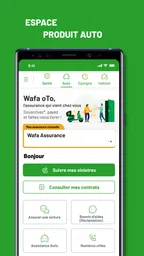
A realistic first-week use case is a driver who wants to keep insurance administration close at hand while planning a trip or sorting out household errands. Instead of leaving the task until the next time they are near a paper file, they can open the insurer’s app and see whether the relevant Auto insurance information or management options are available. That convenience is most valuable when it removes a small recurring obstacle—not because an insurance app needs to be opened every day.
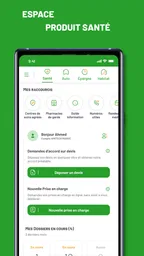
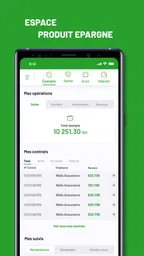
The same logic applies to Health and Savings customers. I would treat the app as a possible home for routine management, then learn which tasks it actually handles for my own policies. A useful habit is to check the relevant section when a real need comes up, such as reviewing an insurance matter, rather than browsing without a purpose. That keeps the app tied to decisions I already have to make and makes it easier to judge whether it deserves space on my phone.
There is a practical trade-off here: a mobile route is convenient only when it covers the action at hand. If a task still requires another channel, the app may help me orient myself but will not eliminate the rest of the process. I would keep important policy documents and contact details accessible through whatever channels I normally rely on until I know which steps My Wafa can handle. That is not a reason to avoid it; it is a sensible way to avoid depending on a tool before learning its boundaries.
The app has a 4.2 average from around 12,000 ratings, and it has passed one million installs. Those figures suggest a substantial user base, but they cannot tell me whether a particular policy workflow will suit my needs. I would use them as background rather than as a promise of a frictionless experience. For an insurance app, the useful test is simple: can I return to it when I have a specific question and get closer to resolving that question?
What makes the routine worth keeping
Insurance management is usually occasional, which changes what “regular use” should mean. I would not expect My Wafa to become a daily destination. Its recurring value is more likely to come from being ready for the moments when Auto, Health, or Savings administration becomes relevant. That makes a light, need-based habit better than frequent checking: open it when reviewing a policy matter, then leave it alone when nothing needs attention.
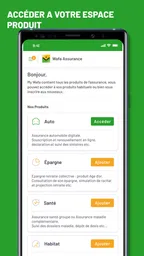
One non-obvious benefit of putting multiple insurance areas under one insurer’s app is that it may reduce the mental switching involved in remembering where to begin. If I have more than one of the supported insurance types with Wafa Assurance, I can at least start from the same app instead of separately searching for an entry point for each relationship. I would still verify that each policy is represented in a way I can use; shared branding does not automatically mean identical tools or workflows across Auto, Health, and Savings.
For a household, the app could also serve as a prompt to review insurance matters at a convenient time, rather than waiting until a deadline or question creates pressure. My practical tip would be to connect app use to an existing routine—such as a monthly personal-admin session—without assuming that the app itself sends reminders or performs actions automatically. A calendar reminder can provide the habit; the app can be the place I check when I sit down to handle the task.
That distinction matters because an insurer’s app is not the same thing as independent financial advice or a comparison service. My Wafa is focused on managing insurance associated with Wafa Assurance. If I want to compare providers, shop for a new policy across the market, or manage insurance from several companies in one place, I would use a comparison service or each provider’s own channel instead. This app is better judged as a customer tool than as a way to choose among insurers.
Maintenance is light, but expectations need managing
The app’s recurring maintenance burden should be modest in the sense that insurance administration is not usually a daily task. Still, I would keep it updated and revisit it when I need to manage a policy, since an outdated app can become an avoidable obstacle at exactly the wrong time. Its current version is 5.1.1, and it requires Android 7.0 or later. That gives Android users a concrete compatibility check before they make it part of their routine.
My Wafa is rated for Everyone and is free, so trying it does not require a purchase. I would nevertheless approach installation as the beginning of a practical check, not as proof that every service I use is included. After opening it, I would confirm that I can reach the insurance areas relevant to me and understand which tasks can be completed there. If I cannot find a needed action, I would use Wafa Assurance’s other customer channels rather than repeatedly searching the app for something it may not offer.
That workflow is a useful way to avoid two common sources of wasted time. First, I would not move every document or personal reminder into an app until I know what it supports. Second, I would not rely on it as my only route for an urgent issue until I have tested the relevant path. An insurance app can be a convenient starting point while still sitting alongside policy documents, adviser contact, or other established ways of handling a matter.
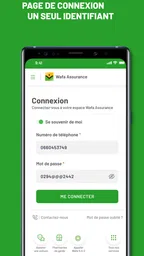
The developer is Wafa Assurance, and that focus is both the reason to use the app and the limit on its audience. A person insured elsewhere is unlikely to get the same value simply because the app covers several insurance areas. Likewise, someone who prefers face-to-face help for every policy question may find a phone-based management tool less useful than a direct conversation. The app makes most sense when I want a mobile option for my existing relationship, not when I expect it to replace personal support altogether.
Where fatigue can set in
The novelty of having insurance on a phone fades quickly, and that is normal. If I have no active task, there may be little reason to open My Wafa between occasional policy checks. I would not count that as failure: a low-frequency utility can still earn its place if it is dependable when needed. The more important question is whether I remember it when a relevant Auto, Health, or Savings task comes up, and whether it helps me make progress without adding extra steps.
Another possible source of frustration is expecting the same level of self-service across every insurance area. The app’s scope includes three broad types of insurance, but the actual needs of a driver, a health-policy holder, and a savings customer are not interchangeable. I would assess the app against my own most frequent task instead of judging it by whether it handles every imaginable insurance scenario. If my key need is not served, another channel may be the better tool for that specific situation.
There is also a trade-off between consolidation and flexibility. Keeping insurance with one provider can make a single insurer’s app more useful, while a person with policies from several companies may still have to maintain separate apps or records. In that case, My Wafa can help with the Wafa Assurance portion of the picture but will not, by itself, create a unified view of every provider. I would avoid treating it as a complete household insurance dashboard unless it genuinely covers the policies I need to manage.
For a first-time user, I would keep the initial test narrow: install it, look for the relevant insurance area, and try a routine task rather than waiting for an urgent one. That small trial reveals whether the app fits my own needs without requiring me to change how I handle everything else. If the app proves useful, I can make it my first stop for those specific tasks. If not, I have learned that a direct customer-service route or existing paperwork works better for me.
Does it earn a lasting place?
My Wafa can earn a lasting spot on a phone when its owner is a Wafa Assurance customer with Auto, Health, or Savings insurance and wants a mobile starting point for managing that relationship. Its strongest case is recurring convenience, not constant engagement. I would recommend trying it if you already have a relevant policy and are comfortable handling at least some insurance administration digitally.
I would skip it if I need a cross-company insurance manager, a tool for comparing policies from different providers, or a replacement for personal advice. I would also avoid depending on it before confirming that it supports the task I actually need. In those situations, the insurer’s other customer channels or a service designed for comparison may be a better fit.
Overall, the app’s long-term value comes down to whether it shortens the path from “I need to deal with this policy” to a useful next step. I like the focused scope: it keeps the purpose tied to Wafa Assurance insurance rather than pretending to be a universal financial hub. The sensible approach is to use it as a convenient companion, keep other reliable routes available, and let real policy needs—not novelty—decide whether it stays in your routine. For the right customer, that is enough to make My Wafa worth keeping around.
What we like
- View Wafa Assurance policy details from your phone
- Access account services without visiting an agency
- Keep insurance information available while away from home
- A dedicated app can make routine policy checks more convenient
- Useful for customers who already have Wafa Assurance coverage
What could be better
- Most features may require an active Wafa Assurance account
- Some services may not be available for every policy type
- Account access depends on a reliable internet connection
- The app may offer limited value to non-customers
- Support for older devices may be restricted





