
AusweisApp Bund review
 Analysis by Appsdrops
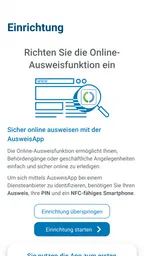
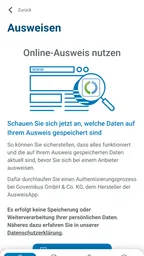
I think AusweisApp Bund makes most sense when you already have a specific online task that calls for Germany’s electronic identity card. It is a practical tool rather than an app I would open for entertainment or browse casually. Its purpose is to help identify yourself securely online, and that focused role is both its main strength and the reason it will not suit everyone.
A focused tool for digital identification
Published by Governikus Service GmbH, this free app sits in the library and demonstration tools category. It is rated for everyone, although its usefulness depends less on age than on whether you have an identity document and need to use it for an online service. The app itself is not a general digital wallet or a replacement for every account login; it belongs in the more specific world of electronic identification.
That distinction matters before you install it. Many people are used to signing in with an email address, password, or a code sent to a phone. Those methods are convenient for ordinary accounts, but they do not serve every identity check. When a service asks for an electronic identity process, a dedicated app can provide a more direct route than printing forms, mailing copies, or switching to a separate manual verification process.
In my view, the best way to judge it is by the task you want to complete. If you only need ordinary app logins, this is probably unnecessary. If an online service specifically supports identification through the app, it can be a useful part of that workflow. Before relying on it for a deadline-sensitive task, check that the service actually offers this sign-in method and that you have the required identity document available.
What the current release tells you
The current version is 2.6.2, and the app first appeared on March 27, 2017. That gives it a longer history than a newly launched utility, but a version number alone is not a complete record of what changed or how each update affected the experience. I would treat the current release as the version to evaluate today, rather than assuming that its early form and present-day behavior are identical.
The strongest evidence of ongoing reach is its broad adoption: it has passed 10 million installs and has a 3.7 average from around 75,000 ratings. Those figures suggest that many people encounter a real need for it, while the middling average is a reminder that a specialized identity workflow can be more demanding than a simple everyday app. Ratings can reflect different phones, documents, services, and expectations, so I would not read the score as a direct prediction of whether one particular identification attempt will work smoothly.
Its minimum operating-system requirement is version 9. That makes compatibility worth checking before you plan an important transaction, especially if you use an older device. An app can be available at no charge and still require preparation: a compatible phone, the relevant identity document, and a service that accepts this method all need to line up.
How it fits into an actual task
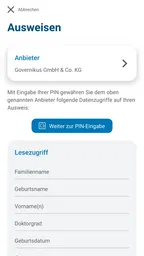
A realistic use case is sitting down to complete an online application that offers electronic identity verification. Rather than treating the app as something to explore in advance without a purpose, I would start from the service’s own instructions, confirm that it names AusweisApp Bund as an option, and then follow the requested sequence. This reduces the chance of reaching a verification screen only to discover that the service expects a different method.
One useful habit is to prepare before you begin. Keep your identity document nearby, make sure your phone is charged, and give yourself enough time to complete the steps without interruption. That may sound obvious, but it matters more here than it does for a routine password login: if you have to stop midway to find a document or resolve a compatibility issue, the whole process becomes less convenient.
A second practical point is to distinguish the app’s role from the service’s role. The app supports the identification step; the organization you are trying to access still determines what information or verification it needs and what happens after you are identified. If a transaction stalls, note which screen or organization is asking for action before assuming the app itself is the only source of the problem. That makes troubleshooting more focused.
A third trade-off is that secure identification is not necessarily the fastest choice for every interaction. For a service where a regular account login is sufficient, using a dedicated identity process may add steps without improving the task for you. When the service requires stronger identification, however, the extra preparation can be worthwhile. I would choose the method based on what the service needs, not on a general belief that one login style is always better.
Where it compares well, and where it does not
Compared with password-based sign-in, this app is aimed at a different problem: establishing identity for services that support electronic identification, rather than simply recognizing a returning account holder. Compared with paper forms or other manual checks, it can be a more convenient digital path when the organization offers it. Those alternatives remain useful when an online service does not support the app, when your device is incompatible, or when you prefer a process that does not rely on a phone.
I would not describe it as a universal alternative to every verification app. A bank, government service, or other organization may direct users to a different tool or a different process, and the app only helps within the services that accept its method. The useful comparison is therefore not “which app is best for identity?” but “which method does this particular service accept, and which one can I complete reliably?”
The 3.7 average indicates a mixed overall experience, but the app’s narrow purpose makes context especially important. A person who completes a needed identity task may find it valuable even if they rarely open it. Someone expecting a polished, all-purpose account manager may find it limited because that is not what it is designed to be. With 88 written reviews alongside its much larger rating count, individual comments can provide extra context, but I would still prioritize instructions for the exact service and device in front of me.
Friction to plan around
The main limitation is dependency: the app is useful only when you have the right identity document, a supported phone, and a participating online service. That is a more demanding setup than entering a password. It also means the experience is not entirely in the app’s hands; the service’s own flow can affect how straightforward the complete task feels.
There is also a learning curve if you have never used electronic identification. The process may feel unfamiliar compared with tapping a saved login, and users who are not comfortable following identity-verification instructions on a phone may prefer another supported route. I would avoid starting for the first time moments before a deadline. A calm first attempt gives you room to read each instruction and resolve basic setup issues.
For anyone wondering whether the app is appropriate for a child or another family member, its everyone age rating means the rating itself does not impose an older-age classification. That does not mean every identity task is suitable for every person: the document holder and the requirements of the service still matter. I would have the person completing the transaction follow the service’s own guidance rather than treating the age label as permission to use another person’s identity.
Privacy and security are central reasons to use electronic identification, but I would not make broad promises about how any particular organization handles a transaction. Read the prompts shown by the app and the service, and make sure you understand which institution is requesting identification before proceeding. That is a sensible precaution for any identity workflow, especially when you are moving between an app and an external service.
Who should install it, and what to watch next
I would recommend it to people who have a concrete need to identify themselves online through a service that supports AusweisApp Bund. It is also reasonable to keep it available if you expect to use that route again, provided your phone meets the operating-system requirement. The fact that it is free removes a purchase decision, but the better question is whether it solves a task you actually have.
I would skip it for now if you only need everyday account sign-ins, if the service you are using does not offer this method, or if you would rather complete verification through another supported option. It is not a substitute for every government or commercial service’s preferred process, and installing it alone does not guarantee that a particular task can be completed.
For existing users, the current version is a sensible point to start from when checking whether an older installation needs attention. I would update through the app store before an important identification session and then review the current instructions from the service involved. That is a practical way to account for product evolution without assuming that a version change necessarily added a feature you need or altered a step you already know.
What I would watch in future releases is whether the app continues to keep the identification process understandable across supported devices, and whether updates make setup and recovery from interrupted attempts clearer. Those are expectations, not claims about changes already made. For now, the clearest way to get value from AusweisApp Bund is to use it for a specific supported identity task, prepare your document and phone first, and keep the service’s own instructions in view. If that matches your needs, it is a focused and potentially worthwhile utility; if not, it can remain off your home screen without leaving a gap in ordinary app use.
What we like
- Works with German national ID cards and electronic residence permits
- Supports secure identification for compatible online services
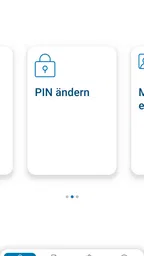
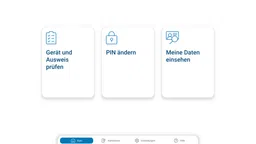
- Offers a connection check to help diagnose setup issues
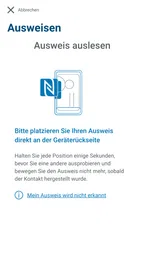
- Can use a compatible smartphone as the card reader
- Free to download and use
What could be better
- Requires an NFC-enabled phone or a separate card reader
- Only works with supported German identity documents
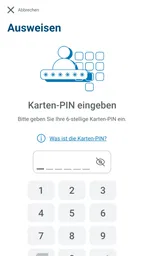
- A valid PIN is needed for many identification tasks
- Some services may require extra setup or account details
- Compatibility depends on the phone model and operating system





