


Whataburger review
 Analysis by Appsdrops
When several people in a household order Whataburger, the tricky part is often not choosing a meal but agreeing on the details: which location, what everyone wants, and who is placing the order. I see Whataburger as most useful when it helps one person handle that process for the group, rather than as an app every family member needs to use independently. It is a free Food & Drink app from Whataburger, and its focus is straightforward: making it easier to get the chain’s food the way you prefer it.
One phone can make a shared meal easier
A realistic use is a busy evening when one person is already heading out and the rest of the household is still deciding. I’d use the app to look over the available choices and settle the order before leaving, instead of trying to remember several requests at the counter. That is a practical advantage of a restaurant-specific app: it keeps the decision-making close to the menu and the brand, rather than making you search through a general restaurant-delivery service first.
That shared-device approach also keeps the app’s role clear. One person can be the order coordinator while everyone else says what they want. If people have different preferences, I’d confirm each person’s choices aloud before submitting anything; that small step is more reliable than assuming everyone means the same thing by a familiar burger or side. The app can support the order, but it cannot settle household disagreements about what to get.
I would not assume that a single phone automatically creates separate profiles or keeps each person’s order history distinct. If several people take turns using the device, it is sensible to check whose account is active before making an order or changing account details. That boundary matters especially when a phone is shared by adults and children: let younger users help choose food if you like, while keeping account and checkout decisions with the person responsible for the purchase.
Make the order handoff deliberate
For a group order, I’d treat the person holding the phone as the final checker. They can repeat the selected items and any custom choices before confirming. This reduces a common source of frustration: a family member says one thing while the person ordering taps through a different interpretation. It also makes the app more useful in a carpool or at work, where people may be sending requests from different places and the coordinator has to assemble them quickly.
A useful trade-off is that coordinating through one account is simple, but it concentrates responsibility in one person’s hands. If plans change, the coordinator is the one who needs to notice and respond. I would agree on a cut-off for requests before placing the order, rather than leaving the group chat open until the last moment. That is not a special app feature; it is a practical way to avoid duplicate or late requests when using any restaurant ordering tool.
Personal choices are a reason to use the brand’s app
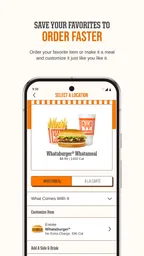
Whataburger’s appeal is closely tied to letting people order food to their own taste. For someone who already knows what they like from the chain, a dedicated app is more direct than a broad delivery app that puts many restaurants side by side. I would choose the brand’s app when the priority is browsing Whataburger choices and handling a Whataburger order in one place. A delivery marketplace may be more convenient when the group has not agreed on a restaurant or wants to compare different cuisines.
There is a limitation to that specialization: the app is only useful for a household that wants Whataburger. It does not solve the “where should we eat?” question across several brands. I would not install it expecting a general meal planner, a family grocery tool, or a universal ordering account. Its value is narrower and more practical: it serves people who already have a reason to order from this particular chain.
For a first-time user, I’d browse before the group is hungry or in a hurry. Familiarizing yourself with the menu gives you time to check what each person wants without making the choice at the point of purchase. When ordering for someone else, verify customizations instead of relying on memory. Those habits matter more than tapping quickly, especially when several meals need to be kept straight.
Accounts and shared phones need sensible boundaries
Households often pass one device around, but that does not mean everyone should have the same access to an account. I’d keep sign-in and payment decisions with the adult or account holder, and let other family members participate in choosing food without handing over control of the final transaction. If a phone is used by a child, the responsible adult should review what is being ordered before it is submitted.
The app is rated for Everyone, which makes its age classification broad, but that should not be confused with a reason for children to manage purchases on their own. The useful distinction is between browsing and buying: a younger family member can help select a meal, while the person responsible for the order checks the details and completes the decision. That keeps the experience approachable without treating a food-ordering app as a child-focused service.
For a household with separate adult accounts or different ordering habits, I would avoid casually switching accounts on a shared device without checking who is signed in. A quick account check before proceeding helps prevent mix-ups in who is making the order. This is a simple precaution, not a claim that the app has special family profiles or parental controls.
What to expect from the app over time
The app has been available since October 31, 2016, and its current version is 6.0.27, with Android support starting at version 10. Whataburger is the developer, and the app is free to install. Those details make it easy to try if you already visit the chain, although the experience still depends on whether the app’s ordering flow fits your habits and whether you have a compatible device.
Its average rating is 3.3 from around 31,000 ratings, alongside roughly 14,000 written reviews, while installs exceed 5 million. I take that mixed rating as a reason to keep expectations practical: popularity does not guarantee a smooth experience for every person, and a dedicated app may not be worth maintaining if you order from the restaurant only rarely. For someone who orders often, trying it directly is a better test than relying on its popularity alone.
As with any ordering app, I would check the final order carefully before committing, especially when the meal includes several people’s preferences. If the app is not behaving as expected, the straightforward alternative is to order through another available route rather than repeatedly guessing whether a tap registered. I also would not rely on it as the only way to make a time-sensitive group plan; keep the order details clear among the people involved.
Who should keep it on the phone?
I’d recommend Whataburger to people who already choose the chain and want a focused way to browse and arrange an order, especially when one person often coordinates meals for a household. It can be handy for a shared dinner plan, a quick stop after work, or a group that wants everyone’s choices gathered before the order is made.
I’d skip it if Whataburger is an occasional choice and a general delivery or restaurant app already covers your needs. It is also not the right answer for a household expecting separate child accounts, built-in family coordination, or a tool for comparing every restaurant nearby. For those needs, a broader service or a simple group conversation may be more suitable.
My household verdict is that this is a focused convenience, not a family-management system. Use it when the restaurant is already decided, keep account and purchase responsibility with the right person, and make one careful pass over everyone’s choices before ordering. Under those conditions, the app can reduce the back-and-forth of a shared meal without pretending to solve more than the ordering task itself.
What we like
- The menu includes customizable burgers and breakfast options.
- Mobile ordering helps reduce time spent waiting in line.
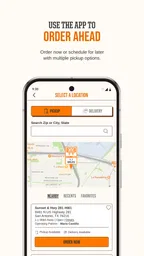
- The app can show nearby locations and their operating hours.
- Saved payment details make repeat orders more convenient.
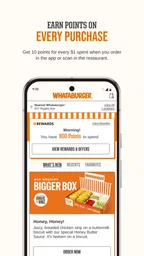
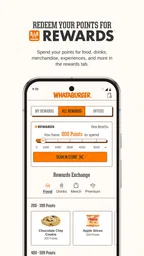
- Rewards give regular customers a reason to order through the app.
What could be better
- Some menu items may not be available at every location.
- Pickup and delivery options vary by restaurant.
- Customizing an order can make the checkout process slower.
- Promotions may have location-specific terms or exclusions.
- App features and availability may differ by region.





