
Update Software App: Updates review
 Analysis by Appsdrops
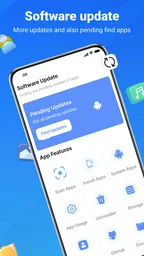
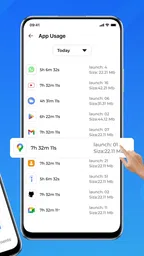
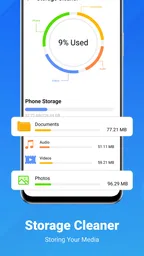
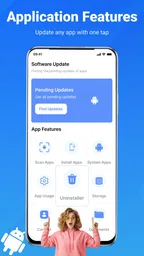
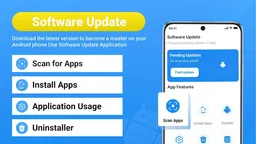
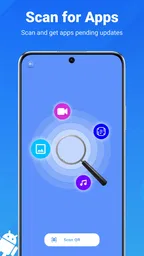
I judge an app like Update Software by a practical question: does it make the routine of keeping a phone current easier, or does it add another screen to manage? Phone Software Update Quick Checker is aimed at checking for updates to apps, a small but useful task when you would rather not open each app one by one. My impression is that its value depends less on flashy features than on whether its update-checking role fits comfortably into your daily habits.
Finding your way through an update check
The app sits in the Libraries & Demo category, and its purpose is straightforward: help you keep phone apps up to date. That narrow focus can be appealing if you have accumulated a lot of apps and tend to forget which ones need attention. Rather than treating updates as something to remember only when an app misbehaves, you can make checking part of a simple maintenance routine.
Its name, Update Software App: Updates, makes the purpose easy to recognize before opening it. Vidmark Inc. is the developer, and the app is free to install. I would still approach a dedicated checker with a little care: the useful outcome is knowing what needs attention, while the actual installation process should remain understandable and under your control.
For readability, I would look for clear labels and a screen that makes the next step obvious. Update tools are most helpful when they distinguish checking from installing, and when they make it easy to tell whether there is anything to do. If the interface feels crowded or relies on small, ambiguous controls, a task that should take a moment can become an unnecessary chore. The app’s focused purpose gives it a chance to be simpler than a general device-maintenance toolkit, but simplicity is only helpful when the information is presented plainly.
A useful way to try it is to open the checker when you have a few uninterrupted minutes, review what it reports, and then decide which items deserve attention. This avoids the common trap of tapping through a long queue without considering whether you are on a stable connection or whether you need the apps immediately. Checking first and updating selectively is a more comfortable workflow than treating every available update as urgent.
Reading results without turning maintenance into a chore
Update information is easier to act on when it answers a basic question at a glance: is there anything I need to do? If the app helps you identify pending updates quickly, it can serve as a convenient reminder rather than a destination you have to visit often. I would use it as a periodic check, not as a reason to interrupt whatever I am doing every time I pick up my phone.
There is also a trade-off between one central place to check and the familiar app-store route. The app store is the usual option for managing updates, and it may be preferable if you want to stay within the tool you already use for installing apps. A separate checker is more compelling for someone who values a dedicated prompt to review software, but it should not make the process feel more complicated than opening the standard update screen.
That distinction matters for people who share a phone or help a family member with basic maintenance. A clear check can make it easier to explain what is pending without immediately changing anything. I would review the results together, agree on what to update, and leave the person using the device in control of the final choice. This small habit helps turn a technical task into a manageable conversation rather than a surprise change to someone’s apps.
Motor and sensory comfort in everyday use
Update checking is generally a short task, but short does not always mean easy. Someone with limited dexterity may find repeated tapping tiring, especially if controls are close together or the app requires several steps to reach useful information. I would favor a calm session with the phone held securely and avoid rushing through choices. If navigation demands precise gestures or repeated actions, the built-in update route may be more comfortable for that particular user.
For people who are sensitive to busy screens, the best experience is one that keeps attention on the update decision instead of competing notices or decorative elements. I cannot assume that every person will find the presentation comfortable, so my advice is to try one check and see whether the text, contrast, and visual order work for you. If reading on a small screen is difficult, increasing the phone’s own text size may help where the app respects system settings; if it does not, that is a reason to use another route.
Sound and vibration are also worth considering in context. Update decisions do not usually need an audible prompt while you are in a quiet room, at work, or resting. I would keep the phone’s normal notification preferences in mind and choose a moment to check manually if alerts become distracting. The important point is not to assume the checker will suit every sensory preference, but to fit it into settings and routines that already feel manageable.
When and where a dedicated check helps
A realistic use case is preparing for a commute or a day away from home. Before leaving, I might check whether my everyday apps have updates, then postpone large downloads until I have dependable Wi-Fi or enough time. That simple order—check, prioritize, install later if needed—reduces the chance of starting an update when I need the phone for navigation, messages, or tickets.
Another useful moment is after setting up a phone that already contains many apps. Instead of relying on memory, a dedicated checker can give you a reason to review the software you actually use. I would begin with essential apps such as communication or travel tools, then leave rarely used apps for another time. This is not just about saving effort: it helps keep maintenance from taking over the first afternoon with a new device.
For someone with intermittent internet access, the best approach is to separate the act of checking from the act of downloading. A check can help you plan, but updates still need suitable connectivity and may take time. If you are on a limited data connection, wait until you are comfortable with the data use or switch to the usual update controls that let you manage downloads in a familiar way. The checker is not a substitute for deciding when your connection is appropriate.
Context also includes attention and energy. If you are tired, in a hurry, or helping someone who is already overwhelmed by phone settings, there is little benefit in pushing through a maintenance session. Make a note to return later, or use the simpler route the person already understands. A tool that supports access should reduce friction, not turn a minor update into a demand for immediate concentration.
Where the experience may still fall short
A dedicated update checker has a clear limitation: it is useful only if it makes the update process easier than the alternatives. The built-in app-store update screen is a strong comparison because it is already familiar to many users and is the natural place to manage installations. If you are comfortable checking there, or if you prefer to avoid an extra utility, you may not gain enough from adding another app to your phone.
There is also a distinction between seeing that an app needs an update and knowing whether the update is worth installing right now. A checker can support awareness, but the decision still belongs to you. Before making changes, I would consider whether the app is important, whether I have time to wait, and whether I want the latest version immediately. That extra judgment is especially useful on a shared device, where an update could change a familiar routine for another person.
Cost deserves a quick look as well. The app is free, with in-app purchases ranging from $2.99 to $48.99 per item. I would explore the basic checking experience before considering any purchase and make sure the value is clear for my own needs. Someone who only checks occasionally may be better served by the standard app-store tools, while a person who wants a regular dedicated workflow may be more willing to pay for additional options if they find those options useful.
There is no reason to treat a checker as a security guarantee or as proof that every app is current at all times. I see it as a maintenance aid: a prompt to review software, not a replacement for sensible device habits. Keep your phone’s normal update controls in mind, and do not grant more attention or spending than the task warrants. That grounded expectation makes it easier to judge whether this particular utility is earning its place.
Who is likely to find it worthwhile
The app may suit people who have a busy home screen, forget routine maintenance, or want a separate reminder to review app updates. Its general-audience rating is Everyone, and it has a 3.9 average from around 26,000 ratings, with roughly 79 written reviews. Those figures suggest that many people have tried it, but they do not tell me whether its interface will suit a particular person’s eyesight, dexterity, or preferred way of navigating.
It has passed one million installs, which makes it a recognizable option rather than an obscure tool. The current version is 2.8, it was released on November 10, 2022, and it requires Android 7.0 or later. Those details make it possible to judge basic compatibility, but the more important question is still whether a separate checker fits your routine better than the update tools you already have.
I would skip it if you rarely install apps, already have a smooth update habit, or find extra utilities confusing. I would also favor the familiar app-store route when a user depends on predictable navigation and does not want another interface to learn. On the other hand, if a recurring check helps you remember software maintenance and you find the app’s presentation easy to read and operate, it may be a convenient nudge.
A measured inclusive verdict
My recommendation is cautious but positive for people who genuinely want a dedicated way to review app updates. The clearest benefit is organizational: it gives update checking a defined place in your routine, which can help when memory, time, or a crowded app collection makes maintenance easy to overlook. The most useful habit is to check at a calm moment, prioritize apps you depend on, and postpone downloads when your connection or schedule is not suitable.
For inclusive use, I would judge it through a short, practical trial rather than assuming one layout works for everyone. Can you read the results comfortably? Are the controls manageable? Can you pause and return without losing track of what you meant to do? If the answers are yes, Update Software App: Updates can be a modest helper. If it adds extra steps, visual strain, or uncertainty, the phone’s usual app-store controls are a perfectly reasonable—and possibly better—choice.
What we like
- A simple interface makes update checks easy to start.
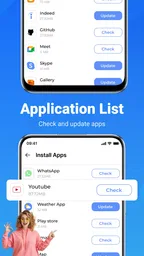
- A clear list helps you review available app updates.
- Manual checks give you control over when to look for updates.
- Update notifications can help you notice new versions sooner.
- The app can save time compared with checking apps one by one.
What could be better
- Updates still need to be downloaded through their official app stores.
- Some apps may not appear if they were installed from other sources.
- Update alerts may arrive later than store notifications.
- The app cannot guarantee that every listed update is compatible.
- Frequent checks or alerts may feel unnecessary for some users.





