


Subway® review
 Analysis by Appsdrops
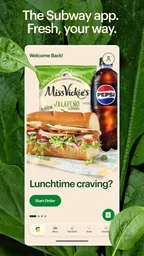
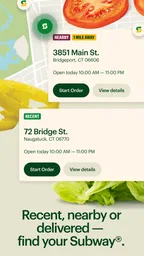
I find the Subway® app most useful when a meal involves a little planning rather than a last-second decision. It gives me a way to handle Subway ordering from my phone, which can make a familiar sandwich stop easier to fit into a busy day. In a household, the more interesting question is not simply whether one person can place an order, but how well the app fits a shared routine without blurring who is choosing and paying. My impression is that it works best as an individual ordering tool that family members can coordinate around, rather than as a shared household account or meal planner.
How it fits a shared meal
Picture a parent heading home while someone else is still at work and a teenager is ready to eat. Instead of trying to settle every detail in a phone call, each person can decide what they want and pass along the essentials before the order is placed. That kind of division can make a Subway run less chaotic, especially when people have different sandwich preferences. The app is useful here as a direct route to ordering from Subway, not as a substitute for agreeing on the meal.
I would keep the actual ordering step with the person who knows the pickup plan and is responsible for the account. That gives one person a chance to check the choices together, catch a missed item, and avoid duplicate orders. For a shared device, I would treat the app as something one household member uses at a time, rather than assuming it is designed to hold several people’s separate profiles or preferences.
That distinction matters in homes where one phone or tablet is shared. A family can still use the app for a common meal, but the account holder should remain clear about who is making the order. If everyone takes turns tapping through an order on the same signed-in device, it is easier to lose track of which choices belong to whom. A simple message or written list before opening the app can prevent that confusion.
Keep setup and account use deliberate
The app is free, and SUBWAY Restaurants is its developer. That makes it easy to consider as a companion to occasional Subway visits, but free installation does not mean the app should automatically become a shared family account. I would have the person who expects to use it most often handle setup and keep control of the account details. Other household members can communicate their food choices without needing access to that person’s login.
On a shared device, I would also make a habit of checking whose account is active before confirming an order. This is a practical boundary, not a claim about a special account feature: the person who owns the device or manages the account should be the one to review the final choices. If a child borrows a parent’s phone to look at meal options, the parent can stay present for the ordering and payment steps.
Before relying on the app during a rushed lunch break, I would install it and take a calm look around. That is a better time to understand the ordering flow than when a car is waiting or several people are asking for changes. The current version is 103.0.1, and it requires Android 10 or later. Those details are worth checking on the device that will actually be used, especially if an older family phone is the intended shared device.
One useful household habit is to decide in advance who will collect the order and who will make the final choice. Those can be the same person, but they do not have to be. The app can help the designated orderer act on everyone’s requests; it cannot resolve a disagreement about who is picking up food or whether the group has settled on the same meal. Treating those as separate decisions keeps the digital part straightforward.
Coordinate choices before the order is placed
For a group order, I would collect each person’s request in a compact format: name, sandwich choice, and any important customization. Then the person ordering can work through the requests one at a time and read them back before confirming. This is especially helpful when two people want similar sandwiches but different changes. It may feel slightly more structured than ordering at the counter, but it reduces the chance of mixing up a family member’s request.
A small but useful trade-off is that individual phone ordering can make each person feel in control of their own choice, while centralizing the final order makes pickup easier to manage. I prefer the second approach when one adult is responsible for the meal. If everyone is ordering separately, the group should first agree on how those orders will be collected and whether they are intended for the same visit. Otherwise, the convenience of separate decisions can turn into extra coordination rather than less.
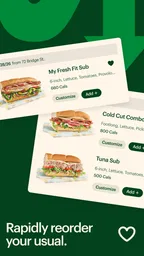
For recurring lunches, I would not assume that the app remembers a household’s routine in a way that eliminates checking. Preferences change, people switch meals, and a saved or repeated choice can be wrong for today even if it was right last time. My practical rule is to review every item as if it were new, particularly when ordering for someone else. That final pause is more dependable than relying on memory.
When timing is tight, I would also avoid leaving customization decisions to the last moment. Ask everyone what they want before starting, then keep the phone with the person placing the order. If someone changes their mind midway through, stop and clarify the whole request rather than trying to remember which part was updated. That approach is not a hidden app feature; it is a simple workflow that makes a phone-based order more reliable.
Age, supervision, and trust
The app has an Everyone content rating, which makes its age context broad and uncomplicated. Still, an age rating is not the same thing as a household rule about spending or account access. For younger children, I would let them help choose their food while an adult handles the account and confirms the order. Older children may be comfortable making their own choices, but the family should decide separately who is allowed to place an order using a parent’s device or account.
I would not use the app as a way to monitor what other household members are ordering. It is better approached as a convenience for someone who has permission to use the account and is responsible for the purchase. If a family wants different members to order independently, each person should understand which account and payment method they are using before they begin. Clear expectations matter more than assuming a restaurant app provides family-management controls.
For a shared phone, the most trustworthy routine is also the simplest: keep the device with the account holder, let others state their requests, and check the completed order together when appropriate. If children are involved, that creates an easy moment to confirm choices without turning lunch into a complicated lesson about technology. It also avoids handing over account access just to let someone decide between menu options.
Where it sits among food-ordering options
Compared with walking into a Subway restaurant and ordering at the counter, using the app is a better fit when you want to make choices on your own time or organize a meal before arriving. The counter remains the clearer option if someone in the group needs help deciding, wants to ask a question face to face, or prefers not to manage an order on a phone. I see the app as an additional route to a Subway meal, not a reason to stop using the in-person option.
Compared with general food-ordering services, this app is specifically tied to Subway. That focus can be an advantage for someone who already knows they want Subway, because the experience is centered on that restaurant rather than a broad search across different places. It is less suitable when the household has not settled on a restaurant or wants to compare lots of cuisines. In that situation, a broader ordering service or a quick conversation about alternatives may be a better first step.
Subway sits in the food and drink category, and the app has an average rating of 4.1 from around 517,000 ratings. It has been installed over 10 million times, so it is clearly a familiar option for many people. I take those figures as signs of reach and general reception, not proof that the app will suit every ordering habit. The important question is whether your household already chooses Subway often enough for a dedicated app to be worthwhile.
There is also a practical limit to what a restaurant-specific app can solve. It can support the ordering part of a meal, but it does not make the group agree on a restaurant, settle a budget, or assign pickup duties. If you only visit Subway occasionally, using the app may add one more setup and account to keep track of when ordering in person would be simpler. If Subway is already a regular stop, having its ordering option ready can make the routine feel more organized.
My household verdict
I would recommend the Subway app to households that already choose Subway and want one person to coordinate the order from a phone. It makes the most sense when requests are gathered first, the account holder stays in charge, and the group checks the final choices before confirming. Those small boundaries are especially valuable on a shared device, where convenience should not come at the cost of confusion over who ordered what.
I would skip it if your family rarely eats at Subway, prefers deciding face to face, or needs one app to compare a wide range of restaurants. It is also not the right answer for households expecting separate family profiles, parental controls, or a shared meal-planning system; I would not choose it on the assumption that it provides those things. For occasional visits, the ordinary in-person order may be less effort.
Overall, I see Subway® as a focused, free ordering app that can make a familiar meal easier to coordinate, provided the household keeps account use and responsibility clear. Its release date is July 31, 2014, and the current version is 103.0.1. Those details aside, my recommendation comes down to routine: if one person regularly orders Subway for several people, the app is worth trying; if the group is still deciding where to eat, start with that conversation instead.
What we like
- Easy-to-learn controls make short runs accessible to new players.
- Colorful environments give each run a lively look.
- Daily challenges add goals beyond chasing a high score.
- Character and hoverboard unlocks offer rewards for continued play.
- Runs are quick and easy to fit into a short break.
What could be better
- Frequent obstacles can make later runs feel unforgiving.
- Optional purchases may tempt players seeking faster unlocks.
- Some rewards depend on random prize boxes.
- Ads may interrupt play depending on the version.
- The core running format can feel repetitive over time.





