
Raising Cane's Chicken Fingers review
 Analysis by Appsdrops
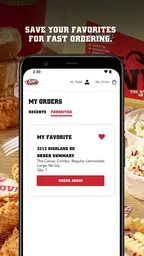
I see the Raising Cane’s app as a practical shortcut for people who already know they want Cane’s, rather than a tool for discovering a broad range of food. Its main appeal is placing and paying for an order ahead of time, which can make a familiar meal easier to fit around a busy day. The experience also depends on having a usable connection at the moments you need to browse and order, so it works best when you can take a moment to complete the process rather than treating it as a guaranteed backup at the counter.
Ordering works best when the connection is steady
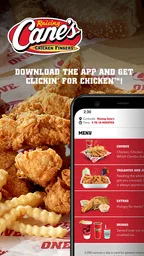
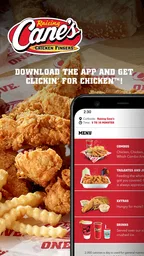
Raising Cane’s Chicken Fingers is a free Food & Drink app from Raising Cane’s Restaurants, L.L.C. It is built around ordering and paying ahead, not around a general restaurant directory or meal-planning tools. That focus makes the app easy to understand: if Cane’s is your destination, it gives you a way to handle the order on your phone before you arrive.
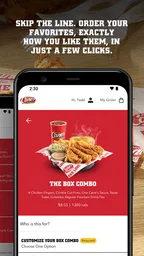
In practice, the useful time to open it is before you are in a rush. Browsing a menu, making choices, and finishing payment all involve interacting with the app, so a reliable connection matters while you work through those steps. I would place an order from home, the office, or another spot with steady service, then head to the restaurant with the order already arranged. That is a more sensible workflow than waiting until you are pulling into a busy parking lot and hoping your signal cooperates.
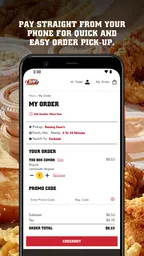
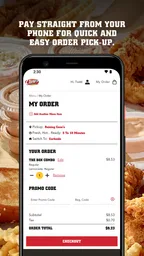
Order-ahead convenience is not the same as skipping every delay. You still need to choose what you want and complete the checkout process, and the app is only useful for that purpose if you can get through those steps. I would also avoid assuming that opening the app means an order has been placed; the practical checkpoint is reaching the completed order state before setting off. That small habit helps prevent a frustrating misunderstanding when you are trying to collect food on a tight schedule.
The app has an average rating of 4.8 from around 89,000 ratings, and it has been installed over a million times. Those figures suggest that many people find a dedicated Cane’s ordering option worthwhile, but they do not tell me whether the app suits every visit. If you go to Cane’s regularly and usually order something familiar, the focused design is a strength. If you are still deciding where to eat, a broader restaurant or delivery app may be more helpful because it lets you compare more places in one session.
When a phone is the useful tool
A realistic use case is a quick lunch break: I can decide what I want before leaving work, complete the order while I have a stable connection, and avoid doing the full ordering process after arriving. The same approach can help when a friend or family member is collecting food. I would agree on the order first, enter it carefully, and make sure the checkout is complete before handing the pickup task over. That is less error-prone than trying to relay choices while someone is already at the restaurant.
There is a trade-off, though. The app is most useful when the meal is already decided. If I am with a group that is still debating what to eat, using a dedicated restaurant app can add a step rather than save time. It also will not replace the usual in-person option for someone who prefers to ask questions or make decisions face to face. I would treat it as a convenient alternative for a planned Cane’s stop, not as the only way to order.
On a phone with patchy reception, timing matters. I would not begin an order while walking through an area where the connection keeps dropping, nor would I count on completing payment at the last moment. If the network falters before checkout, pause and try again once service is stable, checking the order status before repeating anything. That cautious approach is especially useful when you are unsure whether the first attempt finished; it is better to confirm than to create a duplicate by rushing through the same steps again.
Small-screen decisions and everyday trade-offs
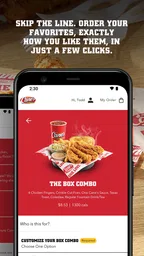
Mobile ordering is convenient, but a small screen makes careful review worthwhile. Before submitting, I would read through the selected items and quantities rather than tapping through checkout on autopilot. This is a useful habit for any restaurant order, and particularly so when you are placing food for more than one person. A quick final check can catch a mistaken selection while you still have a chance to correct it in the app.
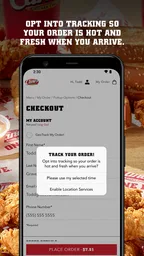
Another practical point is to keep the pickup plan clear. Placing an order ahead does not remove the need to go to the restaurant, and the app should not be treated as a delivery service unless that option is actually presented for the order you are making. I would use it for a planned visit and follow the instructions shown during checkout, rather than assuming that every location or situation works the same way. This distinction matters if you are choosing between ordering directly and using a third-party service that may have different arrangements.
For people who care about minimizing mobile data, I would do the menu browsing and checkout while connected to trusted Wi-Fi, when practical. The app’s core value is the completed order, not spending time repeatedly refreshing it on the way to the restaurant. Once I have finished ordering, I would keep the confirmation or order details accessible in the app and avoid unnecessary back-and-forth browsing. I cannot treat that as a promise of offline access; it is simply a low-friction way to use a network-dependent ordering tool without relying on a weak signal at the busiest moment.
The same advice applies when battery life is low. Finish the order before leaving, and do not wait until you are at the restaurant to start a process that needs your phone and a connection. If the phone is nearly out of charge, an in-person order may be the more dependable choice. That is a genuine limitation of putting the whole convenience step on a mobile device: the app can save time only while the phone is usable and the connection is working.
What to do when an order stalls
Connectivity problems can make any mobile checkout feel ambiguous. If a screen appears to hang or the connection drops, I would first give it a moment and look for a clear indication that the order was completed. I would not immediately start over without checking, because the first attempt may have gone through even if the app did not respond as quickly as expected. If no completed order is visible, reconnect and review the flow before submitting again.
This is not a dramatic failure-recovery system; it is a sensible way to avoid turning a temporary network issue into an incorrect or repeated order. If the app cannot complete the process, ordering directly at the restaurant remains the straightforward fallback. That makes the app helpful rather than essential. People who need every part of a meal plan to work regardless of connectivity should keep that alternative in mind, especially when travelling or ordering under a strict time limit.
For an everyday scenario, imagine leaving for a pickup during a busy afternoon. I would place the order somewhere with reliable service, wait until the app clearly confirms the purchase, and then travel. If the connection drops before that point, I would stop and verify the status instead of assuming the food is being prepared. This little sequence is more useful than trying to solve a network problem while driving or while standing in a crowded entrance.
Who benefits, and who may prefer another option
The app suits regular Cane’s customers who value a direct way to order ahead and are comfortable making their choices on a phone. It can be particularly handy for repeat visits, pickup routines, and occasions when you want to finish ordering before reaching the restaurant. It is also a reasonable fit for someone who prefers using a restaurant’s own app rather than searching through a large delivery marketplace.
I would skip it if you rarely eat at Cane’s, want to compare menus from several restaurants, or prefer a single service for ordering from different places. A general food-ordering app is more flexible in those cases, though it may involve a different ordering and pickup experience. Likewise, if you have unreliable mobile service and cannot complete the process in advance, ordering in person may be less stressful than depending on a successful app session.
The app is rated for Everyone, and its current version is 2.18.0, with Android support starting at version 5.1. It was released on October 26, 2020, and has accumulated around 5,300 reviews. Those details help set expectations about its availability and maturity, but the more important question is whether the narrow purpose matches your habits: it is for getting a Cane’s order arranged, not for replacing every other way of choosing or buying food.
A focused tool, with a connection-shaped caveat
My overall view is that Raising Cane’s Chicken Fingers earns its place on a phone when Cane’s is already part of your routine. The direct order-ahead approach is easy to understand, and planning the order before arrival can make a pickup feel more organized. Its clearest weakness is also straightforward: a mobile ordering flow is less convenient when your signal is unreliable, your battery is low, or you have not yet decided what to eat.
I would use it for a planned visit, complete the order where the connection is dependable, and verify that checkout finished before heading out. If I were choosing among several restaurants or needed a fallback that did not depend on my phone, I would use another option instead. For the right customer, it is a focused convenience; for everyone else, it is easy to leave aside until a Cane’s run makes that convenience worthwhile.
What we like
- The menu is focused and easy to browse.
- Combo meals include chicken fingers and familiar sides.
- The Caniac Club offers rewards for repeat visits.
- Online ordering can make pickup more convenient.
- The restaurant locator helps find nearby locations.
What could be better
- Menu choices are limited compared with broader fast-food chains.
- Rewards and offers may vary by location.
- Online ordering availability depends on the restaurant.
- Prices can be high for larger combo meals.
- Nutrition information may be important for calorie-conscious diners.





