
Pydroid repository plugin review
 Analysis by Appsdrops
The first time I looked at the Pydroid repository plugin, its purpose seemed almost too narrow to deserve a place on my phone. It is not a Python editor or a general-purpose app library; it supports Pydroid by providing a source for Quick Install packages. That distinction matters. If you already use Pydroid and want a more direct route to adding compatible components, the plugin may fit neatly into your routine. If you do not use Pydroid, there is little reason to install it on its own.
Useful at the moment you need a package
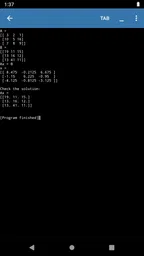
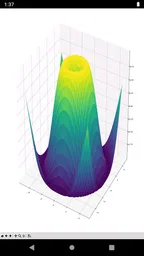
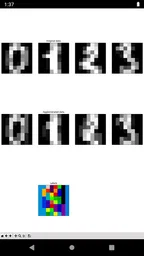
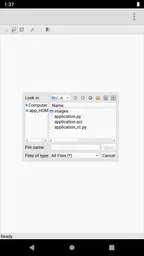
In practice, the plugin’s appeal is tied to a task rather than to time spent inside it. When I am working in Pydroid and discover that a project needs an additional package, a repository provider can make that next step feel more connected to the development workflow than searching for an unrelated download elsewhere. The value is not a new coding environment; it is a supporting role in getting suitable packages into the one you already use.
That makes it most useful to learners experimenting with Python on Android, hobbyists maintaining small scripts, and people who want to try a package without moving immediately to a desktop setup. A realistic use is opening a small coding project during a commute, finding that it depends on an extra component, and using Pydroid’s quick-install path rather than abandoning the session to research installation options on another device.
The key practical point is that this plugin is a companion to Pydroid, not a standalone package manager for every Android app. I would install it because I expect to use Pydroid’s package workflow, not because I want another general utility sitting unused. That narrow scope is also a strength: it keeps the decision simple for someone who already knows what Pydroid is for.
Why it can feel worthwhile in the first week
During the first few sessions, the benefit is easy to understand. Instead of treating package installation as a separate research problem, I can keep my attention on the Python task that prompted it. For a beginner, fewer disconnected steps can make experimentation feel less intimidating. For someone with some experience, it can reduce the temptation to copy commands or files from sources that may not match the Android environment.
There is an important qualification: “quick” does not mean every package or project will become effortless. A package can have requirements that depend on the device or on other software, and a repository provider cannot make every possible Python setup identical. I would still read package information and test changes in a small script before relying on them in something important. The plugin helps with a particular part of installation; it should not be mistaken for a guarantee that every project will run.
A useful habit is to add only what a project actually needs. If I am testing a library for a one-off exercise, I would try it in a small example first and keep a note of what I added. That makes it easier to understand later why a project worked on one device but not another. It also prevents package installation from becoming a vague sequence of taps that is hard to reproduce.
Month-to-month value depends on your coding routine
The longer-term question is whether the plugin earns space after the novelty of installing packages fades. For regular Pydroid users who frequently explore libraries or maintain several small projects, the answer can be yes: package access is a recurring need, and a tool that supports that step can remain useful even when it is not opened directly every day. Its value is closer to a dependable part of a workflow than an app that offers fresh content on each visit.
For occasional users, the calculation is different. If you write a short script once in a while and rarely add dependencies, you may not notice the plugin after setup. That does not make it pointless; it means its usefulness is conditional. I would keep it installed while I am actively using Pydroid’s quick-install process, then reassess if my projects no longer call for it. There is no benefit in treating every companion tool as a permanent essential.
Compared with searching the web for installation instructions or switching to a desktop whenever a dependency appears, a Pydroid-focused repository route is more convenient when it fits the package and the Android workflow. A desktop Python setup remains the better choice for heavier development, projects with complex environment needs, or work where reproducibility across machines is central. The plugin makes mobile experimentation easier; it does not remove the reasons people use a full development environment.
One small but useful workflow tip is to separate “the package installed” from “the project works.” After using a quick-install route, I would run a minimal import or a tiny example before changing a larger script. If that check fails, I can investigate the package or the project in isolation instead of debugging several new changes at once. That is a simple way to avoid confusing an installation issue with a coding mistake.
Maintenance is light, but the host app matters
The plugin is developed by Lider Soft KZ and belongs to the Libraries & Demo area of the app catalog. It is free, rated for Everyone, and its current version is 4.1. The release date is March 30, 2019. Those details help set expectations: this is a focused support app, so I would judge it by whether it continues to serve the Pydroid workflow I use rather than by how many screens or standalone tools it contains.
Its maintenance burden is likely to feel modest for someone who already keeps Pydroid in their routine. The main thing to maintain is the relationship between the plugin, the host app, and the packages a project needs. If a package stops behaving as expected, I would first check the project’s assumptions and the Pydroid setup rather than assume the repository plugin alone is responsible. That distinction saves time and encourages more careful troubleshooting.
It is also sensible to avoid installing dependencies just because they are available. On a phone, keeping a project small makes it easier to understand and revisit, especially when the original experiment was only meant to answer a quick question. I would record the package names used for a project and test updates against a simple example before depending on them for a script I need to run reliably.
Where fatigue can set in
The most likely source of fatigue is expectation mismatch. Someone who sees “Pydroid” and expects a complete coding app may be disappointed, because the plugin’s job is narrower. Someone expecting every Python package to install and run with no troubleshooting may also find the experience less smooth than the word “quick” suggests. The useful mental model is a helper for package access within Pydroid, not a replacement for learning how Python environments work.
There is also a limit to how much value a narrowly focused companion can provide when your habits change. If you move your coding to a laptop, use another Android development setup, or stop working with packages, this plugin may become dormant. That is a good reason to make installation purposeful rather than collecting tools in anticipation of a future need.
The app has an average rating of 4.2 from around 5.6 thousand ratings, with about 161 written reviews, and it has passed over one million installs. I read that level of adoption as evidence that many Pydroid users find the role understandable and useful, not as proof that it suits every coding style. Its Everyone age rating also makes it broadly accessible, but suitability still depends more on whether you use Pydroid than on age alone.
Who should choose it, and who can skip it
I would recommend trying the plugin if you already use Pydroid, expect to install Python packages, and want that step to sit closer to your mobile coding workflow. It is especially relevant for learners who are building confidence through small experiments and for hobbyists who like testing ideas away from a computer. The best fit is someone who understands that a helper can reduce friction without removing the need to check compatibility and test code.
I would skip it if you do not use Pydroid, rarely work with dependencies, or need a full desktop-style development environment. If your work depends on complicated project setup or consistent behavior across several machines, a conventional desktop Python workflow is likely to serve you better. And if a project only needs a short, self-contained script, adding another tool may not improve anything.
My long-term verdict
For me, the plugin earns lasting space only when Pydroid remains part of the routine. It is not compelling as an app to browse for its own sake, but that is not the right test. Its recurring value appears when I return to a Python project, need a package, and can continue without turning installation into a separate detour. That is a modest benefit, yet a genuinely practical one for the right user.
I would keep it as a quiet Pydroid companion, not mistake it for the center of a mobile coding setup. The first week can make package access feel convenient; the months after that determine whether you still build or maintain projects that need it. If you do, its narrow purpose may be exactly why it stays useful. If not, uninstalling it is a sensible choice rather than a missed opportunity.
What we like
- Adds access to extra Python packages through a dedicated repository.
- Works alongside Pydroid without replacing its core editor.
- Can make less common libraries easier to install.
- Useful for expanding projects beyond the default package selection.
- Helps users find packages suited to mobile Python development.
What could be better
- Requires the Pydroid app to use the repository plugin.
- Some packages may not work on Android.
- Package availability can vary by device and Python version.
- Installing extra libraries may require an internet connection.
- The plugin offers limited value if you only use built-in packages.





