

Ps Controller for PS4 PS5 review
 Analysis by Appsdrops
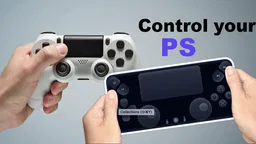
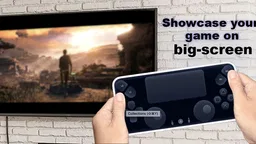
I judge a remote-control app less by how many options it promises than by whether it makes an ordinary task easier without creating new obstacles. Ps Controller for PS4 PS5 is aimed at people who want a phone-based way to control a PlayStation, and its central appeal is straightforward: fewer steps between picking up a device and interacting with the console. That focus can be useful for players who find a traditional controller awkward in some situations, but it also means the app should not be mistaken for a complete replacement for every controller or every accessibility setup.
Clarity, navigation, and getting oriented
The app is listed in the Libraries & Demo category, where it sits among tools intended to demonstrate or support device-related tasks rather than deliver a game of its own. DTFHM is the developer. It is free, has an Everyone age rating, and runs on Android 7.0 or later. Those details make it easy to consider as a low-cost experiment, though the phone and console still need to suit the way you plan to use it.
The name tells me what to expect at a high level, but a useful first step is to decide exactly what “remote control” means in your own routine. Do you want to navigate when the usual controller is across the room, or are you hoping to play a fast, demanding game entirely from a phone? Those are very different jobs. I would begin with a simple console interaction and only then decide whether the app feels dependable enough for longer play.
For readability, the most important test is whether the controls are easy to identify and reach on your particular phone. A screen that feels spacious to one person may feel cramped to another, especially with larger text settings or a smaller display. Before relying on it, I would hold the phone in the position you expect to use, check whether the control areas are comfortable to locate, and see whether any labels remain legible without squinting. That quick check is more useful than assuming a touch interface will suit everyone.
The app has an average rating of 4.5 from around 1,500 ratings, with 77 written reviews. It has passed 100,000 installs, which suggests that many people have tried it, but popularity alone cannot tell you whether its interaction style will work for your hands, vision, or console setup. I treat those figures as a reason to give it a fair look, not as proof that it will be effortless for every user.
Make the first session a practical test
I recommend trying it while you are near the console and have your usual controller available. That gives you an immediate fallback if the phone controls are inconvenient, and it lets you compare the two methods without turning a small setup question into a frustrating session. Start with a low-pressure task, such as moving through a menu, rather than testing it during a match or a time-sensitive game.
A small but useful habit is to note which actions you reach for most often before switching devices. If your main need is occasional menu navigation, a touch-based controller may be a sensible convenience. If you repeatedly need precise, quick inputs, the familiar physical shape and tactile feedback of a dedicated controller may remain the better fit. The distinction is about the task, not about one option being universally superior.
Touch control and different abilities
Using a phone can change the physical demands of playing. Someone who has difficulty gripping a conventional controller may prefer holding a flat device or placing it on a surface. On the other hand, touch controls ask the user to make contact with a screen and find controls without the raised edges or physical separation that a controller provides. For some hands, that can reduce strain; for others, it can make accurate input harder.
This trade-off matters for people with limited dexterity, tremor, fatigue, or a preference for using one hand. A phone can be easier to position than a controller, but it does not automatically make every action easier. If you need to keep one hand free, consider whether you can comfortably stabilize the phone and reach the controls you need. If tapping the display repeatedly is uncomfortable, a physical controller or another input arrangement may be a better choice.
Sensory needs also vary. A touchscreen offers a visual surface, but it does not provide the same tactile landmarks as separate buttons. If you rely on touch to find controls without looking down, that difference may be a substantial barrier. Conversely, someone who prefers a simpler, quieter way to interact may appreciate having a phone option for basic console use. I would test it in the lighting and seating conditions you actually use, because glare, viewing distance, and the angle of the screen can all affect comfort.
One practical approach is to use the phone for the parts of a session that suit it and keep a standard controller nearby for the rest. For example, you might use the app to navigate when settling in, then switch to a physical controller for a game that demands accurate timing. That mixed workflow is often more realistic than expecting one input method to cover every need.
Everyday access beyond the usual setup
Picture a common evening: you are seated comfortably, the console is already on, and the controller is out of reach or inconvenient to pick up. A phone-based option can spare you from interrupting that moment just to handle a simple interaction. It may also help when you want to make a quick adjustment without passing a controller around. Those are modest uses, but modest uses are often where a remote-control app earns its place.
It can also be worth testing in a shared room. If another person is using the usual controller, a phone may offer an alternative way to handle a limited console task without needing to take that controller away. I would not assume that this makes the app suitable for every kind of shared play; it is best treated as a convenient extra input method whose value depends on what you need to do.
For people with changing energy or comfort levels, having an alternative can be useful even if it is not the preferred method all the time. A phone is already a device many users keep nearby, so it may be easier to pick up than a controller in some circumstances. Still, this advantage depends on being able to operate the phone and on the app behaving well with the intended console. Try it during a calm moment rather than discovering its limits when you need a quick response.
Compared with the usual alternatives, the main trade is clear. A physical PlayStation controller offers dedicated controls that can be located by touch and is generally the natural choice for play requiring precision. A phone-based controller can be more convenient for occasional access and may suit someone who finds a conventional controller uncomfortable to hold. Neither is a universal accessibility solution, and keeping both available gives you more flexibility than insisting on a single method.
Where the experience can still fall short
The biggest limitation is inherent to the format: a touchscreen has no physical button boundaries. If your fingers need tactile confirmation, if you have trouble keeping a phone steady, or if precise movement is central to the task, the convenience may not compensate for the extra effort. I would skip it as a primary input choice if your preferred games depend on fast, exact control and you already have a comfortable physical setup.
There is also a difference between controlling a console and replacing every part of a gaming setup. A phone app cannot change a game’s own accessibility options, and it should not be expected to solve challenges caused by small text, rapid visual effects, or complex gameplay. If your main barrier is inside a particular game, check that game’s settings and consider platform-level accessibility tools or a suitable physical input device instead.
Before depending on the app, make sure the phone can stay in a comfortable, stable position. A stand or a nearby surface may help some people avoid holding the device continuously, but the right arrangement depends on the room and the user. Also consider whether you can reach the screen without stretching or changing posture. If using it makes your shoulders, wrists, or eyes uncomfortable, the setup is not working, even if the app connects successfully.
Its current version is 31.0, and the product was released on June 8, 2023. I would still judge it by a hands-on trial rather than version history: the practical question is whether its controls are clear and comfortable on your device, and whether it performs the task you actually need. The app is a focused tool, not a guarantee that every console interaction will be easier.
Who I would recommend it to
I would suggest giving Ps Controller for PS4 PS5 a try if you want a free, phone-based alternative for occasional control and are comfortable operating a touchscreen. It may be especially useful when convenience matters more than tactile feedback, or when a physical controller is not the easiest device to pick up in that moment. Its Everyone rating makes it broadly suitable by age, but that does not mean its controls fit every person’s abilities.
I would be more cautious if you depend on physical buttons, need highly precise input, or have difficulty viewing and tapping a phone display. In those cases, a dedicated controller or a more specialized input setup may be more reliable. If you are unsure, compare the app and your usual controller on the same simple task, take breaks, and notice which method asks less of your hands and attention.
My verdict is that this is best approached as an extra route into console control, not a universal substitute. Its strongest case is practical flexibility: a phone may be easier to reach or position in some everyday situations. Its main trade-off is equally important: touchscreen operation can remove the tactile cues that make a conventional controller comfortable and predictable. If that balance matches your needs, the free app is a reasonable experiment; if it does not, choosing a different input method is a sensible outcome, not a failure.
What we like
- Offers a convenient way to control a console from a phone.
- Can be useful when a physical controller is out of reach.
- A mobile interface may be easier for occasional basic controls.
- Useful as a backup option for simple console interactions.
- May save time when navigating without picking up a controller.
What could be better
- Touch controls may feel less precise than a physical gamepad.
- Some features may require a compatible console connection.
- Input lag can make fast-paced games difficult to play.
- Phone battery use may increase during extended sessions.
- Setup and connection reliability can vary by device and network.





