
PlugShare - EV & Tesla Map review
 Analysis by Appsdrops
When I’m planning an electric-car trip, the difficult part is often not finding a charger somewhere on the map; it’s deciding whether a particular stop is a sensible bet for my route. PlugShare is built around that problem. It is a Maps & Navigation app from PlugShare LLC that helps drivers locate EV charging stations, including Tesla charging locations, and check what other drivers have reported. I find it most useful as a planning companion: it can help me compare possible stops before I rely on one.
The app is free to download, with in-app purchases ranging from $1.49 to $14.99 per item. It has an average rating of 4.6 from around 55,000 ratings, and more than one million installs. It is rated Everyone and has been available since July 26, 2011. Those figures suggest a long-established tool with a sizable user base, but the practical question is whether its map and community information fit the way you travel. For drivers who want charging locations and a way to assess them, it is a strong candidate; it is not a guarantee that a charger will be available or working when you arrive.
Start with the map, then check the stop
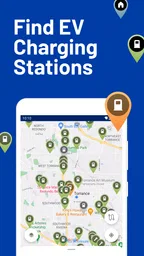
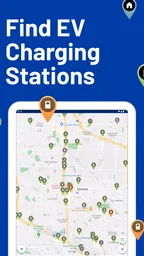
The simplest useful routine is to search around your destination or along the route you intend to take, then inspect individual stations before committing to one. A pin answers “where?”; it does not, by itself, answer whether the location suits your vehicle, your timing, or your reason for stopping. I would treat the map as a shortlist generator, not as a final travel plan.
That distinction matters most on longer drives. A charger near a motorway exit might look convenient, but a detour, an awkward site entrance, or a location that does not fit your charging needs can make it a poor choice. Before setting off, I’d compare more than one plausible stop and note a backup in the same general area. The extra minute spent checking alternatives is more valuable than assuming the first visible pin is the only option.
PlugShare’s community angle gives the map a different role from a basic navigation app. A conventional maps app may be more familiar for turn-by-turn directions and general travel planning. PlugShare is more focused on the charging question: which places might work, and what have other drivers observed there? I’d use it to make the charging decision, then use whichever navigation tool I already trust to handle the drive if that better suits my habits.
For a realistic everyday example, imagine leaving work with enough charge for the trip home but wanting to run an errand first. I’d look for charging options near the errand rather than choose a stop based only on distance. I’d check the location details and recent community activity, then keep a second option in mind in case the first one is busy or unavailable. That small routine makes the app useful even when the trip is familiar, because the value is in reducing uncertainty before I arrive.
Check the details that change a good pin into a good stop
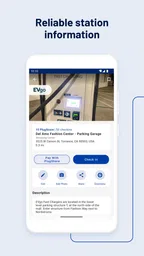
When I inspect a station, I’d pay attention to whether its connector and charging arrangement match my car and whether the site makes sense for the time I expect to be there. A station can be close but still inconvenient if it requires a detour or is in a place where I cannot comfortably wait. The most useful question is not simply “Is there a charger?” but “Would I choose this stop if I had to make the decision right now?”
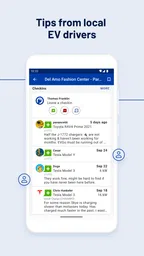
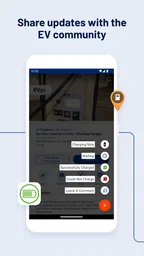
Community reports are especially helpful when they describe a specific practical issue, such as a station being hard to find or access. I would read them as observations rather than promises: conditions can change after a post, and another driver’s experience may not match mine. If a report is old or vague, I would put less weight on it and keep a backup nearby. This is one of the app’s strengths and its central limitation at the same time: shared experience adds context, but it cannot provide certainty about the moment you arrive.
For Tesla drivers, the app’s coverage of Tesla charging locations makes it relevant alongside broader EV charging searches. Still, I would check that a particular location is appropriate for my vehicle and trip rather than assume every mapped option works in every situation. Drivers whose charging decisions depend on exact access rules, vehicle compatibility, or live operational status should verify those details through the appropriate source before relying on a stop.
Settings and habits worth checking before a trip
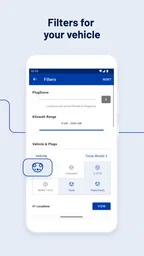
I’d begin by making sure the map is being used with the right expectations: search for locations that suit the vehicle and journey, and avoid treating a broad result set as a ready-made route. If the app offers filters or search controls in the version you are using, they are worth checking before a long drive because narrowing the map to relevant options can save time. I would not assume a filter removes the need to inspect each promising location; it only helps make the first pass more manageable.
A repeatable pre-drive habit is more dependable than trying to solve everything while on the road. Before leaving, I’d identify a primary stop and at least one alternative, then check the supporting details for both. I’d also consider whether the backup is genuinely useful: a second pin that requires an unrealistic detour is not much of a backup. For regular routes, noting which areas tend to have useful choices can make later planning quicker, without turning one good experience into a guarantee about future availability.
It is also worth thinking about how you use reports. A recent, specific comment is usually more informative than a general positive impression, while a single complaint may reflect a one-off problem. I look for a pattern rather than making a decision from one comment alone. That approach is particularly useful when a stop is important to the rest of the trip and there is little room to improvise.
Faster planning without trusting the map blindly
Once you have a routine, the app can become a quick comparison tool rather than something you explore from scratch each time. I’d search around likely stopping points, compare nearby candidates, and select the one that best balances route convenience with confidence in the location. Saving time does not mean skipping the check; it means knowing which details deserve attention and ignoring pins that clearly do not fit the journey.
A useful shortcut is to plan around natural breaks instead of choosing a charger solely because it is the closest one. If you already expect to stop for food, shopping, or a rest, a charging location near that activity may make the wait feel less like lost time. That is a planning insight rather than a special app feature: PlugShare helps surface the charging possibilities, while you decide which one fits the day. It is particularly helpful for drivers who prefer to combine charging with something they would do anyway.
For a daily commute, I would not repeatedly inspect every station if the route is stable and I already know my usual choices. I’d keep the app for the occasions when plans change, a familiar option is unsuitable, or I need to compare alternatives. On a new route, by contrast, I would give the map and reports more attention before departure. Using it differently for routine and unfamiliar journeys keeps the app from becoming busywork while still leaving room to adapt.
One trade-off is that more map results can create more decisions. A large collection of pins is useful only if you can narrow the choice to locations that fit your actual needs. If I feel overwhelmed, I’d set a practical boundary: focus on a manageable stretch of the route, identify a main choice and a backup, and stop browsing once both look reasonable. The point is to leave with a plan, not to inspect every possible charger.
Where PlugShare helps—and where another tool may be better
PlugShare is best when the question is about charging locations and the experiences attached to them. It is less suited to replacing a dedicated navigation app if your priority is simply the smoothest driving directions. Nor would I rely on a community map alone for a critical stop where up-to-the-minute operating status is essential. In that situation, checking a provider’s own current information or using another trusted source is a sensible extra step.
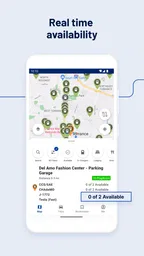
It also cannot make a charger available just because it appears on the map. A station may be occupied, inaccessible, or otherwise unsuitable at the time you reach it. That is why I recommend treating reports as useful context and planning a fallback, especially on journeys where running short on options would be stressful. The app can help you make a better-informed choice; the final margin of safety still comes from your route planning and judgment.
Drivers who rarely travel beyond familiar areas and already know where they charge may not need to consult it every day. Likewise, someone looking only for turn-by-turn directions may be happier staying in a general navigation app. But if you regularly drive an EV in unfamiliar places, compare charging stops, or want other drivers’ observations before committing, the focused map can fill a real gap between a general map and a charging decision.
Purchases are available within the app, but the core reason to consider it is the charging map and its planning context. I would start with the free app and decide whether any paid option is relevant to my own routine rather than treating an in-app purchase as a requirement. That keeps the decision simple: first see whether the map and reports improve the way you choose stops.
A practical verdict for drivers who want fewer surprises
My recommendation is to use PlugShare as a charger-finding and cross-checking tool, not as an unquestioned authority. Its most valuable habit is simple: shortlist a stop, read the available context, and keep a realistic alternative. That workflow is useful for road trips, unfamiliar towns, and even an ordinary errand when you want to combine charging with another stop.
The app’s community information makes it more informative than a map that only shows locations, but it also means that judgment matters. Reports can become outdated, and a pin cannot promise that the charger will suit your car or be free when you arrive. If you are comfortable checking details and allowing for a backup, those limitations are manageable. If you need guaranteed live availability or primarily want navigation, another source should take the lead.
Overall, I’d recommend it to EV drivers who want to plan charging choices with more context than a generic map provides. I would skip relying on it as my sole source for a time-critical charging decision, but I would keep it handy for comparing options and learning from other drivers’ experiences. Used with a steady routine rather than as a substitute for judgment, it is a practical companion for making electric-car trips feel more considered and less improvised.
What we like
- Filters help locate chargers by connector type and charging speed.
- Photos and check-ins offer useful context before a charging stop.
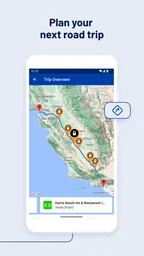
- Trip planning can highlight charging options along a route.
- Saved locations make frequently used chargers easier to revisit.
- The map covers charging networks in many countries.
What could be better
- Some charger details may be outdated or inaccurate.
- Crowdsourced information can vary in quality by location.
- Certain features may require an account.
- The map can feel cluttered in areas with many chargers.
- Finding a compatible station may take extra filtering.





