

Organic Maps・Offline Map & GPS review
 Analysis by Appsdrops
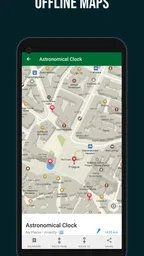
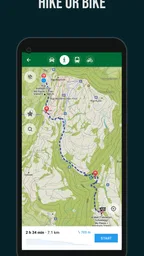
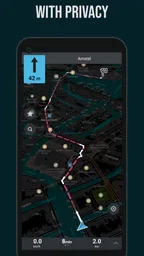
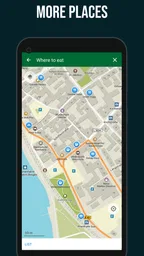
Organic Maps is the kind of navigation app I’d want ready before heading somewhere with patchy reception. It’s a free Maps & Navigation app from Organic Maps, built around offline maps and GPS guidance for trips on foot, by bicycle, and farther afield. The appeal is practical: download the area you need while you have a connection, then use the map when mobile data is unreliable or unavailable.
Free access makes it easy to try
There’s no purchase price to weigh up: Organic Maps is free to use. That makes trying it for a particular walk, ride, or trip a low-commitment decision. Its current Android version is 2026.11.14-2-Google, and it requires Android 5.0 or later. The age rating is Everyone, so it is presented for a broad audience.
Free access is a clear advantage, but I wouldn’t treat it as a promise that the app will suit every navigation need. The useful question is whether its offline-first approach matches how you travel. If you mostly follow familiar routes in a city and want a service that revolves around live traffic and changing road conditions, an online-focused maps app may be a better fit.
What the free app is good at
The main value is having a map available beyond the reach of a dependable data connection. That matters on rural roads, trails, cycle routes, and overseas trips where you may not want to rely on roaming or public Wi-Fi. Offline access can also be a sensible backup in ordinary life: a train ride through a dead zone or a walk that takes you away from busy streets.
Organic Maps has a 4.1 average from around 24,000 ratings, with roughly 668 written reviews. It has been installed over 5 million times. Those figures suggest that it has found a sizeable audience, but they don’t tell me whether it will have the places or route details you personally need. I’d test the map for your destination before relying on it for an important journey.
Plan before you lose reception
Offline navigation works best when preparation is part of the routine. Before leaving, I’d open the app on a reliable connection, make sure the relevant map area is available, and look over the route rather than assuming the phone will sort everything out at the trailhead. This is especially worthwhile if your plan crosses a regional boundary or includes several stops; checking the whole area early helps avoid discovering a missing map at the least convenient moment.
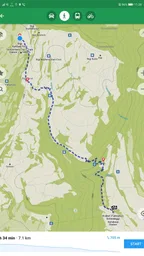
A useful habit is to keep the trip plan simple enough to recover if circumstances change. For a day hike, I’d inspect the route and nearby paths before starting, then keep the phone accessible rather than buried in a bag. The map can help orient you, but it doesn’t replace sensible preparation: tell someone where you’re going when appropriate, carry what the outing requires, and don’t assume a GPS position is a substitute for judgment.
Why offline maps change the travel routine
With a conventional online maps app, planning and navigation often happen together while the phone is connected. Organic Maps encourages a different workflow: prepare the map ahead of time, then use it on the move. I find that distinction valuable for travelers who want to avoid repeatedly checking whether a connection is available just to see where they are.
For example, imagine arriving in a new town after a long journey and walking from a station to a rental or meeting point. A connection may be slow, expensive, or simply inconsistent. Having the local map ready lets you focus on streets and landmarks instead of finding Wi-Fi first. It won’t remove every uncertainty—an offline map still depends on the map information and route being suitable—but it can make that first stretch less stressful.
Where it differs from everyday map services
The closest comparison is with familiar general-purpose map apps. Those are often the more convenient choice when you want current traffic, a quick search for nearby businesses, or directions that adjust to changing conditions. Organic Maps is more compelling when the priority is a map you can consult without an active data connection, particularly for walking, cycling, and travel beyond the usual urban routine.
I wouldn’t automatically replace a regular maps app with it. A city driver who depends on live road conditions may get more value from a service designed around connected, up-to-date guidance. On the other hand, keeping an offline map alongside a usual navigation app can be a sensible division of labor: use the connected app for traffic-heavy driving, and prepare Organic Maps for the parts of a trip where signal is uncertain.
Tradeoffs to consider before relying on it
The biggest tradeoff is preparation. You need to think about the destination before setting off, rather than expecting an offline map to appear at the moment you need it. If you regularly change plans at short notice or choose destinations based on live search results, that extra step may feel inconvenient. I’d also avoid treating a downloaded map as a guarantee that every local detail will be present or current.
Offline navigation is not the same as real-time awareness. If a road is closed, a route has changed, or conditions on a trail are different from what you expected, a map alone may not tell the whole story. For a long drive, urgent journey, or unfamiliar outdoor route, I’d cross-check important details and keep a backup plan. That’s not a flaw unique to this app; it’s a limitation of relying on stored map information when conditions can change.
There is also a practical phone-use tradeoff. Navigation requires the device to be available and powered, so a long outing calls for battery planning. I’d start with a charged phone and consider carrying a power bank for extended days away from a charger. That small bit of preparation is easy to overlook when the map itself is free.
Who is likely to get the most value
I’d recommend giving Organic Maps a try if you hike, cycle, travel through areas with weak reception, or want a dependable map to consult without mobile data. It makes particular sense for someone who is happy to prepare before leaving and who values seeing their position on a map more than receiving live traffic updates.
It may be less suitable as your only navigation tool if your routine depends on real-time road information, constant changes to a route, or searching for businesses as you go. It may also not be the right choice if you don’t want to manage maps ahead of time. In those cases, a connected alternative can make spontaneous travel easier, while Organic Maps can still serve as a backup for offline stretches.
A sensible way to try it
For a first test, choose a familiar walking or cycling trip rather than making your first use a high-stakes journey. Prepare the relevant map while connected, then check that you can find your starting point and follow the route. This lets you learn the app’s feel without depending on it in an unfamiliar place. Once you’re comfortable, try it on a trip where reception is known to be unreliable.
That trial also helps answer a question no general recommendation can settle: whether the map detail works for your own destinations. If the paths and streets you care about are represented well, the offline approach can be useful far beyond a one-off holiday. If your preferred routes or points of interest are missing, a free app still costs time to work around, and another service may suit you better.
My verdict on its value
Organic Maps earns its place through a focused benefit rather than a long list of promises: it gives travelers a way to prepare maps for offline use and navigate with GPS on foot, by bike, and during trips. Its free price makes it easy to test, and the offline-first workflow is genuinely helpful when connection is the problem you’re trying to solve.
My recommendation is to keep it in mind as a prepared offline companion, not assume it replaces every map app. If your journeys include trails, cycling, or weak-signal areas, I think it offers worthwhile value without a purchase decision. If you mainly need live traffic, instant local searches, and flexible online routing, your usual connected maps service is probably the better everyday choice. Organic Maps has been available since June 14, 2021, and its current version gives Android users on version 5.0 or later a free way to see whether this more deliberate style of navigation fits their travels.
Final perspective
What I like most is the change in mindset it encourages: prepare before you leave, then navigate without making connectivity the center of the trip. That suits independent travelers and outdoor users who prefer to have a map ready rather than hope a signal appears. The tradeoff is equally clear—offline preparation cannot provide the same kind of live information as a connected service, and map coverage should be checked for the places that matter to you.
If that balance sounds right, I’d install Organic Maps, try it on a low-pressure route, and decide from that experience whether it deserves a permanent place on your phone. It is a practical free option for a specific need, not a universal answer to navigation.
What we like
- Maps and navigation work without a mobile data connection.
- The app is free to use and does not show ads.
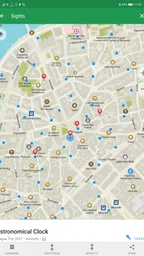
- OpenStreetMap data supports detailed routes and place searches.
- Downloaded maps help reduce mobile data use while traveling.
- Offline search makes it useful in areas with weak reception.
What could be better
- Map downloads can take up substantial storage space.
- Map details may be outdated between updates.
- Live traffic information is not available offline.
- Some addresses and businesses may be missing from the maps.
- Turn-by-turn guidance may be less polished than commercial alternatives.





