NBA Collect by Topps® review
 Analysis by Appsdrops
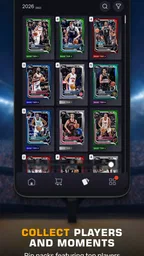
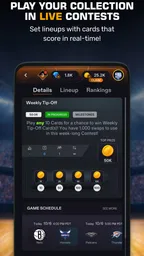
I think NBA Collect by Topps® makes the most sense when you treat it as a personal collecting hobby that can fit into a household routine, rather than as a basketball game everyone can jump into together. It gives NBA fans a digital place to collect and trade cards, with play built into the experience. That combination is appealing if you enjoy the collecting side of sports, but it also means the app is best approached with clear expectations: it is not a substitute for watching a game, playing basketball, or sharing one collection without thought about who is using it.
How it fits into a shared household
A realistic use case is a parent checking in on the app during a quiet moment while a young basketball fan looks over the collection nearby. The cards give you something concrete to talk about—players, teams, and which designs are worth keeping—without requiring everyone to follow a live match at the same time. I can see it working as a small, occasional hobby between other activities, especially for someone who already likes physical basketball cards.
There is an important distinction, though: the experience is built around collecting and trading, not necessarily around a single shared household collection. If two people take turns on one device, they should agree whose account and collection they are using before opening the app. Otherwise, a trade, collection change, or purchase decision could be mistaken for something the other person intended. I would not assume that one device automatically makes the hobby collaborative.
For a household that wants a genuinely shared activity, the app works better as a conversation starter than as a guaranteed co-op experience. One person can show a card or discuss a trade, while each collector keeps their own decisions clear. If your main aim is a local multiplayer basketball game that family members can play together, a conventional sports game is a better fit.
Set expectations before handing over the device
Because collecting can make new cards feel exciting, I would establish a simple household rule before a child uses the app: ask before spending, and ask before making a trade that matters to the account owner. That advice is especially practical on a shared phone or tablet, where the person holding the device may not be the person responsible for payment. The app is free to download, but it includes optional in-app purchases priced from $0.99 to $249.99 per item, so “free” should not be taken to mean that every part of the collecting experience has no cost.
My most useful setup tip is to decide who owns the account and who is allowed to make changes before the first collecting session. Keep payment decisions with the responsible adult, and do not let a child treat a card or trade as disposable just because it is digital. These are household habits rather than features I would expect the app to enforce. They make the experience easier to enjoy without turning every session into a negotiation about who tapped what.
I would also avoid promising that a particular card can be collected, traded, or obtained in a specific way unless the app itself shows that option at the time. Digital collecting experiences can change what is available, and it is better to judge each decision from the current screen than to build a family routine around assumptions. For a child who is motivated by completing collections, agree in advance that enjoying what is already there matters more than chasing every new item.
Keeping collecting and trading coordinated
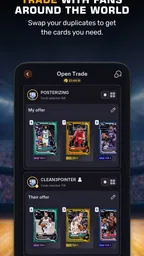
Trading is a central reason to try this app, but a trade deserves a pause rather than a reflexive tap. Before accepting one, I would check exactly which cards are involved and whether the other person understands the exchange. That small habit is useful for adults too: the appeal of a quick deal can make it easy to focus on the card being received and overlook what is being given up.
For siblings or friends sharing a device, a simple verbal handoff helps: say whose collection is open, who is making the decision, and whether the account owner has agreed. If the device changes hands mid-session, stop before confirming anything. This is less about adding ceremony to a casual hobby and more about avoiding the familiar shared-device problem where one person assumes a choice was only a look and another considers it final.
I would use the app in short, deliberate sessions rather than leaving it open as an unattended activity for a child. That gives the adult a chance to be present for spending or trading decisions, while still letting the young collector explore the cards. It also suits the hobby better than treating every spare minute as a reason to check for something new. If the family prefers activities with no account ownership questions and no purchase prompts to discuss, a physical card binder or a free-to-play sports game without a collecting focus may be more comfortable.
Age context and trust
The app is rated for Everyone, which makes its intended audience broad, but an age rating is not a substitute for parental judgment about purchases, online interactions, or a child’s readiness to manage a collection. I would be comfortable considering it for a young NBA fan with an adult nearby, particularly if the child understands that virtual cards are not the same as physical cards and that trades can affect an account. For a child who tends to make impulse purchases or struggles to stop chasing a collection goal, I would wait or keep use supervised.
The app is from The Topps Company, Inc., a familiar name in the collecting space, and its sports focus is immediately clear. That can make it easier to explain why the app appeals to card collectors, but brand familiarity should not be treated as a reason to skip ordinary checks. I still recommend reviewing the purchase flow together and agreeing on what “ask first” means before handing over a shared device.
It has an average rating of 4.7 from around 1.4K ratings, with about 249 written reviews, and more than 100K installs. Those figures suggest that it has found an audience, but they do not tell me whether it suits a particular household. A dedicated collector may value the digital trading loop; a casual fan who only wants scores or highlights may find that the card-centered focus is not what they came for.
What it offers compared with other sports apps
Many sports apps are designed around live scores, news, schedules, or watching games. This one takes a different route: the point is to build and interact with a digital NBA card collection. That makes it a more natural choice for someone who enjoys the ritual of collecting than for someone who wants quick information about tonight’s matchup. Compared with a physical card hobby, it is easier to browse on a phone and engage with trading, but it does not give you a card you can hold, organize in a binder, or pass around the table.
It is also not the same as a full basketball simulation. If you want to control players on the court, practice skills, or compete in a traditional match, look elsewhere. The app’s appeal is narrower and more specific: it brings collecting and trading into an NBA-themed digital setting, with play as part of that hobby. I would choose it for a collector who wants an app-based extension of their interest, not for every person who likes basketball.
One practical way to decide is to ask what the user wants to do after opening it. If the answer is “look through cards, build a collection, and make considered trades,” it is in the right lane. If the answer is “check the score quickly” or “play a realistic game with my sibling,” another sports app will likely serve that need better. That distinction can prevent disappointment before anyone installs it.
Who should try it, and what to keep in mind
I would recommend NBA Collect by Topps® to NBA card fans who enjoy the decisions around collecting as much as the players themselves. It is also worth considering for families with a young fan, provided an adult sets boundaries around purchases and account use. The current version is 40.5.0, and the app is listed as free with a minimum operating system requirement of 7.1; those details help you decide whether it is compatible, but the bigger question is whether the collecting format matches your interests.
The main trade-off is that digital collecting can encourage a “one more card” mindset, while the app’s in-app purchases mean households need to be deliberate about spending. Another is that trading brings decisions and account ownership into the experience, which may be more friction than a casual fan wants. I would skip it for someone who dislikes collection mechanics, wants a purely offline pastime, or expects a shared-device app to automatically provide separate family boundaries.
Overall, I see it as a focused sports hobby rather than an all-purpose NBA companion. For a collector, the digital format offers a convenient way to spend time with NBA cards and trading; for a household, it can prompt enjoyable conversations when everyone understands whose collection is being used and who can approve purchases. My verdict is positive with that caveat: it is most rewarding when the collector is interested in the cards themselves and the family treats spending and trades as decisions, not taps made in passing.
What we like
- Builds a personal collection of digital NBA trading cards.
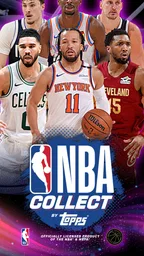
- Card designs showcase players from across the league.
- Trading with other collectors adds a social element.
- Limited releases can make collecting feel rewarding.
- A free download lets newcomers try the collecting experience.
What could be better
- Some cards may be available only for a limited time.
- Completing a collection can require frequent app visits.
- Trading depends on finding other active collectors.
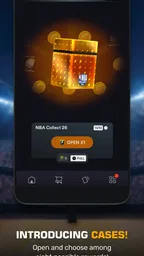
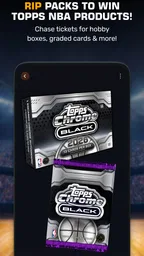
- In-app purchases may be offered for card packs.
- The experience may appeal less to users who dislike collecting.





