
Moultrie review
 Analysis by Appsdrops
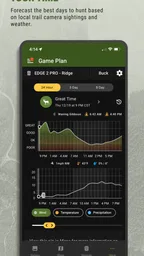
I can see why Moultrie is appealing the first time you use it: it gives game-camera owners a place to view and manage images without making every check a trip out to the camera. That convenience matters most when a camera is set far from home, or when you want to review activity before deciding whether a visit is worthwhile. In my view, the app’s lasting value depends less on novelty than on whether checking and sorting images becomes a useful, low-effort habit.
From the first check to a useful routine
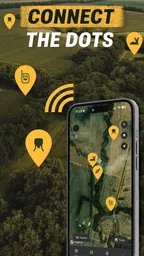
As a sports app built around Moultrie game cameras, this is a focused tool rather than a general wildlife photography gallery. PRADCO Outdoor Brands develops it, and the central idea is straightforward: use your phone to view, manage, and share camera images. If you already use compatible Moultrie equipment, that direct connection is the main reason to consider it. If you do not, the app has little reason to take up space on your phone.
The first-week appeal is easy to understand. After setting a camera, you can check what it has captured from the app instead of treating each camera visit as the only way to learn what is happening. That can save time and help you make more informed choices about when to go back, whether you are monitoring a trail, checking a property, or simply curious about local wildlife.
A realistic routine might look like this: you check images over breakfast, notice that a camera has captured fresh activity, and decide to leave it undisturbed rather than make an unnecessary walk in. Another day, a quiet check may tell you that the camera’s current position or timing is not giving you useful results. The app cannot make those decisions for you, but it can put the images in front of you at a more convenient moment.
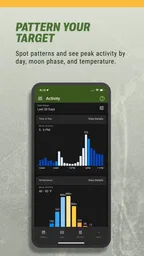
One useful habit is to review with a question in mind rather than opening the app just to scroll. Are there new images? Is activity appearing in the same area? Is this camera still giving you information worth collecting? That approach makes a stream of pictures more actionable and reduces the chance that checking becomes a repetitive pastime with no clear payoff.
The wider audience figures suggest that the app has found a substantial user base: it has over 500,000 installs, around 14,000 ratings, and a 4.7 average. I would treat those figures as reassurance that it is not an obscure experiment, not as a guarantee that it suits every camera owner. Its free price makes it easy to try, though in-app purchases are offered at $4.99 per item, so I would check what an optional purchase does before committing to it.
Why the value can last beyond the novelty
In the first few days, the appeal is mostly immediate access to images. Month to month, the stronger benefit is the way repeated checks can support better decisions. If you manage more than one camera location, or visit a property only occasionally, a phone-based review can help you prioritize which location deserves attention. That is a practical advantage over relying only on memory or waiting until your next in-person check.
There is a trade-off, though. The app is most useful when its images connect to a real task: deciding whether to check equipment, learning whether a location is active, or sharing a relevant capture with someone else. If you do not have a regular reason to review your cameras, easy access can turn into another notification or screen habit without adding much value. I would set a simple schedule—perhaps a brief check when you are already planning outdoor tasks—rather than repeatedly opening it throughout the day.
Compared with the usual alternatives, Moultrie sits between physically checking a camera and using a broad photo-storage app. A manual check gives you direct access to equipment but costs time and travel. General photo apps can organize and share pictures, but they are not designed around the particular job of reviewing game-camera captures. Moultrie makes most sense when you want the camera-image workflow itself to be convenient; it is not a replacement for a general photo library or a complete wildlife-recording system.
Sharing can also make the app more useful over time. Rather than sending every image, I would share only the captures that help someone else understand what has changed or what decision you are considering. That keeps the conversation focused and makes the app’s sharing role feel purposeful instead of turning it into a steady stream of pictures that people may stop noticing.
Maintenance is part of the experience
Remote image review does not remove the need to look after the camera. You still need to think about where it is placed, whether it is functioning as intended, and whether a physical visit is due. The app can help you decide when a trip is worthwhile, but it cannot replace checking equipment in person when something needs attention. That distinction is important: convenience reduces unnecessary visits; it does not make camera maintenance disappear.
I would also keep the app itself tidy by treating image review as a small routine. Look through new captures, keep or share what is useful, and avoid letting every check become a long session. This is especially helpful if you manage several locations, since an unstructured scroll can make it harder to remember which camera prompted a particular observation. A simple mental note about the location and reason for checking can be more valuable than collecting images without context.
Another practical point is to consider your phone’s role. If you use the app outdoors, a quick review before leaving home may be more comfortable than trying to assess images while you are moving around a property. This also gives you time to decide whether a visit is needed and what you should check when you get there. For a user who is already making regular trips, the app is best treated as a planning aid rather than a reason to avoid every trip.
The app is free to download and is rated for Everyone. It was released on April 7, 2016, and its current version is 6.21.0, with a minimum operating-system requirement of version 12. Those details matter if you are setting it up on an older device: check compatibility before building your camera routine around it. The optional purchases are another reason to distinguish the basic role you need from extras you may not use.
Where the routine can become tiring
The main source of fatigue is repetition. When you check often but the images do not change your plans, the app can start to feel like a feed you are maintaining rather than a tool you are using. I would not recommend it to someone who expects a constant flow of exciting captures or who does not want to build any camera-checking routine. Quiet stretches are part of monitoring wildlife, and a useful app cannot make every check rewarding.
It is also not the best fit if you want a platform for organizing every kind of outdoor photograph. Moultrie is centered on game-camera images, so people whose main goal is editing, cataloging, or sharing a broad collection of photos may be better served by their usual photo tools. Similarly, if you prefer to inspect equipment only in person and rarely need remote access to images, the app’s central convenience may not justify another regular task.
For people who share access or decisions with others, it helps to agree on what is worth passing along. One person may care about a particular capture while another only needs a summary that affects a visit. Keeping the sharing selective can make the feature useful without turning every image into a group discussion. That is a small workflow choice, but it can determine whether the app remains helpful after the initial excitement fades.
I would also avoid judging a camera location from a single brief review. A quiet check can be useful information, but it is not automatically a reason to move equipment or abandon a spot. Looking at images over time and relating them to your own visits gives a more sensible basis for action. The app is a window onto captures, not a substitute for your judgment about the land and the camera.
Who should keep it installed
I would recommend Moultrie to owners of Moultrie game cameras who regularly need to review images from a distance, especially if checking every camera in person would be inconvenient. It is most compelling for someone who already has a reason to monitor activity and wants a simple way to make image review part of planning. A property owner who checks a remote location, for example, may appreciate knowing what a camera has captured before deciding whether to make the drive.
I would be more cautious if you are only curious about game cameras, do not own compatible equipment, or want an all-purpose photo organizer. In those cases, the app’s focused purpose is a limitation rather than a strength. The same is true if you find yourself checking repeatedly without changing what you do; a less frequent review schedule may be healthier, or you may simply not need the app at all.
Overall, I think Moultrie can earn lasting space on a phone, but only when it supports a real camera routine. Its strongest contribution is making captured images easier to review and share, while its limits are equally clear: it cannot replace physical upkeep, and repeated access is not valuable by itself. If you use Moultrie cameras and treat the app as a practical planning tool, the convenience can keep paying off after the first-week novelty passes. If your needs are broader or your camera checks are rare, another approach may suit you better.
What we like
- Quickly view trail camera photos from your phone
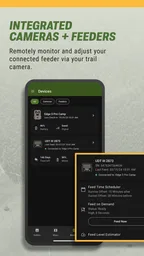
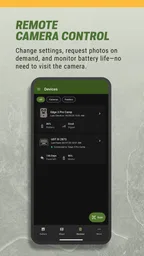
- Manage compatible cameras remotely
- Receive alerts when new images arrive
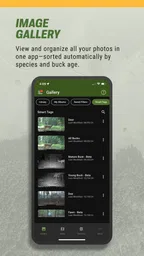
- Organize images by camera and location
- Useful for monitoring wildlife between visits
What could be better
- Requires compatible Moultrie camera hardware
- Some features may require a paid plan
- Remote use depends on reliable network coverage
- Image delivery can be delayed by camera signal
- Battery life and cellular service affect updates





